
The National Retail Federation projected that U.S. retail returns would total approximately $890 billion in 2024, with retailers estimating that 16.9% of annual sales would come back. That estimate came from 249 ecommerce and finance professionals at large U.S. retailers. It covers retail broadly, not online orders alone, and it still changes how you should read post purchase ecommerce. The expensive work often isn't the sale. It's the correction that never happened before the parcel left.
Table of Contents
- What Post-Purchase Ecommerce Covers and Why It Matters
- Every Stage After Checkout and What Customers Expect
- Order Updates and Tracking Customers Trust
- Order Edits, Cancellations and Returns Compared
- Edit Windows and Support Requests in Practice
- Turning Post-Purchase Moments Into Repeat Orders
- Set Your Post-Purchase Rules and Track the Right Numbers
What Post-Purchase Ecommerce Covers and Why It Matters
Post purchase ecommerce is everything a store handles from payment to the end of the relationship. The stages run in this order: order confirmation, edits before fulfillment, updates and tracking, delivery, cancellations and returns, then the offers that follow a settled order.
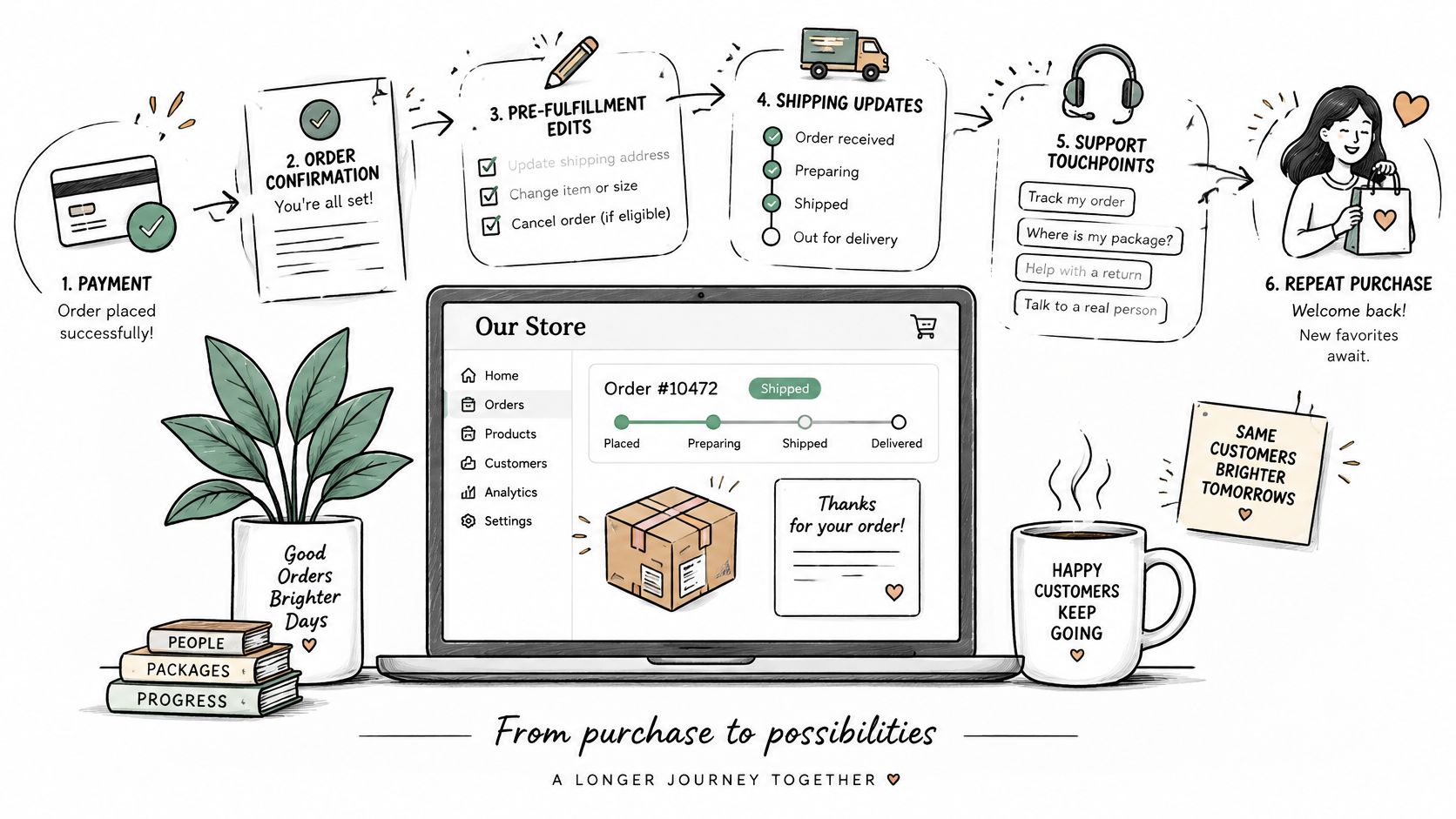
A return isn't a single click in the admin. It pulls in customer messaging, authorization, inventory handling, a refund or store credit, tax recalculation, and a handoff with fulfillment. Shoppers can't check fit, quantity, or the address until after they pay, so a lot of that work is born at checkout and only shows up later.
DHL's ecommerce trends report finds that 92% of shoppers return up to 30% of their online purchases, and 79% may abandon checkout if their preferred returns option is unavailable. A customer who can't fix a size, a quantity, or an address will contact support, wait, or cancel.
Practical rule: Separate three outcomes before you write policy. An edit that keeps the sale, a cancellation steered into credit or an exchange, and a genuine return after delivery.
Post purchase ecommerce is where many avoidable costs can still be stopped. It needs its own rules for edits, cancellations, and returns, not a generic promise that every change is easy.
Every Stage After Checkout and What Customers Expect
Walk the order the way the customer does. Each stage has a need, a channel they open, and a failure that turns into a ticket.
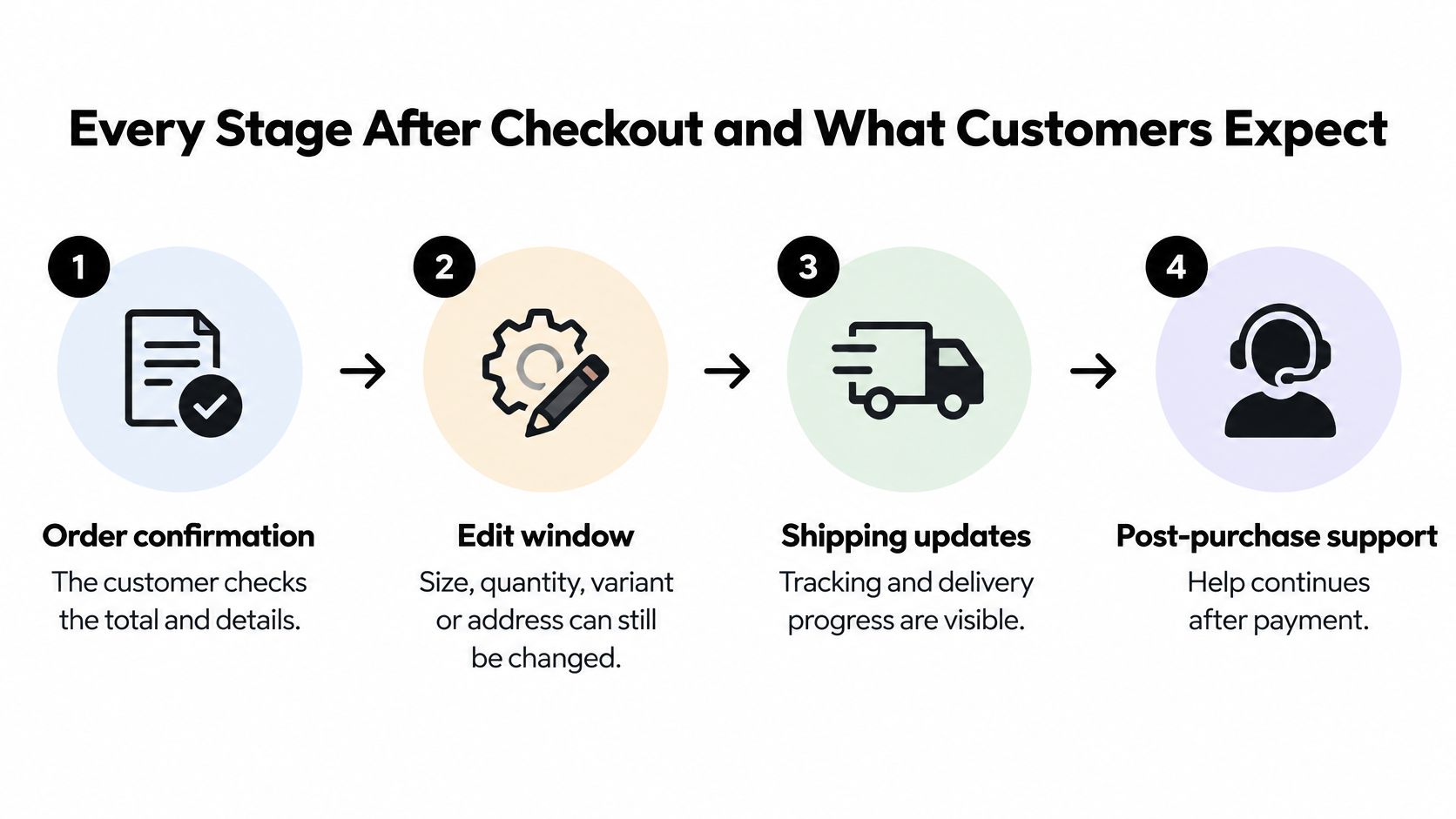
Order confirmation is the proof of purchase. The customer checks the total and the line items in email and on the order status page. The failure is a total that doesn't match the checkout figure, which makes every later message look untrustworthy.
The edit window is the short stretch where size, quantity, variant, or address can still change. They look for that control on the order status page, not in a buried help article. The failure is a change requested after the dispatch cutoff, when the warehouse has already treated the order as final.
Shipping and tracking is the "when does it arrive" stage. SMS, email, and the tracking page are the usual channels. The failure is no estimated delivery date, so the customer invents one and then argues with it.
Delivery has one job: the right item at the right address, confirmed by carrier scan events. The failure is a late or missed drop with no update.
Returns or exchange needs a clear route to a refund or a replacement, through a return portal or support. The failure is a slow refund or a next step nobody stated.
| Stage | What the customer needs | Usual channel | Common failure |
|---|---|---|---|
| Order confirmation | Proof of purchase and an accurate total | Email and order status page | Total differs from the checkout figure |
| Edit window | Fix size, quantity, variant or address | Order status page | Change requested after dispatch cutoff |
| Shipping and tracking | Know when the order arrives | SMS, email and tracking page | No estimated delivery date given |
| Delivery | Receive the right item at the right address | Carrier scan events | Late or missed delivery with no update |
| Returns or exchange | Clear route to refund or replacement | Return portal or support | Slow refund or unclear next step |
Read the ticket by stage first
Name the stage before you hunt for a root cause. Then ask which failure it was: a missing message, a missed cutoff, a wrong total, or a delivery exception.
Orders also move backward. An address change requested after fulfillment is released isn't a shipping update. It's a closed edit, and the next honest offer is a redirect with the carrier or a return after delivery.
Order Updates and Tracking Customers Trust
A 2025 mystery-shopping study from Stord found that 56% of consumers prefer order updates and tracking by SMS, yet only 12% of brands met that expectation. 58% wanted estimated delivery dates, while only 1% of brands provided them.
The miss isn't "we picked the wrong channel." Promises from support, edit cutoffs, inventory status, fulfillment holds, carrier events, and exception texts have to describe the same order. An estimated delivery date is not a guaranteed date. Say "estimated" in the message itself. A contradictory update creates more contacts than a quiet one, because the customer no longer knows which version to believe.
More notifications don't build trust. Accurate state and an honest exception do.
That only works if the order record and the warehouse agree on the last moment a change is still safe. If you're choosing an order management system, judge it on whether holds, cutoffs, and carrier events stay in one status, not on how many templates it can send. The same standard applies to the order tracking page: it should show the live state, not a prettier copy of yesterday's email.
| State | What the customer is told | What the customer can do next |
|---|---|---|
| Payment confirmed | Order received with an accurate total | View the order or request an edit |
| Edit available | The edit window is open and shows the last safe edit time | Change size, quantity, variant or address |
| Edit pending | Changes are being checked before fulfillment | Wait; no duplicate request is needed |
| Fulfillment released | The order is locked for editing and will ship | Contact support about a return after delivery |
| Carrier delayed | A revised estimated date with the reason | Wait, or ask for a refund if a guaranteed date was missed |
| Address correction unavailable | The edit window has closed for address changes | Ask support whether the carrier allows a redirect |
| Cancellation converted to credit | Credit amount, any bonus and expiry date | Accept the credit or ask for a refund |
Review failed promises, contacts per order, and edits attempted after cutoff. Open rates won't tell you whether the message was true.
Order Edits, Cancellations and Returns Compared
| Outcome | Best used when | Operational load | Revenue effect |
|---|---|---|---|
| Order edit | Wrong size, quantity, variant or address before fulfillment | Low, no reverse shipping | Order total adjusts; customer pays any difference by invoice |
| Cancellation to store credit | Customer wants out but may buy again | Low to moderate | Revenue held as credit with expiry and possible bonus; order locked after acceptance |
| Refund | Full cancellation before dispatch or unwanted order | Moderate, refund processing | Revenue returned to the customer |
| Return after delivery | Item arrived and cannot be kept | High, reverse logistics and inspection | Refund or exchange after restock; fraud checks needed |
The National Retail Federation estimates that 19.3% of online sales will be returned in 2025, compared with 15.8% across retail overall, and puts total retail returns at $849.9 billion. The same research says 71% of consumers are less likely to shop again after a poor returns experience, and that 9% of returns are fraudulent. Speed matters. So does not treating every request as a return.
Edit before the warehouse owns it
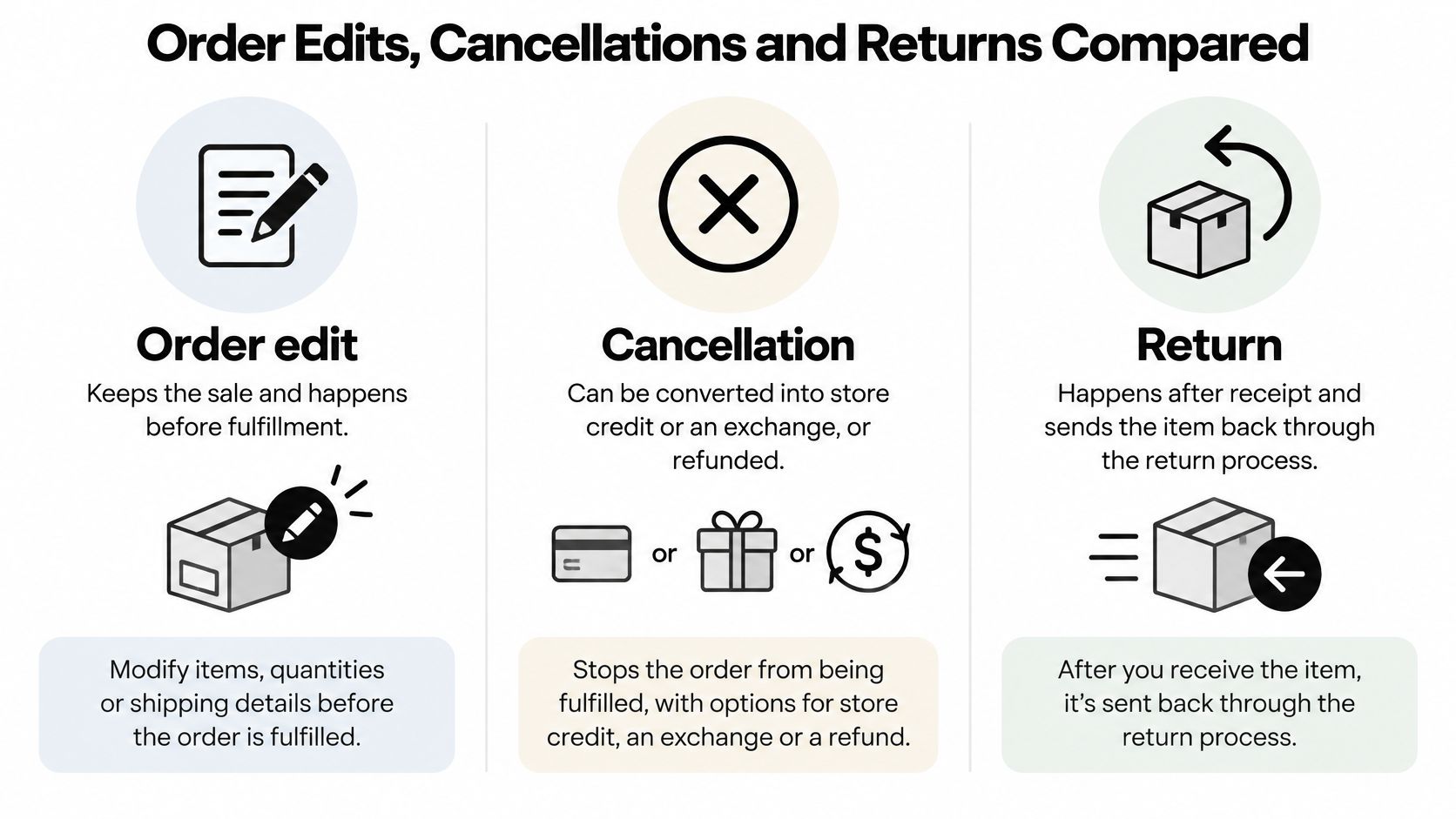
An order edit keeps the sale. Use it for a wrong size, quantity, variant, or address while fulfillment hasn't released the order. There's no reverse shipping. If the new total is higher, the customer pays the difference. If it's lower, you refund the gap under your own rules. The load stays low only while the order is still editable.
Credit when they might buy again
A cancellation to store credit fits a customer who wants out but isn't done with the brand. Hold the value as credit, set an expiry, and add a bonus only if the margin can carry it. If the customer accepts the store-credit offer, the order stays and is locked from further edits. That lock stops a second change after you've already conceded the credit. Spell the offer, the expiry, and the fallback refund in your ecommerce cancellation policy so support isn't inventing terms on the call.
Refund when the product can't stay
A refund is the right close for a full cancellation before dispatch, or for an order the customer doesn't want. You return the money. You don't pretend the sale was saved. Processing is moderate: payment status, tax, and a reason code, without a parcel coming back.
Return only after delivery
A return after delivery is the expensive path. The item has to come back, get inspected, and be restocked or written off before a refund or exchange. Because a meaningful share of returns is fraudulent, this path needs checks that an edit doesn't: reason codes, value thresholds, and a look at whether the order was already refunded.
Route each request by fulfillment status, product restrictions, destination, order value, and an approval threshold. Instant credit or an instant exchange only works if inventory and payment state are checked in real time. Otherwise you approve a swap for stock you don't have, or credit an order that's already refunded.
I would use this order every time. Edit when the fix is still before fulfillment. Offer credit when the customer may buy again. Refund when the product can't be kept. Treat the return as the last route.
Edit Windows and Support Requests in Practice
Four requests cover most of the queue. The answer in each case is the order state, not how polite the customer is.
Wrong size, still inside the hour
A customer orders a medium and wants a large within the hour. If the order is still editable and fulfillment is on hold, swap the variant. Tell them the price difference before they confirm. When an edit raises the order total, Shopify sends a separate invoice, and the edit completes only after that balance is paid.
A mistyped shipping address
A digit wrong in the postcode is the same test. Inside the window, correct it on the order. Past the window, don't promise a save you can't make. Ask whether the carrier still allows a redirect, and say so in one sentence.
An extra item after checkout
Adding a product is allowed only if additions are in your permitted actions and the order hasn't been released. Fulfillment is held while a customer is editing an eligible order, so the order can't ship mid-change. Release it only after the new total is settled. If the add would miss the carrier pickup, refuse the add and offer a second order instead of a half-built one.
Cancel after the parcel has left
Once the warehouse has handed the parcel to the carrier, there is no edit. Don't reopen the order to look helpful. The next outcome is a return after delivery, or a refund only if your policy allows one without the goods.
What sets the last safe edit time
Don't use one default for every order. Set the cutoff from warehouse service levels, destination, carrier pickup, and how complex the pick is. A single domestic shirt can stay editable longer than a split shipment that has to make a noon trailer.
Shoppers should contact the store they ordered from first. The merchant controls the order data, and we assist merchants with valid requests rather than rewriting an order the store hasn't authorized.
Support handoff, in one pass: check the order state, confirm the window, then either apply the edit or offer the next outcome. Don't collect the same story twice.
Turning Post-Purchase Moments Into Repeat Orders
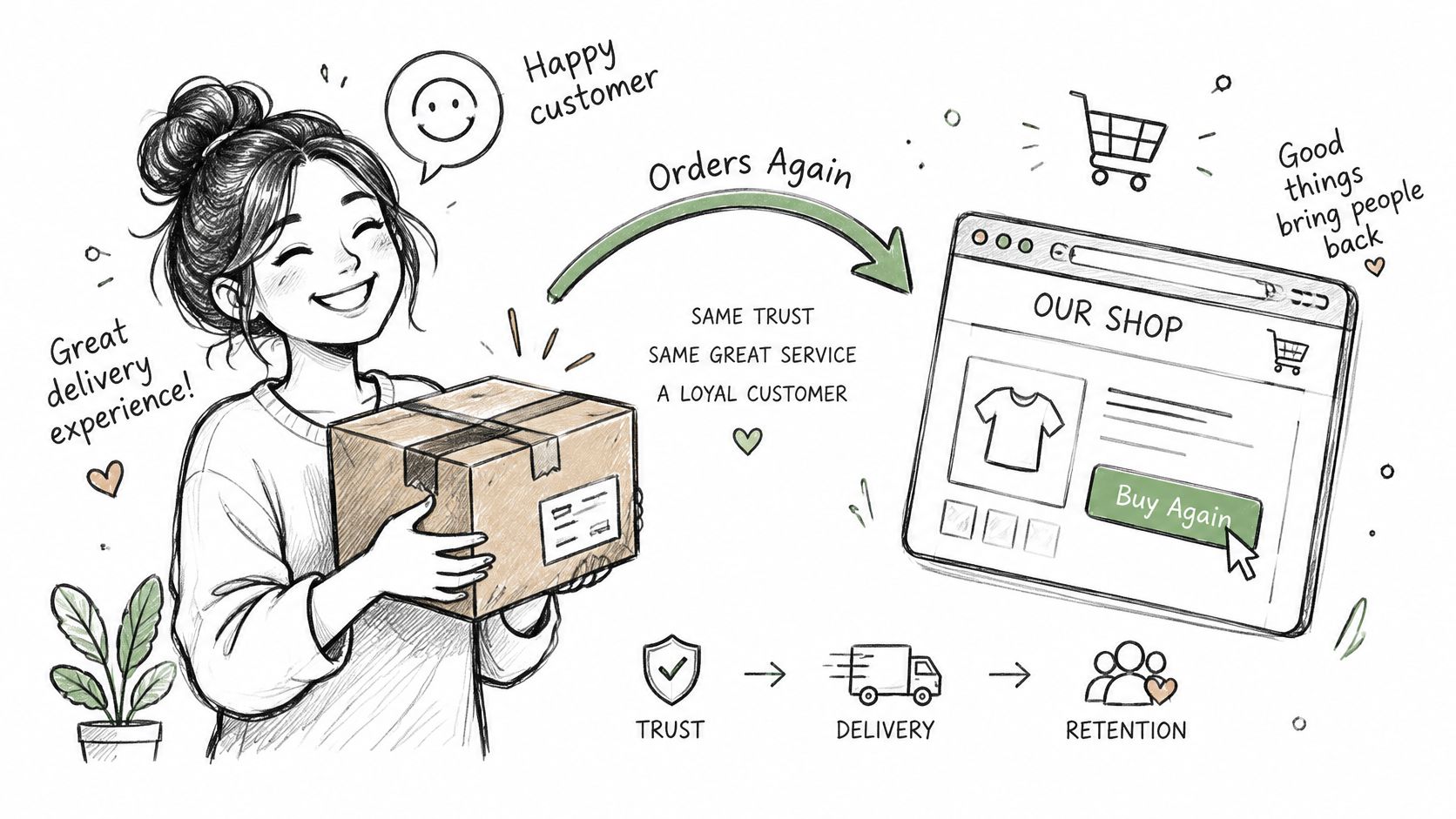
In 2024, almost 60% of shoppers said a good delivery experience directly encouraged them to purchase again, according to an IMRG study reported by nShift. The view of your store is formed after payment, in four moments: a clear confirmation, accurate tracking, a correction that doesn't require a chase, and a fair close when something is wrong.
Keep them in the relationship after a change with three concrete artifacts.
- An updated receipt: After the edit, show the post-edit order, not the original checkout total. A second, conflicting email undoes the save.
- Credit they can use: State the amount, any bonus, and the expiry in the same message. A credit with no date is a support ticket waiting to happen.
- Suggestions after the problem is settled: Relevant products belong once the order is confirmed, not in the middle of a size swap. Pressure during a correction feels like friction, and people abandon the fix.
A retention offer follows a resolution. It should never make an honest correction harder to get. If you want to know whether those saves turned into another order, measure repeat buying in ecommerce on a cohort that edited or took credit, not on all buyers mixed together. Broader post-purchase marketing can sit on top of that, but only after the operational message is already true.
Set Your Post-Purchase Rules and Track the Right Numbers
- Map each stage to a named owner. Confirmation, the edit window, tracking, delivery exceptions, and returns can't all sit with "whoever is on chat."
- Define the edit window per shipping zone and warehouse cutoff, using pickup time and order complexity, not a single storewide hour.
- List the changes allowed before fulfillment: size, quantity, variant, address, removal, and additions. Anything not listed is refused.
- Set approval thresholds by order value, product, collection, or destination. A high-value swap shouldn't auto-approve on the same rule as a sock size.
- Assign an outcome to each request type from the comparison: edit, credit, refund, or return.
- Write one message per operational state, and label every estimated delivery date as an estimate.
- Review the numbers each month, with the caution next to the metric, not in a footnote nobody reads.
| Metric | What it shows | Caution |
|---|---|---|
| Failed delivery promises | Orders delivered after a guaranteed date | Count only dates the store actually promised |
| Contacts per order | Support load generated by each order | Compare by stage, not as one total |
| Edits requested after cutoff | Gaps between the edit window and customer expectations | Points to unclear messaging as well as customer error |
| Recovered revenue | Sales kept through edits or store credit | Not automatically incremental profit |
| Avoided tickets | Support contacts that did not happen | Always an estimate |
We install from Shopify and the rules live in Mayra > Settings. That's where you turn on editing, set the edit window, choose allowed customer actions, and set refund handling. Every change a customer makes is written to the original order, so the Shopify admin stays the source of truth. You remain responsible for those configuration choices, including edit windows, allowed actions, refund handling, and store-credit offers, and for the results those settings produce.
Mayra ‑ Order Edit & Cancel lets Shopify customers change quantity, swap a variant, fix an address, add or remove items, or cancel an eligible order before fulfillment, under the windows and thresholds you set. It keeps the sale on the original order when an edit or store credit is the better close, and it leaves genuine returns on their own path. Visit Mayra ‑ Order Edit & Cancel and set the edit rules before the next avoidable refund lands in the queue.