
Live on the Shopify App Store

Customers change their minds. Mayra lets them fix the order.

Post-purchase order editing for Shopify. Let customers change, add to, or save their order before fulfillment, without a support ticket. Live in minutes.

Free for early users

Runs inside Shopify · Native to new customer accounts · Merchant-controlled.

Editable for 28:00
Fulfillment held
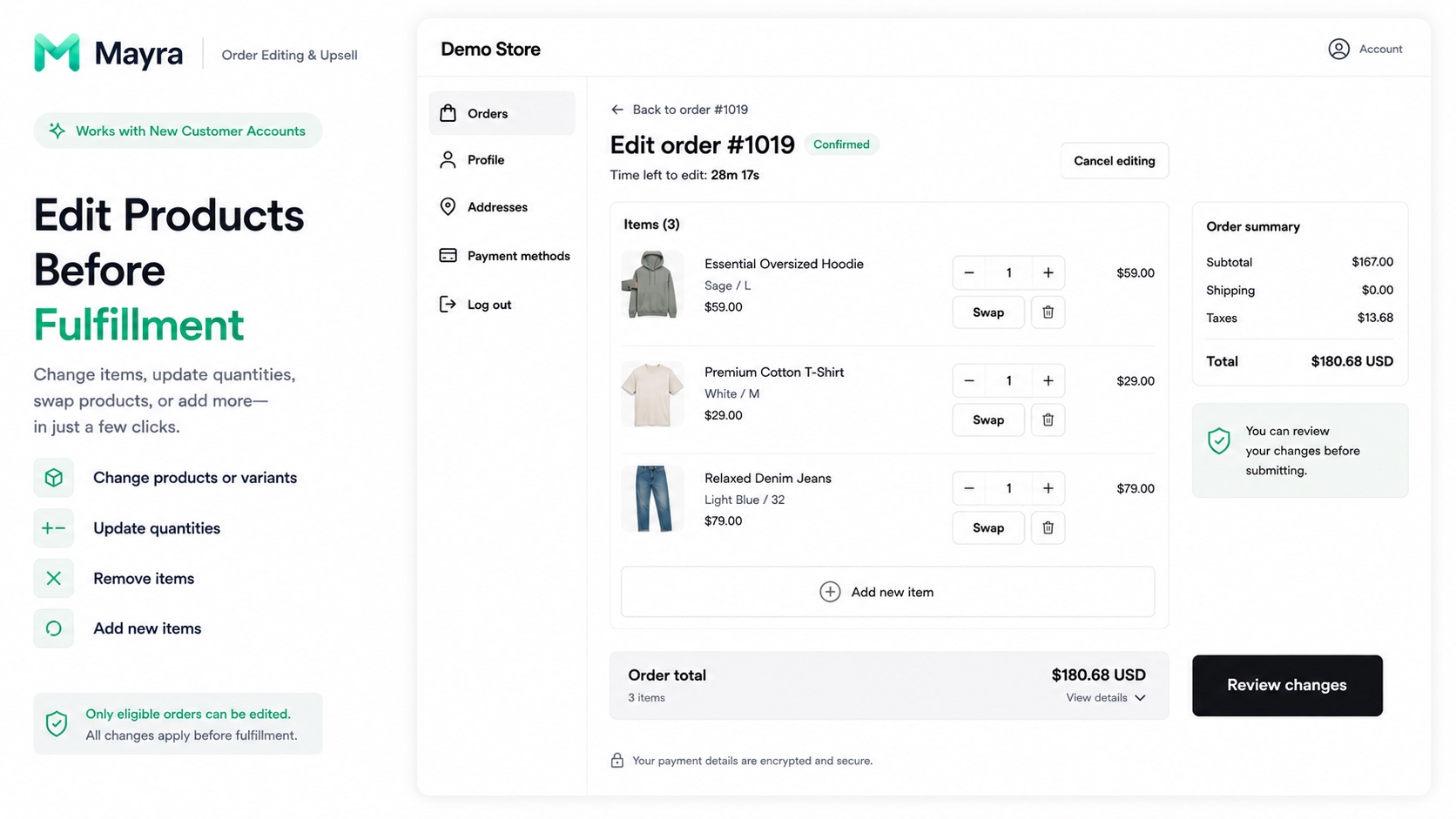
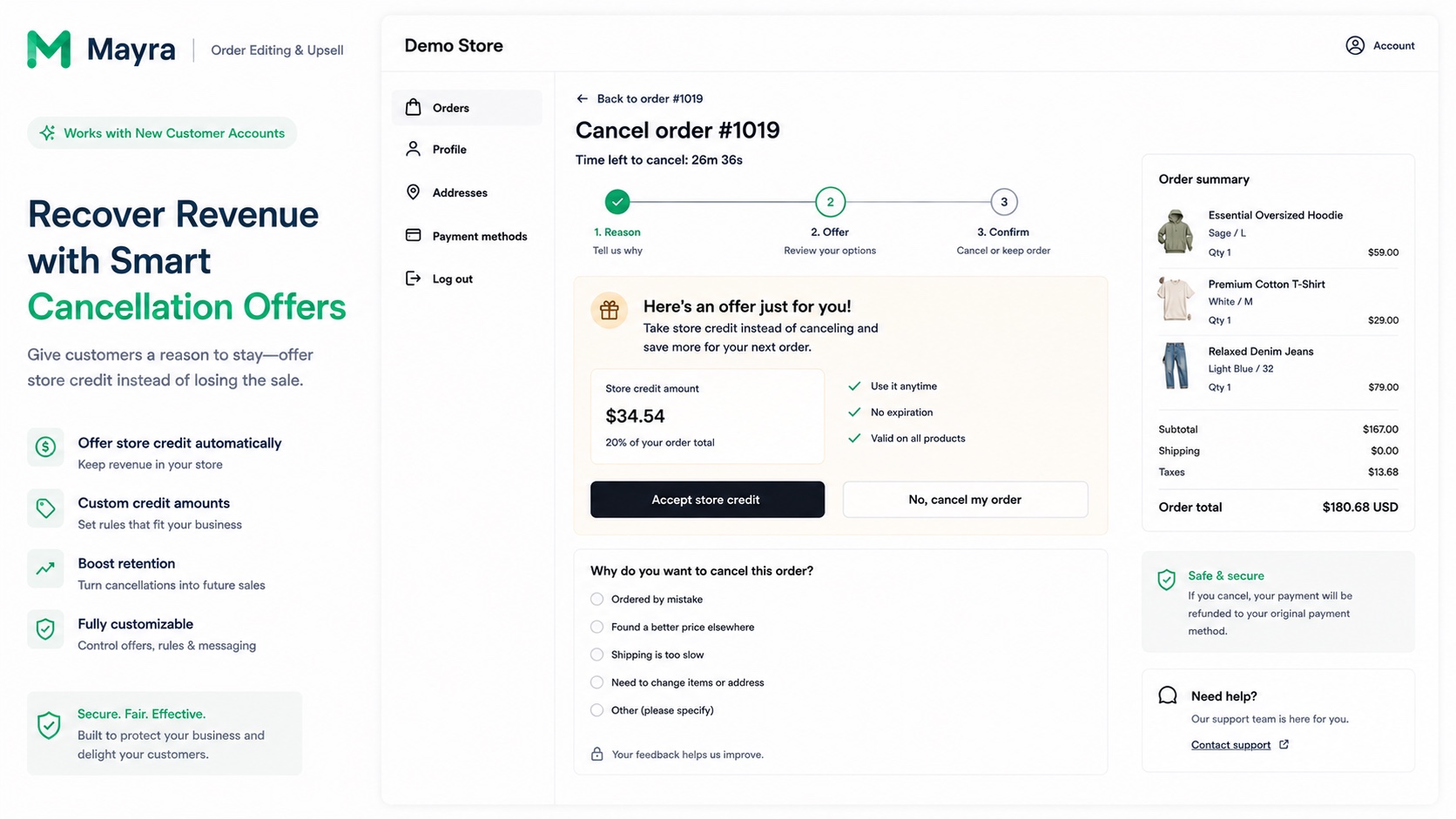
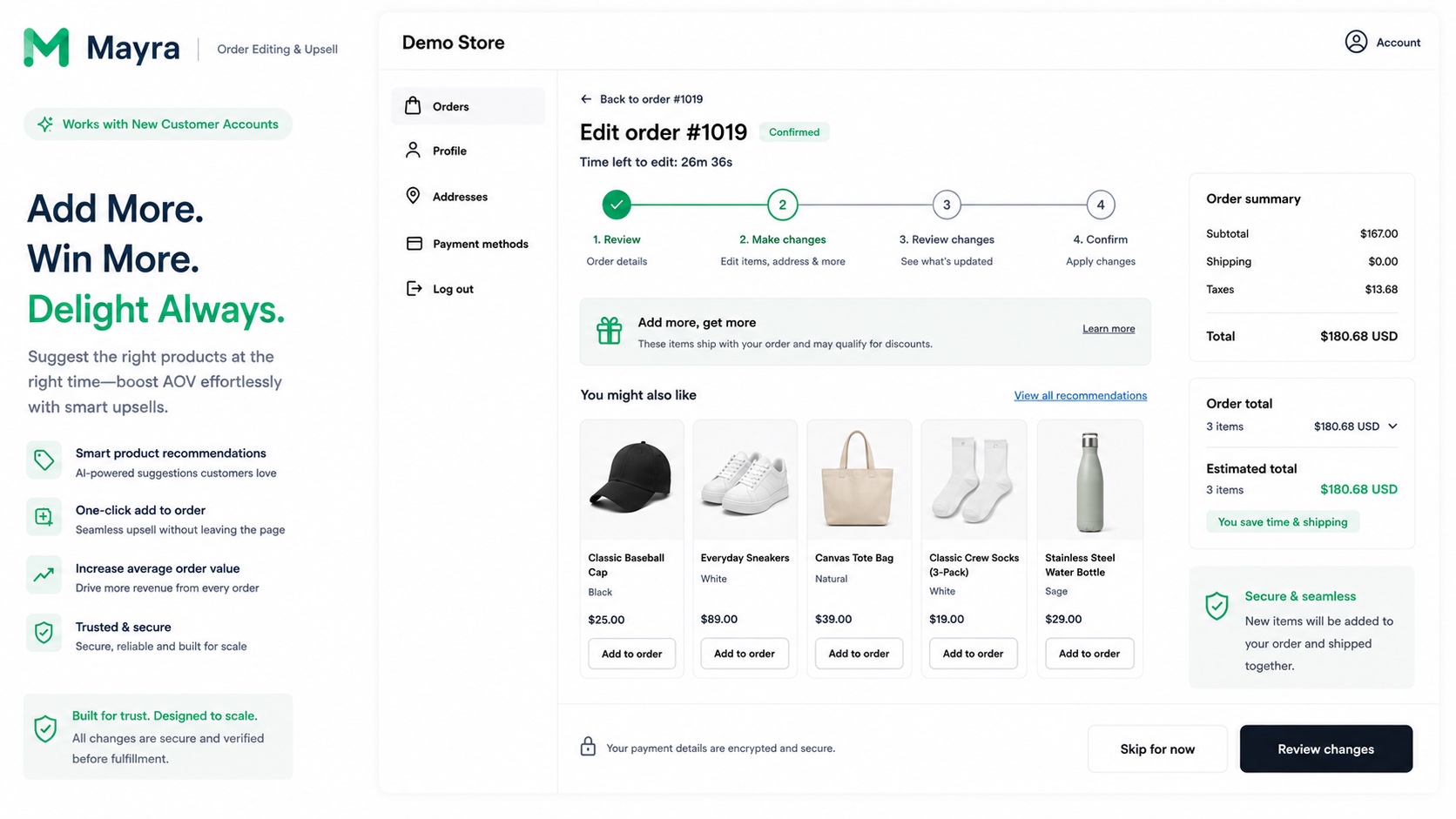
A customer editing items, quantities, and variants on their order inside a Shopify customer account with MayraMayra offering store credit to keep the sale when a customer starts to cancel an orderPost-purchase product recommendations a customer can add to their order in one click

See it in action

The real product, inside your customer's Shopify account.

Every change happens where customers already manage their orders. No theme surgery, no support ticket, no second checkout.

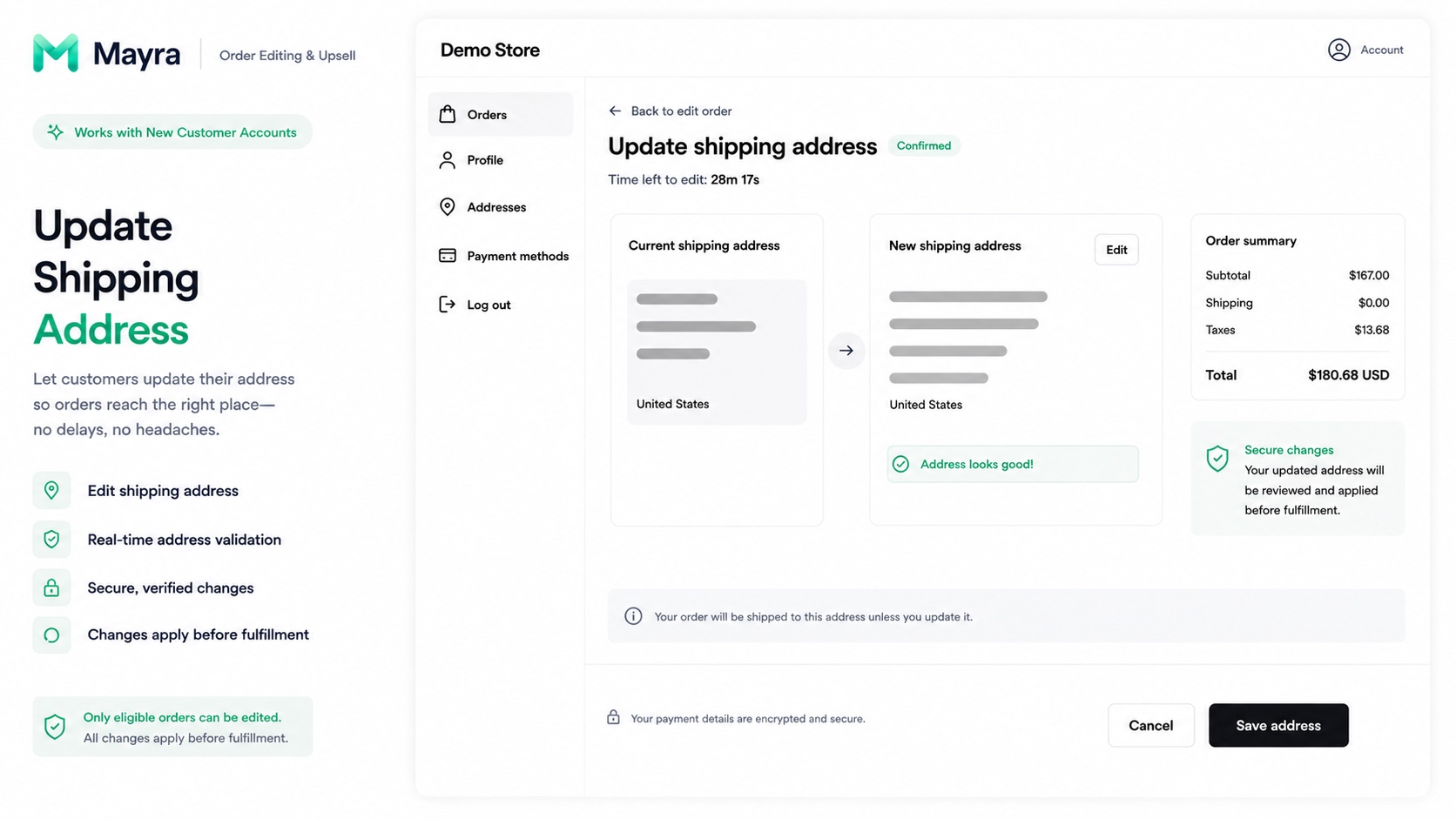
A customer updating their shipping address with real-time validation inside a Shopify customer account with Mayra
Mayra offering store credit to keep the sale when a customer starts to cancel an order
Post-purchase product recommendations a customer can add to their order in one click
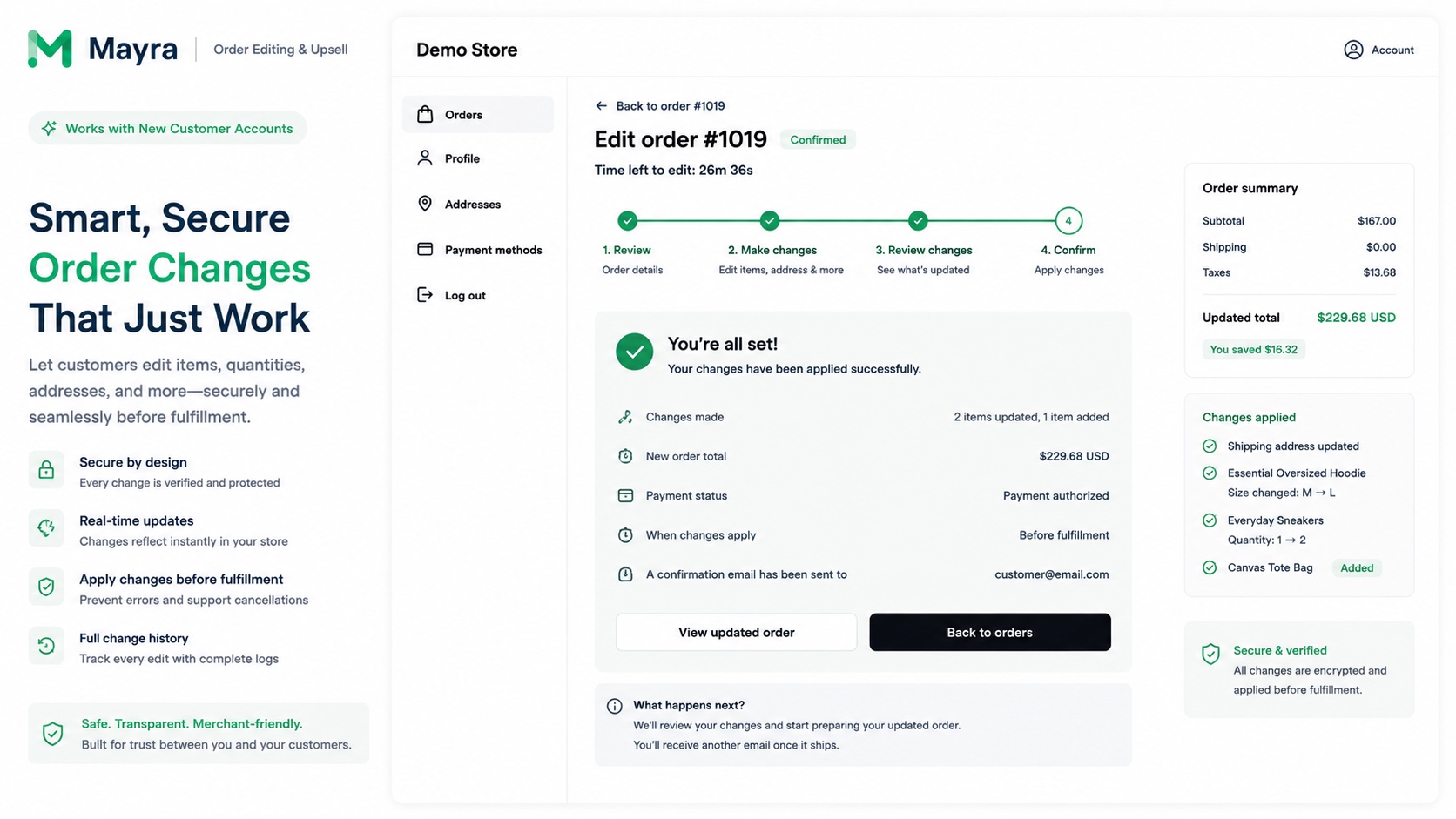
A confirmation screen showing the order changes Mayra applied before fulfillment

The post-purchase problem

Every change request lands in your inbox, and too many end in refunds.

Wrong size, wrong address, "can you add one more?", "please cancel". Each one is a human reply, a manual admin edit, and a race against fulfillment. Left unhandled, they turn into cancellations and returns.

Wrong variant

"I ordered a medium, I need a large."

Wrong address

"Can you ship it to my work instead?"

Add-on request

"Can you add one more before it ships?"

Cancellation

"Please cancel and refund my order."

What Mayra does

Three ways to keep post-purchase out of your support queue.

Self-serve order editing

Customers change quantities, swap variants, update the shipping address, and add or remove items themselves, with no support ticket and no back-and-forth email thread.

  • Quantity and variant changes
  • Shipping address updates
  • Add or remove line items

Cancel deflection

When a customer starts a cancellation, Mayra captures the reason first and offers store credit to keep the sale, so the order has a chance to be saved before it becomes a refund.

  • Structured cancellation reasons
  • Store-credit save-offers
  • Full cancel as fallback

One-click upsells

Recommend relevant products while the customer is already editing and on the order status page. Accepted items are added to the same order and the new total settles automatically.

  • Recommendations during edits
  • Order status page offers
  • Automatic total settlement

Merchant controls

Self-serve, but strictly on your terms.

Customers only ever see what you allow. Every rule is yours to set before a single order becomes editable.

Set the edit window

Allow edits for a fixed period after checkout, or until fulfillment starts.

Choose what can change

Turn each capability on or off: quantities, variants, address, additions, removals.

Require approval

Auto-approve small changes and route refunds above your threshold to your team.

Cap eligibility

Exclude orders above a value, with certain fulfillment states, or already in transit.

Block what you must

Exclude specific products, collections, tags, or destination countries.

Guard your logistics

Fulfillment is held during an edit so nothing ships mid-change.

Automatic settlement

Mayra handles the money side of an edit so your team does not have to touch the admin.

  • Extra charges invoice the customer through Shopify before the edit completes.
  • Refunds process automatically, or wait for approval when they cross your threshold.
  • Fulfillment is held for the duration of an edit so nothing ships mid-change.
  • Every change is written to the original order, so your admin stays the source of truth.

How it works

Live in minutes.

01

Install & set your rules

Install from Shopify, pick your edit window, and choose exactly what customers may change.

02

Add the Mayra block

Drop the Mayra block onto your Order status page and customer account. No theme surgery.

03

Customers edit their own orders

Edits apply to the real order, extra charges invoice the customer, and refunds process per your settings.

Analytics

See what self-serve actually changes.

Mayra reports on your own store's activity. Nothing here is a benchmark or an industry claim. It's your numbers.

Orders edited

How many orders customers resolved themselves.

Revenue recovered

Value added back through upsells and saved orders.

Orders saved

Cancellations that ended in store credit instead of a refund.

Tickets avoided (estimate)

Modelled from resolved edits and labelled as an estimate, not a measured result.

Estimate your own numbers

Adjust the inputs to your store's volume and assumptions. The output is a projection from what you enter, not a result we've measured.

2000
65
6
6

Your inputs, your math

Post-purchase requests / month
120
Support hours spent on them
12 hrs
Order value tied to those requests
$2,730
Upsell opportunity surface
$650

Estimates calculated from the numbers you enter above. These are illustrative projections, not results measured on your store.

Post-purchase, handled.

Install Mayra, set your rules, and let customers fix their own orders, and add to them. Free for early users.