
An order tracking page isn't a decorative extra after checkout. It's the screen shoppers reopen when they're unsure whether an order is moving, late, or lost. Treat it as a service surface, not a carrier shortcut, and every status on it should tell the shopper what it means, who owns the next step, and what they can safely do next.
Table of Contents
- Why Shoppers Keep Opening the Tracking Page
- Six Details Shoppers Expect on the Page
- When the Status Does Not Match the Parcel
- Messages That Do Not Fight the Page
- Two Orders and Two Very Different Pages
- Check the Tracking Page Before the Next Dispatch
Why Shoppers Keep Opening the Tracking Page
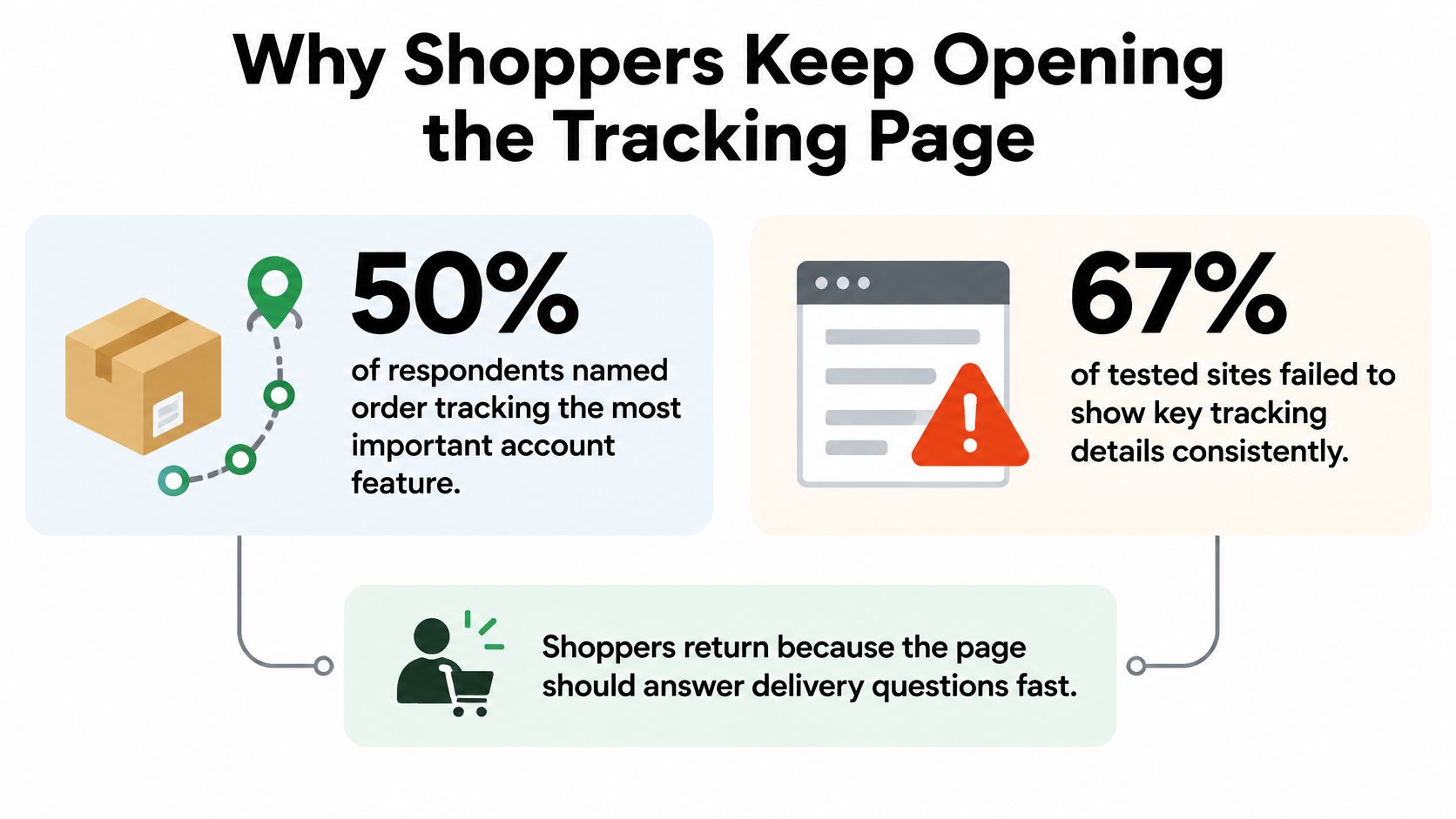
An order tracking page is the store's own status screen for one order, showing its progress, delivery estimate, carrier, and contents, and it's where shoppers return between checkout and arrival. In Baymard's ecommerce account and self-service research, 50% of respondents identified order tracking as the most important account feature. That single result should change how you brief the page. Shoppers aren't treating tracking as a nice account extra. They're treating it as the main reason to come back.
The same research found 67% of tested ecommerce sites failed to provide all key order-tracking details consistently. Only 33% of the tested sites offered a page with six core elements, and 25% of sites failed to reliably show an expected delivery date. Put those findings together and you get the core problem. Demand is high, but the answer is often incomplete. A shopper opens the page for certainty and finds a tracking number, a vague status, or a link away from the store.
Two visits with two different questions
Say a shopper buys running shoes on Monday night. Minutes later, they open the tracking page to confirm the order is processing and hasn't vanished into a payment error. They don't need a carrier scan yet. They need proof that the store has the order, knows what was bought, and will tell them when it moves.
Three days later, the question has changed. Now they want to know whether the parcel is in transit, which carrier has it, and whether it'll arrive before the weekend. The same page has to serve both visits without making the shopper dig through email or decode a carrier timeline. That's why a one time confirmation screen isn't enough.
Think of the page as a departure board for one parcel. A luggage tag only names the carrier and destination. A departure board tells you whether the journey has started, whether it's still on time, and where to look when something changes. Your store page should do the same job in plain language, even when the underlying carrier data is messy or delayed.
A store screen, not a carrier detour
A carrier website can show scans, but it doesn't know your order contents, your split shipment logic, or your support policy. A shipping email is useful on the day it arrives, but it's static and easy to lose. The store's page should stay live, order specific, and readable without specialist knowledge. If you're working to improve your ecommerce customer experience, this is one of the clearest places to prove it, because the shopper is already anxious and already looking for help.
Baymard's 2019 research already showed high demand while complete on-site tracking stayed uncommon. That gap is the briefing point for a new teammate. Don't judge the page by whether it exists. Judge it by whether a returning shopper can answer progress, timing, handler, and contents in seconds, which is the practical heart of a strong post-purchase customer experience.
Six Details Shoppers Expect on the Page
Six fields do nearly all the work on a tracking page. Each one answers a question the shopper is already asking, and each gap turns into a ticket your team answers by hand.
| Detail | Shopper question | If it is missing |
|---|---|---|
| Expected delivery date | When should it arrive? | Shoppers cannot plan around the order, and many tested sites leave the date off entirely |
| Status progress | Where is it right now? | A tracking number alone does not show processing, transit, or delivery |
| Carrier name | Who has the parcel? | Shoppers cannot tell the store update from the carrier handling it |
| Linked tracking number | How do I open the carrier record? | The identifier is dead text instead of a path to scans |
| Detailed shipping history | What changed since I last looked? | Repeat visits show the same static line |
| Package-content summary | Is this the right shipment? | Split orders and partial shipments look like missing items |
Start with the expected delivery date, because it turns tracking from curiosity into planning. A shopper deciding whether to work from home, ask a neighbor for help, or buy a gift locally needs a date or a narrow window. Label where that estimate comes from. Write carrier estimate when the carrier provides it, and use your own promise only when your operation can defend it. Blending the two produces a confident looking date that nobody owns.
Status progress should read like a short story the shopper can follow. Order placed, preparing, handed to carrier, in transit, out for delivery, and delivered are stages in plain language. Keep the current stage visually obvious, and don't force someone to infer progress from the most recent scan city. If the parcel hasn't left your warehouse, say so. A tracking number created early can make an order look shipped when it's still sitting on a packing bench.
The three details shoppers reach for first
Baymard's more recent self-service research identifies the estimated delivery date, the carrier name, and the shipment's subevents or stages as the details customers generally need most. It also describes order tracking as the most important self-service feature, with expectations intensified compared with its earlier 2018 findings. Design your hierarchy around that order. Put the date and current stage at the top, name the carrier beside them, then let the detailed event history sit below for shoppers who want proof.
The carrier name matters because responsibility changes hands. Before handover, the store owns delays in picking and packing. After handover, the carrier owns movement, although the shopper will still hold your store responsible for explaining it. A linked tracking number gives the shopper a path to the carrier record when they need depot level detail, but it shouldn't be the only path. Copying a long number into another site is work you're pushing onto the customer.
A detailed shipping history answers the repeat visitor's real question, which is what changed since yesterday. Show events in reverse chronological order, translate carrier wording into plain sentences, and keep timestamps visible. “Arrived at a regional sorting center” helps. A raw facility code doesn't. If nothing has changed, the page should still show the last known event clearly instead of looking broken or frozen.
The package-content summary prevents a different kind of panic. Say an order contains a jacket and boots, but the boots ship separately tomorrow. Without contents on the first parcel, the shopper may think the boots are missing and contact support. List what's in this shipment, what's still to come, and the quantity and variant for each item. Split shipments need a separate status block for each parcel, since one blended status pretends the whole order is in a single box.
Many tested sites leave order-tracking information and events scattered outside the store itself. Email, carrier pages, and support chats each hold a fragment, so the shopper becomes the integration layer. A useful store page consolidates shipment events and order information after checkout, because customers who need more than a shipping email provides will come looking for a dedicated page.
One-line test: A shopper who never leaves your store page can answer progress, timing, carrier, and contents without opening email or contacting support.
If any one of those answers requires a second tab, treat it as a page defect. Passing the test takes complete facts, current events, clear ownership, and wording that matches what's physically happening to the parcel. Decorative maps and animated trucks add nothing to it.
When the Status Does Not Match the Parcel
More scan lines don't automatically create trust. Recent consumer research from Avery Dennison found that 63% of shoppers consider full visibility throughout delivery essential, while reported frustrations include inaccurate notifications, premature “delivered” updates, and an inability to change delivery time or location. That's the contrarian point your team should internalize. Visibility that is wrong, early, or impossible to act on can feel worse than a shorter update that is honest about what the store knows.
Shoppers rarely ask for a scan history for its own sake. They're asking whether the estimated date is reliable, what to do about a delay, whether a parcel can be redirected, and what happens when tracking says delivered but nothing has arrived. A chronological list doesn't answer those questions. Actionable transparency does. Each state needs a shopper decision, a merchant responsibility, and a fallback path when the normal journey breaks.
| Status on the page | Shopper question | Next step to show |
|---|---|---|
| Processing, no tracking yet | Has it left the store? | Say it is not fulfilled; allow eligible edits only inside the merchant window |
| Label created, no scans | Why is nothing moving? | Explain carrier scan lag; do not invent a delivery date |
| In transit | Is the estimate still reliable? | Show date, last event, and carrier name together |
| Delay or exception | What do I do now? | Name store versus carrier responsibility and a single escalation path |
| Out for delivery | Can I change time or place? | Offer a redirect only if the carrier supports it; otherwise say it is too late |
| Marked delivered, not received | Who confirms it arrived? | Separate a carrier scan from confirmed receipt and open a missing-parcel path |
Pair every state with an owner
Processing, no tracking yet means the order is still with the store. Say it hasn't been fulfilled, give the expected dispatch timing if you can support it, and show eligible changes only inside the merchant's edit window. Label created, no scans is different. A label can exist before the carrier collects or scans the parcel, so explain scan lag in one plain sentence. Don't invent an arrival day to fill the empty space.
For in transit, keep the estimated date, last event, and carrier name together so the shopper can judge confidence at a glance. A recent scan near the destination supports the date. A stale scan several days old weakens it, even if the carrier hasn't formally changed the estimate. When there's a delay or exception, name who acts next. Write whether the store is contacting the carrier, whether the shopper must confirm an address, or whether the carrier needs delivery instructions. One escalation path beats three generic help links.
Out for delivery needs honesty about control. Offer a redirect or time change only when the carrier supports it at that stage. If it's too late, say it's too late and explain the fallback, such as collection, redelivery, or contacting the store after a failed attempt. For marked delivered, not received, separate a carrier delivered scan from confirmed receipt by the shopper. Ask them to check common safe places and neighbors, then open a missing parcel path with a clear response expectation. Don't present the scan as proof that the customer is wrong.
Editing stops where fulfillment starts
Orders that are fulfilled, cancelled, or archived cannot be edited by customers. That boundary should be visible in the status logic, not discovered after a shopper submits a change. Fulfillment is held while a customer is editing an eligible order, so the order cannot ship mid-change. That temporary hold only makes sense while an eligible edit is in progress and before dispatch. Once carrier events show movement, prioritize exception handling and support escalation instead of unrestricted modifications.
Teams that manage this well also measure the handoffs, not just page views, which is why the key metrics for Shopify order management are useful context for deciding where automation ends and human ownership begins. The same discipline applies when you design ecommerce fulfillment automation around holds, releases, and exception states. A page that reduces basic where is my order contacts but can't resolve delivered but missing cases hasn't removed support demand. It has shifted the hardest contacts to a later, angrier moment.
Messages That Do Not Fight the Page
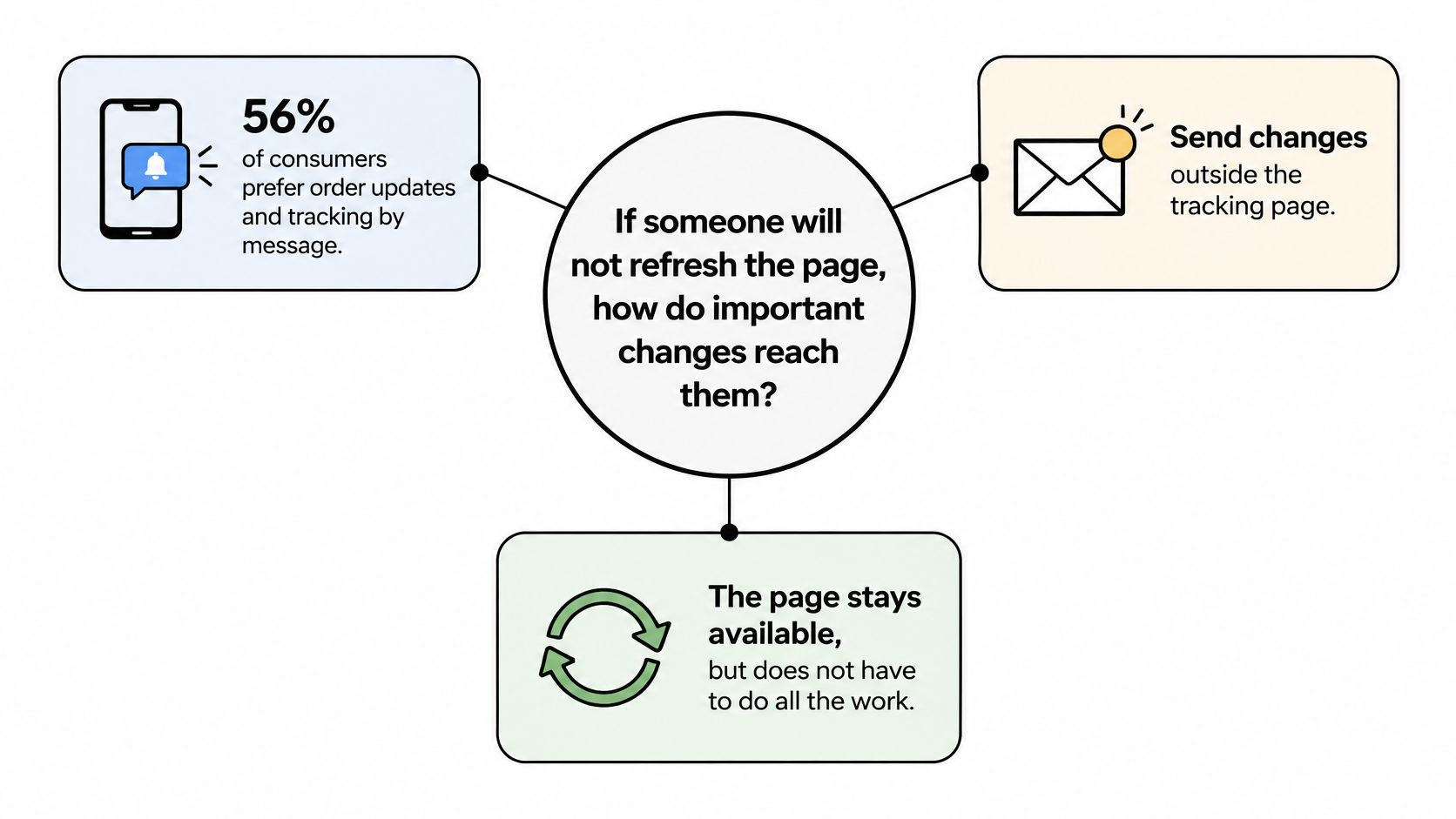
If someone won't refresh the page, how do important changes reach them? A 2025 mystery-shopping report from Stord found that 56% of consumers prefer order updates and tracking information by SMS, yet only 12% of brands met that stated preference. It also reported that 6% of brands provided no real-time tracking at all. The gap isn't solved by sending every carrier scan through every channel. It's solved by choosing which changes deserve an interruption and making every message agree with the page.
The same report's wider context shows why shoppers care. Research across the United States, United Kingdom, France, and Germany found that 61% of consumers would pay a premium for enhanced parcel-tracking capabilities, while 54% value tracking for flexibility and peace of mind. They aren't asking for noise. They want warning when plans need to change, and confidence that silence doesn't mean the parcel has disappeared.
Give each channel one job
Use a simple preference model that your support team can explain without a flowchart:
- The page is the source of truth: It holds the current status, last event, delivery estimate, contents, and next step.
- Email carries the durable record: Send the tracking link, dispatch confirmation, major delays, and delivery outcome there.
- SMS is opt-in and selective: Reserve it for exceptions, out for delivery, and delivered but action needed moments, not a copy of every scan.
- Carrier messages are acknowledged: Don't send a store alert that contradicts a carrier text the shopper received an hour earlier.
Consent and timing matter more than volume. Ask for channel choice clearly, respect quiet hours where you operate, and localize delivery windows when the carrier provides them. A message that says “today” without a time zone or window can create the same confusion as no message at all. If the carrier gives a two hour window, show that window. If it only gives a date, don't dress it up as a precise appointment.
When scans stop, send one fallback message that states the last known event, when it was recorded, and who to contact if nothing changes by a named point. Silence makes shoppers assume loss. Three conflicting alerts make them assume incompetence. The fallback should link back to the page rather than trying to contain the whole history in a text message. That keeps the record in one place when the carrier later corrects itself.
Selective alerts also fit the broader pattern in ShipStation's 2025 Ecommerce Delivery Benchmark Report, where in 2024, 11% of consumers across Europe, North America, and Australia said real-time tracking and proactive updates were the most important aspects of online shopping. You don't need to blast every customer to serve that preference. You need opt-in alerts for meaningful changes and a page that's ready when they tap through. For the wider retention picture, that discipline is central to post-purchase marketing that helps instead of interrupting.
If email, SMS, and the page disagree, the page wins, and the other channels should point back to it.
Two Orders and Two Very Different Pages
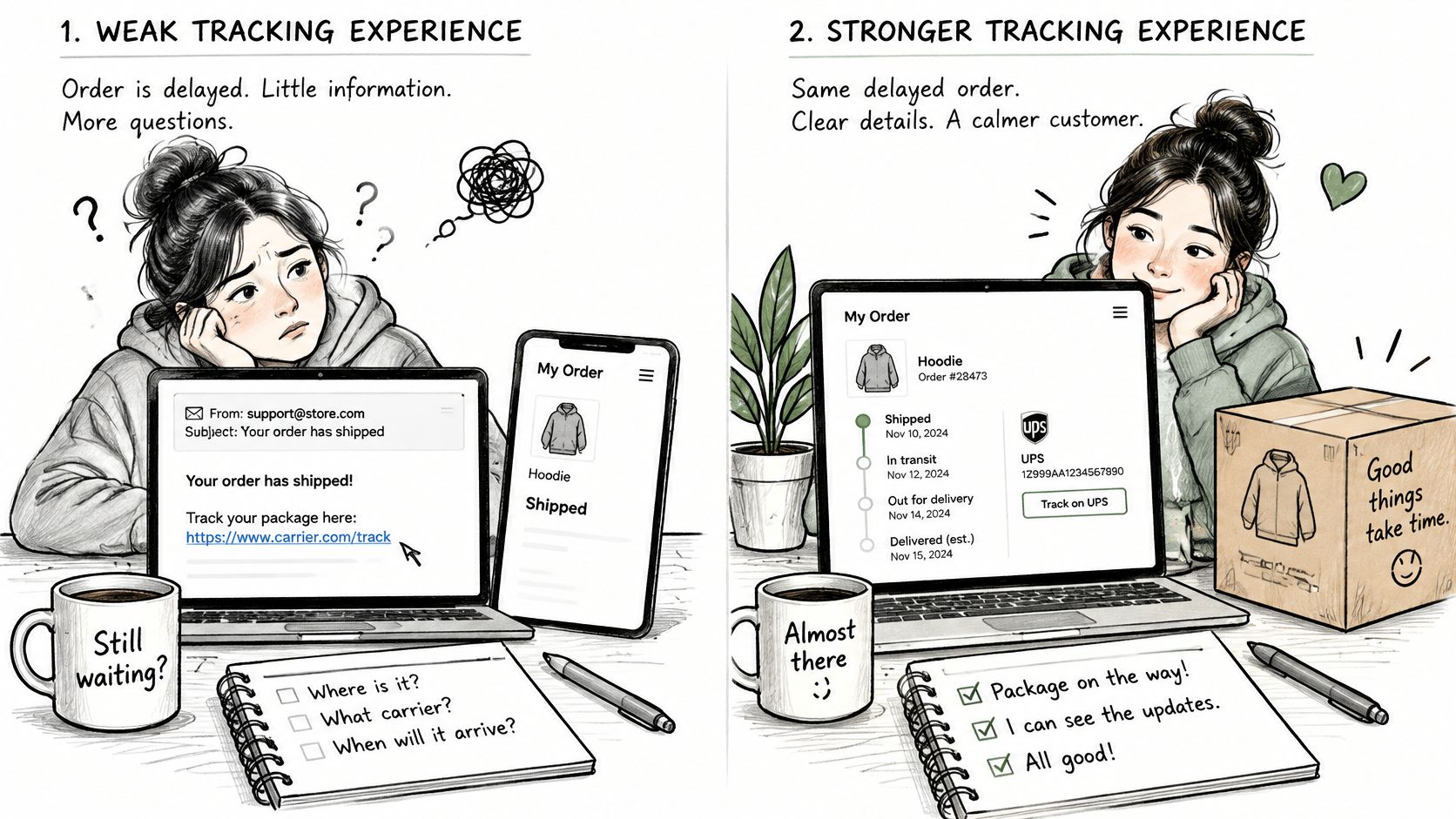
Say the same shopper orders the same hoodie from two stores, and both parcels hit the same delay. In the weak version, the shipping email contains only a carrier link. The store page says Shipped, with no delivery date, no carrier name, and no line items. The shopper can't tell whether the hoodie in the parcel is the medium they ordered or whether a second item should be in the box.
Three days later, the carrier marks it delivered while the shopper is still at work. There's no parcel at home, no note about a safe place, and no explanation of what delivered means in the carrier system. They email support because they can't tell whether the problem is a neighbor, a wrong address, a premature scan, or theft. An agent rebuilds the story from the admin, checks the carrier record manually, and asks questions the page should have answered before the ticket existed.
The same delay with a page that explains itself
In the stronger version, the store page shows a Thursday or Friday window marked as the carrier estimate. It names the carrier, links the tracking number, lists two scan lines in plain language, and shows the hoodie size in the package summary. The shopper still wants the parcel sooner, but they can see that the right item is moving and that the date comes from the carrier rather than a store promise.
When scans stall for 48 hours, one SMS states the last known event and links back to the page. The page doesn't invent a second date. It offers a single missing update path that tells the shopper when the store will step in and what information support needs. The delay is still annoying, but the owner and the next step are clear, so the shopper waits instead of opening duplicate tickets across email and chat.
After a genuine delivered scan, the page distinguishes carrier delivered from received by you. It asks the shopper to confirm receipt or report that the parcel isn't there, then routes that report into a missing parcel process. No software name makes that experience work. The difference is complete facts, consistent messages, and a record the shopper can reopen without hunting through email.
Branding matters only after those facts are present. Your logo, colors, and tone can make the page feel like part of the store, and relevant product suggestions may have a place once delivery is on track. A logo on an empty status doesn't reassure anyone. Post-purchase value comes from fewer avoidable contacts, a clear owner for exceptions, and a page that stays truthful when the parcel journey stops being tidy.
Check the Tracking Page Before the Next Dispatch
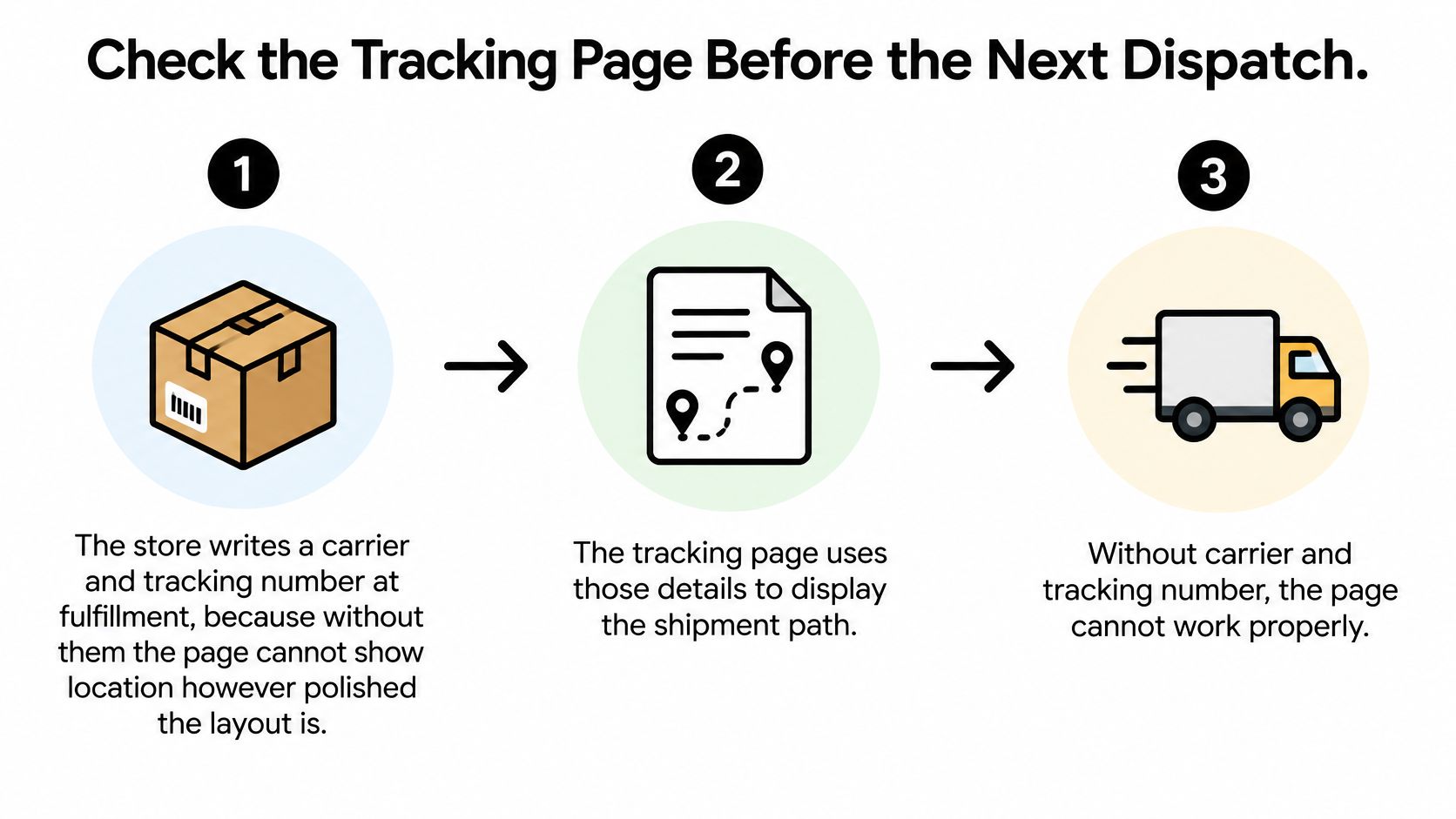
A polished layout can't compensate for missing fulfillment data. A status page without a tracking number works like a dashboard with no sensor: the display can be beautiful and still show nothing. Shopify's order tracking guidance identifies the order status page as the primary place customers track shipments, and notes that after a tracking number is added, supported carriers can provide updates on the shipment's location. When the carrier is missing, the tracking number was never attached, or the carrier sends no supported events, the interface has nothing reliable to report. Check the data path before you debate fonts, banners, or recommendations.
Trace one order from warehouse to shopper
- Write the fulfillment facts at dispatch: Confirm the carrier name and tracking number are attached when the order is fulfilled, and check that carrier mappings are correct for each shipping method.
- Open every access path: Reach the same live status from the shipping confirmation link, the customer account order index, and order number plus email or phone verification for shoppers who lost the original notification.
- Return later and compare: Reopen the same URL after carrier movement and confirm supported carriers refresh location, status transitions stay synchronized, and the estimate doesn't contradict the last event.
The access model needs the same care. A notification link can carry a pre-authenticated token that opens only that one order for a limited period, without exposing other orders or the full customer profile. Read-only tracking and order-specific actions can live on that link. Account-wide actions should ask for a login.
That boundary is where your error states earn their keep. A shopper arriving from email isn't always a fully authenticated customer, so a failed or expired token should land on the order number lookup rather than a blank screen or a dead end.
Run the audit this week
- Test two real orders: Check one unfulfilled order and one in transit order, and confirm all six details render correctly on both.
- Test recovery paths: Confirm the notification link, account list, and order number lookup land on the same status for the same order.
- Choose one stalled scan message: Agree the fallback wording now, including last event, timestamp, owner, and contact path, before a carrier delay forces support to improvise.
- Check state language: Confirm the page distinguishes not yet fulfilled, in transit, and delivered, because fulfillment state determines whether an edit can safely be accepted.
Once the page passes, the natural next layer is self-service for the requests that arrive while an order is still editable: a wrong size, a quantity change, a corrected address. On Shopify's new customer accounts, the Mayra block is added to the Order status page in Shopify admin under Settings > Checkout > Customize > Order status > Add block > Mayra. Mayra runs on the Order status page and in new customer accounts without depending on theme code. Customers can change quantity, swap a variant, update the shipping address, or add and remove items on their own order, and every change shows the price difference before the customer confirms it.
Keep that edit layer in its proper place. It belongs inside the window and permitted changes the merchant sets, and fulfillment is held while a customer edits an eligible order so it can't ship mid-change. Orders that are fulfilled, cancelled, or archived fall outside it. Once carrier events indicate movement, the page's job shifts to exception handling, cancellation alternatives, and a clear escalation path. Shoppers with a delivery problem still contact the store first, because the merchant controls the order data and the resolution.
If your tracking page already shows the right status but shoppers still email to fix a size, quantity, or address before dispatch, add the edit layer where they're already looking. Mayra ‑ Order Edit & Cancel lets customers make eligible pre-fulfillment changes on the Shopify Order status page under rules you control, with the price difference shown before they confirm. Routine corrections become self-service instead of support tickets.