
A customer places an order for a jacket, then notices the wrong size. Five minutes later, they update the shipping address. Before the warehouse team sees either request, the order has already entered a picking wave, received a label, and moved toward packing. Your support agent now has to find the parcel, interrupt the workflow, correct the order, and explain the delay to the customer.
That's the operational gap many Shopify merchants miss. Checkout confirms payment, but it doesn't always settle the order. Post-purchase changes continue after the transaction, and ecommerce fulfillment automation has to account for that period of uncertainty before it commits an order to warehouse execution.
Table of Contents
- Introduction to Post-Purchase Fulfillment Complexity
- What Is Ecommerce Fulfillment Automation
- The Critical Timing of Order Edits and Holds
- Cancel Deflection and Post-Purchase Upsells
- Manual Exception Handling vs Automated Fulfillment
- Reliability Risks of Rapid Automation Adoption
- Implementing Practical Automation for Shopify Stores
Introduction to Post-Purchase Fulfillment Complexity
A store can look perfectly automated from the outside. Shopify captures the order, the warehouse receives it, the carrier gets a label, and the customer receives tracking. Inside the operation, however, the first moments after checkout can be disorderly. Customers change quantities, swap variants, correct addresses, ask to cancel, or add a missing accessory while the order is already moving through fulfillment.
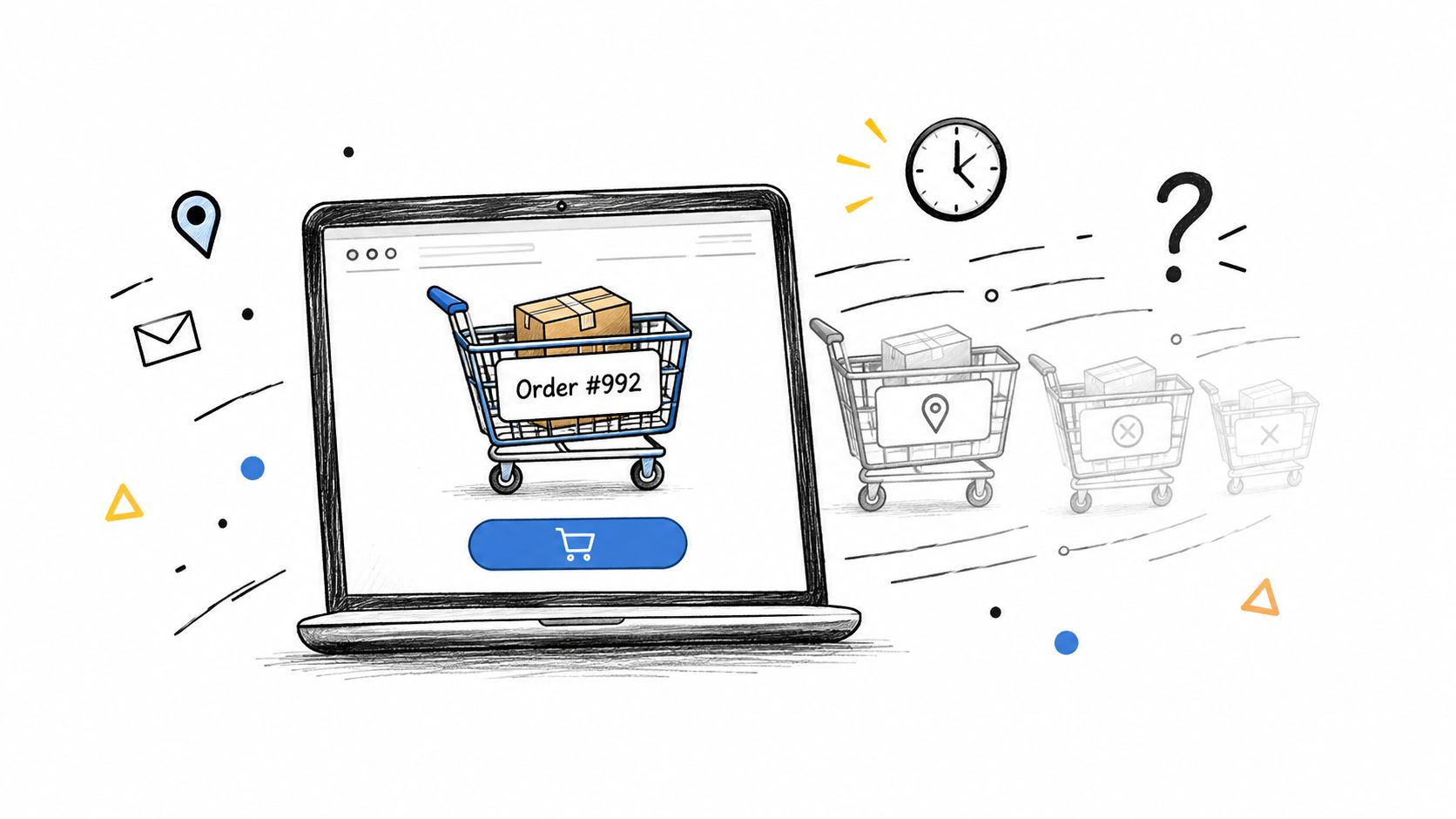
Consider a Shopify apparel store during a busy afternoon. A customer orders medium running tights, then realizes the brand fits small and requests a large. Another customer enters an old address. A third wants to cancel because they found a bundle they'd rather purchase. If the warehouse releases every paid order immediately, the store has created a race between customer intent and physical handling.
Practical rule: Payment confirmation should trigger an order workflow, not automatically end the decision-making process.
The consequences extend beyond a single mispick. A size change can create a return. An address correction can lead to a failed delivery or reshipment. A cancellation that arrives after picking may require a refund, a warehouse search, and customer support follow-up. Finance also has to reconcile added charges, refunds, taxes, and the final order state.
That's why fulfillment automation now includes more than robots, conveyors, and automated packing stations. It also includes the software layer that controls when an order is held, edited, approved, released, or routed. For DTC brands, the most accessible improvement often sits after checkout and before the warehouse makes the order difficult to change.
The objective isn't to delay every order indefinitely. It's to create a controlled sequence that gives customers a practical chance to correct an order while preserving the warehouse's ability to meet its shipping commitments.
What Is Ecommerce Fulfillment Automation
A merchant selling insulated bottles provides a useful example. The warehouse may use scanners, conveyor equipment, and a warehouse management system to pick and pack efficiently. But the software still needs to answer a basic question: should an order for two bottles be released now, or should it remain paused because the customer is changing the color and adding a replacement lid?
That decision belongs to the orchestration layer. Ecommerce fulfillment automation connects storefront activity, order management, inventory, payment workflows, and warehouse execution so each system acts on the same order state.
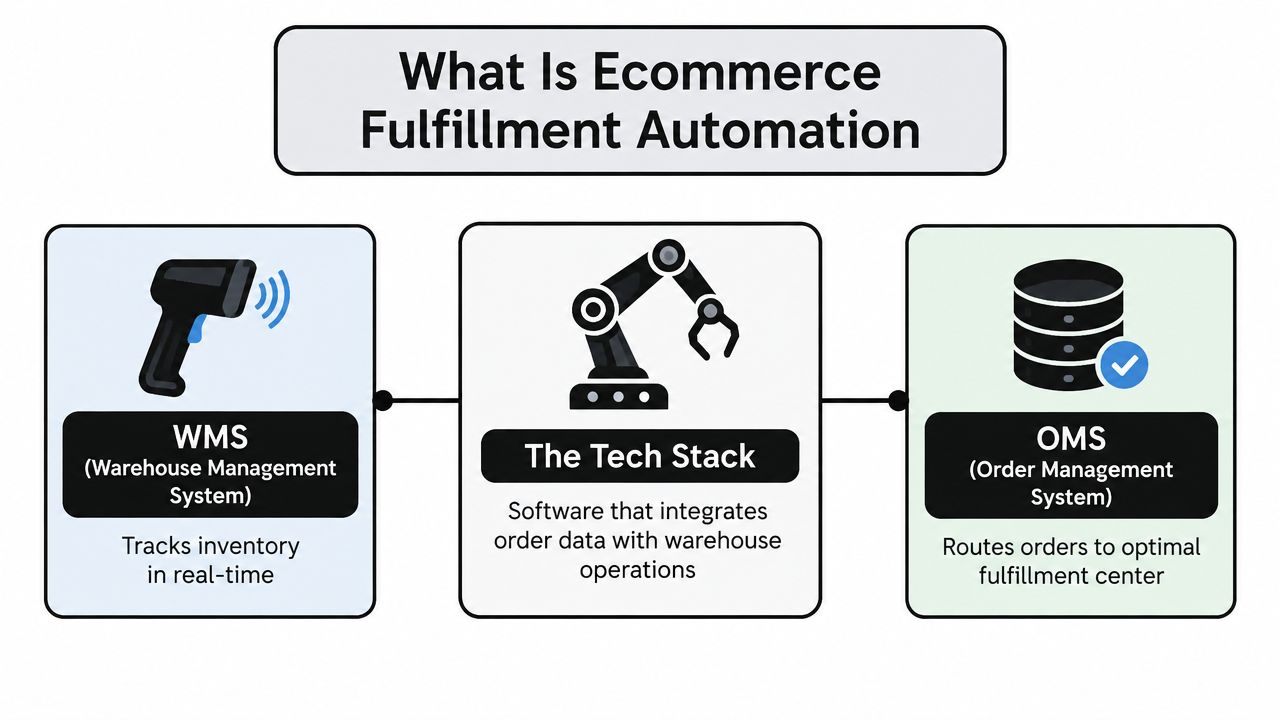
Physical automation handles movement and manipulation inside the facility. Robots, conveyors, automated storage, scanners, sortation systems, and packing equipment can reduce repetitive work and support consistent throughput. A warehouse management system, or WMS, tracks inventory and warehouse tasks. An order management system, or OMS, can route orders according to inventory position, destination, or fulfillment rules.
Software automation handles a different class of work:
- Order state management: Decide whether an order is editable, held, approved, released, or already committed to fulfillment.
- Customer self-service: Let customers change quantities, variants, addresses, or line items without requiring an agent to copy requests between systems.
- Financial reconciliation: Invoice for additions and process refunds according to merchant-defined rules.
- Exception routing: Send unusual requests, high-value refunds, restricted products, or late changes to a human reviewer.
- Warehouse synchronization: Prevent the fulfillment center from acting on stale order data.
A good workflow might hold a paid order while a customer edits it, update the original Shopify order, settle the financial difference, and release the final version to the warehouse. A poor workflow lets the warehouse pick the first version, then asks staff to reconstruct the intended order afterward.
Merchants evaluating the wider operational picture may also benefit from this fulfillment automation roadmap for Indiana businesses, particularly when comparing facility automation with order and workflow automation. For Shopify-specific implementation details, the Shopify order workflow guide provides useful context on how post-checkout actions fit into store operations.
The distinction matters because speed without sequencing creates rework. Automation works best when it knows not only what to do, but also when it's safe to do it.
The Critical Timing of Order Edits and Holds
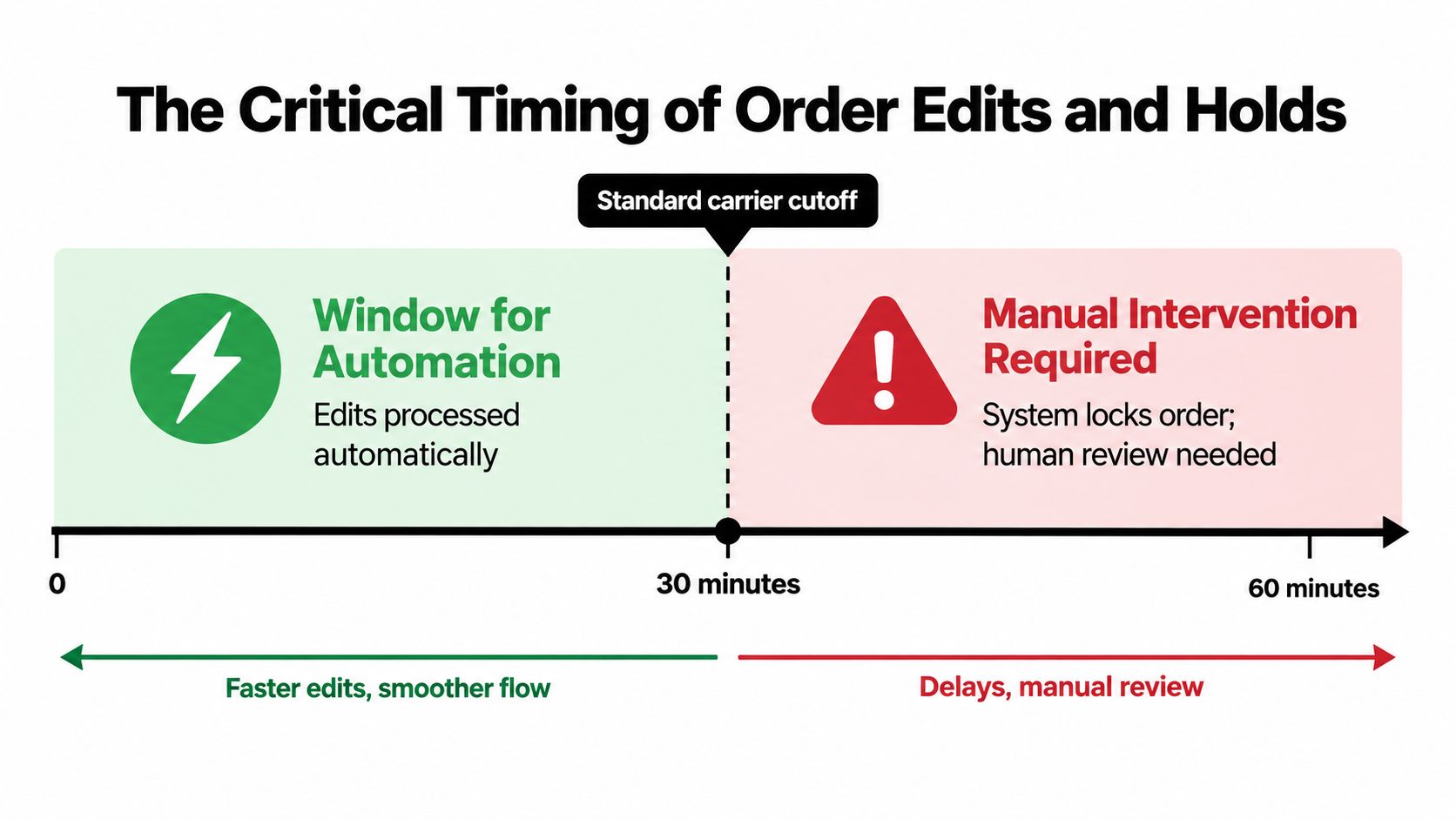
The most important fulfillment decision may happen immediately after checkout. Recent Shopify-focused analysis found that the median order edit occurs 4.6 minutes after checkout, with 80.6% occurring within the first hour and 90.4% within 24 hours (Mayra Apps analysis). Those figures describe a concentrated period when customers are still correcting mistakes and adding intent that wasn't captured on the original checkout.
A store selling skincare illustrates the risk. A customer orders a cleanser and moisturizer, then notices that the promotion applies only when a specific bundle variant is selected. If the system has already created a pick task, the customer's request becomes a warehouse exception. If the order is still held, the system can update the variant and release one accurate version.
The right approach is a short, controlled hold window, not an open-ended pause. Configure the workflow around the store's cutoff, warehouse cadence, product characteristics, and customer behavior.
Set the hold according to the commitment point
Start by identifying when an order becomes difficult to change. That might be release to a 3PL, assignment to a picking wave, label creation, or the first physical scan. The hold should end before the warehouse loses practical time to meet the carrier handoff.
During the hold, define which changes the customer can make:
- Low-risk changes: Quantity adjustments, variant swaps, and adding eligible products are often suitable for automated handling.
- Address changes: Allow them only when the destination remains within approved service and fraud rules.
- Financial changes: Set approval thresholds for refunds, large additions, and orders with unusual payment conditions.
- Restricted orders: Exclude products, destinations, or fulfillment states that create operational or compliance concerns.
The Shopify order editing resource is useful for thinking through permissions, timing, and the difference between an editable order and one already committed to warehouse work.
Sequencing beats raw speed. Releasing an order immediately can look fast in a dashboard while creating slower work across support, finance, and fulfillment.
A hold also needs a clear exit. When the customer finishes editing, the system should write the final version back to the original order, settle any financial difference, and release the order only after validation. If the customer does nothing, the workflow should release it automatically when the configured window expires. That design protects throughput without pretending that checkout ends customer intent.
Cancel Deflection and Post-Purchase Upsells
Cancellation requests often reveal a recoverable problem. A customer may want to cancel because they chose the wrong size, forgot an accessory, entered an old address, or no longer wants the original configuration. Treating every request as an immediate refund discards the chance to resolve the underlying issue.
An automated cancellation flow can first capture the reason, then present an appropriate alternative. A size-related request might route to an edit. A timing concern might offer a different delivery option when available. A customer who wishes to abandon the purchase could receive a store-credit option, with a full cancellation remaining available when saving the order isn't appropriate.
The workflow should never make the customer fight for a refund. The value comes from structured choice, not obstruction.
Post-purchase upsells belong in the same lifecycle. A customer editing a camera order may add a memory card. Someone changing a coffee machine variant may add filters. A shopper viewing the order status page may accept a compatible case or replacement consumable without starting a second checkout.
One-click additions work best when the product is clearly relevant and the order remains eligible. The system needs to verify inventory, update the original order, invoice any extra charge through Shopify, and preserve the fulfillment hold until the change is complete. That prevents the warehouse from shipping the original order while the customer expects the add-on to arrive with it.
The practical distinction is between revenue recovery and aggressive promotion. A relevant accessory solves a real omission. An unrelated recommendation adds friction and can undermine trust.
This workflow can also reduce support traffic because customers resolve common requests inside their account or on the order status page. It can prevent avoidable returns when the customer corrects a size or variant before picking. The merchant should measure saved orders, recovered revenue, edited orders, and ticket avoidance using store-specific reporting rather than assuming every offer produces value.
Manual Exception Handling vs Automated Fulfillment
Manual handling gives a small store flexibility. A support agent can read an email, open the order, verify the request, contact the warehouse, update the address, and document the result. That works when order volume is manageable and changes are unusual.
The weakness appears when the same request arrives repeatedly. A customer updates a size through email, another asks to add a product through chat, and a third requests a cancellation through a contact form. Each channel creates a separate queue, and every handoff introduces a chance to copy the wrong SKU, miss the warehouse cutoff, or issue the wrong refund.
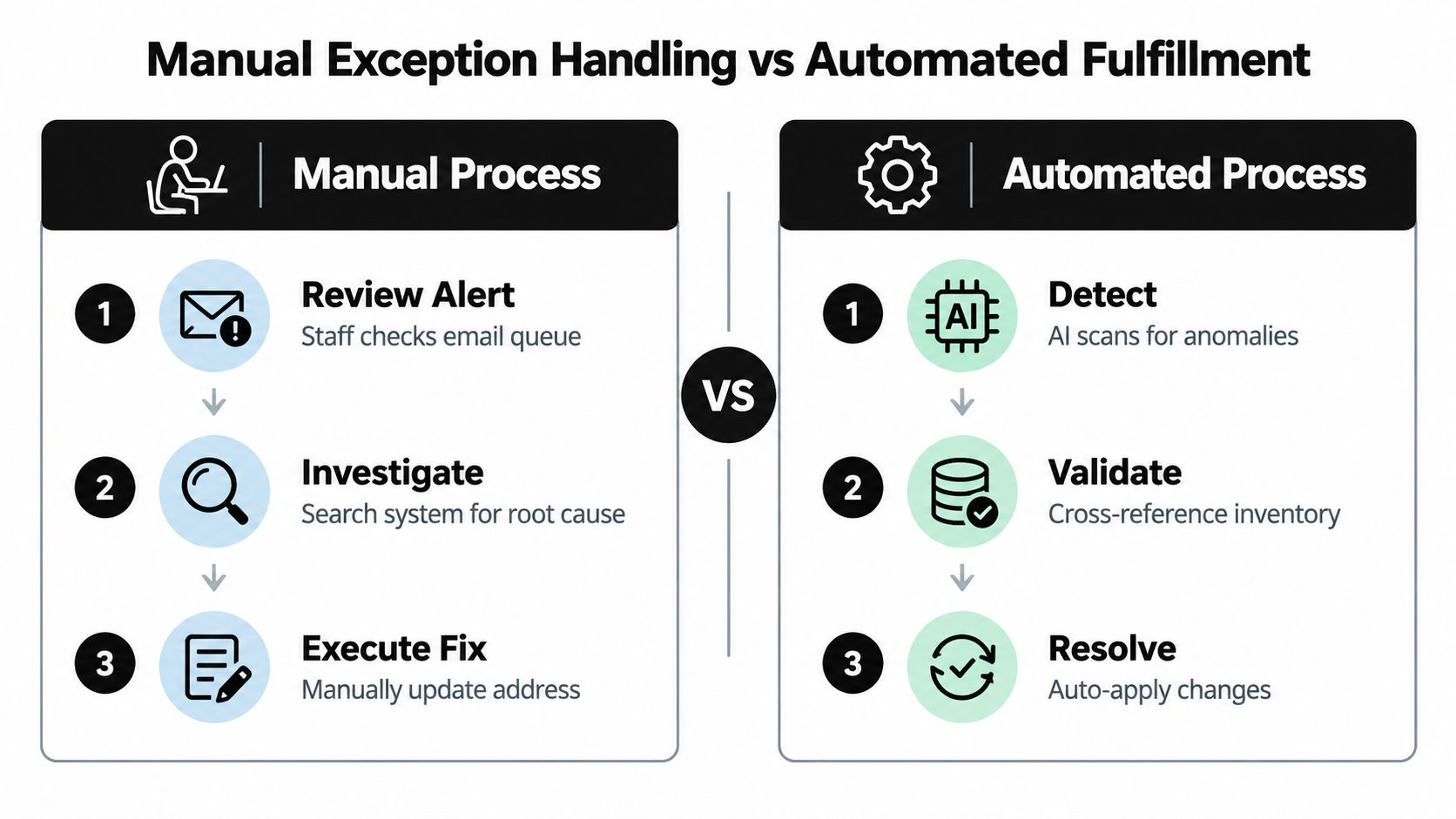
A fully automated warehouse solves only part of the problem. Robots can move the wrong item efficiently if the order system released outdated instructions. Automation needs reliable order data before it needs more physical machinery.
| Operating approach | What works | Where it breaks |
|---|---|---|
| Manual exceptions | Flexible judgment for unusual products, addresses, and customer situations | Queues grow, updates depend on staff availability, and records can diverge |
| Rules-based workflows | Fast handling of common edits, holds, refunds, and additions | Poor rules can apply the wrong action at scale |
| Hybrid operations | Automation manages predictable requests while people review exceptions | Requires clear ownership, escalation paths, and accurate status data |
A clothing store can automate a size exchange when the replacement variant is in stock and the order hasn't entered picking. It may still route an international address change or a high-value refund to an agent. A merchant exploring ways to reduce size-related friction can also review this AI size recommendations guide as part of a broader prevention strategy.
Financial administration deserves the same treatment. If a customer adds a product, the system should invoice the additional amount through Shopify. If a customer removes an item, the refund should follow the merchant's approval policy. A workflow such as automated invoicing for Shopify operations can help connect order changes with financial follow-through.
The strongest model is usually hybrid. Automate high-frequency, low-risk decisions. Keep human review for ambiguous, expensive, restricted, or operationally late exceptions.
Reliability Risks of Rapid Automation Adoption
Automation can remove repetitive work, but it also concentrates operational risk. When a manual process fails, one order may need correction. When a shared automation layer fails, many orders can receive no warehouse instruction, a stale instruction, or an incorrect routing decision.
A 2026 industry survey reported that 91% of distribution and fulfillment respondents had approved, implemented, or integrated a new automation investment even though their team or facility wasn't fully prepared to maintain it, while 80% said their facility experienced six or more unplanned downtime events affecting fulfillment, sortation, or distribution in the past 12 months (survey summary).
Those findings change the investment question. The issue isn't only whether a system can process orders during normal operation. It's whether the merchant can preserve accuracy when an integration disconnects, a scanner stops responding, inventory data lags, or the warehouse loses access to an automated queue.
Design for graceful failure
Every automated workflow needs a fallback state. If the system can't confirm the final order version, it should hold the order rather than release uncertain instructions. If a carrier label fails, the order should remain visible in an exception queue instead of disappearing from the fulfillment process.
Build operational safeguards around clear ownership:
- Fallback release rules: Define when staff may release an order manually and what verification they must complete first.
- Exception queues: Give support and warehouse teams one place to see blocked orders, failed updates, and unresolved approvals.
- Maintenance responsibility: Assign someone to monitor integrations, credentials, inventory synchronization, and workflow changes.
- Audit history: Preserve the original request, the approved change, the financial result, and the final fulfillment state.
- Recovery testing: Test what happens when an edit arrives during a warehouse outage, after a label is created, or while inventory is being reconciled.
A resilient workflow fails closed for uncertain orders and fails open only when the business has verified the risk.
Merchants should also avoid automating every edge case at launch. Start with the changes that occur often and have predictable outcomes. Expand only after the team understands exception volume, false approvals, and recovery effort.
Implementing Practical Automation for Shopify Stores
Shopify merchants can begin without rebuilding the warehouse. The most high-impact starting point is a controlled post-checkout layer that protects order accuracy before physical fulfillment begins.
Set an edit window around the warehouse's real commitment point. Allow customers to change approved fields, hold fulfillment during active edits, and release the order after validation. Add approval rules for refunds, address changes, high-value orders, restricted products, and destinations that need review.
Then connect the workflow to measurable operating outcomes:
- Support workload: Track how many common requests customers resolve without tickets.
- Order accuracy: Review mispicks, incorrect variants, address corrections, and reshipment causes.
- Revenue recovery: Separate accepted upsells and saved cancellations from ordinary order revenue.
- Process reliability: Record blocked orders, failed integrations, manual overrides, and downtime recovery.
A Shopify app such as Mayra Order Edit and Upsell App can provide self-serve edits, cancellation deflection, one-click upsells, configurable eligibility, and fulfillment holds while writing changes back to Shopify's original order record. Merchants comparing implementation partners can use this guide on how to choose a Shopify Plus agency to assess integration experience and operational fit.
Start with one or two high-volume workflows, test them against real orders, and keep human approval for uncertain cases. The right automation purchase is the one that gives the warehouse a cleaner final order, not merely a faster first instruction.
Mayra Apps helps Shopify merchants manage post-purchase edits, cancellation deflection, one-click upsells, and fulfillment holds from the customer account and order status page. Visit Mayra Apps to configure a post-checkout workflow that gives customers room to correct orders while keeping warehouse execution aligned with the final version.