
You've finally won the order. The ad worked, the product page convinced the shopper, and checkout went through without a hiccup. Then your store goes quiet for three days, the tracking link confuses the customer, and the first email they hear from you again is a discount for a product they don't need.
That quiet stretch is where many stores lose the second order. Post purchase marketing is how you use it well. It covers the messages, pages, and self-service options that help a customer receive the order, fix a mistake, get value from the product, and decide whether to buy from you again.
Table of Contents
- What Post Purchase Marketing Covers
- Post Purchase Channels and When Each One Fires
- Why the First 90 Days Decide Repeat Purchases
- Personalizing Messages with Order Signals
- Handling Exceptions Without a Sales Pitch
- Designing Incentives Without Margin Leakage
- Set Your Post-Purchase Rules Before Launch
What Post Purchase Marketing Covers
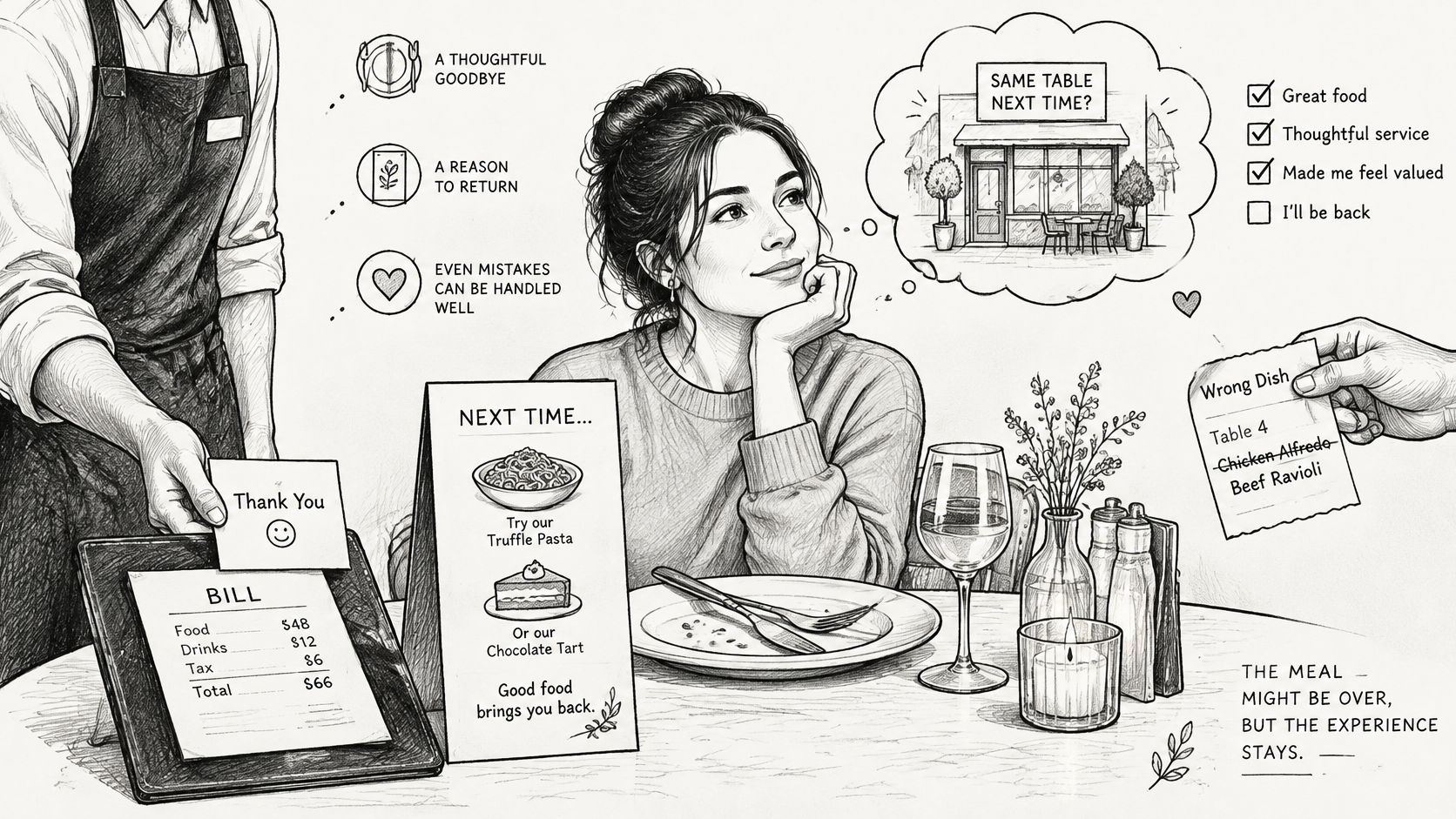
Think about a good restaurant. The meal matters, but so does everything around it. The host confirms your booking, the server checks that the right dish arrived, someone explains a delay before you have to ask, and a wrong order is corrected without fuss. You're more likely to return because the whole visit felt handled, not only because the food tasted good.
Your store works the same way after checkout. Post purchase marketing is every communication and experience after payment that helps the customer get value from the order, resolve a problem, and consider the next purchase. It includes the order confirmation, shipping and tracking updates, delivery follow-up, order changes and cancellations, review requests, replenishment reminders, and cross-sells.
How it differs from acquisition marketing
Ads speak to strangers who may never buy. Post-purchase messages speak to people who've already paid and are waiting for something they've chosen. They read those messages with more attention, and they judge whether your store keeps its promises. A clear delivery update can build more trust than another polished advertisement.
Every program serves three goals at once:
- Keep the customer informed: Confirm what's been ordered, when it'll arrive, and what happens next.
- Resolve problems early: Let the customer correct an address, swap a variant, or get a clear answer before frustration turns into a complaint or cancellation.
- Earn the next order: Offer setup help, a replenishment reminder, or a relevant complementary product once the first order is working as expected.
This work is both operational and marketing. A late delivery notice is a service message, but it's also a trust-building touchpoint. A page that lets a customer fix a size is an operational tool, but it also protects the sale and reduces support work.
Try a quick exercise before you plan anything new. List five moments in your store after checkout, then mark which ones already have a message or a self-service option. The unmarked moments usually show you where customers are left guessing.
Post Purchase Channels and When Each One Fires
Good timing starts with your own order history, not a default delay in your email tool. For each SKU or product family, use at least one season of store data and calculate the median, 75th percentile, and 90th percentile of days from a first order to the next order. Set the cross-sell trigger a few days before the median, and set the replenishment reminder at the 75th percentile.
Say a coffee SKU has a median reorder time of 34 days. You'd send the cross-sell around day 30 and the replenishment reminder at the 75th percentile, so most customers hear from you before they're likely to buy elsewhere. The Klaviyo Academy lesson on post-purchase strategy makes the same point in workflow terms. It recommends timing campaigns from observed reorder intervals and next-order product relationships, not from an arbitrary fixed delay.
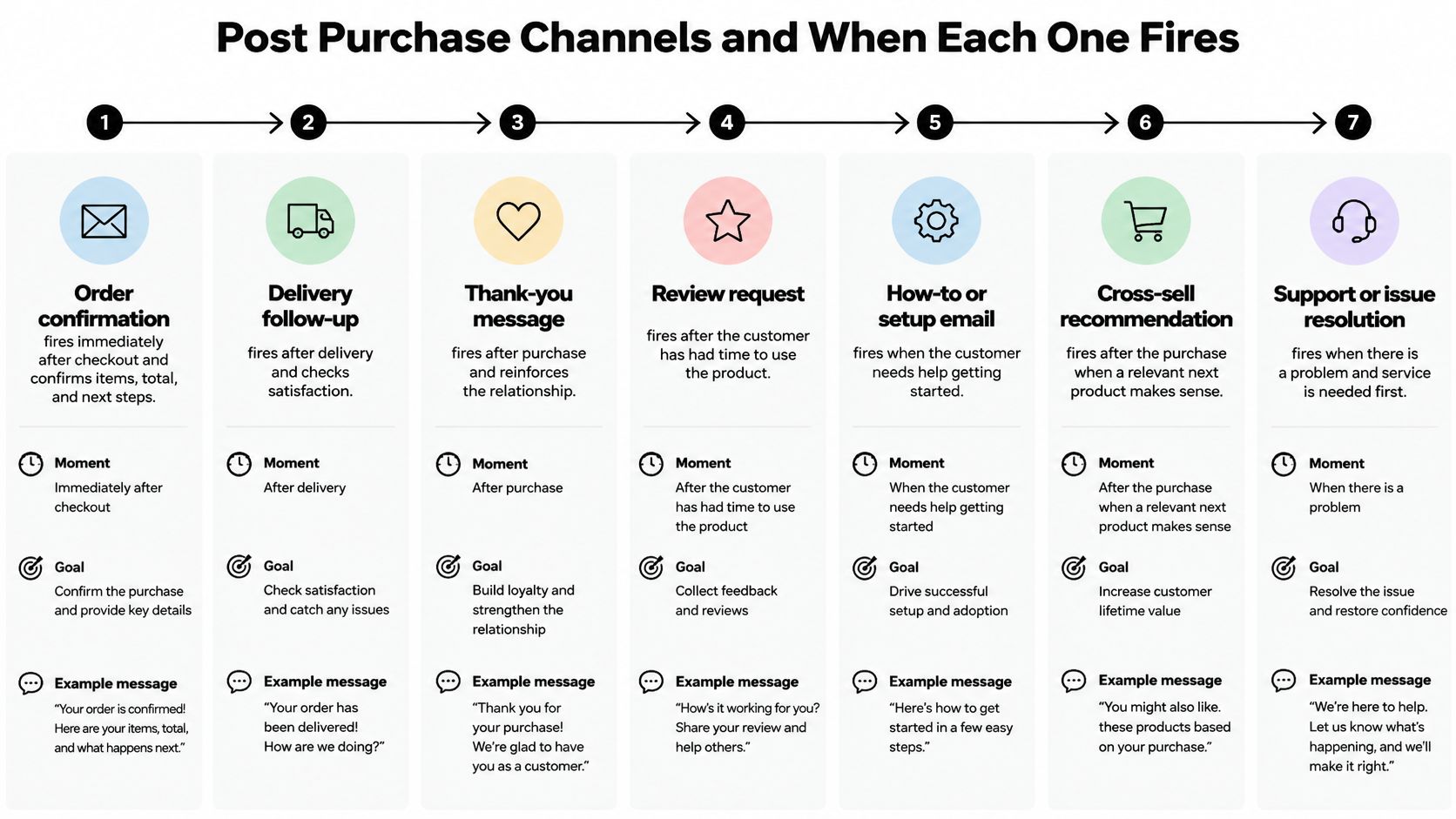
| Channel | Best moment | Main goal | Example |
|---|---|---|---|
| Order confirmation email | Immediately after checkout | Confirm items, total and delivery estimate | Order summary with a link to the order status page |
| Tracking update | When the carrier scans the parcel | Reduce where-is-my-order contacts | Current shipping status and carrier link |
| Delivery follow-up | Within a day of delivery | Confirm receipt and offer help | Setup tips and a support link |
| Usage guide | Before the likely first use | Improve results and reduce returns | Step-by-step product instructions |
| Review request | After the customer has had time to use the product | Collect feedback and social proof | Single review link with a short question |
| Cross-sell | Near the observed reorder window | Add a complementary product | Recommendation based on the original order |
| Replenishment reminder | At the observed reorder interval for the product family | Earn a repeat order | Reorder button for the same item |
How to read the sequence
The early messages carry service content. The confirmation settles the basic facts, tracking reduces uncertainty, and the delivery follow-up and usage guide help the customer succeed with the product. A review request that arrives before first use feels rushed, so set its delay product by product.
The later messages carry offers, but they shouldn't be unconditional. Check inventory, use the final order contents after any edits, and consider margin and prior purchases before a recommendation fires. A customer who swapped coffee beans for ground coffee shouldn't receive a grinder offer based on the original item.
Across the first 90 days, the order is simple. Confirm immediately, update during transit, help after delivery, ask for a review after real use, then recommend or remind near the measured reorder window. A service recovery message doesn't wait for that sequence. It fires as soon as you know about a delay or error.
Why the First 90 Days Decide Repeat Purchases
The strongest reason to start soon after delivery is how quickly repeat buyers tend to return. The RetentionEdge customer retention statistics analysis found that, in an analysis of 40,397 direct-to-consumer repeat buyers, 50% placed their second order within 30 days of the first, while 76.4% did so within 90 days.
That doesn't mean every customer needs an offer in week one. It means your confirmation, delivery help, replenishment timing, and relevant recommendations should already be planned before the first order arrives. If you wait two or three months to think about the second purchase, you've missed the window when many repeat buyers already acted.
The same source adds a harder warning. Nearly three-quarters of retail customers purchase once and never return, but customers who make a second purchase are 95% more likely to make a third. That's why the second order deserves more attention than a general loyalty campaign aimed at everyone.
Each repeat purchase compounds, so the goal isn't one extra product. It's moving a one-time buyer into a cycle where buying from you again feels familiar and low risk.
What to measure each month
Track results by cohort, meaning customers grouped by the month of their first order. That makes comparisons fairer, because a January cohort and a June cohort have both had a defined amount of time to return.
- Second-purchase rate: The share of first-time buyers who place another order.
- Days from first to second order: Whether your timing is shortening the gap or missing it.
- Revenue from post-purchase offers: What your recommendations and reminders produce.
- Conversion by offer type: Which cross-sell, replenishment, or service-led message earns its place.
If you want a broader view of how repeat buying supports the relationship after that second order, build lasting buyer relationships is a useful companion resource. For store-specific retention planning, compare your approach with practical Shopify customer retention ideas and then replace outside benchmarks with your own cohort figures.
Use the 30-day and 90-day figures as directional benchmarks, not promises. The sample is broad and direct-to-consumer, while your results will vary by product category, purchase frequency, price, and subscription behavior. A consumable, a gift, and a durable item shouldn't share one expectation.
Personalizing Messages with Order Signals
Personalization isn't mainly about using a first name. It's about whether the message matches what the customer just bought, changed, delayed, or cancelled. The McKinsey report on the value of getting personalization right reports that 71% of consumers expect personalized interactions, 76% become frustrated when brands don't provide them, and 78% say personalized communications make them more likely to repurchase.
McKinsey also reports that personalization commonly produces a 10–15% revenue lift, with observed outcomes ranging from 5% to 25% depending on execution capability and sector. Treat that range as a reason to test carefully, not as a forecast for your store. Poorly matched personalization can feel intrusive or wrong.
Signals you already hold
Start with order events in Shopify, rather than building elaborate profiles. An edited order, a cancellation reason, product category, destination, and fulfillment status can all decide which path a customer enters, which message is suppressed, and when selling becomes appropriate again.
Say a customer changes a shoe size. Don't keep sending care advice for the old pair as if nothing changed. Wait until the revised order is confirmed, then send fit guidance or a complementary product that fits the new order. The customer sees that your store noticed the change and acted on it.
A cancellation needs a different path. If the reason is a wrong address, offer a correction route. If it's delivery timing, explain the available option plainly. If it's price, don't automatically answer with a discount. Route the customer by the stated reason, instead of sending the same cross-sell sequence you'd send a completed buyer.
Practical rule: If a message would still make sense when sent to someone with a different order problem, it isn't personalized enough.
The mechanism is simple. Relevant messages feel useful, useful messages get read, and a customer who feels understood has a better reason to return. If you want to turn customer data into personalized experiences, start with these transaction signals before adding broader browsing segments.
How to judge whether it's working
Keep a randomized holdout group that doesn't receive the personalized sequence. Compare repeat-purchase rate, contribution margin, average order value, and unsubscribe rate. Clicks alone can mislead you, because a revenue lift can disappear once discount costs and message fatigue are counted.
Handling Exceptions Without a Sales Pitch
When the customer has a problem, pause cross-sells and send a recovery message. That rule sounds obvious, but many stores don't build it into their flows. Their automation keeps recommending products during a late delivery, an address error, or a damaged parcel, which makes the brand look as if it isn't paying attention.
The customer's need in that moment is convenience and certainty. The FedEx report on convenience and digital trends in e-commerce reports that more than 80% of shoppers prioritize convenience, including real-time tracking, while 97% report abandoning a purchase because of an inconvenient shopping experience. A related 2025 retailer evaluation cited there found that only 8.8% of leading U.S. retailers displayed an exact delivery date on product pages.
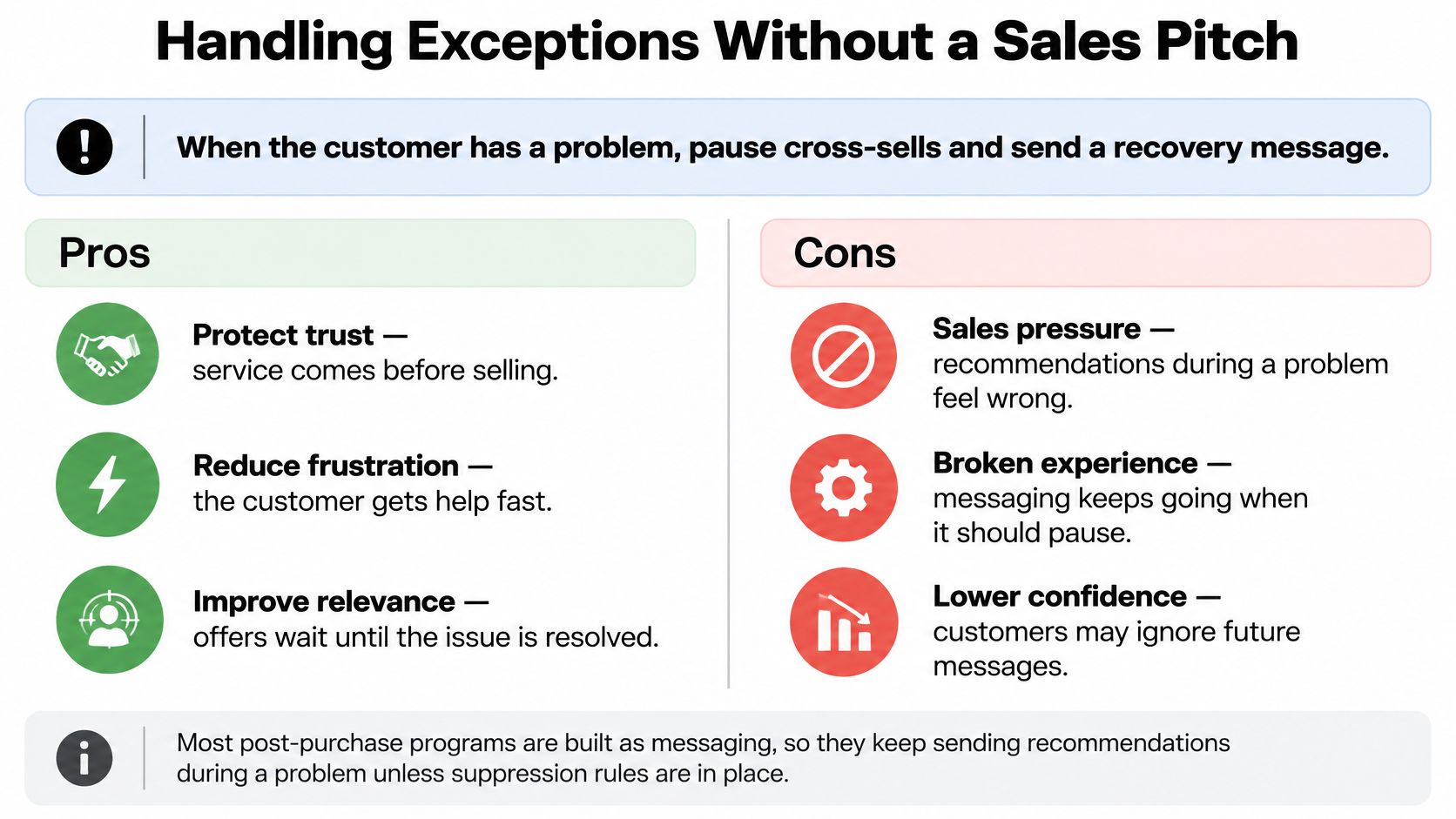
| Situation | Pause cross-sells? | Replacement message | Success measure |
|---|---|---|---|
| Late delivery | Yes | Acknowledge the delay, give the new expected date and the next step | Contacts per late order |
| Address error before dispatch | Yes | Confirm the corrected address and show the edit deadline | Self-service resolution rate |
| Damaged parcel | Yes | Apologize and state the replacement or refund steps | Resolution time and repeat purchase |
| Uncertain delivery date | Yes | Explain what is known and when the next update arrives | Support tickets per order |
| Order delivered as planned | No | Normal review request or cross-sell | Repeat-purchase rate |
What the recovery message should do
Name the problem in plain words, state what happens next, and give the customer a practical route to resolution. Don't hide a sales offer at the bottom and don't ask for a review while the customer still doesn't know where the parcel is. Suppression rules should stay in place until the order status shows the issue is resolved.
Let shoppers correct address or quantity errors before fulfillment when your rules allow it, and show the edit deadline clearly. Our guidance on resolving customer problems before they escalate fits this exception-first approach. The customer gets control, support gets fewer urgent messages, and the warehouse isn't asked to chase a parcel that's already moving.
Judge recovery by more than click-through rate. Track avoided contacts, successful self-service resolution, cancellation prevention, repeat purchase after the incident, and whether customers keep opening later service messages. A brand that acknowledges a problem first often earns the next order that a sales email would've lost.
Designing Incentives Without Margin Leakage
A generous returns or cancellation policy can protect trust, but blanket compensation isn't automatically good marketing. If every hesitation earns a bonus, you may reward avoidable errors and teach customers to wait for a concession. The harder task is deciding when an incentive preserves a genuine order and when a clean refund is cheaper and fairer.
That balance matters because speed still influences choice. The National Retail Federation and Happy Returns press release on 2025 returns reports that in 2025, 76% of consumers said they were more likely to choose a return option offering an instant refund or exchange. Don't make the refund path so slow or obscure that store credit feels like a trap.
| Case | Offer | Guardrail | Metric to track |
|---|---|---|---|
| Cancellation before fulfillment | Modest store-credit bonus | Monthly budget cap and credit expiry | Saved-cancellation rate |
| Customer declines the credit | Full refund | Refund stays the fallback | Refund rate |
| High-value order | Bonus only after review | Merchant-set approval threshold | Contribution margin after bonus cost |
| Repeat canceller | No bonus | Eligibility based on prior behavior | Repeat cancellation rate |
| Order past dispatch | No edit or credit | Fulfillment lock | Support volume per order |
How the rules protect margin
Capture the cancellation reason before you present an alternative. A customer who typed the wrong variant may only need an edit, while a customer who no longer wants the product needs a clear refund decision. A reason also tells merchants whether product information, delivery estimates, or pricing created the problem.
Set eligibility by order value, product category, destination, fulfillment state, and prior behavior. Review high-value orders before a bonus is offered, and route repeat cancellers away from bonuses. Once an order is past dispatch, stop edits and credit offers so warehouse work doesn't collide with customer changes.
Timing matters for product additions too. A recommendation during an eligible edit is different from an incentive offered to stop a cancellation, and our guide to post-purchase upsells on Shopify helps separate those decisions. Don't use a bonus to solve a problem that a relevant product swap or address fix would solve for free.
Test the incentive like a retention system
Compare the offer with a control group that receives the standard cancellation path. Track saved-cancellation rate, contribution margin after bonus cost, repeat purchase, refund rate, and support volume. Recovered revenue alone flatters the program if bonuses, refunds, and extra contacts erase the gain.
Treat the bonus as a budgeted retention tool with an expiry date, not as a permanent discount program. If the customer declines the credit, let the cancellation proceed as a refund without another obstacle.
Set Your Post-Purchase Rules Before Launch
Start smaller than you think you need to. A clear service sequence with suppression rules will teach you more than a long chain of offers launched all at once.
- Launch two moments first: Order confirmation and delivery follow-up, so service messages prove useful before any offer goes out.
- Map every exception: Pause cross-sells and review requests for late, damaged, or incorrect orders.
- Set the edit window: Define allowed changes for quantity, variant, address, and removal, plus an approval threshold for large orders.
- Cap incentives: Use a monthly budget, a credit expiry date, and a full-refund fallback.
- Hold back a control group: Give that group only transactional messages and run the test across at least one typical reorder interval.
- Review monthly: Check repeat-purchase rate, contribution margin, average order value, and unsubscribe rate before adding another message.
Mayra supports steps 3 and 4 inside Shopify. Customers edit their own orders, edits apply directly to the order, extra charges are invoiced, and refunds follow your settings. Fulfillment is held while an eligible order is being edited, and every action appears in the native Shopify order timeline.
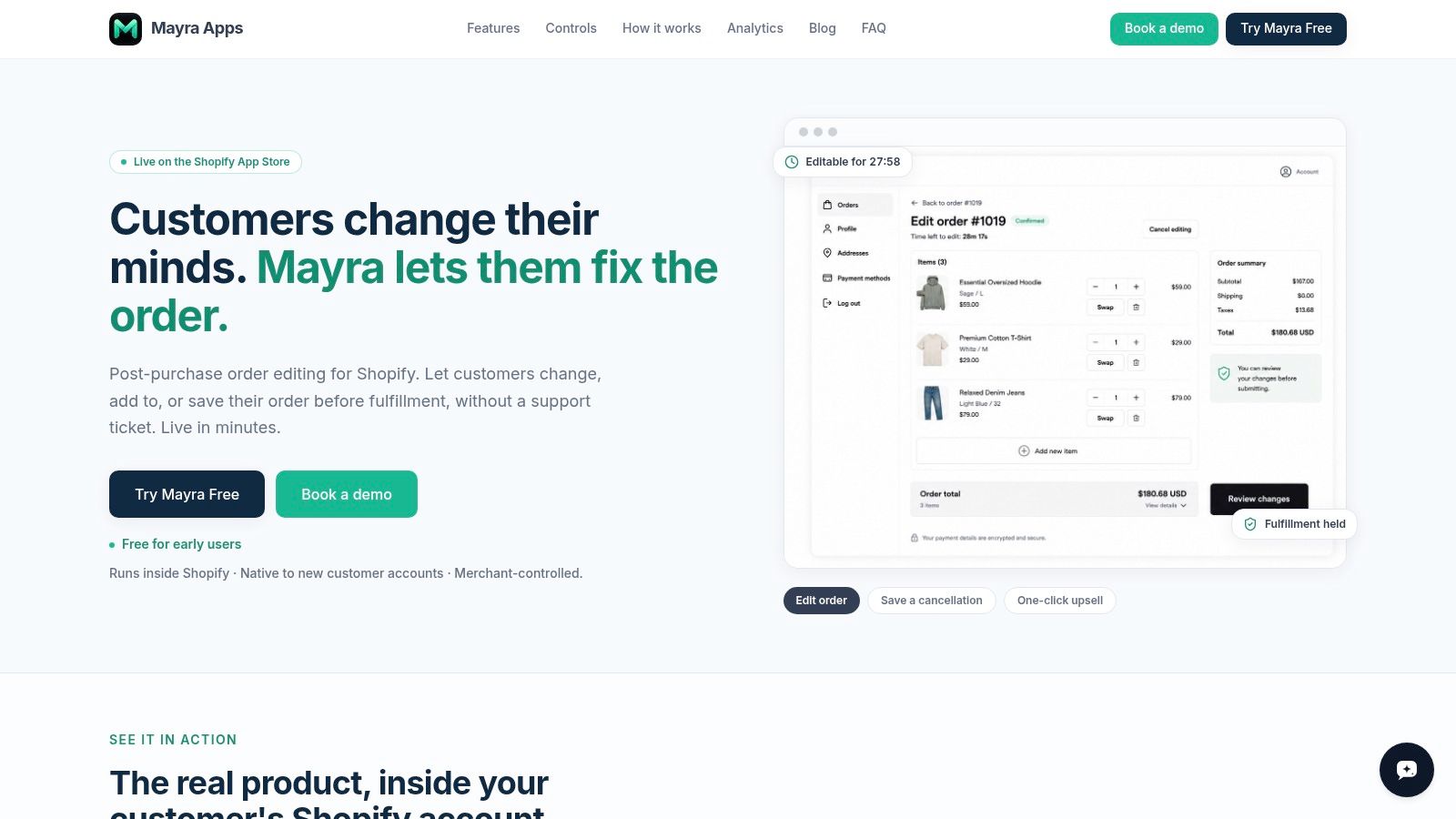
Change one setting this week: the edit window. At your next monthly review, you should be able to see which orders were edited, which cancellations were saved, and whether support contacts fell without margin giving way.
Give customers a clear way to correct an order, swap a variant, add a product, or consider store credit before fulfillment, while you keep control of the edit window, approvals, refunds, and incentive limits. That's the operational side of post purchase marketing that turns a problem into a reason to stay. Visit Mayra ‑ Order Edit & Cancel to set those rules inside Shopify and make the post-checkout window work for the next order.