
Only 14% of customer service and support issues are fully resolved through self-service, according to Gartner's August 2024 survey. The gap gets even wider when the problem is described as “very simple,” with only 36% fully resolved through self-service. For Shopify merchants, that failure usually isn't caused by a missing FAQ. It happens because the customer needs to change the order itself, and the help center can't change a size, correct an apartment number, pause fulfillment, or recover a cancellation.
Resolving customer problems after checkout works best when the order becomes the first place the customer can act. A governed account flow can let buyers edit eligible details, choose an exchange, accept store credit, or cancel with a clear fallback, while the merchant retains control over fulfillment, payment, inventory, and approval rules.
Table of Contents
- Why Post-Purchase Is the Real Resolution Surface
- What Self-Serve Order Editing Actually Changes
- Setting the Rules for Safe Customer Edits
- Cancellation Paths That Keep Revenue on the Books
- A Real Order Walkthrough from Edit to Delivery
- Measuring What Resolution Actually Moved
- Your Rollout Checklist for Post-Purchase Self-Serve
Why Post-Purchase Is the Real Resolution Surface
Most support programs still treat self-service as a content project. The team expands the help center, rewrites shipping articles, adds a chatbot, and waits for contact volume to fall. That approach can answer questions, but it can't mutate the operational record that determines what gets picked, packed, billed, and delivered.
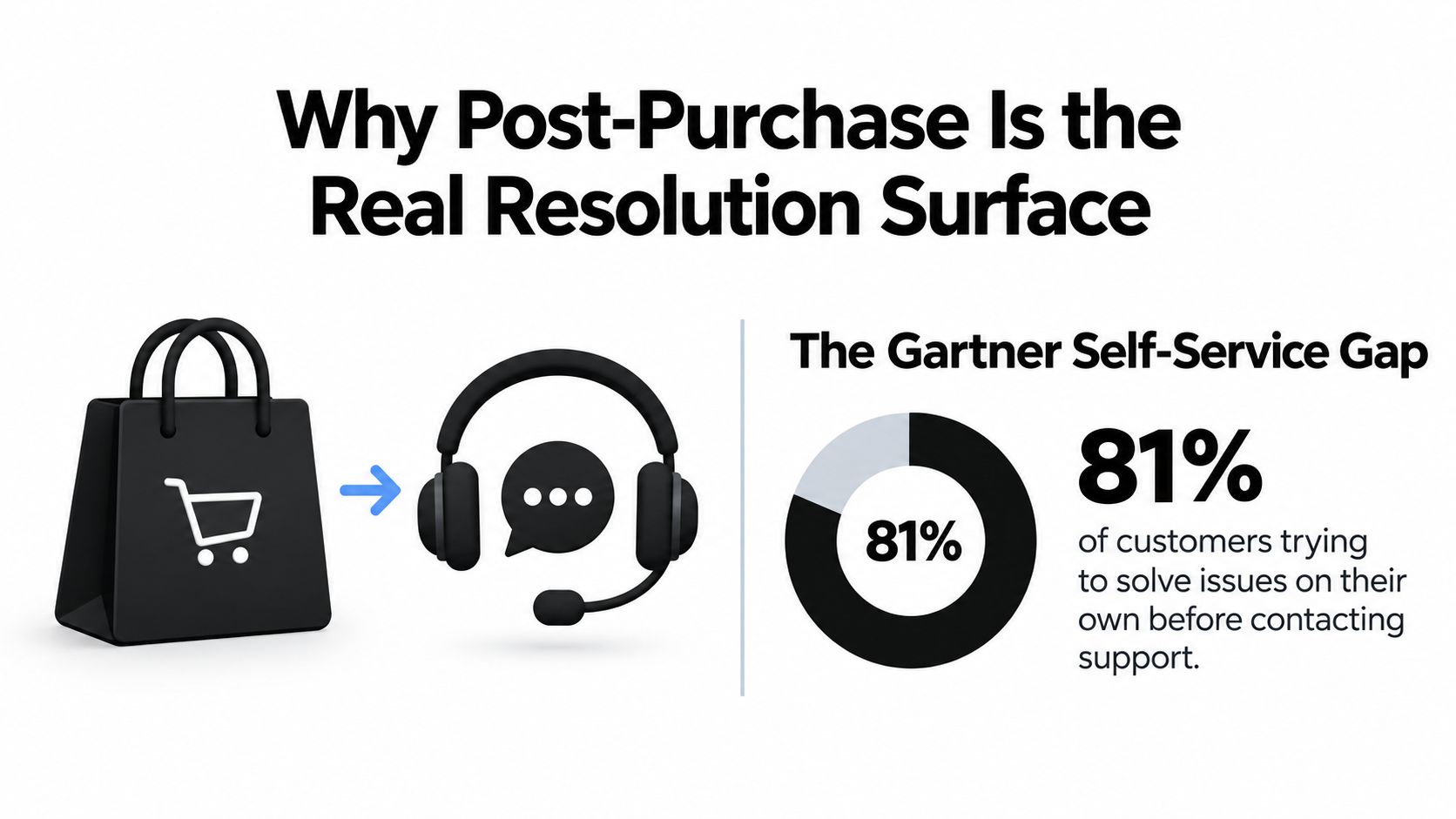
Customers already try to solve problems independently. Harvard Business Review coverage of self-service behavior reports that 81% of customers try to solve problems on their own before contacting a live agent. The same source cites a Gartner survey in which 83% of B2B customers said they try to resolve issues on their own most or all of the time. Customers aren't waiting for a support representative by default. They're looking for a way to finish the job themselves.
The order is the artifact that needs to change
An address typo belongs to the order record, not an article about address corrections. A wrong size belongs to the line item, not a returns policy. An add-on request belongs in the same fulfillment and payment context as the original purchase.
That distinction changes the operating model:
- The customer account becomes the action surface.
- The Shopify order remains the system of record.
- The fulfillment system receives a controlled, current version of the order.
- The support team handles exceptions instead of copying customer instructions between systems.
A better customer self-service portal can still be useful, but a portal that only displays information leaves the most valuable actions to agents. A new FAQ can't change a shipping label. An in-account edit can, provided the order is still eligible and fulfillment is held while the change is reviewed.
Why timing matters
The post-purchase window sits between checkout and warehouse execution. During that period, the buyer often knows exactly what went wrong, while the merchant may still be able to recover margin, avoid a return, or prevent a failed delivery.
That makes the order lifecycle a practical resolution surface. The customer doesn't need to explain the issue in a ticket, wait for a reply, and hope an agent can reach the warehouse in time. They can see the eligible actions attached to the order and complete a governed workflow before the problem becomes a refund, reshipment, or fulfillment exception.
What Self-Serve Order Editing Actually Changes
Self-serve order editing isn't a form that collects a request for later processing. A useful implementation changes the original order in place, recalculates the commercial details, and keeps fulfillment aligned with the new state.
Start with the order detail view. The customer should be able to see which fields are available, such as quantity, variant, shipping address, additions, and removals. Each control needs an eligibility check before it appears. If a line has already been fulfilled, or a personalized item can't be changed, the interface should explain that restriction rather than offer an action that will fail.
Keep one order graph
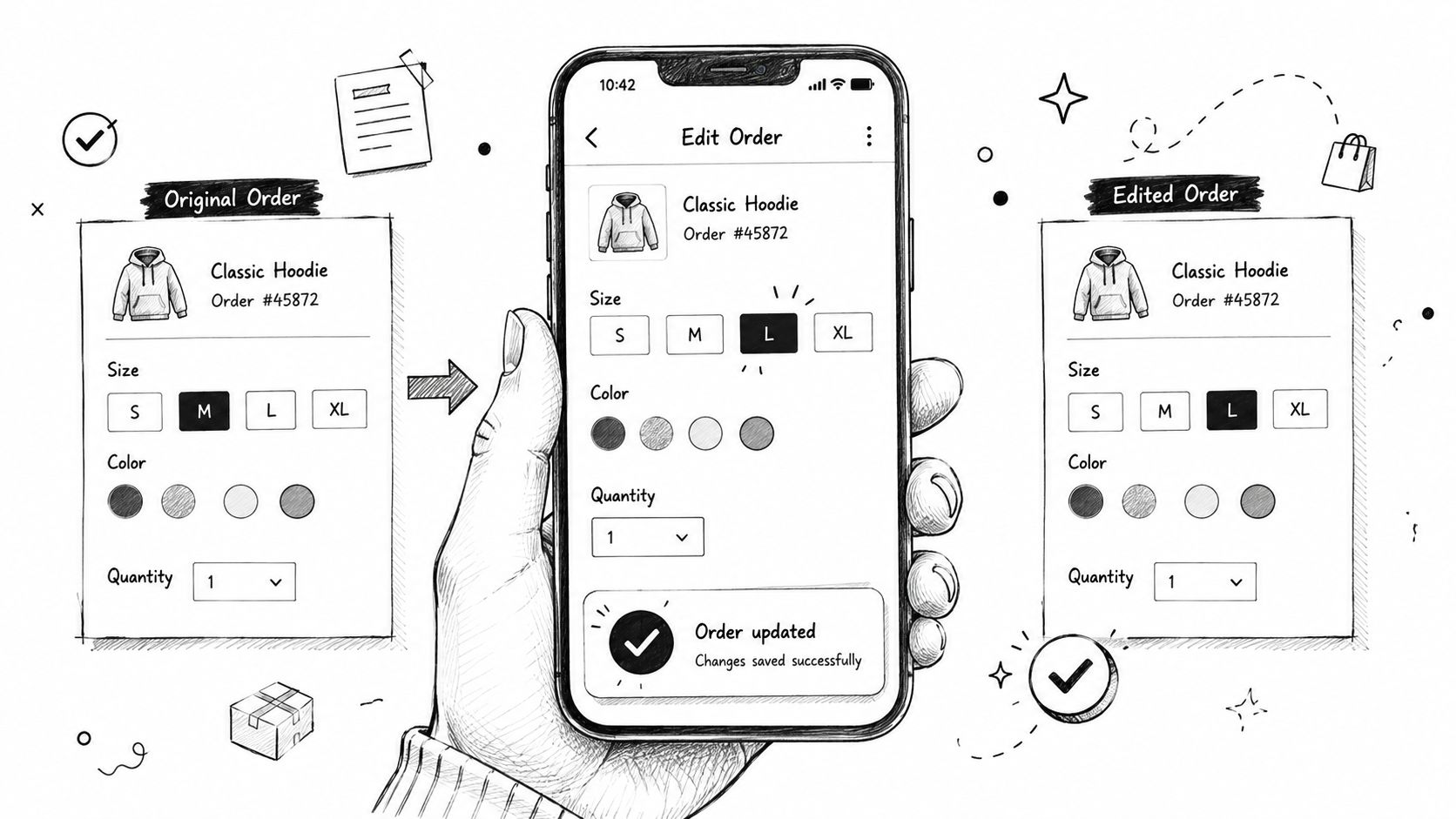
The most important technical decision is whether the edit writes back to the original Shopify order. A customer changing order #1042 from a medium to a large should leave one authoritative order, one fulfillment relationship, and one audit trail.
Side orders create avoidable reconciliation work. They can split discounts, duplicate shipping charges, confuse inventory reservations, and force agents to explain which order is the primary one. The safer pattern is:
- Validate eligibility. Confirm the order is within its edit window and hasn't crossed a fulfillment or risk boundary.
- Rebuild the editable cart. Recalculate current inventory, variants, quantities, shipping, taxes, discounts, and gift-card treatment.
- Show the settlement. If the change costs more, present an invoice or payment step. If it costs less, apply the configured refund workflow.
- Write back to the original order. Preserve the order identity and record what changed.
- Release fulfillment only after validation. The warehouse should receive the corrected state, not the pre-edit state.
Recompute instead of copying
Prices and inventory can change after checkout. An edit flow that copies the old line values can produce incorrect totals or promise an unavailable variant. Recalculation protects both the buyer and the merchant.
A shipping-address edit also needs operational treatment. The system should validate the address, update the order, and pause fulfillment while the change is active. An address update that only changes the customer-facing account page isn't a resolution. It creates false confidence.
Additions should follow the same rule. A one-click upsell can be useful during an edit or on the order status page, but the accepted item should attach to the original order and move through the same settlement and fulfillment logic. For recurring billing or invoice-heavy operations, automated invoicing should remain connected to the order's financial state rather than creating a separate manual trail.
Setting the Rules for Safe Customer Edits
An open edit button is not a self-service strategy. It's an uncontrolled warehouse instruction channel. Customers might add products after picking starts, change a personalized item that has entered production, or replace an address after a carrier label has been created.
The safe approach is to start narrowly, observe exceptions, and expand only where the operation can absorb the change. Rules should be visible to merchants, versioned, and tied to the order so an agent can understand why an action was allowed or blocked.
Four controls that matter
Time windows define when the customer can act. Use a short period after order placement and a second cutoff based on fulfillment status or warehouse timing. The right value depends on the 3PL's actual pick and pack process, not a generic recommendation.
Capability toggles decide what customers can change. Quantities and standard variants may be safe for stocked products, while personalized SKUs should usually remain locked. Address edits deserve their own control because they affect labels, fraud review, and delivery liability.
Approval thresholds keep low-risk changes fast while escalating expensive or unusual adjustments. A merchant might auto-approve a small difference and send a larger refund or surcharge for review. The threshold should reflect margin, fraud exposure, and the support team's ability to review exceptions.
Eligibility exclusions prevent complex orders from entering a simple path. Exclude fulfilled items, multi-shipment orders, fraud-flagged orders, made-to-order products, and destinations that require manual compliance checks.
| Rule Category | Example | Default Value | Operational Risk It Limits |
|---|---|---|---|
| Time window | Customer edits before warehouse processing begins | Tight cutoff aligned with the 3PL | Picking the wrong version of an order |
| Capability toggle | Address correction enabled, personalized variant swap disabled | Enable only tested fields | Invalid production or delivery changes |
| Approval threshold | Refund or surcharge routed for review above a merchant-defined limit | Review exceptions, automate routine changes | Margin leakage and payment disputes |
| Eligibility exclusion | Block fulfilled, multi-shipment, or fraud-flagged orders | Exclude complex and high-risk states | Split fulfillment and uncontrolled exceptions |
Practical rule: Start tight, then expand by exception. A blocked action creates a manageable support case. An allowed action that breaks fulfillment creates several.
Make the rules explainable
The customer should see a useful reason when an edit isn't available, such as “This item has entered production” or “Your shipment is already being prepared.” Internally, the merchant should see the rule that produced the decision.
That auditability matters when an agent receives a complaint. They need to know whether the customer missed the cutoff, whether the order was excluded by product tag, or whether an approval threshold stopped the change. Without that context, self-service moves the investigation from the customer inbox to the operations queue.
Cancellation Paths That Keep Revenue on the Books
Cancellation shouldn't always be a binary choice between save and refund. The right path depends on why the customer wants to cancel, whether the order can still be changed, and whether the proposed alternative solves the original problem.
A store-credit offer works when the customer still wants the product category but no longer wants the current transaction. It can be appropriate for a loyal buyer, a first-time buyer who encountered a temporary issue, or an order where credit is more useful than forcing a refund and a future checkout. The offer should be clear, optional, and easy to decline.
An exchange is stronger when the customer chose the wrong size, color, or variant and a suitable replacement is in stock. It preserves the buying intent without making the customer restart the shopping journey. The exchange path should show the financial difference and avoid promising an alternative that fulfillment can't supply.
A full cancellation remains the correct outcome for perishable goods, custom products that can't be resold, or orders that have already crossed the merchant's fulfillment boundary. Trying to save every cancellation creates resentment and can leave the warehouse with an order the customer explicitly rejected.
| Path | Best Use Case | Typical Save Rate | Operational Risk |
|---|---|---|---|
| Store-credit save offer | Customer still has purchase intent but wants flexibility | Store-specific, measure by reason | Credit liability and unclear terms |
| Exchange | Wrong size, color, or standard variant with a viable alternative | Store-specific, measure by completed exchanges | Inventory mismatch or return coordination |
| Full cancel and refund | Perishable, custom, ineligible, or post-fulfillment order | Not a save path | Refund cost and lost revenue |
The save flow should capture the cancellation reason before presenting an offer. “Changed my mind” needs a different response from “wrong size” or “delivery timing.” A merchant can then test which alternative matches each reason instead of placing the same credit message in front of every customer.
A second operational requirement is order integrity. The accepted exchange, credit decision, or cancellation should update the original Shopify order and its financial records. A side order may look like a successful save in the storefront while leaving refund accounting and fulfillment status disconnected.
For merchants designing the credit path, the Shopify store credit workflow should be treated as part of the cancellation policy, not as a separate marketing promotion. The customer needs clear terms, the support team needs visibility, and finance needs an unambiguous record of what was refunded, credited, or retained.
A Real Order Walkthrough from Edit to Delivery
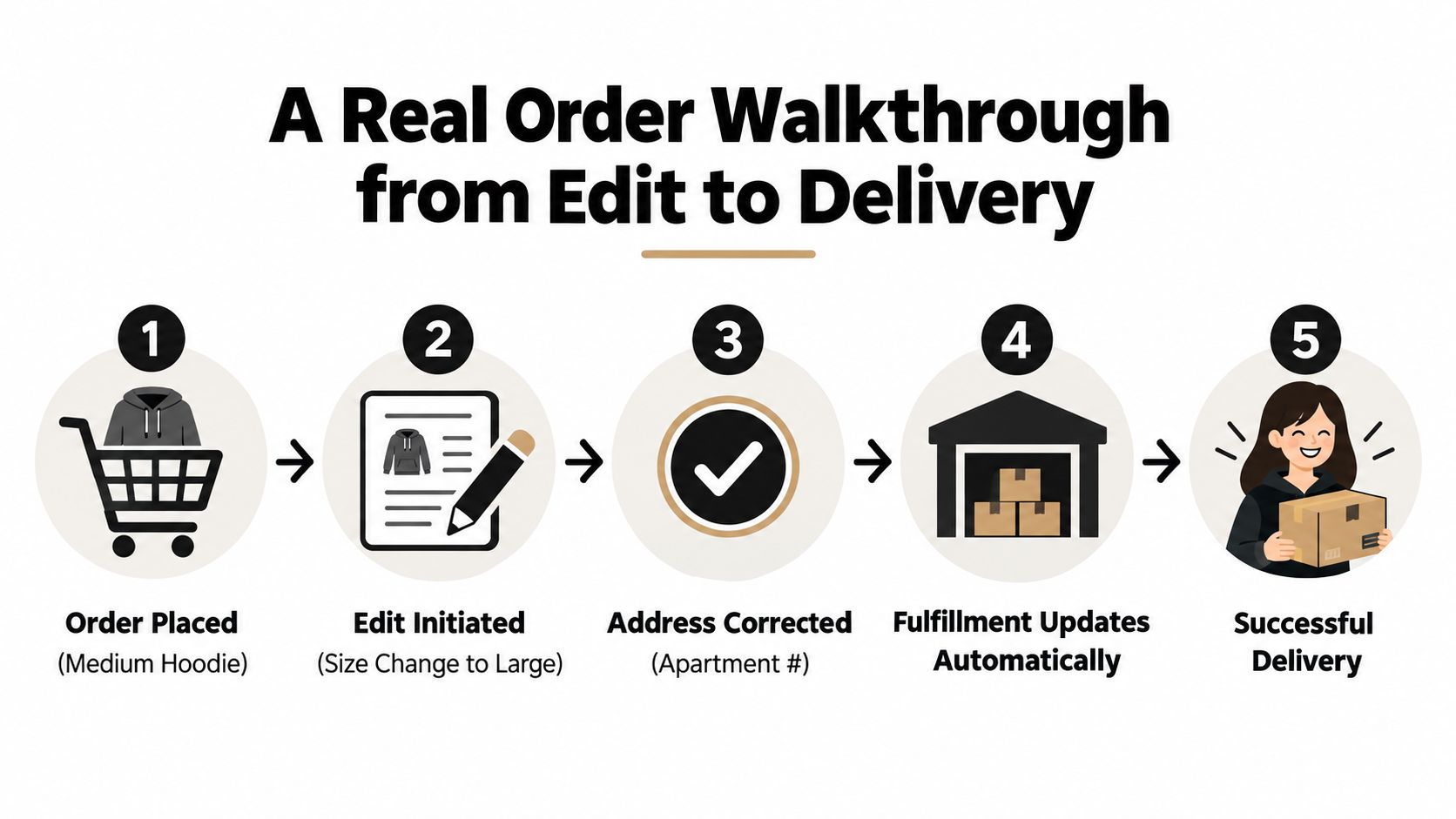
A buyer orders a medium hoodie and notices two problems soon afterward. The selected size should have been large, and the shipping address contains the wrong apartment number. When delivery slips by a day, the buyer opens the order page and considers cancelling.
The account flow should handle these as connected order decisions, not three separate tickets. The customer selects the large variant, corrects the apartment number, and reviews the resulting order before submitting the changes.
The edit must protect fulfillment
The size swap updates the original order line. It shouldn't create a second hoodie order that the warehouse may pick alongside the first. The address correction triggers an automatic fulfillment hold, giving the order a stable state while the platform validates the updated destination and the fulfillment connection.
That hold is the difference between a real resolution and a customer-facing promise. Without it, the 3PL can pick the medium hoodie, print the old address, and leave the support team with the familiar response that the order has already shipped.
The customer then reaches the cancellation decision. Instead of hiding the refund behind several confirmation screens, the flow presents a reason-specific alternative. If the customer still wants the hoodie, a store-credit option can preserve the transaction, while a one-click expedited-shipping upsell can address the delivery concern. The customer accepts the revised size, corrected address, and faster shipping in one settlement flow.
What the support team sees
The support team doesn't need to reconstruct the customer's journey from an email thread. It sees the final Shopify order, the edit history, the fulfillment status, and the financial outcome.
That record also creates a clean exception path. If the address fails validation, the replacement size goes out of stock, or the order crosses the merchant's cutoff during the session, the system can stop the workflow and route the case for review. The customer gets an explanation instead of a silent failure, while the warehouse doesn't receive contradictory instructions.
The practical lesson is simple. Automatic fulfillment holds turn customer edits into controlled operational events. They give the buyer agency without asking the warehouse to guess which version of the order should be shipped.
Measuring What Resolution Actually Moved
A busy self-service program can still resolve very little. Account visits, button clicks, and FAQ views measure activity, not whether a customer avoided contact or the merchant protected revenue. The order record is the resolution surface, so measurement must connect each customer action to an operational and financial result.
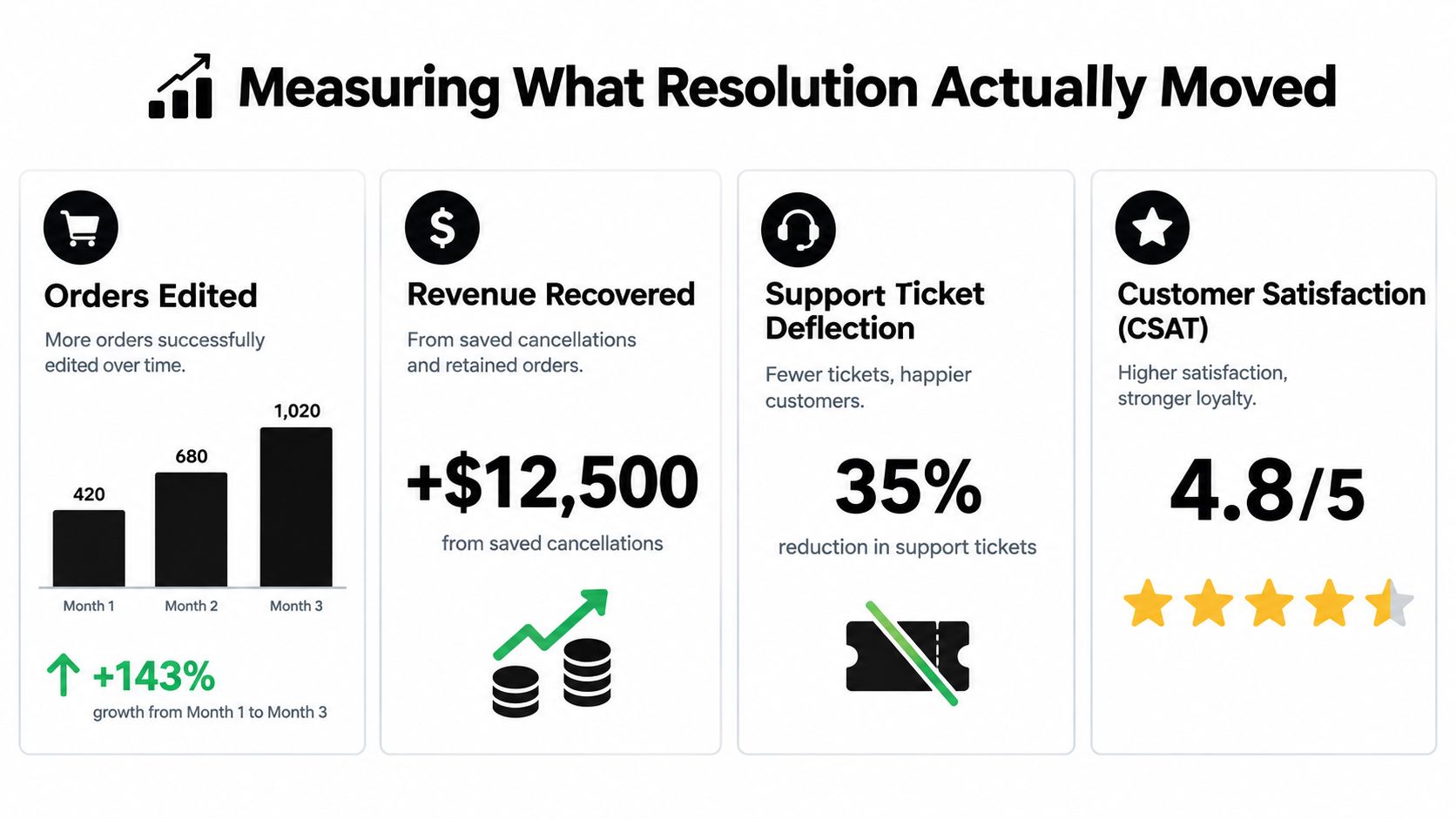
Start with orders edited. Track the count, edit type, original fulfillment state, and completion status. Keep quantity changes, address corrections, variant swaps, and add-on requests separate. They create different warehouse risks and support costs.
Then measure revenue recovered. Separate additional revenue from saved cancellations, exchange outcomes, and accepted add-ons. Keep definitions stable across finance and CX, or the same order will produce conflicting recovery reports.
Four measures worth reviewing
- Orders edited: Count completed edits by reason, product, and fulfillment state.
- Revenue recovered: Attribute retained value to exchanges, credit saves, and accepted additions. Do not classify every edit as recovered revenue.
- Orders saved: Record the cancellation attempt, offer shown, customer choice, and whether the order stayed active.
- Modeled ticket avoidance: Estimate prevented contacts from labeled edit types, such as address corrections or size swaps. A portal session alone does not prove ticket deflection.
Modeled avoidance requires clear boundaries. The Gartner self-service findings cited earlier can frame the industry challenge, but they cannot show whether a specific address edit prevented a ticket in your store. Your menu only covers the actions you have enabled. A store offering address corrections and variant swaps is solving different problems from one that only displays tracking information.
Label estimates clearly and separate observed events from modeled outcomes. Review the data weekly with CX, operations, and fulfillment. Tighten a rule when edits create warehouse errors. Expand a window when customers repeatedly request a safe action that still requires an agent.
The goal is completed resolution supported by a reliable order record, not maximum interaction.
Your Rollout Checklist for Post-Purchase Self-Serve
Launch the workflow in phases, with one accountable owner for each decision. A 14-day rollout gives a team enough time to inspect historical problems, configure safeguards, test settlement, and observe early exceptions without treating the first release as permanent.
Days 1 through 3
The CX lead audits the last 90 days of order-edit requests, address changes, cancellations, and related tickets. Operations identifies products that shouldn't be editable, while the fulfillment lead documents the 3PL's actual picking cutoff and hold behavior.
Success means the team has a baseline list of high-frequency reasons, restricted SKUs, and orders that need manual review.
Days 4 through 7
The operations lead configures edit windows, capability toggles, value caps, approval thresholds, exclusions, and fulfillment-hold triggers. The developer or agency partner tests each rule against open, partially fulfilled, and ineligible orders.
Don't launch until the team can answer what happens when inventory disappears, a payment difference needs collection, or a customer changes an address during fulfillment preparation.
Days 8 through 10
The developer or agency partner enables the customer account and order status placement. The growth lead adds relevant upsells, while CX configures cancellation reason capture, store-credit offers, exchange paths, and full-refund fallback.
Keep the first release focused. Customers should see only actions the operation can execute consistently.
Days 11 through 14
The CX lead owns reporting for orders edited, revenue recovered, orders saved, and modeled ticket avoidance. The operations lead defines the rollback trigger for edit errors, and the support manager prepares an exception queue with clear escalation ownership.
Review results weekly. Compare completed outcomes with fulfillment errors, refunds, and contact reasons. The workflow becomes valuable when each review turns observed exceptions into a better rule, not when the team leaves automation switched on.
Mayra Apps provides Shopify merchants with self-serve order edits, cancellation deflection with store credit, one-click upsells, automatic settlement, merchant-controlled eligibility rules, and fulfillment holds while changes are active. Visit Mayra Apps to evaluate whether your customer account and order status page can become the first operational surface for resolving customer problems.