
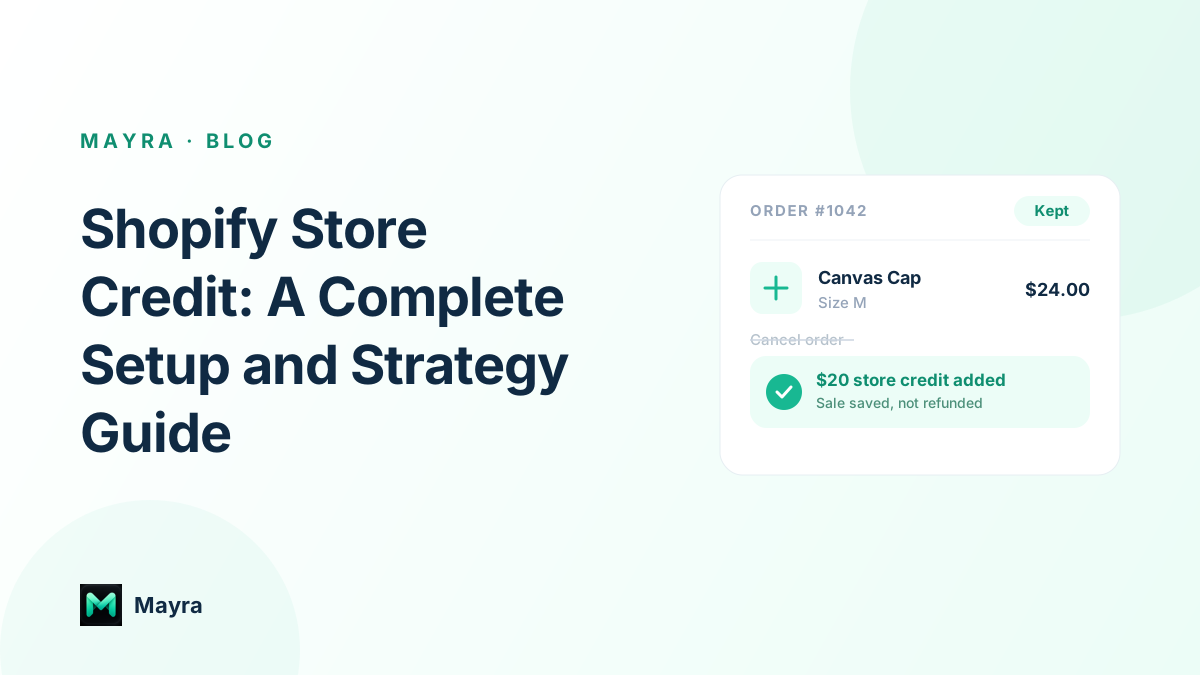
A customer sends a cancellation request, and your support agent has seconds to decide what happens next. Should the team refund the payment, offer a discount, or propose store credit that keeps the customer's money inside the business?
The customer has already done the math. They want the charge removed from their card, not another vague promise about future value. The merchant, meanwhile, is weighing cash retention against the risk of making the customer feel trapped. Shopify store credit can bridge that gap, but only when the offer is clear, the balance is usable, and the underlying accounting is controlled.
The important distinction is that store credit isn't merely a retention perk. It's a customer-linked financial balance with redemption rules, channel restrictions, expiry decisions, and reconciliation duties. The implementation you choose determines whether a save offer resolves the customer's problem or delays a refund and creates another support ticket.
Table of Contents
- The Cancellation Moment That Decides Whether Store Credit Works
- What Shopify Store Credit Actually Is
- Comparing Native Credit, Gift Cards, and App-Based Credit
- Configuring Store Credit Inside Shopify Admin and POS
- When Store Credit Pays Off and When It Creates Friction
- Adding Cancel Deflection to the Order Status Page
- Reconciliation Reporting and Policy Communication
The Cancellation Moment That Decides Whether Store Credit Works
The cancellation screen is where strategy becomes an operational decision. A customer selects “too expensive,” “ordered by mistake,” or “I no longer need it.” Your team can approve the cancellation immediately, ask for more information, or present an alternative that gives the customer a reason to stay.
A useful offer doesn't argue with the cancellation reason. If the customer says the price is too high, a small credit toward the current order or a future purchase may address the concern. If the customer selected the wrong variant, an order edit may be more appropriate than credit. If fulfillment hasn't started and the customer changed their mind, a full cancellation may be the cleanest outcome.
Practical rule: Offer store credit as a choice, never as a confusing obstacle between the customer and a legitimate cancellation.
The strongest save flows separate the customer's decision from the merchant's preference. The customer sees the reason capture first, then receives a specific offer with a plainly stated value, usage condition, and expiry rule if one applies. If they decline, the normal cancellation path remains available.
That distinction matters because a credit offer can preserve the relationship only when the customer understands what they're receiving. A balance tied to the wrong account, a credit that works online but not in-store, or an offer that disappears without explanation turns a retention attempt into service friction.
For subscription and post-purchase teams, the cancellation moment also reveals whether the store needs a dedicated workflow. A manual gift card may work for an occasional support resolution, but it becomes difficult to govern when agents must issue credits consistently, apply eligibility rules, and record why each offer was made. A structured approach to cancellation deflection with store credit helps merchants treat the save offer as a defined operational path rather than an improvised concession.
The rest of the decision follows from this moment. First identify the job, then choose the balance mechanism that can deliver it without creating avoidable identity, checkout, or reconciliation problems.
What Shopify Store Credit Actually Is
Shopify store credit is a monetary balance attached to a specific customer record. It isn't a floating coupon that anyone can enter, and it isn't automatically transferable to another person. Shopify's customer documentation explains that the balance is held in the shop's currency and belongs to the customer associated with it. The customer must authenticate through new customer accounts to redeem the balance at checkout, which makes identity verification a core part of the experience. Shopify's store credit documentation provides the operational rules merchants need to check before launch.
That identity requirement changes how you design the customer journey. The customer needs to know which account holds the credit, how to sign in, and where the balance can be used. An email notification alone isn't enough if the redemption experience sends the shopper to checkout without an authenticated account or clear instructions.
Separate the balance from the discount
A discount code reduces the price of a qualifying order. It's usually code-based, campaign-oriented, and comparatively simple to close out after redemption. Store credit represents value the merchant has already committed to a customer, so it behaves more like a liability than a promotional message.
Gift cards sit between the two concepts. They're code-based instruments that can be issued, purchased, and used at checkout, while customer-linked store credit is attached to an account profile. Shopify supports issuing, editing, and managing store credit through admin and POS workflows, but merchants still need to confirm which balance model their specific setup uses and which customer-account requirements apply.
The distinction is especially important for operators evaluating Shopify's overall commercial setup, including plan, payment, and operational costs. Rebus's guide to Shopify costs explained for SMBs is useful background before adding an app or building a more involved credit process.
Treat every issuance as a ledger event
Shopify exposes store credit as a transaction-based account. Merchants can filter transactions by balance, currency, expiry date, and most recent credit date through the Shopify store credit transaction schema. That model matters because a credit isn't tied only to the original refund event. Shopify can increment, decrement, and expire the customer's balance through account and POS workflows.
Before issuing credit, document four rules:
- Ownership: Identify the customer account that receives the balance.
- Redemption: State whether the customer must be signed in and which channels accept it.
- Restrictions: Explain exclusions such as gift-card purchases or unsupported POS scenarios.
- Expiry: Publish whether a date applies and how the customer will be notified.
Those rules determine whether store credit feels like usable value or a hidden condition attached to a refund.
Comparing Native Credit, Gift Cards, and App-Based Credit
Merchants usually aren't choosing between features. They're choosing how to solve a specific commercial problem. Cancel deflection, refund-as-credit, issue compensation, and loyalty re-engagement each place different demands on the balance system.
Native Shopify store credit is appropriate when the merchant wants account-level balances managed through Shopify's own customer, admin, and POS workflows. Gift cards remain practical when the business needs a code that can be emailed or handed to a customer. An app-based system adds automation, customer-facing balance presentation, eligibility rules, and campaign logic, but it also introduces another operational layer to reconcile.
Match the mechanism to the job
For cancel deflection, a customer-linked balance is usually more coherent than a generic discount because the offer can be framed as value assigned to that customer. The workflow still needs a fallback, since some cancellation reasons shouldn't be challenged.
For refund-as-credit, native Shopify workflows are strong when the return stays within supported customer-account and payment paths. POS can process returns to store credit, but merchants must account for redemption limitations, including the inability to apply custom partial amounts in POS and the restriction on carts containing gift cards. These details are documented in Shopify's POS store credit redemption guidance.
For issue compensation, gift cards can be effective for a one-off apology, shipping problem, or service recovery. The customer receives a code, and the agent can close the ticket without modifying a broader loyalty system. The trade-off is that codes are easier to lose, share, or misapply than an account balance.
For loyalty re-engagement, an app-managed credit ledger can support automated triggers, visible balances, and segmented rules that native one-off issuance doesn't provide. The merchant must then reconcile app activity with Shopify orders and refunds rather than assuming the app is the financial system of record.
Presidio's guidance on Shopify Plus discount strategy tips offers useful context for separating discount logic from monetary-credit logic. Store credit shouldn't be selected because it resembles a discount at checkout.
Store credit implementation comparison
| Implementation | Cancel Deflection | Refund-as-Credit | Issue Compensation | Loyalty Re-engagement | Reconciliation Complexity |
|---|---|---|---|---|---|
| Native Shopify customer balance | Strong for authenticated customers | Strong within supported Shopify flows | Suitable for controlled admin issuance | Limited without additional automation | Moderate |
| Shopify gift card | Usable, but code friction can weaken the offer | Practical for code-based refunds | Strong for one-off resolutions | Limited visibility and campaign control | Lower inside Shopify, higher for manual distribution |
| App-based credit such as Mayra | Strong for reason-based save offers and triggers | Useful when connected to defined eligibility rules | Flexible, but requires governance | Stronger for automated campaigns and balance presentation | Highest because app activity must be checked against Shopify |
The right choice is the one that fits the job and the team's ability to audit it. A simple workflow that staff understand is safer than a complex balance program nobody can reconcile.
Configuring Store Credit Inside Shopify Admin and POS
Start with the native path before adding automation. The exact labels can vary by Shopify configuration, but the operational sequence is consistent: identify the customer, confirm the order and refund eligibility, choose store credit as the destination, and verify the resulting balance.
Issue credit from the admin
Open the relevant order in Shopify admin and review its fulfillment, payment, return, and refund status. Confirm that the items and amounts are eligible under your policy, then begin the refund workflow and select store credit where Shopify presents it as an available payout method. For a partial refund, verify which portion of the order is being converted and whether your policy includes applicable shipping or tax amounts.
Shopify supports issuing and managing balances from admin, but staff permissions still matter. Limit issuance and editing access to the roles that need it, especially when multiple agents or locations can make refund decisions.

The customer should receive a clear notification after issuance. Check that the message identifies the account holding the credit and directs the customer to the appropriate sign-in or redemption path. Don't assume that a credit email solves an account-authentication problem by itself.
Configure the POS workflow
In Shopify POS, enable the Store Credit payment method and give staff the permissions they need. Shopify allows merchants to control permissions separately for redeeming and managing store credit, which helps larger operators distinguish checkout activity from balance administration. POS can also process returns to a customer's store credit profile.
Test the full scenario at the counter. Confirm that the staff member can locate the correct customer, apply available credit, and explain any restriction before completing the transaction. POS doesn't support custom partial redemption amounts, and store credit can't be applied to carts containing gift cards, so train staff on those boundaries rather than leaving them to discover the limitations during a busy return.
Add an app-managed workflow only where native tools stop
An app layer can maintain a separate credit ledger, set expiration windows, and connect a post-purchase trigger to eligible orders. A Mayra-style workflow can place a controlled store-credit offer on the order status page, with rules for order state, product exclusions, approval, and cancellation eligibility.
Native Shopify workflows don't provide every campaign control merchants want, such as segmented credit pools or scheduled reissue logic. If those gaps affect your retention program, configure the app rules conservatively and reconcile every issuance, redemption, and expiry against Shopify's order records.
When Store Credit Pays Off and When It Creates Friction
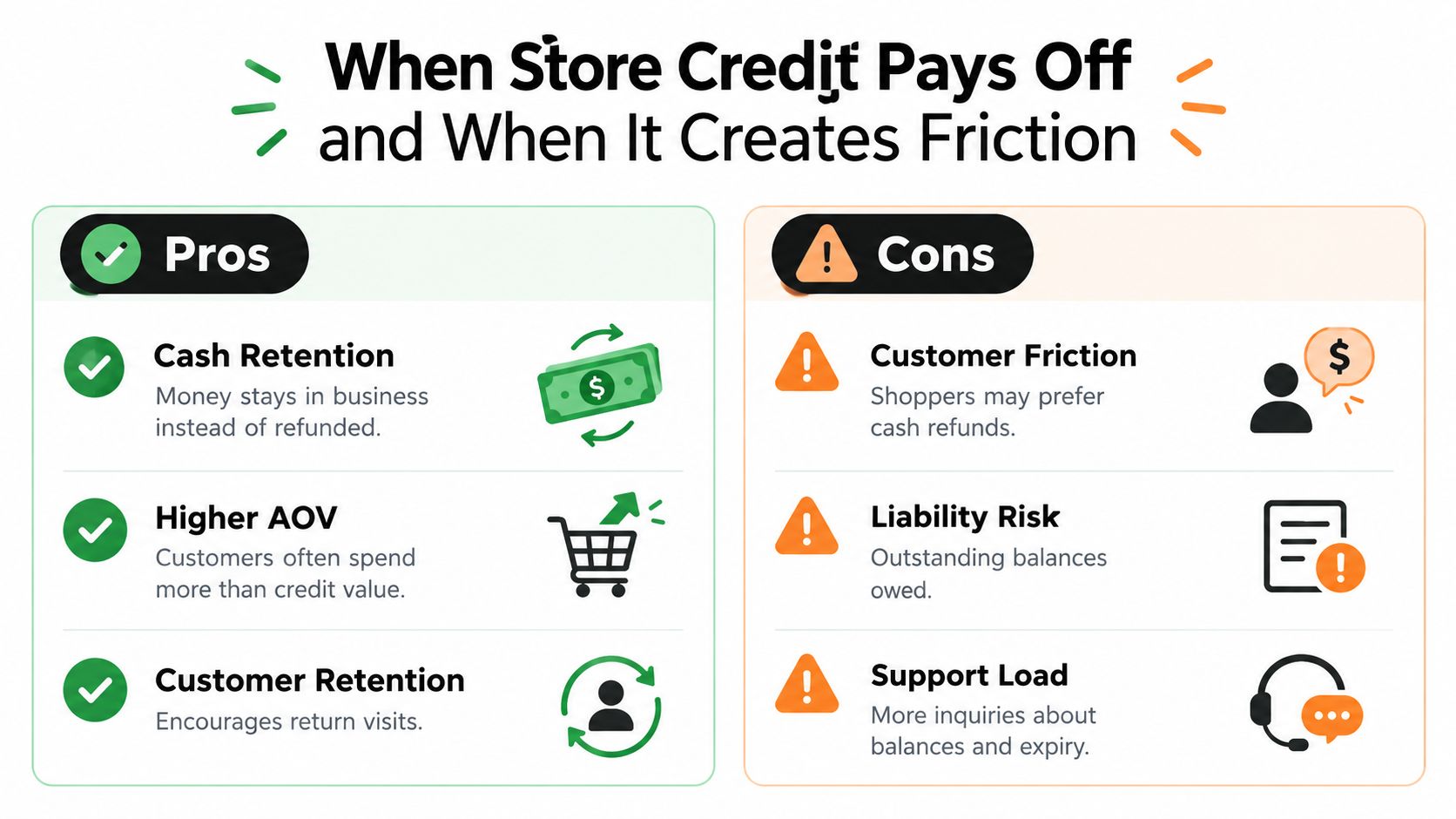
Store credit protects cash retention only when the customer can use it without confusion. A refund to the original payment method ends the merchant's obligation for that amount through the refund transaction. Credit keeps value in the store, but the outstanding balance remains a liability until the customer redeems it or it expires under an applicable policy.
That makes credit a trade-off, not a free retention lever. The merchant gains another opportunity to bring the customer back, while the customer receives value restricted to the issuing business and account. Customers who already intend to shop again may welcome that arrangement. Customers who want their money returned may interpret it as a barrier.
Where the economics can work
Credit is most defensible when it solves a genuine operational or commercial problem:
- Cash retention: The merchant avoids an immediate outflow to the original payment method.
- Second purchase opportunity: The customer returns to the store instead of ending the relationship at the refund.
- Flexible recovery: A partial credit can resolve a service issue without issuing a blanket refund.
- Controlled incentives: Expiry, product, currency, and channel rules can shape how the balance is used where the platform supports those controls.
Some customers may spend beyond their available balance, but that outcome shouldn't be treated as guaranteed. The offer has to make sense on its own, and the customer must be able to understand the remaining balance and payment split at checkout.
Where the experience breaks
Friction usually appears after issuance. Customers forget which account received the balance, confuse a gift-card code with account-level credit, or reach checkout without authenticating. Omnichannel shoppers may also assume that credit issued in one context works everywhere, while the actual rules limit redemption by channel or payment scenario.
Shopify's POS documentation makes those restrictions concrete. Customers can use store credit for in-person purchases and receive refunds to a customer profile, but POS doesn't allow custom partial amounts, and gift-card products create a separate limitation. B2B operators also need to consider currency behavior and company-location issuance, since a balance created for one business context may not behave like a universal wallet.
Credit that cannot be explained in one clear sentence will create support work.
Use cash refunds when the customer has no realistic reason to return, when your channels don't share a reliable balance system, or when local refund requirements make forced credit inappropriate. Use store credit when the customer opts into it, the value is visible, and your team can answer the redemption question without investigating multiple systems.
Adding Cancel Deflection to the Order Status Page
A practical cancellation flow begins with reason capture. The customer enters the cancellation path and selects a reason such as price, wrong size, shipping delay, or finding another retailer. The system then uses that reason to decide whether a save offer is relevant.
Build the offer around the reason
A price objection may justify a fixed credit or a discount on the next order. A wrong-size selection may call for an order edit or variant replacement. A shipping-delay complaint may require a fulfillment explanation or a service recovery offer instead of a generic incentive.
The offer should show the value in plain language and explain when it becomes available. Avoid copy that hides the condition behind a button. “Keep the order and receive store credit for a future purchase” is clearer than “Receive a special benefit.”

Mayra Apps can place a cancellation-deflection experience on the Shopify order status page and customer account, allowing merchants to configure reason capture, save offers, eligibility, and a normal cancellation fallback. The page should preserve the customer's ability to cancel when the offer isn't appropriate. For implementation context, review Shopify's order status page capabilities before deciding where the block belongs.
Protect the fallback path
If the customer accepts, issue the credit according to the configured rule and keep the original order active. Confirm that the balance is attached to the correct customer account, then show the customer what happens next.
If the customer declines, continue with the normal cancellation process. The original refund policy should remain intact, including any review or approval step. A save flow that makes cancellation difficult may reduce completed cancellations while increasing complaints, disputes, and agent workload.
Test each branch with real operational conditions. Check authenticated and unauthenticated visits, orders in different fulfillment states, excluded products, partial refunds, and customers who have more than one balance event. A/B testing can compare credit offers with discount offers, but evaluate more than acceptance. Track whether the retained order remains valid, whether customers redeem the credit, and whether support contacts rise afterward.
Reconciliation Reporting and Policy Communication
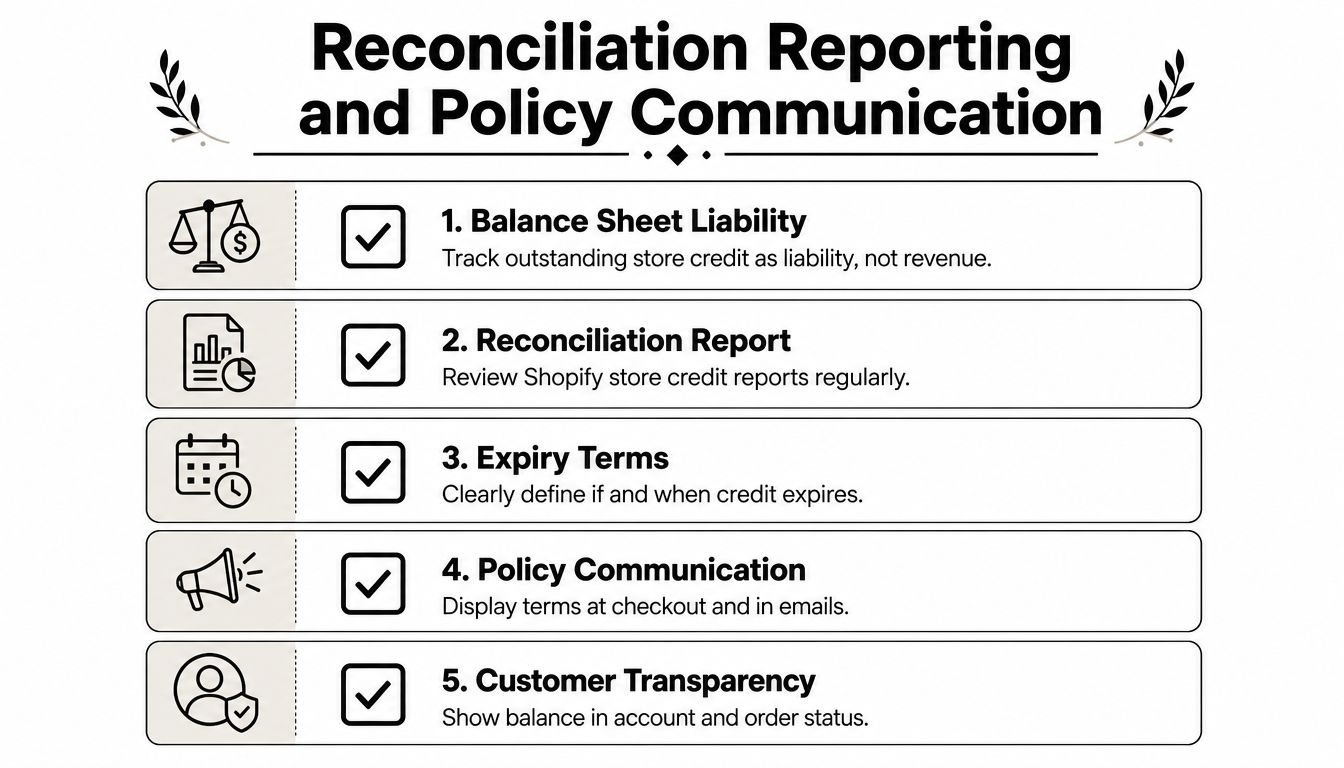
Store credit becomes manageable when finance, support, and ecommerce operations use the same definition of an outstanding balance. Shopify's transaction model lets teams inspect credits by balance, currency, expiry date, and recent credit activity. That gives finance a foundation for reviewing what has been issued, redeemed, adjusted, or expired.
The accounting treatment still needs to be confirmed with your finance professional. Operationally, treat outstanding credit as a liability rather than new revenue. Issuance records the obligation, redemption reduces it as the customer purchases, and expiry requires a policy-compliant accounting treatment.
Create a repeatable review
A monthly reconciliation should compare the Shopify store-credit activity with the payout and order records for the same period. If an app issues or manages credit, export its issuance, redemption, adjustment, and expiry events and match them to Shopify customer and order identifiers.
Use a short control list:
- Balance review: Check total outstanding credit and investigate unusual changes.
- Event matching: Match issuance and redemption events to orders, refunds, or approved service cases.
- Permission audit: Review who can issue, edit, or redeem balances.
- Expiry check: Confirm that expiry dates follow your published terms and applicable law.
- Exception queue: Resolve duplicate credits, wrong-account assignments, and failed redemptions before closing the period.
Put the rules where customers will see them
Publish the policy on the refund page, in relevant checkout messaging, in the FAQ, and in the order-status experience. Explain who owns the credit, whether it can be transferred, where it can be redeemed, whether it expires, and how a return is handled when the original order was paid with credit.
A policy block can read:
Store credit is issued to the customer account associated with the order. It can be redeemed through supported Shopify checkout and POS experiences when the customer is authenticated. Credit isn't transferable, may have channel or product restrictions, and may expire when a date is shown during issuance. If an order paid with store credit is returned, the eligible refund is returned according to the store's published refund policy.
Keep the wording aligned with the actual configuration. If POS cannot accept a particular cart combination, say so in staff guidance and customer-facing help content. For a deeper policy comparison, use this guide to store credit versus refund on Shopify.
Before launch, test issuance, authentication, redemption, partial use, POS returns, expiry messaging, and cancellation fallback. Then assign one owner for the balance report and another for policy updates, so a change to one side doesn't break the other.
Mayra Apps provides post-purchase tools for Shopify merchants, including order edits and cancellation-deflection flows that can present controlled store-credit save offers on the order status page. Visit Mayra Apps to review how its merchant-configured rules can fit your refund, retention, and reconciliation process.