
Most advice on the best Shopify upsell apps assumes the most feature-rich platform wins. That's the wrong comparison. A merchant deciding between a cart drawer offer, a checkout block, a thank-you page prompt, or an in-account order edit is really choosing a customer moment, not just an app.
Placement changes everything. So does one-click behavior, whether the app modifies the original Shopify order or creates a separate flow, whether checkout features depend on Shopify Plus, how pricing scales, how much testing depth you get, and whether your ops team can support the workflow after launch. A store with heavy support volume after checkout may need a very different tool than a brand chasing more cart add-ons before payment.
That's why this roundup compares seven apps by the order moment they optimize. Mayra Apps stands out because it approaches upsell from a different angle: in-account post-purchase editing tied to the original order, with one-click add-ons, cancellation deflection, and fulfillment-aware controls. The other tools lean more heavily into funnel building, personalization, classic post-purchase offers, or broader transaction-moment coverage.
The recommendations below use only the supplied feature, pricing, integration, pros, and cons information, then interpret the trade-offs in practical merchant terms. If you want a wider stack context beyond upsells, you can also browse the 2026 Shopify app list.
Table of Contents
- 1. Mayra Apps
- 2. Zipify OneClickUpsell OCU
- 3. Rokt Aftersell
- 4. Rebuy Personalization Engine
- 5. Bold Upsell
- 6. Honeycomb Upsell and Cross Sell
- 7. Cart X Post Purchase Upsell
- Top 7 Shopify Upsell Apps Comparison
- Choose the Upsell Workflow You Can Operate Well
1. Mayra Apps
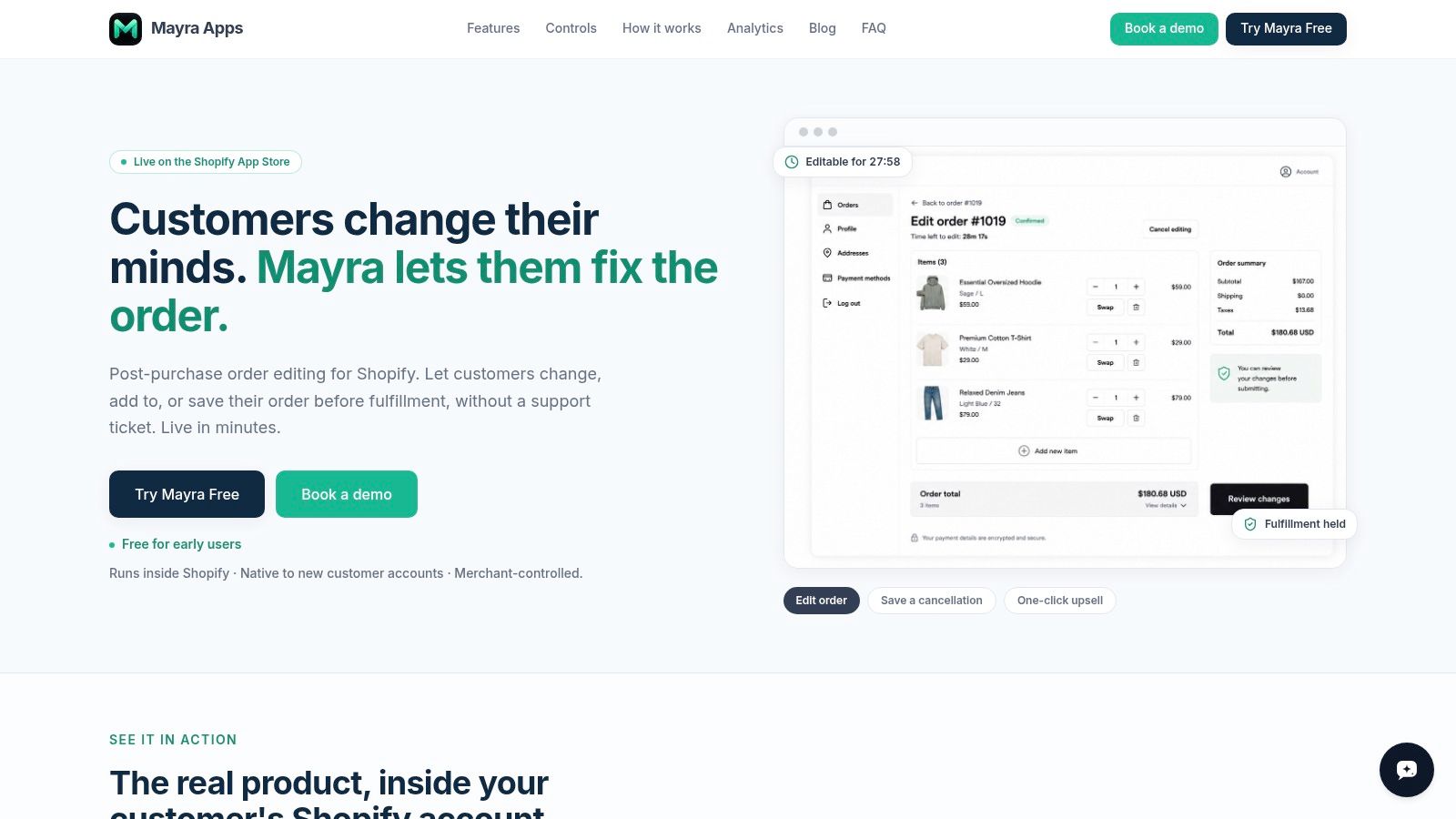
Mayra Apps is the most distinctive entry here because it doesn't treat post-purchase as a single thank-you-page widget. It treats the order-status page and customer account as operational surfaces where customers can fix, improve, or expand an order before fulfillment.
That matters because recent roundup coverage has started separating the thank-you page, order-status page, and edit window into different monetization moments rather than one generic post-purchase bucket, a shift highlighted in this post-purchase upsell analysis. If your customers commonly request size swaps, quantity changes, address fixes, or last-minute add-ons, a standard post-purchase app may not solve the problem.
Where Mayra fits best
Mayra runs natively inside Shopify's new customer accounts and the Order Status page. Instead of sending shoppers into a separate funnel, it lets them change quantities, swap variants, update shipping addresses, and add or remove line items on the existing order. Accepted upsells are added to that same order, and payment settlement happens through Shopify.
For merchants, that changes the operational model:
- Original order preserved: Shopify admin remains the single source of truth because edits write back to the original order.
- Fulfillment protected: active edits trigger fulfillment holds, which helps prevent shipments from going out while the order is changing.
- Support load reduced: customers can resolve common post-purchase requests themselves instead of opening tickets.
- Cancellation pressure redirected: structured cancellation deflection can present store-credit save offers before a refund is finalized.
Practical rule: If your biggest upsell opportunity appears after the customer realizes they ordered the wrong variant, forgot an add-on, or wants to change the address, you need an edit workflow, not just a post-checkout funnel.
Workflow depth and trade-offs
Mayra gives merchants unusually granular governance. Teams can set edit windows, decide which changes customers are allowed to make, require approvals or auto-approve small changes, and exclude orders or products by value, fulfillment state, product, collection, tag, or destination. Additions can trigger Shopify invoices, and refunds can run automatically or wait for approval above a threshold.
This is stronger operationally than a simple offer widget, but it also means fit matters. Stores not using Shopify's newer customer account path, or stores with heavily customized account and checkout experiences, should confirm implementation constraints early. The site advertises early access as free for early users, but there isn't published paid pricing beyond that, so larger merchants should validate roadmap depth, support expectations, and enterprise requirements in a demo.
Mayra is the best fit here for merchants who want post-purchase revenue tied to self-serve order correction, fulfillment protection, and same-order add-ons instead of isolated offer pages. It's especially compelling for ops teams, support-heavy brands, and agencies cleaning up post-checkout friction.
2. Zipify OneClickUpsell OCU
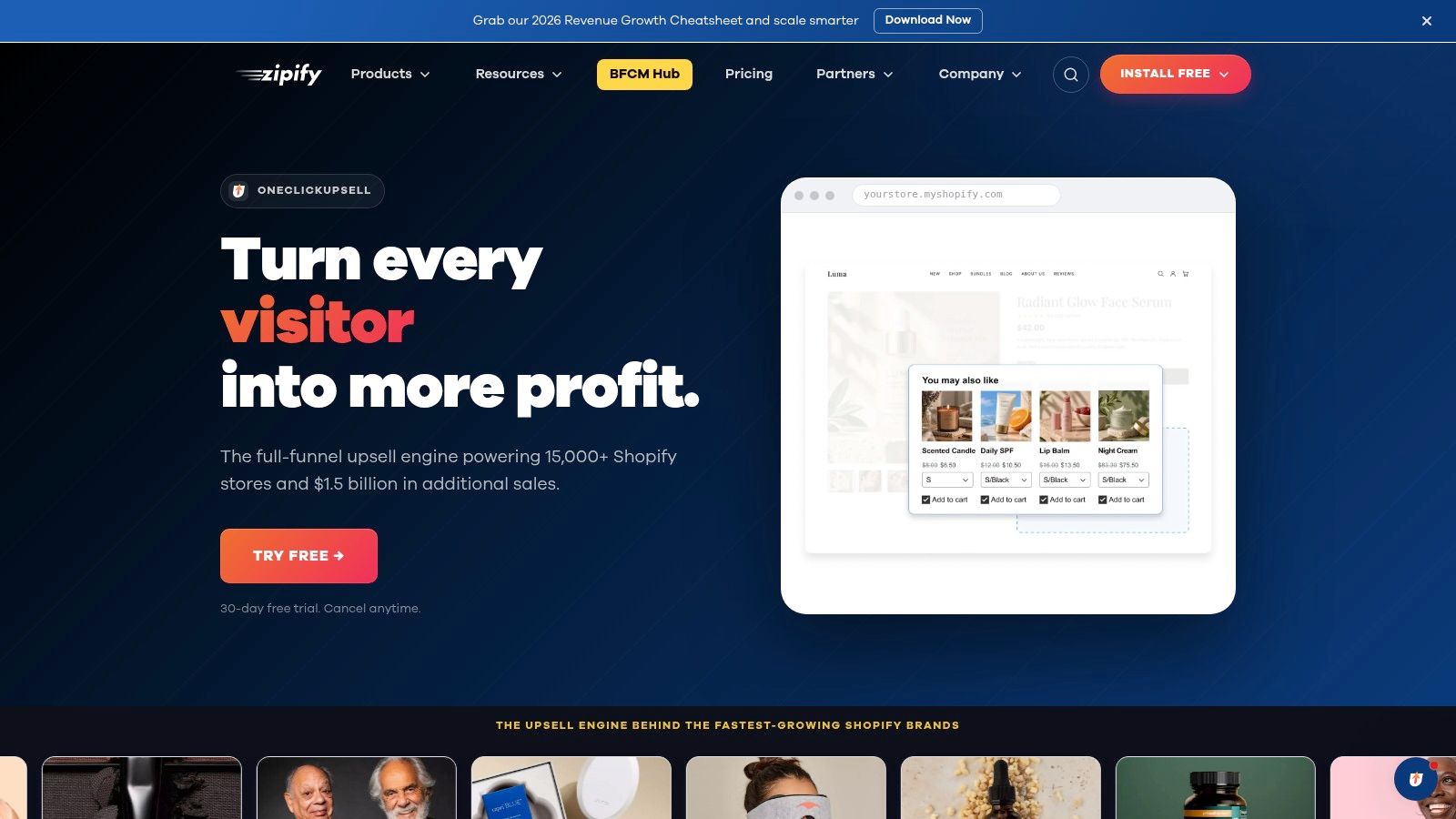
Zipify OCU makes the most sense if your upsell strategy lives around the original purchase, not after the order needs to be edited. Its center of gravity is clear: pre-purchase offers on product and cart pages, then one-click post-purchase offers and thank-you page follow-ups. That puts it in a different bucket from Mayra, which is built around customer-initiated order changes inside the account experience.
The distinction matters operationally. Zipify is optimized for offer sequencing. It helps you decide what to show before payment, what to present immediately after checkout, and how to test those steps. It is less focused on changing the original order after the customer leaves checkout, so merchants should not treat it as an order-edit tool with upsells attached.
A practical way to assess Zipify is by customer moment:
- Pre-purchase: product page and cart offers suit stores with clear add-ons, bundles, or upgrades that benefit from being attached before payment.
- Post-purchase: one-click upsells extend average order value after the initial transaction, without sending the buyer back through a full checkout flow.
- Thank-you page: useful for another monetization touchpoint, though usually less decisive than the offer shown right after payment.
That workflow depth is the main draw. If your team already knows the likely sequence, for example warranty before checkout, accessory after checkout, bundle reminder on the thank-you page, Zipify gives you a structured way to build and test it. The app is closer to a funnel system than a broad personalization engine, which can be a strength for merchants who want faster setup and tighter control over a few high-intent moments.
Pricing also deserves a closer look. The revenue-based model can feel easier to justify early because cost rises with upsell performance rather than with overall store complexity. The trade-off is predictable: as the app starts contributing more revenue, app spend rises too. Teams with thin margins or aggressive contribution targets should model that curve before scaling campaigns.
One more boundary affects merchant fit. Checkout-specific customization on Shopify often depends on plan level, especially for stores expecting deeper in-checkout control. Zipify still covers valuable moments outside checkout, but merchants choosing it primarily for checkout placements should confirm what their Shopify plan allows.
Zipify suits brands that want an opinionated upsell workflow, visible testing tools, and coverage across pre-purchase, post-purchase, and thank-you moments in one app. It is a stronger fit for marketers refining funnel architecture than for operations teams trying to reduce support tickets through post-purchase order editing.
3. Rokt Aftersell
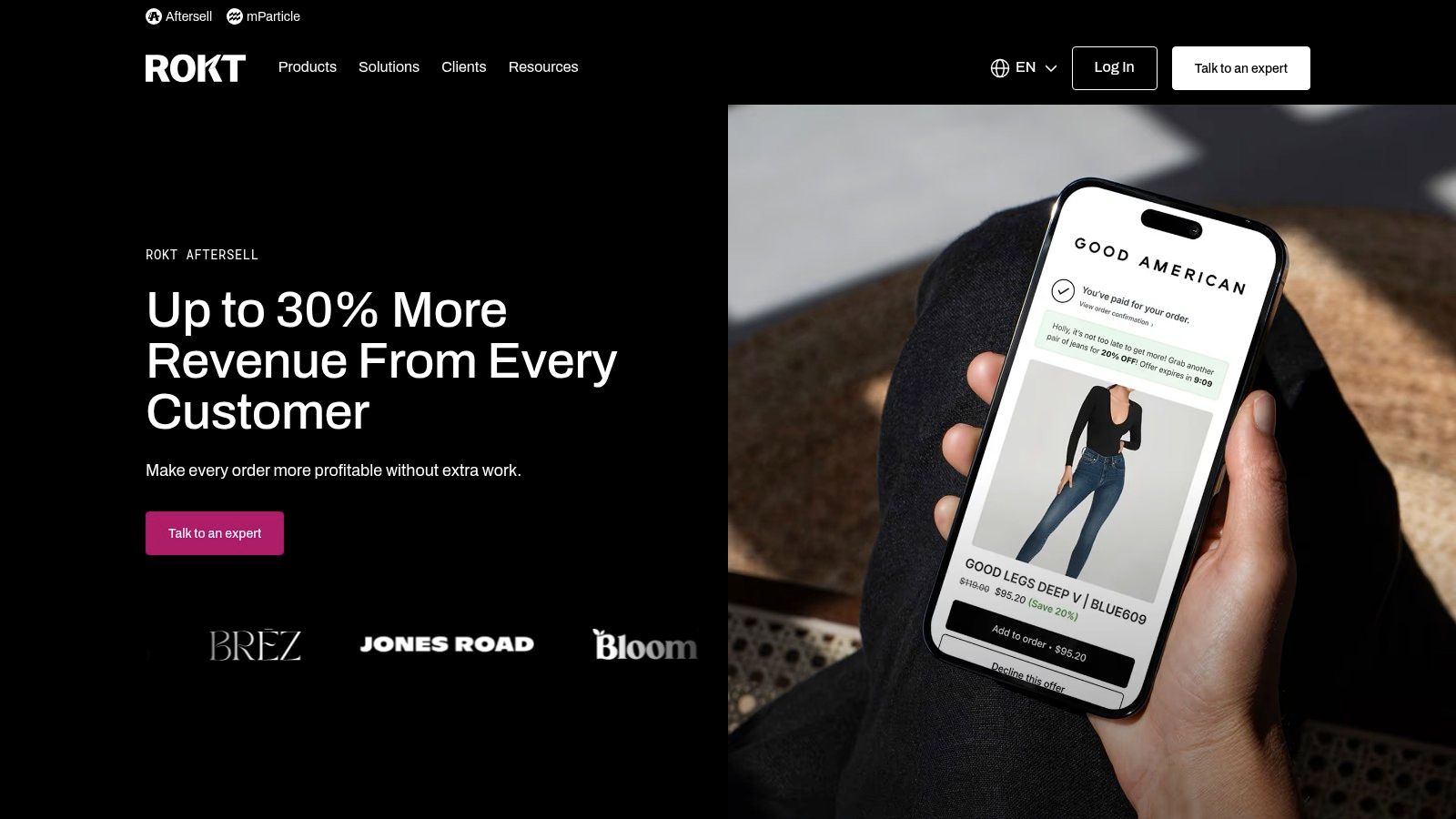
Rokt Aftersell makes the most sense if you view upsells by customer moment, not by widget type. Its coverage spans pre-purchase cart offers, post-purchase one-click offers, thank-you page placements, and checkout placements for Shopify Plus stores. That matters because each moment has different constraints around payment reuse, fulfillment timing, and customer attention.
The app's center of gravity is still after the transaction. If you need a refresher on how that flow works, this guide to post-purchase upsells explains why the offer appears after payment but before the session ends. In practical terms, that usually means less purchase friction than cart-stage offers, but also less room to influence the original basket before it is submitted.
Rokt stands out for a reason that is easy to miss in side-by-side feature tables. It does not only try to increase average order value with your own products. It also gives some merchants a way to monetize the thank-you page through Rokt Thanks. That changes the buying decision. For some brands, the question is not just whether the app can add items to an order, but whether post-order traffic should sell more of your catalog, generate third-party monetization, or do both.
That model creates a different set of trade-offs than a pure upsell funnel app.
For enterprise teams, the upside is breadth. A merchant can coordinate offers across the cart, checkout, post-purchase, and confirmation page without stitching together separate tools. For operations teams, the harder question is control. More placements can improve revenue per session, but they also increase the risk of conflicting messages, offer fatigue, or support issues if merchandising rules are not tightly governed.
Another distinction is order handling. Rokt is useful for adding monetization and offer surfaces around the transaction, but it is less obviously positioned around in-account post-purchase editing, where a customer revisits an order and modifies it later. Merchants that care most about reducing support tickets through self-serve order changes should check that workflow closely rather than assuming every post-purchase app solves it the same way.
Pricing visibility is also less straightforward here than with self-serve apps. Many larger merchants will end up in a sales-led process, especially if they want broader placement access, service support, or checkout-related functionality. Checkout placement still depends on Shopify Plus, so stores evaluating Rokt mainly for in-checkout offers should confirm that requirement early.
Rokt fits brands with meaningful order volume, a team that can manage multiple transaction-stage surfaces, and interest in treating the thank-you page as a monetization asset rather than a receipt page. Smaller merchants or stores that want a simpler app focused on one workflow may find the breadth harder to justify.
4. Rebuy Personalization Engine
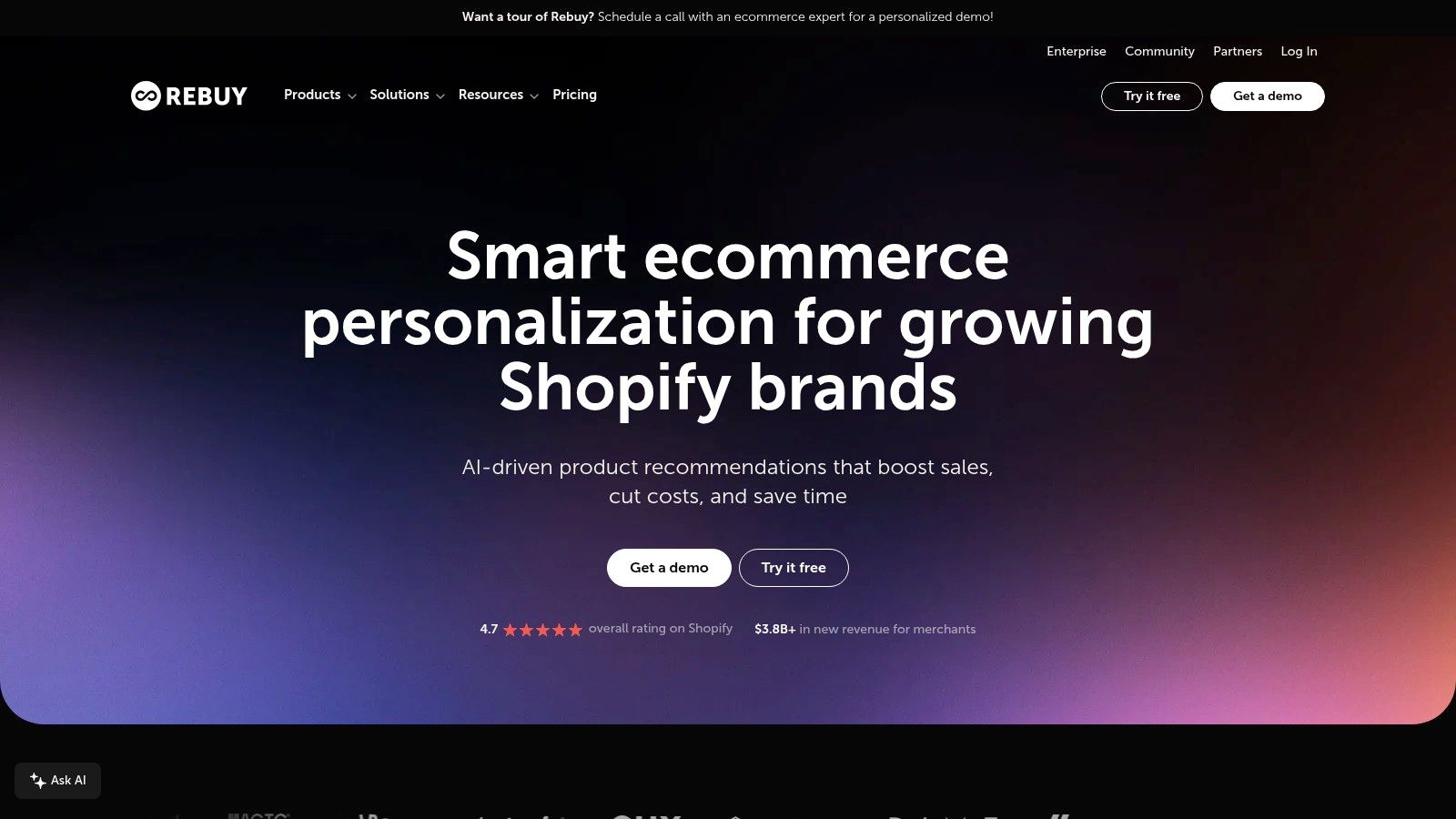
Rebuy makes the most sense if you sort upsell apps by customer moment instead of by feature checklist. Its strength is not one isolated placement. It is the ability to coordinate pre-purchase recommendations, cart offers, checkout blocks for Plus stores, and post-purchase prompts inside one system.
That distinction matters operationally. A product-page widget and a post-purchase offer may both raise average order value, but they do not behave the same way. Pre-purchase offers change the cart before payment authorization. Post-purchase offers usually sit after the original transaction and can involve a separate acceptance flow, depending on the setup. Rebuy is built for merchants that want those moments to share logic rather than run as separate campaigns.
A practical example is the store that wants the same merchandising rules to shape what appears on the PDP, inside Smart Cart, and after checkout. Rebuy can do that. Merchants mapping a coordinated one-click upsell funnel across multiple purchase stages will usually value that continuity more than merchants that just need one offer surface live this week.
The trade-off is workflow depth. Rebuy gives teams more control over bundles, recommendations, A/B testing, and cart behavior, but that control creates more decisions to make and more QA to handle. Offer conflicts, duplicated incentives, and weak rule design become real risks once several placements are active at the same time.
Pricing visibility is also less simple than with lightweight apps. Larger brands often evaluate Rebuy as part of a broader personalization stack, not as a single-purpose upsell tool, and some checkout use cases still depend on Shopify Plus. That makes fit partly a budget question and partly a team-capacity question.
Best fit is fairly specific:
- Stores that want one recommendation system across pre-purchase, cart, checkout, and post-purchase moments
- Teams with enough merchandising discipline to manage rules across several surfaces
- Merchants trying to reduce app sprawl by combining personalization, bundles, cart logic, and upsells
Less ideal:
- Smaller stores that mainly need one straightforward post-purchase offer
- Teams without time to test interactions between placements
- Merchants who specifically need in-account post-purchase order editing, because Rebuy is better understood as a personalization and upsell engine than as an order-edit workflow tool
Rebuy suits operators who treat upselling as part of site merchandising, not just an add-on after checkout. That is a strong model for larger stores. It is often too much system for merchants who only need a narrow upsell job done well.
5. Bold Upsell
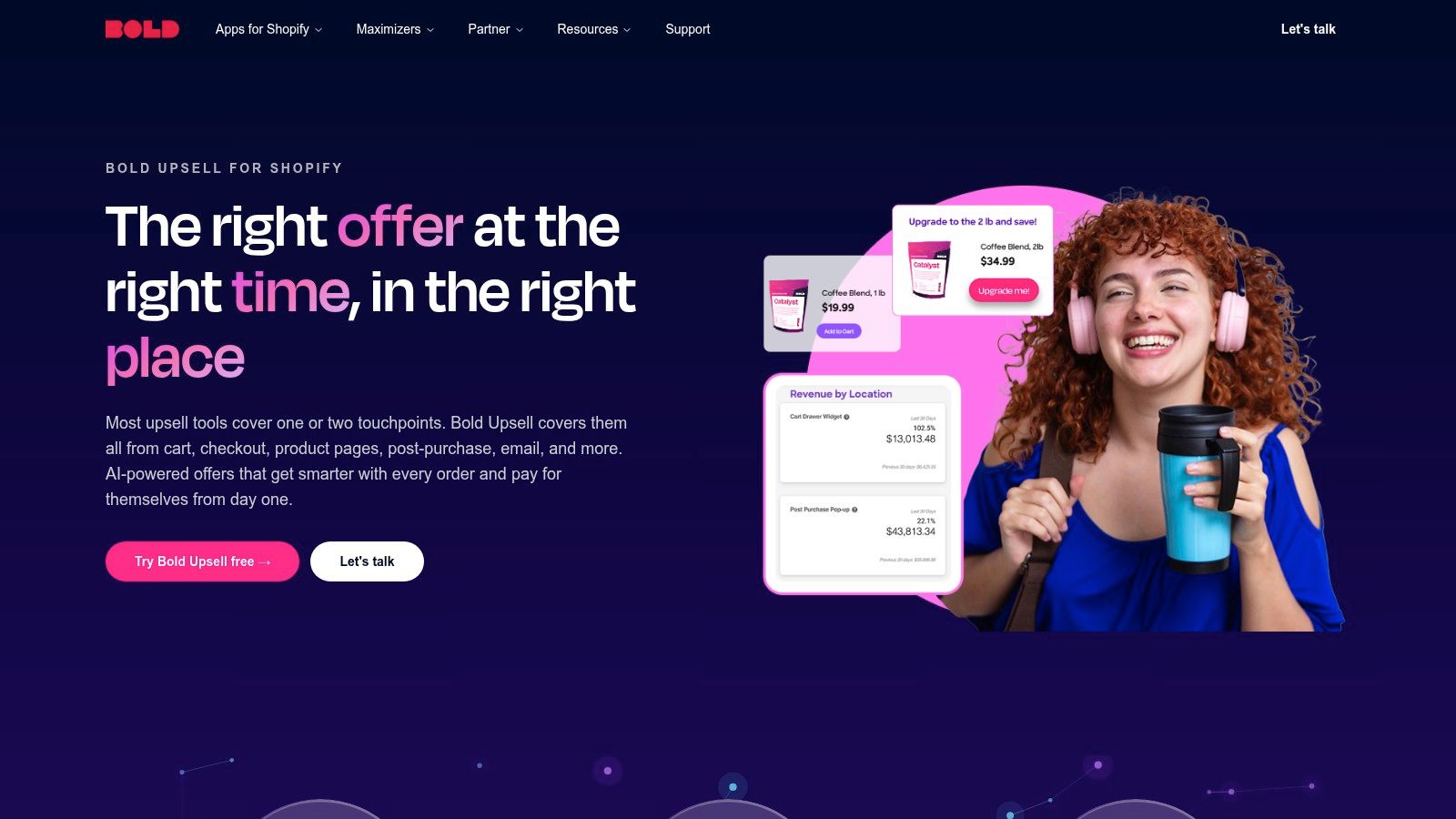
Bold Upsell makes more sense if you classify upsell apps by customer moment instead of treating them as one category. Its strength is not a single high-converting placement. It is coverage across several moments: pre-purchase on product pages, in-cart offers, post-purchase offers, checkout blocks for Shopify Plus, and subscription-related paths when paired with Bold Subscriptions.
That breadth changes the operational question.
For a merchant selling subscriptions, the useful comparison is not just Bold versus a post-purchase specialist like Cart X or a broad merchandising engine like Rebuy. It is whether the upsell app can present offers that match the billing model, renewal logic, and customer value path the store already uses. Bold has an advantage here because recurring revenue workflows are part of the same vendor ecosystem, which can reduce handoff problems between one-time upsells and subscription conversion goals.
Where Bold stands out
Bold is strongest for stores that want one toolset to cover multiple selling moments without shifting to usage-based pricing as order volume grows. That pricing preference is more important than it first appears. Merchants running steady offer volume often want cost predictability, especially when upsells are attached to products with repeat purchase behavior.
Its fit is clearest in three cases:
- Subscription-heavy stores: especially merchants already using Bold Subscriptions or planning around recurring orders
- Brands that need pre-purchase and post-purchase coverage: not just a single thank-you-page offer
- Teams that prefer vendor consolidation: one relationship for upsells and subscription workflows can be easier to manage than stitching together separate apps
Trade-offs to examine before installing
Bold is less differentiated if your main goal is post-purchase order modification. This section matters because not every upsell app handles the order the same way. Some tools focus on adding a new offer after checkout. Others are built around editing the existing order inside a post-purchase window. Bold is better understood as a multi-placement upsell system with subscription ties than as an in-account order-edit workflow tool.
Pricing visibility is also less clear than with some lighter apps, and some advanced surfaces still depend on Shopify Plus or adjacent Bold products. That does not make the app a poor choice. It means the effective cost and setup burden can be higher than the monthly app fee suggests.
Bold fits merchants that treat upselling as part of retention and recurring revenue design, not just as a one-click post-purchase tactic. If that is your model, its broad placement coverage and subscription alignment are practical advantages. If you mainly need a simple order-bump flow after checkout, narrower apps will usually be easier to operate.
6. Honeycomb Upsell and Cross Sell
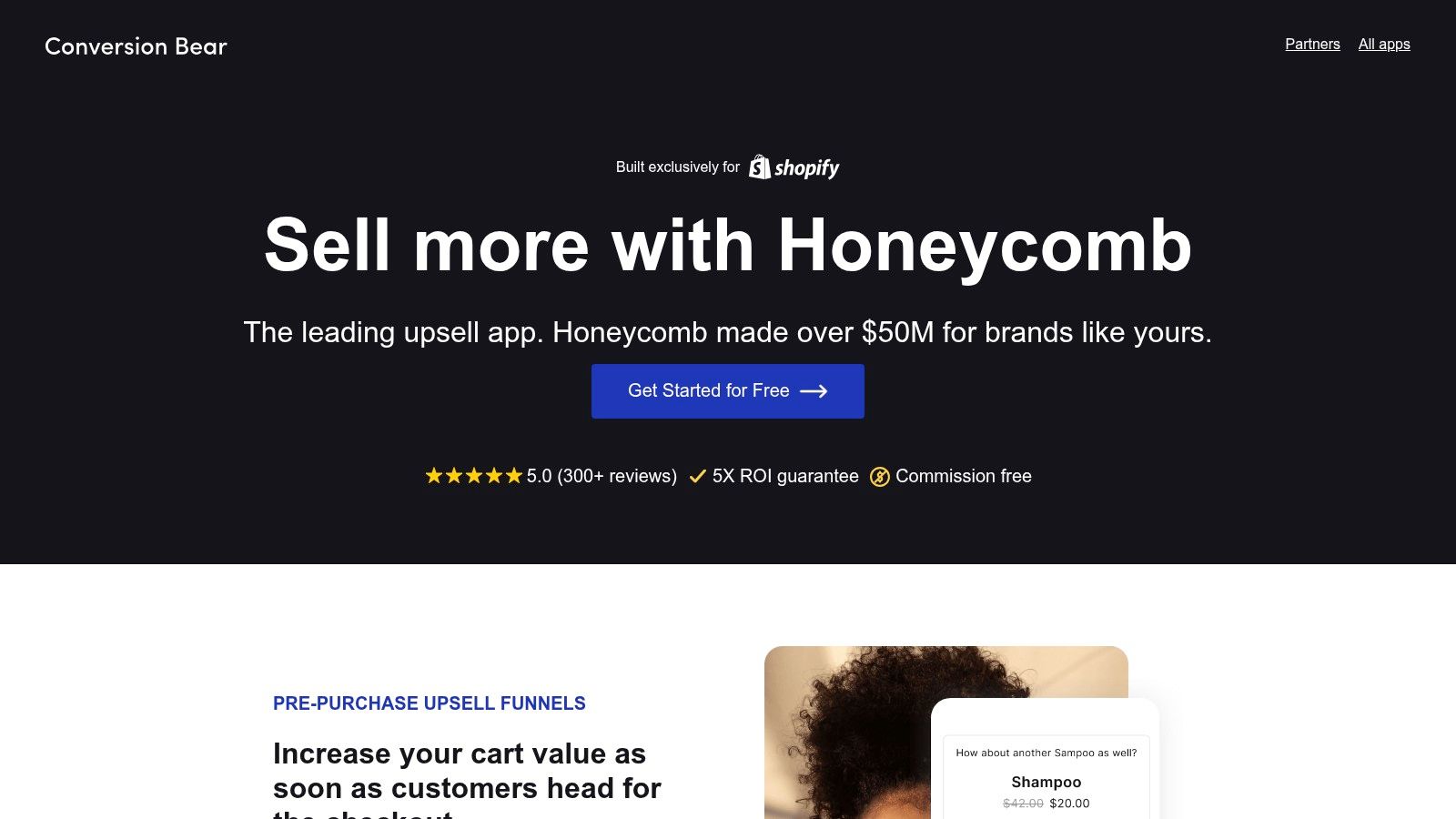
Honeycomb makes the most sense if you sort upsell apps by customer moment instead of by feature count. Its center of gravity is pre-purchase and immediate post-purchase funnel building: product pages, cart, checkout-adjacent steps where supported, post-purchase offers, and thank-you page placements. That matters because Honeycomb is less about changing the original order later and more about inserting extra decisions around the purchase flow while intent is still high.
For many Shopify merchants, that is the practical middle ground.
Some apps in this category go deep on personalization logic. Others specialize in post-purchase order editing or retention workflows. Honeycomb sits between those extremes. It gives merchants broad placement coverage, built-in A/B testing, and a setup process that is easier to understand than heavier systems, which makes it useful for teams that want to test offer structure before investing in a more complex stack.
The trade-off is workflow depth. If your operating model depends on editing an existing order after checkout, coordinating fulfillment changes, or giving customers an in-account way to revise a purchase, Honeycomb is not the clearest fit. Its strength is offer presentation across common upsell surfaces, not downstream order management.
Pricing is also easier to evaluate than with quote-led tools, but merchants still need to watch plan limits closely. Lower tiers can be attractive for testing, yet view caps can turn into a real constraint once traffic rises and more placements go live at the same time. That makes Honeycomb a better fit for stores that want visible pricing and controlled experimentation than for teams with highly variable volume and complex merchandising rules.
A simple way to frame the app:
- Best customer moments: pre-purchase, cart, post-purchase, and thank-you page
- Order handling model: focuses on serving offers around checkout rather than revising the original order later
- Operational load: light to moderate, with in-app styling and less implementation friction than broader personalization platforms
- Merchant fit: small to mid-sized teams that want multi-step funnels without buying an enterprise recommendation engine
Honeycomb works well for merchants that value speed, placement coverage, and testing discipline over advanced orchestration. Compared with Rebuy, it is narrower. Compared with dedicated post-purchase order-change tools, it is less specialized. Compared with heavier platforms such as Mayra, it asks less from the team operationally, but it also gives less control over complex post-order workflows.
That balance is the point. Honeycomb is a sensible choice for merchants who want to improve average order value across several buying moments and can accept that the app is stronger at presenting offers than at managing everything that happens after an order is placed.
7. Cart X Post Purchase Upsell
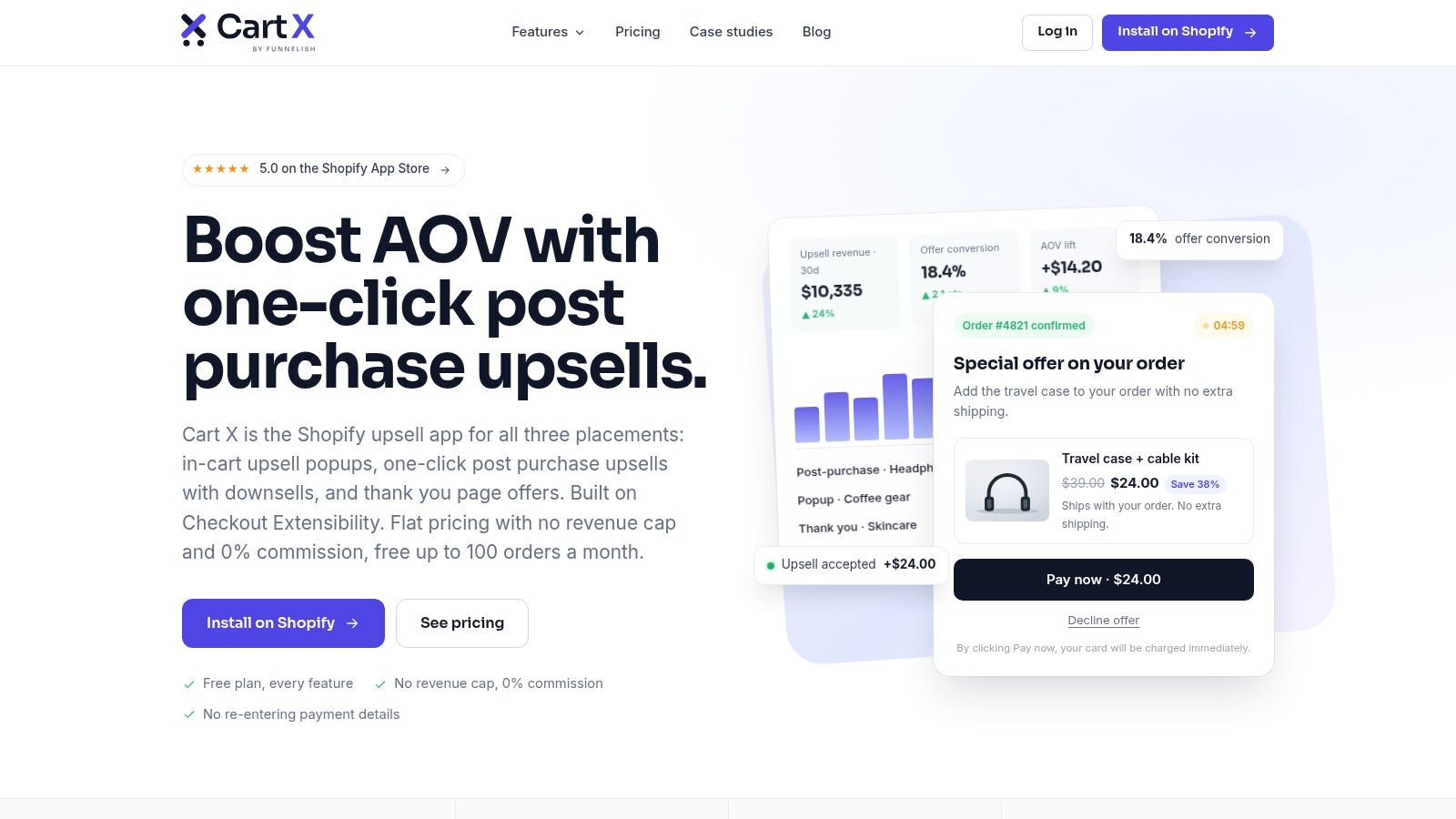
Cart X makes the most sense if you judge upsell apps by customer moment, not by feature count. Its center of gravity is post-purchase. The app also reaches into pre-purchase popups, cart offers, and thank-you page placements, but the core decision is simpler than with broader platforms: do you want to add one-click offers after the initial order is placed, without adopting a heavier personalization stack?
That distinction matters operationally. Some upsell tools mainly present offers before payment. Others, such as Mayra Apps, go further into post-order account workflows where customers can revise parts of an existing order later. Cart X sits between those models. It is stronger at capturing an extra item in the immediate post-purchase window than at managing deeper order-edit scenarios inside the customer account.
A benchmark roundup from Oxify, based on 250 Shopify stores and 66 million offer impressions, found that post-purchase upsells converted below cart drawer and checkout offers, while still remaining a credible revenue moment for many stores, according to Oxify's benchmark roundup. The practical takeaway is not that Cart X underperforms. It is that merchants should choose it for the specific buying moment it optimizes: a low-friction add-on after checkout, not a full funnel optimization system across every touchpoint.
That gives Cart X a clear merchant profile.
Stores that want fast deployment, moderate workflow complexity, and a post-purchase-first strategy will usually find it easier to operate than Rebuy or other broader engines. Teams that need advanced targeting logic, wider integrations, or order-change workflows tied closely to support and fulfillment will hit its ceiling sooner.
The trade-off is straightforward:
- Best customer moment: immediate post-purchase, with supporting placements before and after checkout
- Order handling model: optimized for one-click add-on offers around the completed purchase, rather than in-account revision of the original order
- Workflow depth: lighter than platforms built for advanced personalization or self-serve order editing
- Merchant fit: small to mid-sized merchants that want to launch post-purchase offers quickly and keep setup manageable
Cart X is also one of the easier ways to test whether post-purchase is the right moment for your store at all. Merchants that need a conceptual primer on that model can use this guide to Shopify post-purchase upsells.
The limitation is just as clear. Cart X covers several placements, but its value is highest when your main goal is a clean, focused post-purchase flow. If your roadmap includes complex personalization, broader experimentation across the full journey, or customer-initiated changes to the original order after purchase, another tool in this list is likely a better fit.
Top 7 Shopify Upsell Apps Comparison
| Solution | 🔄 Implementation complexity | ⚡ Resource requirements | 📊 Expected outcomes | 💡 Ideal use cases | ⭐ Key advantages |
|---|---|---|---|---|---|
| Mayra Apps | Medium, native in-account install; requires Shopify new customer accounts | Low–Medium, minimal dev, rule setup; early-access validation recommended | Reduce support tickets, fewer returns/reships, recover incremental revenue | Shopify stores prioritizing post-purchase self-service and accurate order writebacks | Native writeback to orders; granular merchant governance; runs inside customer accounts |
| Zipify OneClickUpsell (OCU) | Low–Medium, template funnels; Shopify Plus for in-checkout customizations | Low, quick setup; revenue-tiered billing (costs grow with upsell revenue) | Lift post-purchase AOV and funnel conversion | Small–mid merchants testing post-purchase funnels and split tests | Polished templates, split testing, revenue-aligned pricing |
| Rokt Aftersell | Medium–High, enterprise onboarding and AI integration; Plus for in-checkout | High, onboarding and fees; can be offset via monetization (Rokt Thanks) | Broad placement relevance, higher targeted conversion, potential net revenue from monetization | High-volume merchants needing AI targeting and confirmation-page monetization | AI-driven relevance, monetization option, enterprise SLAs |
| Rebuy Personalization Engine | High, modular personalization suite; more configuration and tuning | High, implementation, A/B testing, analytics; Plus for checkout blocks | End-to-end personalization with measured lifts in conversion and AOV | Merchants replacing multiple point apps with a unified personalization platform | Rules + AI/ML, A/B testing, detailed reporting, bundle/smart cart features |
| Bold Upsell (Bold AI) | Medium, supports many placements; some advanced features need Plus or companion apps | Medium, flat-rate monthly plans reduce surprise usage fees; integrates with subscriptions | Increase AOV and subscription attach rates across placements | Merchants focused on subscription growth and broad placement coverage | Subscription-aware upsells, flat-rate pricing, mature support/documentation |
| Honeycomb Upsell & Cross Sell | Low, template-driven funnels, visual editor, no theme edits | Low, free tier for testing; fast deployment with clear plan caps | Fast funnel launches with measurable lift via built-in split tests | Small stores or teams wanting quick A/B-tested funnels | Quick to deploy, built-in A/B testing, transparent plan structure |
| Cart X – Post Purchase Upsell | Low, lightweight post-purchase focus; works on all Shopify plans | Low, simple editor and basic analytics; budget-friendly | Simple post-purchase AOV gains and easy first funnel | Brands wanting a fast, low-complexity post-purchase solution | Simple setup, supports all Shopify plans, cost-effective entry point |
Choose the Upsell Workflow You Can Operate Well
There isn't one universal winner among the best Shopify upsell apps because the choice is workflow fit. A merchant with heavy post-purchase support volume, shipping-change requests, and cancellation pressure should not buy the same tool as a brand that wants cleaner cart and thank-you page offers.
Choose Mayra Apps when your priority is in-account order editing, same-order one-click add-ons, cancellation deflection, fulfillment protection, and merchant governance. It's the strongest option here when the upsell opportunity appears during post-purchase order changes, not just after checkout confirmation. Choose Zipify OCU or Cart X when you want a more focused post-purchase funnel approach with less operational depth. Choose Rokt Aftersell when broad transaction-moment coverage and enterprise onboarding matter. Choose Rebuy when you want a modular personalization layer that can replace several smaller tools. Choose Bold when subscriptions and broad placement coverage sit at the center of the business. Choose Honeycomb when a fast, template-led funnel with testing is the most practical starting point.
Before installing anything, use a simple decision process:
- Pick the customer moment first: pre-purchase, checkout, thank-you, or in-account edit flow.
- Verify Shopify Plus dependencies: especially for checkout blocks and advanced in-checkout offers.
- Map eligibility and exclusions: decide which customers, products, and order states should see offers.
- Confirm pricing logic: flat monthly, revenue-tiered, quoted enterprise, or capped lower tiers.
- Set approval and refund rules: especially if orders can be modified after purchase.
- Test fulfillment behavior: make sure shipping doesn't continue while an editable order is changing.
- Review store-level analytics before expanding: keep the workflow that your team can manage.
If you want a wider view of your stack beyond upsells, see RankEngine's best Shopify apps.
Mayra Apps offers a different answer to this category than a standard upsell widget. It helps Shopify merchants turn post-purchase order changes into self-serve edits, same-order upsells, and cancellation deflection while protecting fulfillment and keeping Shopify admin as the source of truth. If that's the workflow you need, visit Mayra Apps to see how it fits your store.