
You've just checked your order confirmation and spotted the problem: the parcel is going to your old apartment, or the address is missing a unit number. You open your account, change the saved address, and wonder whether that fixes the order you already placed. Don't assume it does. A saved account address and an existing order's shipping address can be separate records.
Getting the correct shipping address onto a parcel is a timing problem first and a formatting problem second. Before you submit another form or send a support message, find out whether the store is still preparing the order or whether the carrier already has it.
Table of Contents
- Check Whether Your Order Can Still Change
- How to Change the Shipping Address Before Dispatch
- Address Mistakes That Cause Failed Deliveries
- What to Do After the Order Has Shipped
- Rules Merchants Set for Address Changes
Check Whether Your Order Can Still Change
The order's fulfillment stage decides what can still change. Open the order status page from your confirmation email and look for the current status, fulfillment details, and tracking information. A payment confirmation tells you the store accepted the order, not whether warehouse staff have started packing it.
Don't treat “label created” as proof that the carrier has the parcel. The store may still be able to stop it, but someone must reconcile the warehouse record and shipping label before handoff. Likewise, an unchanged customer-facing status doesn't guarantee that picking hasn't started.
Address change options by order stage
| Order stage | Can the address change? | What usually happens | What to do next |
|---|---|---|---|
| Order placed, not yet picked | Usually yes | Edit in the store's self-service tool or ask the store | Change it today |
| Picked or packed | Sometimes | Store must update the warehouse record and may need to hold the parcel | Contact the store right away |
| Label printed or carrier pickup booked | Rarely | Store must reissue the label; carrier coordination may also be needed | Contact the store and carrier together |
| In transit | Sometimes | Carrier may redirect, hold at a depot, or send to a pickup point | Use the tracking number to ask the carrier |
| Out for delivery or failed attempt | Sometimes | Carrier rules determine whether a redirect window remains open | Act within the carrier's stated deadline |
| Delivered to the wrong address | No, the original delivery can't be edited | Carrier investigation, claim, or store refund or reshipment decision | Report to the store with the order number |
Treat picking as an urgent cutoff
Say you ordered on Monday and noticed a missing apartment number on Wednesday. The status now says the order has been picked. Saving a new address in your account won't tell the packing team to stop; the useful action is an immediate message asking the store to hold that specific order before pickup.
Practical rule: An address change isn't operationally complete until the people preparing the parcel are using the corrected destination.
If the status is unclear, ask whether the parcel is physically at the warehouse or already with the carrier. Keep the order number, current stage, and tracking number together so the person handling your request can act before the next handoff.
How to Change the Shipping Address Before Dispatch
Start with the existing order, not your account's address book. Open its order status page and use the address-edit option if one appears. If it's missing, contact the store you bought from with the order number and a clear request to replace the shipping address.
Shoppers should contact their merchant first because the merchant controls the order data. We assist merchants with valid requests, but contacting us isn't a substitute for asking the store to stop a parcel.
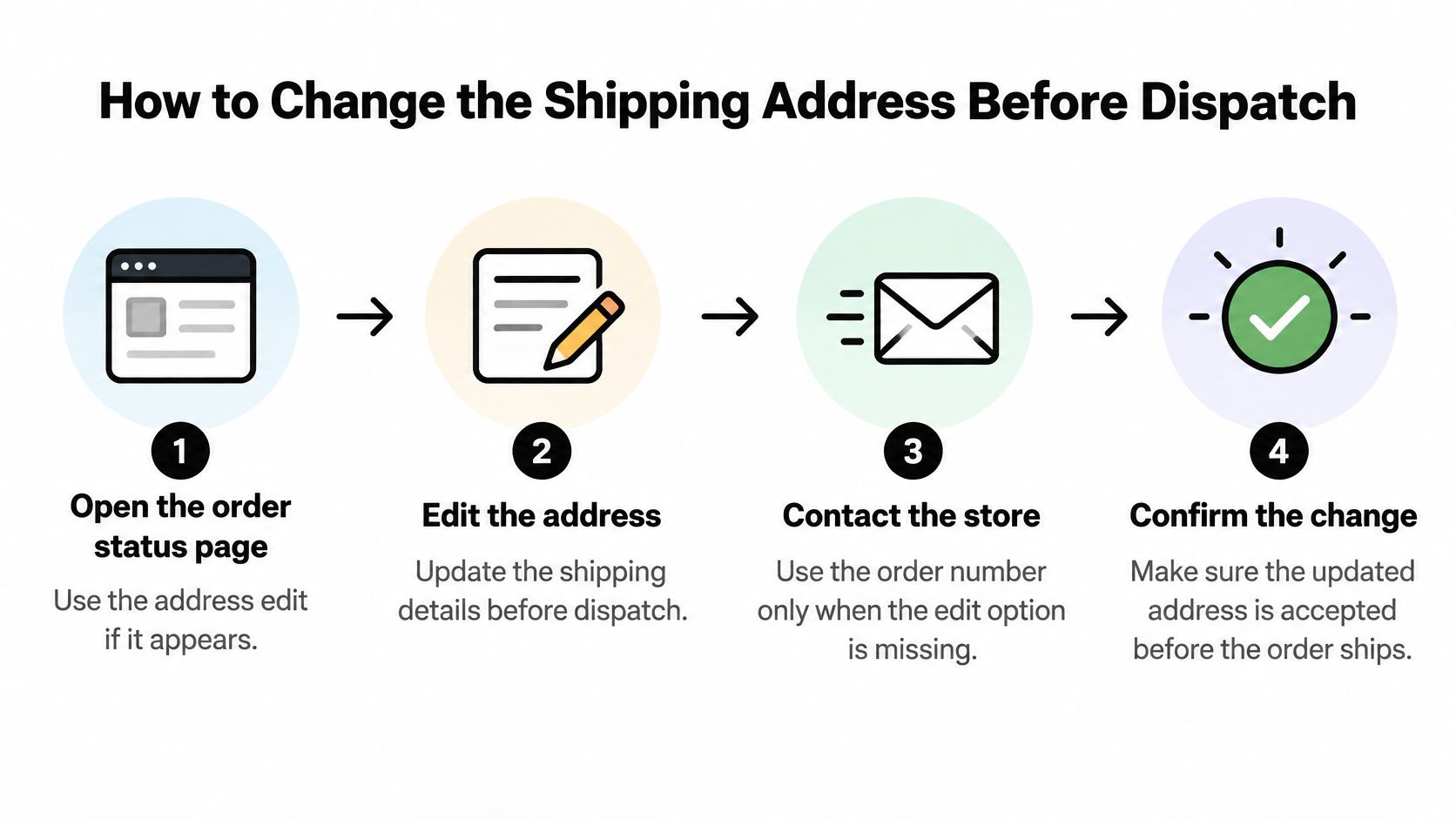
Enter the replacement address on the existing order
Use the edit form to enter the complete destination:
- Recipient: Use the name the delivery location recognizes.
- Street and building: Include the street number and any required building identifier.
- Apartment or suite: Put the secondary unit in its designated field.
- Locality and region: Enter the city, town, state, province, or other required administrative area.
- Postal code and country: Enter the destination's postal code and write the country name in full.
Submit the full replacement address rather than a fragment such as “please add apartment B.” That gives support staff a single destination to confirm and reduces ambiguity about which fields should remain unchanged.
With Mayra ‑ Order Edit & Cancel, customers can correct eligible orders before fulfillment without a support ticket. Changes update the original Shopify order, so the store doesn't need a replacement order to record the corrected destination.
Review the financial change before confirming
An address correction can move the shipment into another shipping zone or tax jurisdiction. Read the recalculated shipping charge, taxes, and total before accepting the change. A different destination may also fall outside the store's permitted delivery countries.
Our editing process shows the price difference before confirmation. If the total increases, Shopify sends a separate invoice for the balance, and the edit completes only after payment. If the adjustment produces a refund, it follows the merchant's settings.
Don't place another order just to pay the difference unless the store explicitly instructs you to. That can leave staff with duplicate orders and uncertainty about which parcel to release.
Check payment and fulfillment status before leaving
We hold fulfillment while a customer edits an eligible order, preventing it from shipping mid-change. The hold is released afterward; typing a new address alone isn't evidence that the whole process has finished.
Check the completed order for:
- Accepted destination: The order itself shows the new address, not just your account profile.
- Agreed total: The shipping and tax adjustment matches what you accepted.
- Payment completion: Any additional invoice is paid.
- Updated receipt: The receipt reflects the committed change.
- Released editing hold: No unresolved edit or payment hold remains.
A confirmation screen matters more than a filled-in form. Don't close the page while payment or acceptance is still pending.
If the address still looks wrong or the order remains on hold, contact the store the same day. Include the order number, the full corrected address, and the unresolved payment or status message. Ask for confirmation that the replacement destination has been accepted, rather than assuming your message itself changed the order.
Address Mistakes That Cause Failed Deliveries
In 2024, 30% of address-related delivery failures tracked by Shippo were classified as undeliverable because of insufficient addresses, such as missing apartment or street numbers, according to Shippo's address-error analysis. These aren't necessarily dramatic mistakes. A recognizable street name can still leave a carrier without enough information to reach the right door.
Address error types, risks and fixes
| Error type | Example | Risk | Fix |
|---|---|---|---|
| Missing apartment or unit number | 42 Harbor Street | Parcel stalls at the carrier | Add the unit on its own line |
| Postal code from another area | Wrong code for the city | Misrouted or delayed parcel | Verify the actual code and its country-specific format |
| Country missing or abbreviated | UK instead of UNITED KINGDOM | Routing or customs delay | Write the full country name in capitals |
| Typo in street or city | Strret instead of Street | Insufficient-address failure | Compare with the official spelling |
| Old address after a move | Previous street from an old account | Parcel returns to sender or reaches the former address | Update the order address before dispatch |
Check meaning as well as appearance
A postal code can match the expected pattern and still belong to another locality. Check the actual code against the destination, using the destination postal operator's address lookup where available. Don't assume an autocomplete suggestion is correct just because the form accepted it.
Keep the apartment or suite distinct from the street name so it survives transfer between checkout, warehouse software, and label generation. Remove stray punctuation, but preserve meaningful building names, hyphens, and local spelling. For international parcels, put the full country name in capitals on the final line.
Retailers selling abroad also need forms that accommodate local address conventions. Bridge Global's guide to multi-market ecommerce for retailers provides useful context for planning country-specific customer journeys instead of forcing every destination into a domestic checkout form.
For store teams, the order fulfillment process is the place to check how address fields reach picking systems and shipping labels. A correct checkout entry doesn't help if an integration drops the unit field.
Finish with a read-aloud test: read the address as someone who has never visited the property. Can they identify the building and the individual delivery point without guessing? If a line needs an explanation, correct it before submitting the change.
What to Do After the Order Has Shipped
Once the carrier has the parcel, a carrier delivery request becomes the main route. Changing the store's order record won't rewrite the destination on a parcel moving through the network. Open tracking and check which delivery-management options are available.
Your order tracking page should help you locate the carrier and shipment reference. Check the carrier's stated deadline immediately, especially after an attempted delivery.
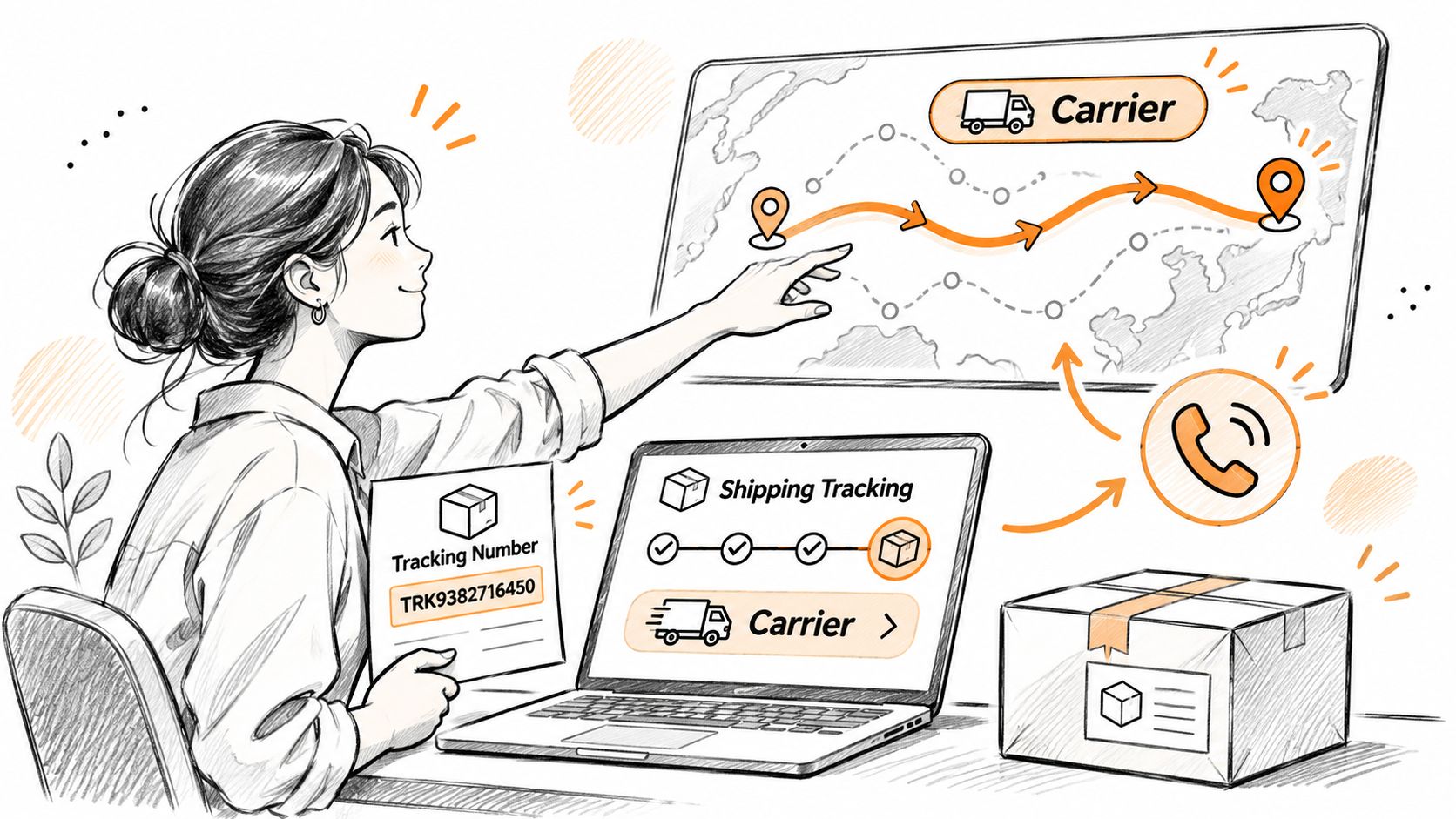
Ask for an available delivery option
Gather the details before contacting the carrier:
- Shipment references: Tracking number and store order number.
- Address details: Original destination and complete corrected destination.
- Contact information: A phone number the carrier can reach.
- Requested outcome: Redirect, depot hold, pickup point, or return to sender.
Some services require the sender to authorize changes. If the carrier says only the merchant can request an intercept, send that instruction to the store rather than repeatedly submitting a recipient request.
Say a parcel is heading to your former apartment. The carrier won't accept a new residential destination but offers collection at an eligible pickup point. If you can satisfy its identification requirements, collection may be a workable alternative to returning and reshipping it.
Don't mistake a submitted redirect request for an approved redirect. Check for acceptance and updated tracking instructions.
Resolve costs and fallback arrangements
If the store entered the address incorrectly, it will often cover reshipment. If you supplied the wrong details, you may be responsible for carrier correction fees or another shipment under the store's policy. Ask who pays before authorizing a charge.
Warehouse teams also need a shared record of the decision. Magnitude Marketing's article on ending spreadsheet chaos for Indiana 3PLs offers relevant context for keeping shipment updates visible across operational teams.
For merchant support requests to us, include the store's myshopify.com domain, a description of the issue, and the order number when applicable. Customer carrier requests remain separate from that technical support process.
Redirect now if the carrier permits it. Otherwise, ask the store to arrange return and reshipment, or explain its refund process. If tracking already shows delivery to the wrong address, request an investigation rather than another address edit.
Rules Merchants Set for Address Changes
Merchants need to decide when an address edit is safe, not merely whether the form accepts it. An unrestricted edit button can leave the warehouse packing for one destination while the customer confirms another.
The Universal Postal Union's addressing guidance describes S42 as a framework of common address elements and country-specific templates. That's a better foundation than applying one domestic address layout to every shipment.
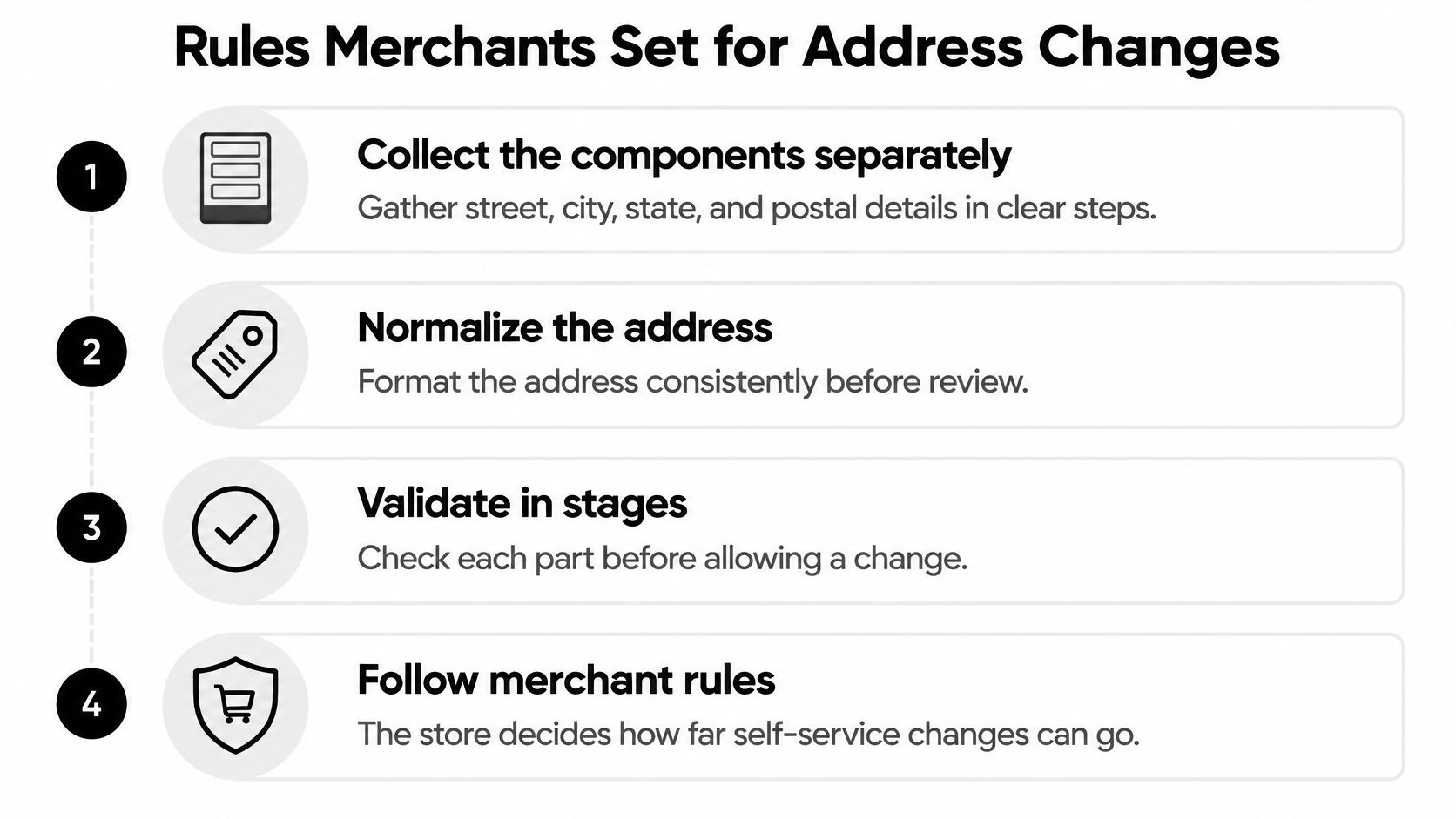
Validate in a deliberate sequence
Build the workflow around ordered checks:
- Collect components separately, including recipient, street, locality, region, postal code, country, and secondary unit.
- Normalize the entry, correcting casing, abbreviations, spelling, and punctuation without deleting meaningful details.
- Apply the destination template so the address follows the receiving country's conventions.
- Verify the delivery point, rather than accepting a plausible-looking string.
- Show the normalized result and require customer confirmation before committing it.
Preserve the original entry alongside the canonical version, validation result, and timestamp. Revalidate when the country, postal code, street, or unit changes.
A format check isn't proof of deliverability. A tidy address may identify a real building but omit the suite, and overaggressive cleanup can remove exactly the information the carrier needs.
Make eligibility an operational decision
Use the store's rules for editing to settle these decisions before launch:
- Warehouse cutoff: Close automatic editing before the warehouse reaches a stage where staff can't reliably stop work.
- Carrier handoff: Block self-service destination changes once the parcel enters the carrier network.
- Approval criteria: Route high-value and cross-border changes for review, including shipping eligibility and fraud checks.
- Financial handling: Define what happens when a customer doesn't pay an increased balance.
- Restricted orders: Exclude products, customers, or destinations that need manual handling.
Our merchant controls can block specific product tags, collections, customer tags, and shipping countries from self-service editing. We collect only order-linked customer data: name, email address, and shipping address.
Give support staff an explicit escalation route for exceptions. A valid address is necessary, but it isn't permission to override a shipping cutoff. Staff need to know who can approve a late change and who will verify that the parcel stops.
Give customers a way to correct shipping addresses before fulfillment without separating the change from the original Shopify order. Visit Mayra ‑ Order Edit & Cancel to configure eligible address edits, fulfillment holds, and merchant-controlled editing rules before your next dispatch.