
A customer places an order, then replies to the confirmation email five minutes later. They picked the wrong size. Or typed the old apartment number. Or want to add one more item so they don't pay shipping twice.
If your store doesn't have clear rules for editing, that simple request turns into a chain reaction. Support opens the order. Ops checks whether the warehouse has touched it. Finance wonders whether to refund or invoice. If someone moves too slowly, the customer gets the wrong item. If someone moves too quickly, fulfillment ships an order that's still being changed.
That's why post-purchase editing can't live as a loose support habit. It needs the same kind of discipline editors use when they apply a style guide: clear rules, consistent execution, and one system of record. Editors Canada's professional standards make that point directly by defining editing as work that ensures correctness, accuracy, consistency, and completeness, with explicit rule categories and style-sheet control in the workflow (Editors Canada professional editorial standards). Order editing works the same way. When the rules are explicit, your team stops improvising.
Table of Contents
- Introduction Why Post Purchase Edits Need Clear Rules
- What Rules for Editing Mean in Shopify Post Purchase Workflows
- Why Editing Rules Matter for Support Fulfillment and Revenue
- Core Configuration Options for Editing Rules
- Real World Examples for Typical Shopify Store Use Cases
- Best Practices to Keep Editing Flexible and Safe
- Putting Your Editing Rules Into Action
Introduction Why Post Purchase Edits Need Clear Rules
Most Shopify teams don't notice the problem at first. A few customers ask to fix an address. Someone on support updates it manually. A customer wants to swap a medium for a large. Ops handles it in the admin. It feels manageable until the volume rises and the warehouse starts working faster than support can think.
Then the failures get familiar.
One customer asks for a variant swap after checkout, but the pick ticket has already gone to fulfillment. Another removes an item after a label has been created. A third wants to add something to the same order, but nobody knows whether to create a draft order, edit the original order, or send a manual invoice. The issue isn't only that people are busy. The issue is that the store has no shared rulebook.
The real problem isn't editing. It's unmanaged timing.
A lot of merchants frame this as a customer service issue. It's bigger than that. Post-purchase changes sit in the gap between checkout and fulfillment, which means every request touches support, inventory, shipping, and payment handling at once.
That's also why a stronger post purchase customer experience doesn't come from saying yes to every request. It comes from deciding, in advance, which changes are allowed, when they're allowed, and what must pause while those changes are in progress.
A good editing policy doesn't make your store less flexible. It makes flexibility predictable.
What clear rules usually need to cover
Most stores eventually need five pillars working together:
- Timing: How long the customer can edit after checkout.
- Permissions: Which changes are allowed, such as quantity, variant, address, or line item changes.
- Eligibility: Which orders, products, destinations, or customer situations are excluded.
- Approvals: Which changes can happen instantly and which need staff review.
- Fulfillment protection: What prevents the warehouse from acting on an order while it's being changed.
When those five pieces line up, post-purchase edits stop feeling like exceptions. They become an operating system for change.
What Rules for Editing Mean in Shopify Post Purchase Workflows
Think of rules for editing as traffic lights for orders.
A green light means the order can still change. Yellow means some actions are allowed, but only under conditions. Red means the order has reached a point where changing it would create downstream problems. Without those signals, every order is treated like a judgment call, and judgment calls don't scale well.
The simple definition
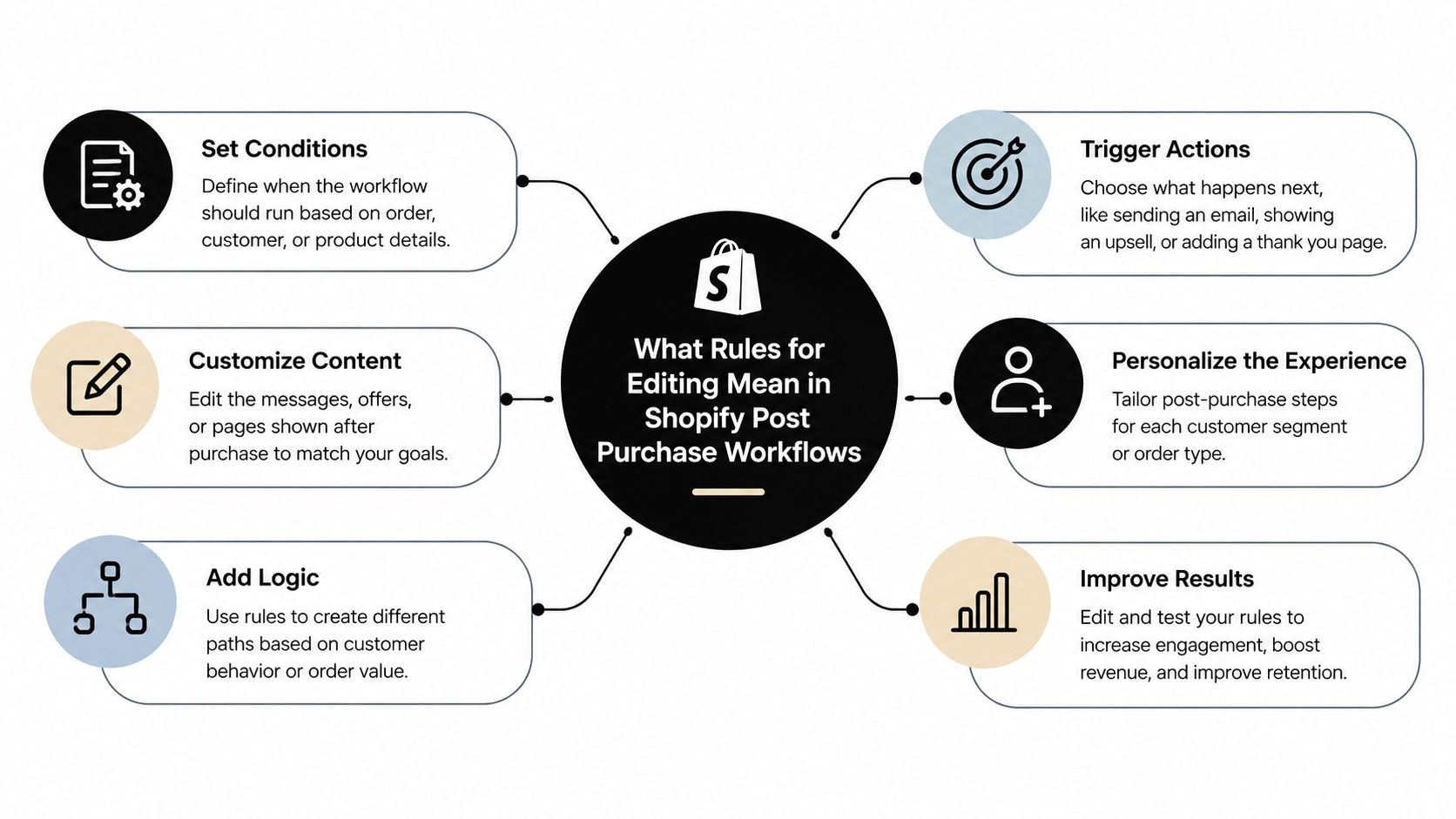
In a Shopify workflow, rules for editing are merchant-controlled policies that decide:
- Who can make a change
- What kind of change they can make
- When that change is still safe
- Whether the change happens instantly or needs approval
- Which orders are excluded from self-service
This isn't abstract policy language. It's how you turn post-purchase changes from support tickets into controlled system behavior.
The order stays the center of the workflow
One point matters more than most new store managers expect.
Edits should write back to the original order so the Shopify admin stays the system of record.
That control matters because other systems watch the order too. Your warehouse management system, shipping software, ERP, or 3PL doesn't care that a support agent had good intentions. Those systems care whether the source order changed cleanly and in time.
The vocabulary that usually confuses teams
A lot of confusion comes from similar-sounding terms. Here's the plain-English version:
| Term | What it means in practice |
|---|---|
| Edit window | The period when the customer or team can still make allowed changes |
| Permissions | The actions allowed, like address updates or quantity changes |
| Approval | A review step for certain edits, usually when money or risk is involved |
| Eligibility | The conditions that make an order qualify for self-service editing |
| Exclusions | The products, destinations, or order types blocked from editing |
Why “rules” is the right word
In editing as a profession, people rely on standard systems instead of personal preference. The Institute of English Studies notes that editors commonly use the Chicago Manual of Style, while APA or MLA can also serve as established rule sets. The same reference also highlights the “four C's” of copy editing, including clarity, coherency, consistency, and correctness (copy editing guidance from the Institute of English Studies). That's useful here because Shopify order editing works best when it follows a comparable discipline. You don't want each agent making up the policy in real time.
A store manager should be able to answer a change request the way an editor answers a style question: by checking the rule, not by guessing.
Why Editing Rules Matter for Support Fulfillment and Revenue
When stores skip editing rules, three teams pay for it at once. Support handles preventable tickets. Fulfillment works from stale order data. Finance cleans up refunds, extra charges, and edge cases that should've been governed earlier.
That's why this isn't just a convenience feature. It's an operations policy.
Support feels the pain first
Support sees the demand before anyone else. Customers expect self-service after purchase because changing an address, swapping a size, or adding one more item feels simple from their side.
Shopify's own help documentation confirms merchants can edit orders by adding or removing products, changing quantities, adjusting shipping fees, applying discounts, invoicing extra payment, or refunding decreases. But those docs don't settle the harder question of how long edits should remain open or how to handle the point where fulfillment starts (Shopify order editing documentation).
That gap is where support teams get trapped. Customers think “the order exists, so it should be editable.” Ops knows “the order exists in a moving system.”
Fulfillment creates the real risk
The largest operational mistake is treating edit rules as only a timer.
They aren't. They're a control plane for warehouse execution. If the order can still be changed, your downstream systems need to know not to act yet. If they don't, the warehouse may pick one version while the customer is looking at another.
Practical rule: The edit window should govern fulfillment behavior, not just what appears on the storefront.
A useful companion topic here is refund handling after order changes. If your team is also cleaning up post-shipment mismatches, this returns and allowances guide gives a solid finance-side frame for how order corrections eventually affect accounting treatment.
Revenue protection depends on governed flexibility
Loose rules lose money in two directions. One direction is obvious: refunds, replacements, and extra support work after the wrong item ships. The other is less obvious: missed chances to keep the original order by allowing a clean fix.
A customer who ordered the wrong size may not want to cancel. They may just want a swap. A customer who forgot an item may not want a second checkout. They may want a same-order addition. If your process can't handle those requests safely, cancellation becomes the default outcome.
The right rules create a middle path. Customers get controlled flexibility. Your team protects the warehouse. Finance keeps clean order history.
Core Configuration Options for Editing Rules
The easiest way to configure rules for editing is to move in the same sequence an order moves. First decide when the order can change. Then decide what can change. After that, decide which changes need review and which orders shouldn't qualify at all.
Start with the edit window and fulfillment hold
A common question teams start with is, “How long should customers have?” That's a useful question, but it's incomplete. The better question is, “How long can the order remain safely mutable before downstream systems act on it?”
Independent implementation guidance for post-purchase order holds shows the pattern clearly: apply a fulfillment hold when the order is created, keep it in place while the editing window is open, then release it when changes are finalized so downstream systems don't process an order snapshot that's still changing (order hold implementation guidance).
If your ERP or WMS imports orders right after checkout, the hold must block that path. A storefront-only timer won't protect anything.
Choose capability toggles carefully
After timing, set permissions. Many stores become either too loose or too strict.
Some permissions are usually low drama. Address correction before fulfillment is often a strong candidate. Others need tighter handling, especially if they affect inventory allocation or payment settlement.
Consider these common toggles:
- Quantity changes: Useful for simple quantity mistakes. Risk rises if inventory is tight or pick/pack starts quickly.
- Variant swaps: Good for size or color corrections. Less suitable when products are personalized or serialized.
- Address edits: Often high value for the customer, but should close once shipping work starts.
- Add line items: Helpful for same-order upsells or forgotten items, but can create extra payment steps.
- Remove line items: Can prevent full cancellations, though refund logic needs to stay clear.
One merchant-facing option in this category is Shopify Flow order editing automation, which can help teams connect editing behavior to internal automation and operational checks.
Use approvals for financial and operational edge cases
Not every edit should happen instantly.
A variant swap on an unfulfilled apparel order may be safe for self-service. A large decrease that triggers a refund, or an added item that requires extra payment, may deserve an approval threshold. This isn't about distrust. It's about deciding where automation stops and review begins.
If a change affects money, inventory, or compliance in a meaningful way, give yourself the option to route it for approval instead of auto-processing it.
Set eligibility and exclusions before launch
Experienced operators avoid the “works for most orders” trap.
Eligibility can be based on order value, fulfillment state, product type, collection, tags, or destination country. Exclusions matter because not every catalog behaves the same way. Personalized items, perishable goods, hazmat-restricted shipments, or destination-specific shipping rules shouldn't all sit under one generic edit policy.
A compact decision matrix helps:
| Store condition | Safer default | Why |
|---|---|---|
| Fast warehouse processing | Short window with immediate hold | Protects against edits arriving after pick begins |
| Personalized products | Disable variant and item changes | Prevents impossible remake requests |
| High AOV orders | Add approvals for decreases or additions | Keeps financial adjustments reviewed |
| International shipping | Restrict address edits by destination | Avoids customs or routing issues |
| Tight inventory | Limit quantity increases and swaps | Reduces oversell and allocation errors |
Bind settings to fulfillment state
Shopify's native behavior is the key constraint here. Merchants can edit unfulfilled items, but fulfilled items can't be removed or have quantities adjusted. If a fulfillment service supports edits, added items or increased quantities are treated as new fulfillment work, not a retroactive change to shipped lines (Shopify fulfillment edit considerations).
That means the safest rule design is state-aware. Don't only say “customers have a certain amount of time.” Also say, “these actions are available only while the order remains unfulfilled.”
Time matters. State matters more.
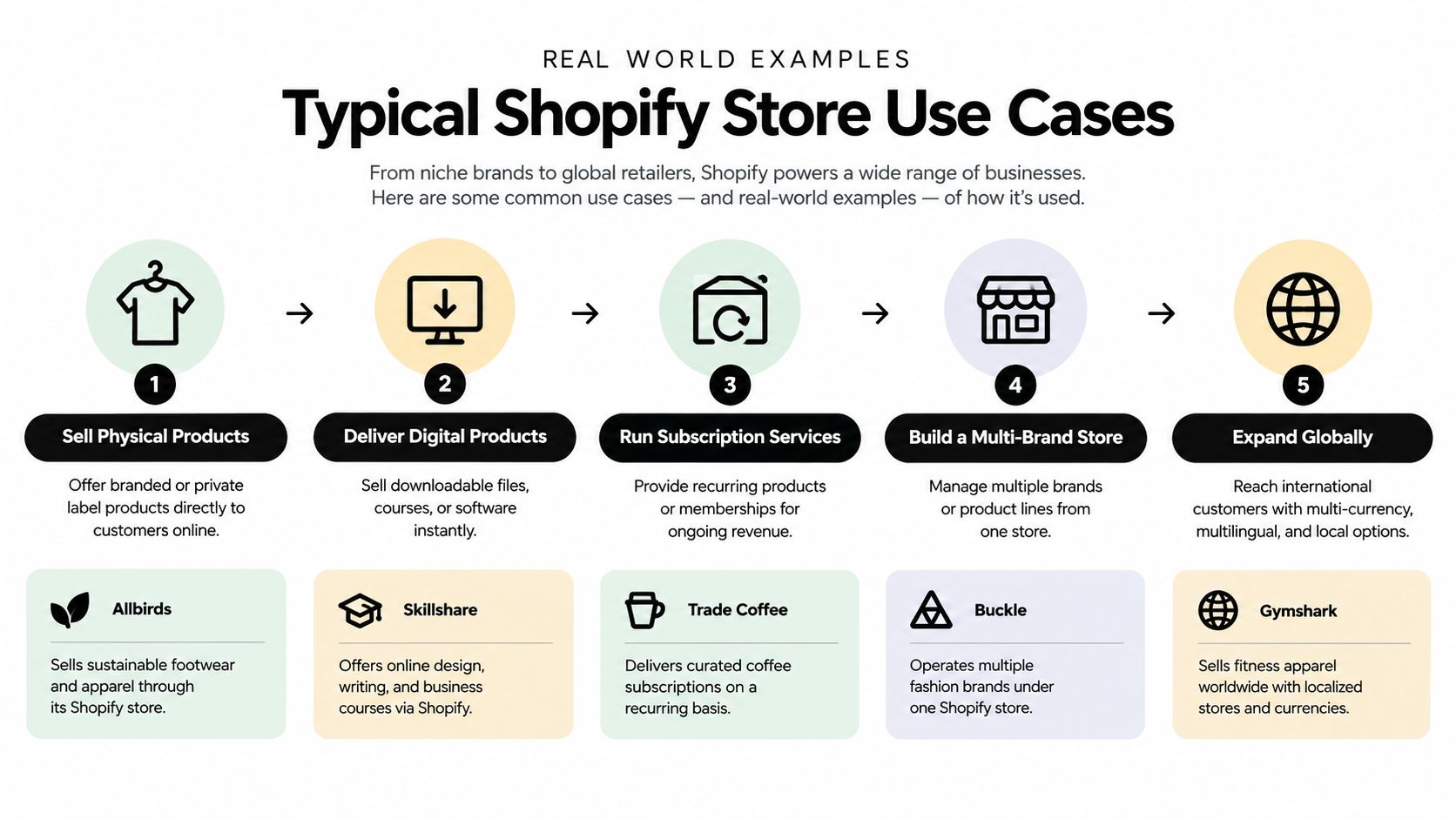
Real World Examples for Typical Shopify Store Use Cases
Abstract settings make sense on paper. Store managers usually understand them faster when they see how rule combinations fit real catalogs and real shipping behavior.
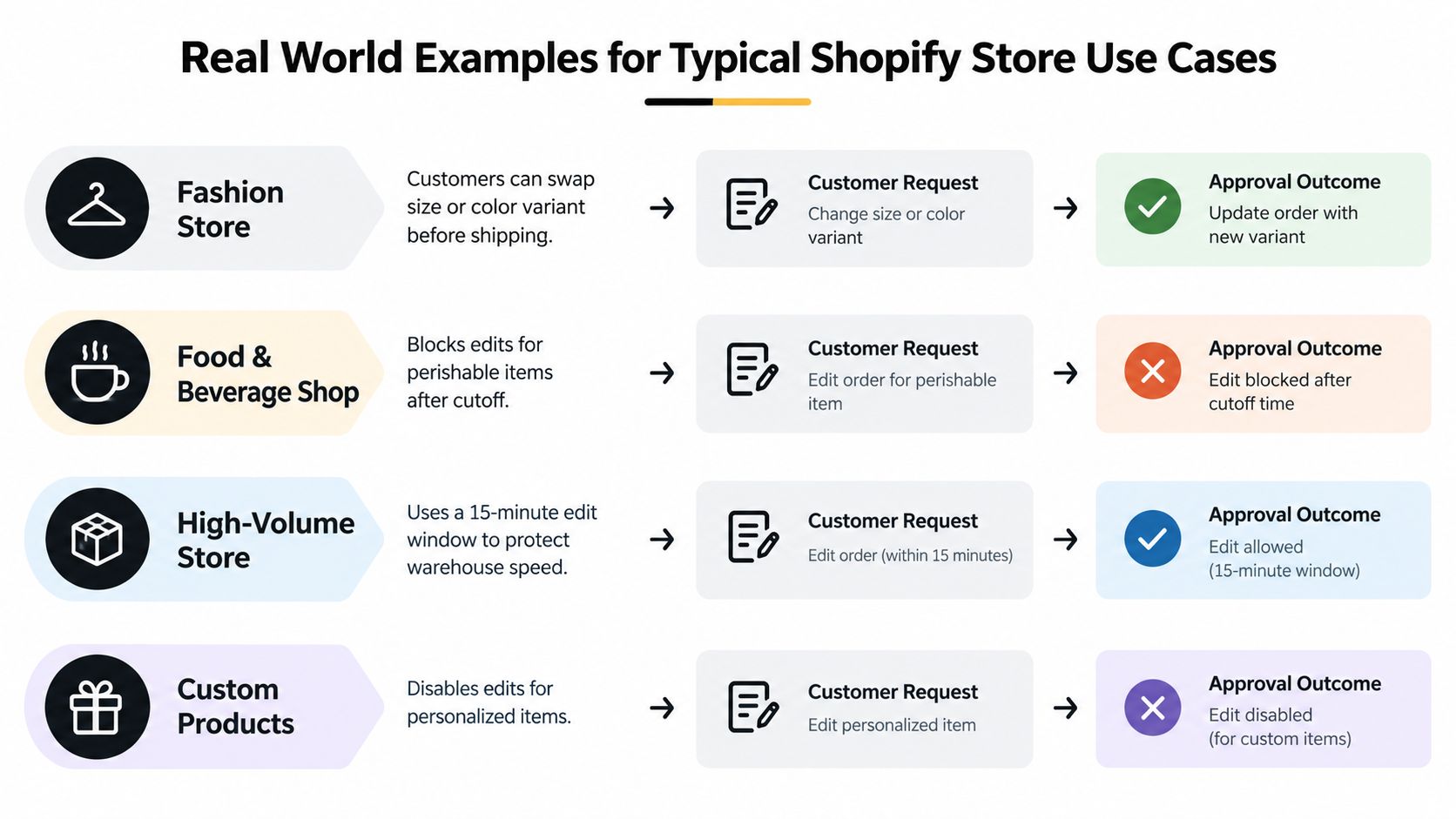
Fashion store with frequent size swaps
A fashion brand often gets requests that aren't really cancellations. The customer ordered the right product, just the wrong size or color.
In that setup, a sensible rule mix is to allow variant swaps and address edits while the order remains unfulfilled, keep line-item additions limited, and place the order on hold during the active edit period. On the order status page or in customer accounts, the shopper sees an “Edit order” action, chooses a different size, confirms the change, and the original order updates before pick/pack begins.
The fulfillment outcome is clean because the warehouse works from the updated order, not from a support note.
Food and beverage store with spoilage constraints
A food or beverage shop has a different problem. The customer may want to increase quantity or swap items, but perishability and packing cutoffs make late edits risky.
Here, the store might allow very narrow self-service changes, such as address correction early in the process, while blocking item changes once a production or packing cutoff is reached. The customer still gets clarity because the account experience tells them which actions are available and which are locked.
This setup may feel stricter, but it prevents a bad pattern: promising flexibility on the surface while operations can't honor it.
High-value electronics store with approval gates
Electronics orders often carry more risk. Serial-tracked inventory, fraud review, accessories, and higher refund exposure make full self-service less comfortable.
A strong pattern is to allow limited customer-initiated requests, such as address correction or accessory additions, while routing major changes for approval. The customer starts the request from the order page, but the store reviews edits that materially change value or fulfillment complexity before they're finalized.
The right rule isn't always “allow” or “block.” Often it's “allow the request, but approve the outcome.”
That preserves customer convenience without giving up control.
International brand with destination-based exclusions
A global brand may sell the same products everywhere, but shipping rules don't behave the same way by country. Customs handling, local carriers, and market-specific tax or routing steps can make address edits safe in one destination and risky in another.
In this case, the cleanest setup is to keep self-service editing active for domestic orders while excluding certain destination countries from address or line-item changes. The customer account still communicates the policy clearly. Some buyers can edit directly. Others are told the order can no longer be changed online and need support review.
The fulfillment outcome is more predictable because the rule respects the shipping environment, not just the product catalog.
Best Practices to Keep Editing Flexible and Safe
The strongest editing setups don't start wide open. They start conservative, then loosen where the workflow proves stable.
That matters because stores often copy someone else's edit window without copying their warehouse timing, ERP sync behavior, or product constraints. A setting that works for one brand may be reckless for another.
A practical launch checklist
Before you turn on self-service order changes, check these points:
- Match hold duration to system latency: If your ERP, WMS, or 3PL ingests orders quickly, make sure the hold blocks that ingestion path while edits are still allowed.
- Tie permissions to fulfillment state: Don't rely only on elapsed time. A still-open timer won't help if fulfillment has already started.
- Use partial saves before full cancels: When the customer wants out because they ordered the wrong item, offer a correction path before pushing them toward cancellation.
- Label estimates clearly in reporting: Keep analytics store-specific and distinguish observed activity from modeled estimates.
- Test every money path: Added items, extra payment collection, decreases, and refunds should each follow a known operational path.
Keep the rule set readable
One common failure is overengineering. Teams add so many exceptions that support can't explain the policy and merchants can't audit it later.
A better standard is borrowed from editorial practice: maintain a clear operating sheet. Editors Canada emphasizes maintaining a style sheet or following one provided as a foundational control in large-scale editorial operations (Editors Canada standards on style-sheet control). Your store needs the equivalent. Keep one internal reference that states the edit window, allowed actions, exclusions, and approval triggers in plain language.
Tune rules from live behavior
Start narrow. Watch what customers try to change. Notice where staff still intervene manually. Then relax specific permissions where the process is stable.
That approach keeps the warehouse safe while letting the customer experience improve in controlled steps.
Putting Your Editing Rules Into Action
A good post-purchase setup treats editing as a control plane, not a courtesy feature.
Audit your current state first. Check which requests support handles manually, when your fulfillment systems ingest orders, and where customers currently hit dead ends. Then map each allowed action to fulfillment state, not just elapsed time. If the order is still mutable, confirm the hold really blocks downstream execution.
Run a small operational test with your warehouse or 3PL before broad rollout. Try an address change, a variant swap, an added item, and a decrease that triggers refund logic. Make sure each result appears correctly in Shopify and reaches the downstream systems in the right sequence.
For stores that need structured payment handling after edits, it also helps to review how automated invoicing for Shopify order changes fits into your post-purchase flow. Extra charges are much easier to govern when they follow a defined path instead of ad hoc support messages.
If customers can edit from the order status page or customer account, they won't need to ask your team for every small fix. If fulfillment waits until the edit state is resolved, your warehouse won't act on half-finished changes. That's the combination that matters most: customer flexibility with operational discipline.
Mayra Apps builds tools for Shopify merchants who want post-purchase changes to happen inside customer accounts and the order status page while keeping Shopify as the system of record. If you're designing rules for edit windows, permissions, approvals, holds, and same-order upsells, visit Mayra Apps to see how that workflow can be configured without relying on manual support steps.