
Merchant verification is the layered process payment platforms and marketplaces use to confirm a business is legitimate, identify who owns and controls it, and keep monitoring it after approval. Digital identity-verification checks were projected to exceed 70 billion in 2024, compared with 61 billion in 2023, an increase of approximately 16%.Juniper Research data cited by ShopTank
You may meet this process before your new Shopify store has processed its first meaningful order. The platform asks for incorporation papers, a registered address, tax information, a selfie, and proof that the payout bank account belongs to the business. It can feel like paperwork standing between you and your launch, but each request answers a practical question: Is the business real, is the person operating it authorised, and can money move safely?
Verification isn't a single upload followed by a permanent green light. It combines business checks, identity checks, ownership screening, payout matching, and monitoring after approval. That distinction matters when your store later handles refunds, order changes, or post-purchase offers through connected apps. A verified account establishes the relationship with the payment ecosystem, while merchant-controlled rules determine what people and software can do inside the store.
Table of Contents
- The Moment Every New Merchant Meets Verification
- KYB and KYC Explained as Two Complementary Layers
- Why Platforms Verify in the First Place
- The Five Stages of a Typical Verification Flow
- Platform Verification and Merchant-Controlled Governance
- How Verification Outcomes Show Up in Shopify Day to Day
- Practical Next Steps and a Merchant Verification Checklist
The Moment Every New Merchant Meets Verification
You finish setting up your Shopify store, run a test order, and expect payouts to start next. Instead, the account pauses and asks for incorporation records, photo ID, a selfie or liveness check, and proof of the bank account. For a first-time operator, that moment feels less like launch day and more like being stopped at the gate with a folder of paperwork.
The request is easier to understand if you treat verification like the layered controls around a bank vault. One layer checks the business. Another checks the people behind it. Another checks where funds will land. Payment providers use merchant onboarding to confirm the seller can be identified, connected to the business, and matched to a valid payout destination, which is why onboarding often combines business details, identity checks, and account confirmation, as outlined in Stripe's merchant onboarding guide.
What the document request is really checking
The documents are not all doing the same job. A registration record helps match the store to a legal entity. A passport or driver's licence helps confirm that the person submitting information is a real person linked to that entity. Bank details help confirm payouts are going to the right place.
A simple mismatch shows why platforms ask follow-up questions. If your storefront says "Mayra Goods" but your registration says "Mayra Goods Ltd", the platform may ask for a certificate or business record that ties the trading name to the legal name before payouts are enabled. If the Shopify account is being set up by an operations manager, but the listed owner is a director who never appears in the file, the provider may ask for proof of authorisation. If the bank account belongs to another company in the group, that can trigger another check as well.
None of that proves fraud on its own. It means the platform has an unresolved gap, and money cannot move safely until that gap is closed.
Practical rule: Treat verification as the start of an ongoing payment relationship. It is not a badge you upload once and forget.
Approval isn't the end
Initial approval usually lets you begin processing payments. It does not freeze the account in a permanently approved state. Changes to ownership, products, selling regions, transaction patterns, or payout details can all bring the account back into review. When information stays incomplete or stops matching, the effect often shows up in day-to-day operations first, through payout delays, reserve-like restrictions, extra review, or account closure.
That same lifecycle matters after checkout. Refunds, order edits, address changes, and post-purchase offers managed through apps such as Mayra still affect the order and payment record. Verification sets the outer boundary of trust. Your store's own permissions and approval rules decide who can act safely inside it.
KYB and KYC Explained as Two Complementary Layers
The easiest way to understand KYB and KYC is to compare a business to a building. KYB, or Know Your Business, checks whether the building has a valid legal existence and whether its stated use makes sense. KYC, or Know Your Customer, checks the people who own, control, or represent that building.
A payment provider may ask for the company's legal name, registration or incorporation number, tax identifier, registered address, operating status, industry, website, and expected transaction volume. Those records form the KYB layer. It verifies the entity that will receive payment services, not merely the person who happens to complete the application.
KYC focuses on directors, authorised representatives, and ultimate beneficial owners. It can involve a government-issued identity document, address information, a selfie, facial matching, or a liveness check. Shopify's identity-verification requirements illustrate why a photo ID and selfie may be requested, including to prevent impersonation, account takeover, and fraud while meeting financial-regulation obligations.Stripe's merchant onboarding guide
Why both checks are necessary
Suppose your identity document is accepted but the company registration number points to an inactive entity. You may pass KYC and still face a KYB restriction. The reverse can happen too. The company can be properly registered, while the person submitting the application isn't authorised to act for it.
Ownership resolution adds another layer. Payment providers commonly identify individuals who own or control at least 25% of a legal entity, along with people who exercise substantial control.Merchant lifecycle guidance from SPD Technology Corporate ownership can pass through several companies, so the provider may need to trace those layers until it reaches the relevant individuals.
Screening beyond documents
The provider may also screen names and business information against sanctions lists, politically exposed person records, adverse-media signals, and anti-money-laundering controls. These checks don't replace KYB or KYC. They add context about whether the proposed relationship presents risks that require enhanced review, limits, reserves, or rejection.
A merchant preparing for onboarding can reduce confusion by keeping the entity file and person file separate. For an overview of how automated identity workflows can organise that process, see Zaro's KYC automation solution. The practical question isn't only “Can I prove who I am?” It's also “Can I prove that this person belongs to this business, and that this business matches the store and payout activity?”
Why Platforms Verify in the First Place
A new Shopify store can look fine on the surface. Orders come in, cards clear, and the payout clock starts. Then the platform pauses a transfer, asks for more documents, or reviews a spike in refunds. That can feel abrupt if verification seemed like a one-time setup task. In practice, it works more like a series of checkpoints that protect the payment system as money moves from customer to merchant and back again.
Platforms verify merchants because risk continues after checkout. A bad actor can open an account, process payments, withdraw funds, and disappear. A legitimate business can also change in ways that increase risk, such as selling different goods, shipping from a new location, or showing transaction patterns that no longer match the original application. Verification helps the platform check that the store, the business behind it, and the people controlling payouts still line up.
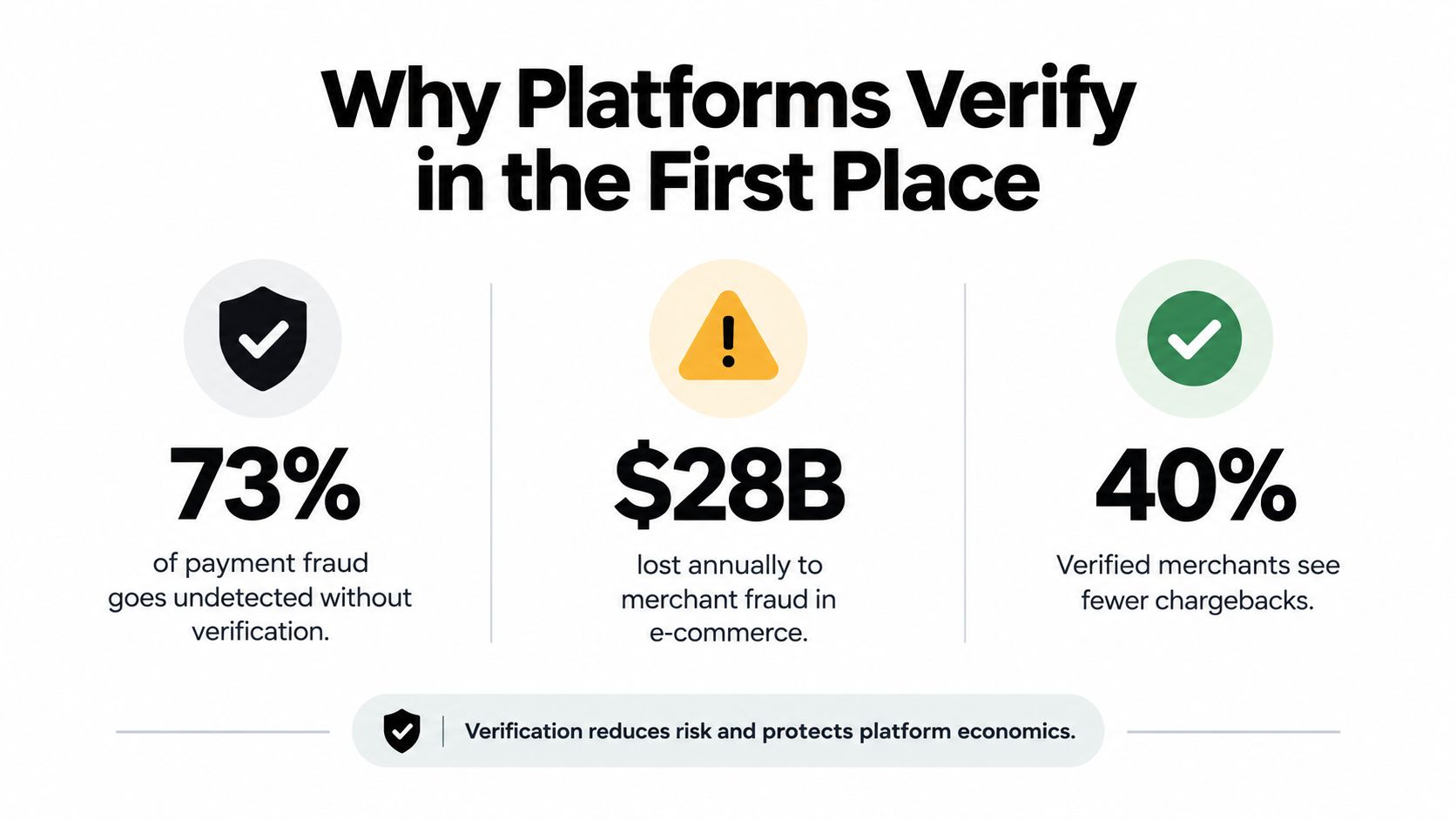
The financial pressure behind this is clear. The 2024 Global Fraud and Payments Report found merchants lost an average of 3.1% of e-commerce revenue to payment fraud and projected 3.6% for the following year. It also reported that businesses manually screened an average of 19% of e-commerce orders, declined 15% of the orders they reviewed, rejected about 6% of incoming e-commerce orders on suspicion, and later found that roughly 3% of accepted orders were fraudulent. Those losses do not stay with the merchant alone. They also affect customers, issuers, payment providers, and marketplaces.
That is why platforms do not rely on a single document upload. They need enough context to tell the difference between a real new store and one whose ownership, products, location, or payout behaviour does not fit its profile.
If you're also reviewing card-data responsibilities, what is PCI DSS compliance provides useful context. PCI DSS focuses on payment-card data security. Merchant verification focuses on the identity, ownership, legitimacy, and risk profile of the business. Both support safer payments, but they solve different problems.
This layered approach also shapes day-to-day Shopify operations. Approval gets the account started, but later checks help decide whether payouts continue normally, whether unusual refund activity needs review, and whether post-purchase changes should raise questions. Apps that handle edits after checkout, including tools like Mayra, sit inside that wider control environment. The core idea is simple. Verification is not just about opening the door. It is about keeping the account, the store activity, and the money flow consistent over time.
The Five Stages of a Typical Verification Flow
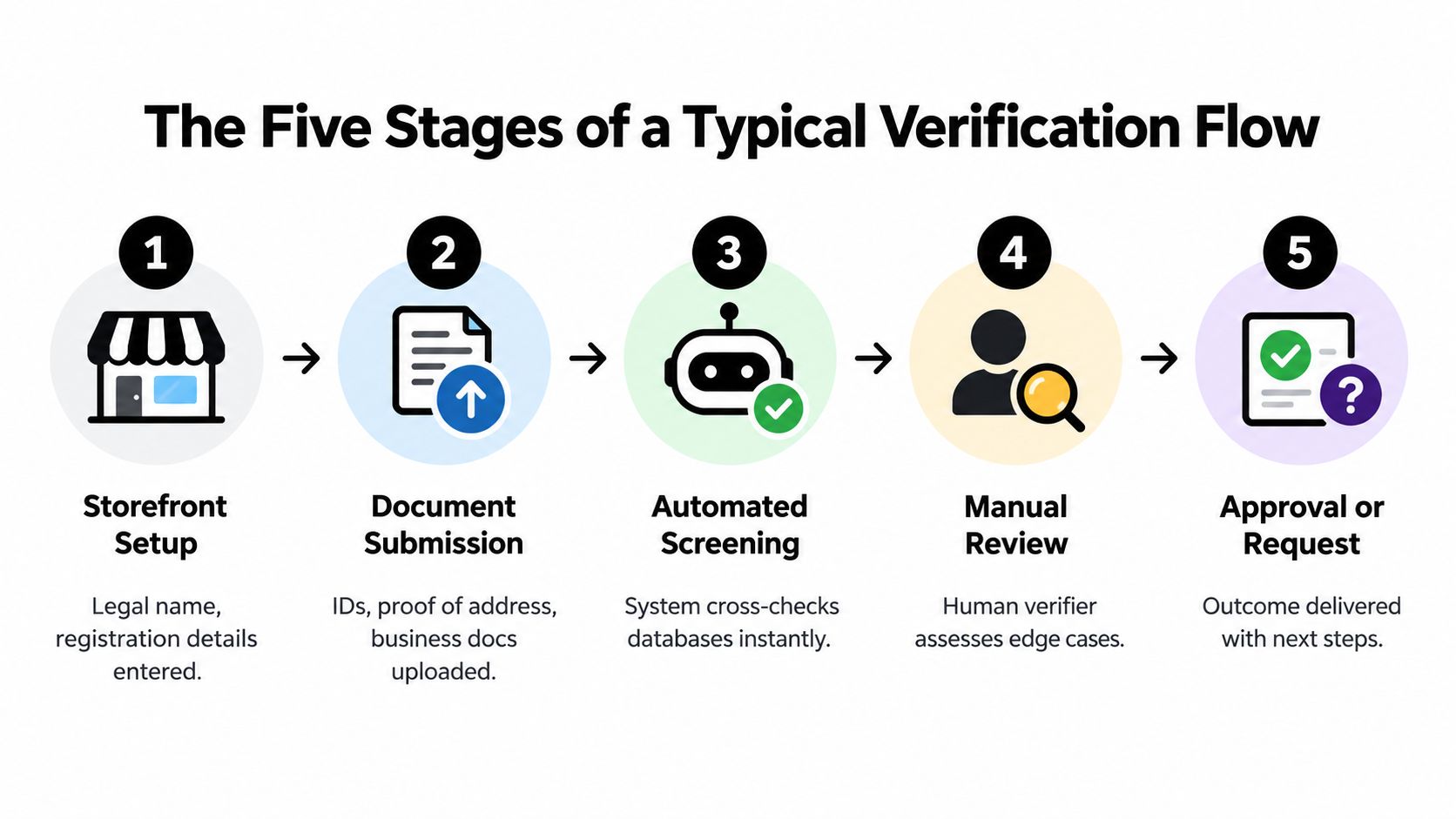
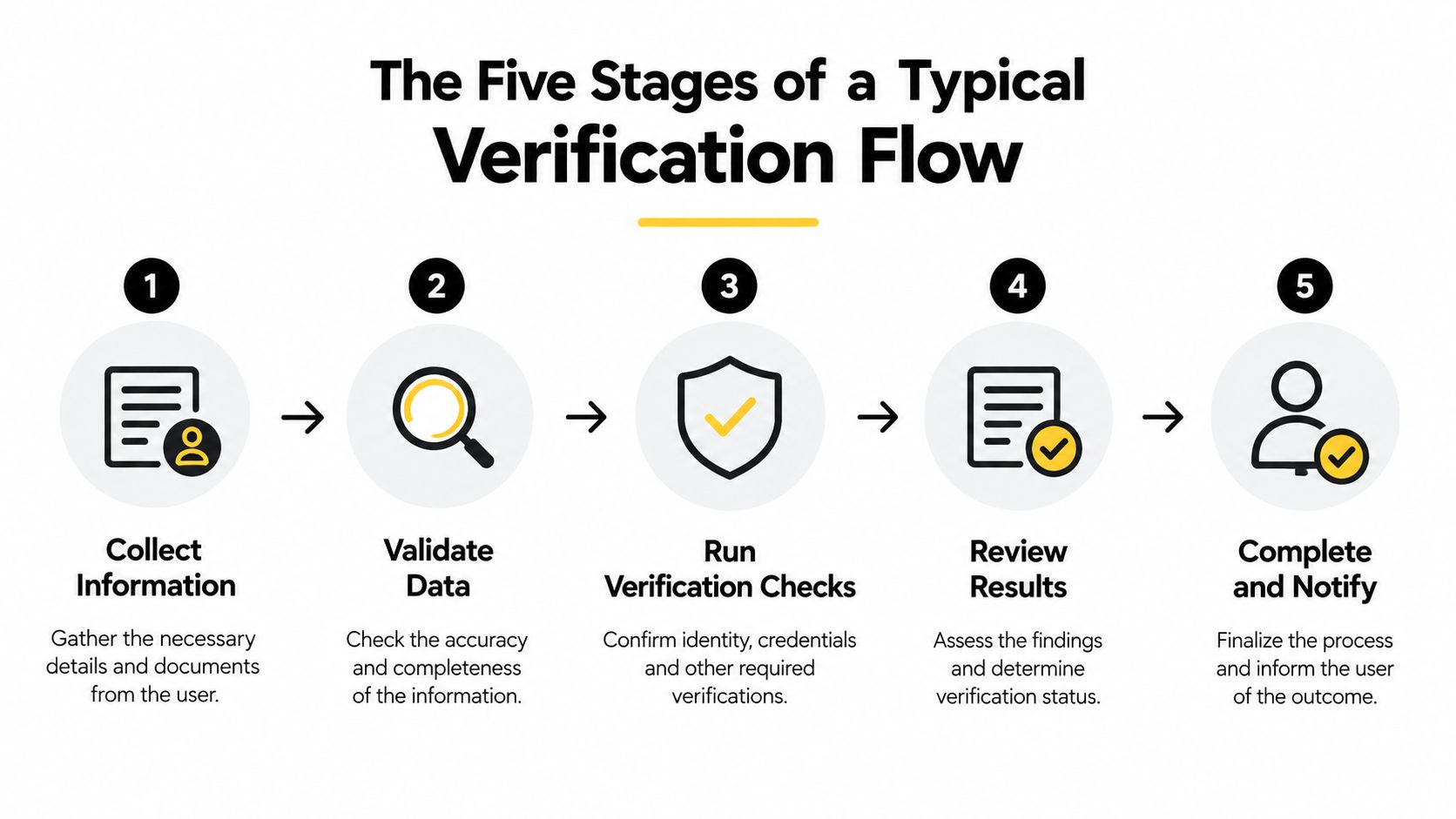
A Shopify operator can think of verification as a connected path rather than a pile of unrelated requests. The exact screens differ by provider and jurisdiction, but the underlying sequence usually follows the same logic.
1. Storefront and business setup
The platform starts with the merchant's declared profile. It may collect the legal name, registration or incorporation number, tax identifier, registered address, operating status, industry, website, and expected transaction volume.
Your task is to make the store and the legal file tell the same story. If the storefront sells clothing but the registered business information describes an unrelated activity, expect questions. If the projected volume is far above what the business profile suggests, the provider may request more context before enabling unrestricted processing.
2. Ownership and control resolution
Next, the provider maps the people behind the entity. That can include directors, authorised representatives, and ultimate beneficial owners. Corporate layers matter because the person who owns the operating company may sit behind another legal entity.
Keep current ownership records available, especially if the business has multiple owners or a parent company. A person who manages the Shopify admin isn't necessarily the person who owns the merchant account.
3. Individual identity verification
The identified people then prove their identities. Government-issued documents are common, and a provider may request an address check, selfie, facial match, or liveness check. A failed attempt doesn't always mean the business is rejected. It may reflect a blurry document, a mismatch in names, or an application completed by someone without the necessary authority.
4. Payout and bank-account matching
The payment provider checks whether the payout destination aligns with the verified merchant. A bank account held by a different individual or legal entity can create a review even when the store itself is genuine.
For address-related discrepancies, merchants should also review their operational records and address verification for Shopify. Consistency across the registered address, business information, customer-facing store, and payout profile makes later checks easier to answer.
5. Monitoring after approval
Approval starts the operating relationship. Platforms can monitor volume, geography, products, ownership, refunds, chargebacks, and other risk signals. A material change may trigger stepped-up verification, temporary limits, a reserve review, or suspension rather than automatic approval.Know Your Customer's KYB guidance for payments
Platform Verification and Merchant-Controlled Governance
A verified merchant account doesn't give every employee, agency, or installed app unlimited authority. The payment platform decides whether the business can access payment services. The merchant still needs to decide what actions are allowed inside Shopify and how those actions are approved.
| Domain | Owner | What it covers | Examples in a Shopify store |
|---|---|---|---|
| Platform verification | Payment platform, acquirer, or payment service provider | KYB, KYC, AML screening, ownership checks, underwriting, and payout eligibility | Business approval, payout access, transaction limits, enhanced review |
| Merchant-controlled governance | Store owner and administrators | Permissions, edit windows, approval thresholds, fulfillment rules, exclusions, and settlement settings | Who can edit an order, which products can be changed, when refunds need approval |
The separation of duties
The platform may verify the legal entity and the payout authority before enabling payment processing. It doesn't automatically know whether a support agent should change a shipping address, whether a customer can add a product after purchase, or whether a refund above a chosen threshold needs human approval.
Those decisions belong in store governance. A merchant can define edit windows, product and country exclusions, order-value caps, fulfillment-state rules, capability toggles, approval thresholds, and automatic settlement settings. Mayra's eligibility rules for Shopify workflows offers a concrete example of the kind of operational policy a store can define separately from platform onboarding.
A verified merchant can still have a compromised account or a badly configured workflow. Verification establishes trust in the business relationship, not trust in every future action.
This distinction becomes important for post-purchase changes. Order edits, cancellation deflection, refunds, and upsells can affect real order and payment records. A safe configuration limits what can change, who can approve it, and when the fulfillment system must pause while the order is being updated.
How Verification Outcomes Show Up in Shopify Day to Day
The first visible consequence is often a payout question. If the legal entity, ownership information, or bank account is incomplete or inconsistent, the platform may delay payouts, limit transactions, or request enhanced review. A consistent verification file gives the payment provider a clearer basis for enabling normal processing.
Customers may also feel the risk decision through order handling. Some transactions can proceed automatically, while others may enter a manual review queue. Refunds, chargebacks, reserves, and unusual activity can influence the controls applied to the merchant account, even when the storefront itself looks unchanged.
Post-purchase apps operate within that environment. A customer may edit an item, update an address, accept an upsell, or request cancellation, but the resulting activity still uses Shopify's order and payment rails. Shopify order workflow guidance helps frame why order status, fulfillment timing, and permission rules matter alongside the platform's verification decision.
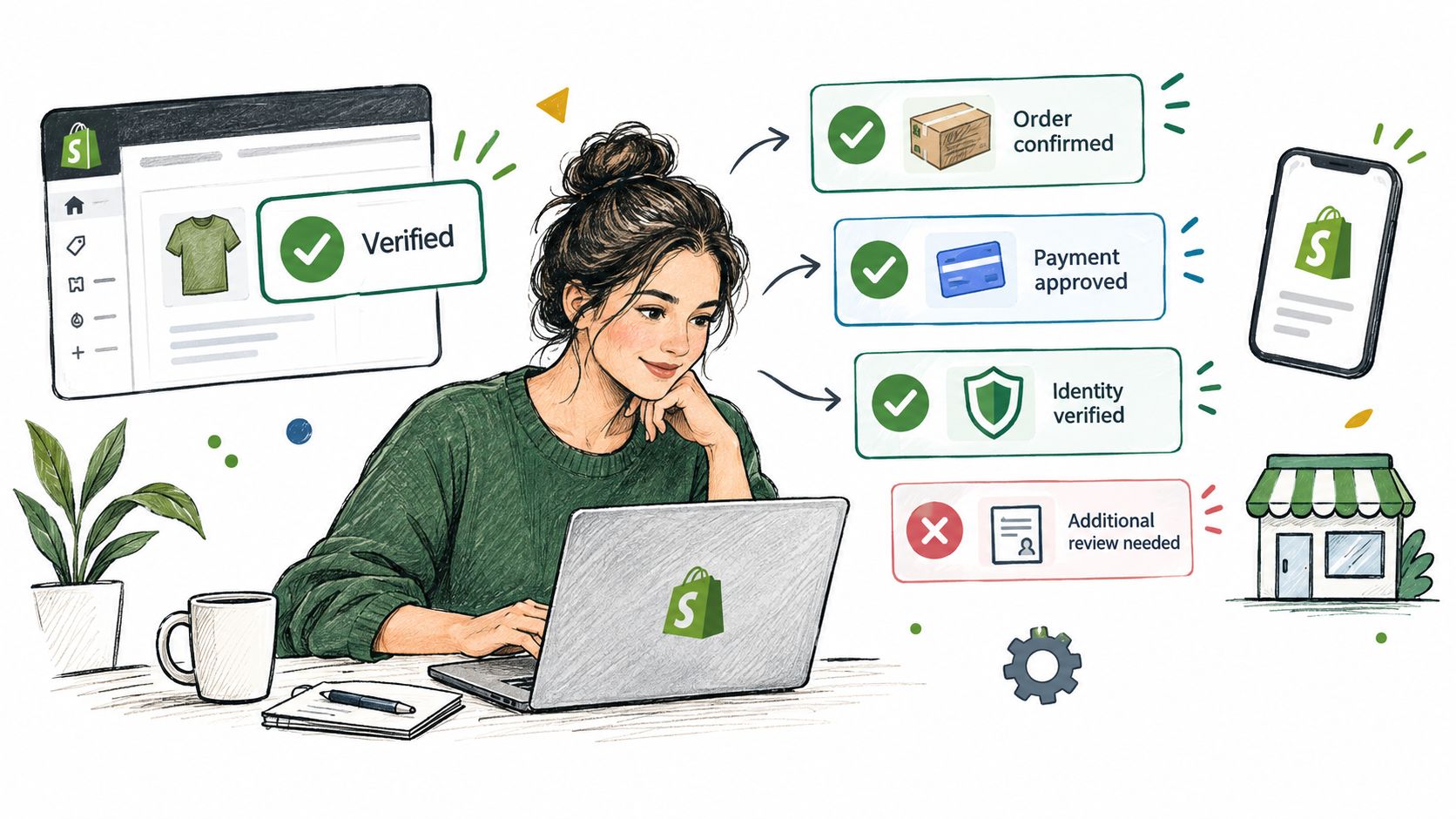
The practical model is simple: verification sets the ceiling, governance sets the operating boundaries. A merchant may be authorised to accept payments, but the store can still restrict edits by fulfillment state, require approval for selected refunds, exclude certain products or countries, and pause shipment while an order changes.
Practical Next Steps and a Merchant Verification Checklist
Prepare the information before the platform requests it. That turns a confusing sequence of interruptions into a predictable operating task and makes it easier to explain legitimate differences between the person, entity, store, and payout destination.
Use this checklist:
- Match the legal entity: Confirm that the legal name, registration information, address, tax details, website, and business model on the payment profile match the records behind the Shopify store.
- List ownership accurately: Identify directors, authorised representatives, and beneficial owners. Don't assume the person who manages the admin account is the only person the provider needs to verify.
- Reconcile the payout account: Check that the bank-account owner aligns with the verified merchant. Resolve trading-name and legal-name differences before the first payout review.
- Keep identity documents ready: Use current, readable documents and complete any selfie or liveness step in the name of the authorised individual.
- Record business changes: Note ownership changes, new destinations, new products, and major shifts in expected activity so you can respond when monitoring triggers another review.
- Define store permissions: Decide who can edit orders, approve refunds, change addresses, add products, or trigger upsells. Put those decisions into rules rather than relying on informal staff instructions.
- Set financial boundaries: Use order-value caps, approval thresholds, product exclusions, country exclusions, and fulfillment-state rules where your workflows can affect money or shipping.
- Review connected apps: Check whether each app writes to Shopify's order record, how it handles refunds or additional charges, and what happens when an order is being fulfilled.
A clean onboarding file won't prevent every follow-up question. It does give you a defensible explanation when the store grows, ownership changes, sales expand into new markets, or order activity differs from the original profile. The strongest setup keeps platform-facing information accurate while applying equally clear controls inside the Shopify admin.
Mayra Apps helps Shopify merchants manage self-serve order edits, cancellation deflection with store credit, and one-click upsells while keeping Shopify as the system of record. Configure edit windows, eligibility rules, approval thresholds, fulfillment holds, and settlement settings so post-purchase actions stay within your merchant policies. Visit Mayra Apps to explore the app and its Shopify workflows.