
A customer account in ecommerce is a persistent record and self-service area where a buyer manages their relationship with a store after checkout. In Shopify, that term covers both the new passwordless customer account area and the Order status page, where many post-purchase actions happen.
What is customer account if it can't help someone fix the wrong size, update a shipping address, download an invoice, or understand where an order is? That question exposes the gap in conventional definitions. Many explanations describe an account as a login and a profile, but a working ecommerce account is much more useful than that. It connects identity, transaction history, permissions, fulfillment visibility, and customer service actions in one controlled experience.
The concept has deep roots in business software. Oracle's accounts-receivable documentation treats a customer account as a chronological record of transactions and history tied to one customer, with information organized across fiscal periods and historical metrics such as balance amounts (Oracle's customer history documentation). Ecommerce applies the same principle to orders, returns, addresses, and future purchases.
For a Shopify merchant, the practical question isn't whether customers can log in. It's what customers can safely do after they've paid, and whether those actions reduce support work, protect fulfillment accuracy, and create another reason to buy.
Table of Contents
- A Simple Definition of a Customer Account
- The Core Anatomy of a Customer Account
- Customer Accounts in Shopify and Ecommerce
- What Customers Can Actually Do Inside an Account
- Benefits for Merchants and Shoppers
- Setting Up and Governing Your Customer Account
- Turning Your Customer Account Into a Growth Engine
A Simple Definition of a Customer Account
A shopper orders a jacket, then notices the selected size is wrong. Another buyer enters an old address. Someone else needs an invoice for an expense report. If each person has to email support for a simple correction, the store has created a post-purchase bottleneck.
A customer account is the persistent record and self-service surface a buyer uses to manage an ongoing relationship with a store. It usually connects the shopper's identity with contact details, order history, payment information, preferences, and actions available after checkout. The account turns separate transactions into a continuing customer record.
That distinction matters. A contact record tells you who someone is. An account also tells you what they bought, what happened to those orders, and which actions the business permits next. In accounting systems, the account preserves transaction continuity over time. In ecommerce, that continuity can include orders, refunds, returns, subscriptions, store credit, loyalty information, and saved profile details.
Shopify's meaning has two closely related surfaces:
- The customer account area provides a passwordless identity layer for viewing orders, checking status, editing profile information, and accessing actions connected to a specific order.
- The Order status page shows fulfillment and delivery information, and customers can reach it through an account session or a time-limited order link with partial authentication, as documented in Shopify's customer account guidance.
The second surface often matters more immediately after checkout. A customer may never browse a storefront account dashboard, but they'll open an order email, check a shipment, or look for a return path.
Practical rule: Define the account by the customer's available actions, not by the presence of a login screen.
The broader context is significant. In 2025, 76% of adults globally owned a bank account or mobile money account, according to the global account ownership benchmark. Account-based relationships are now a familiar part of commerce and services, so shoppers increasingly expect a reliable place to review and manage activity.
For merchants, that expectation creates an opportunity. The account can become the place where retention, support deflection, fulfillment control, and repeat revenue meet.
The Core Anatomy of a Customer Account
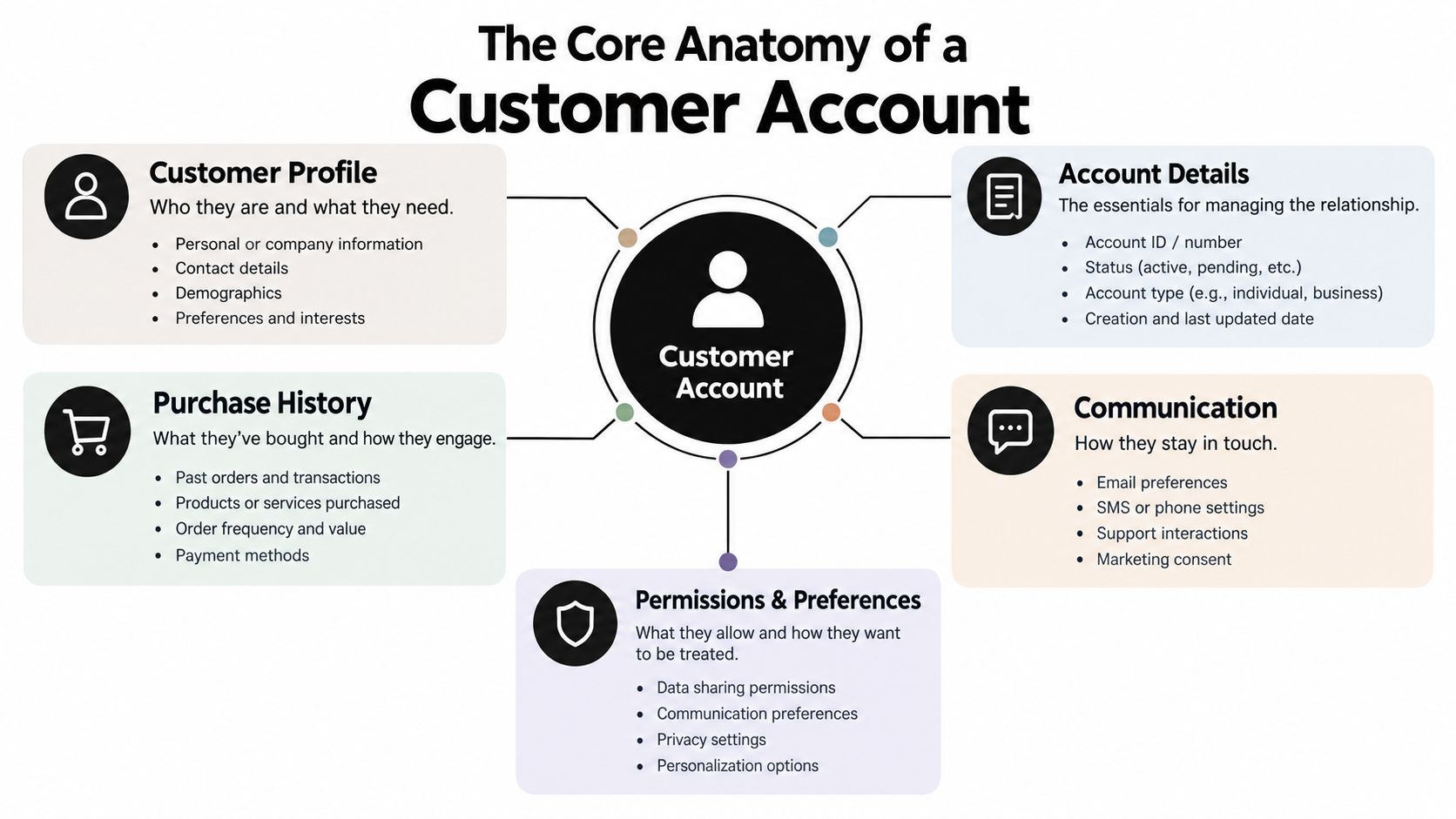
A useful way to understand an account is to treat it as four connected layers. The profile identifies the person, the history explains the relationship, the access layer controls entry, and the order surface determines what the customer can do.
The profile layer
Think of the profile as the label on a filing cabinet. It can contain the customer's name, email address, phone number, shipping details, consent status, and marketing preferences. A well-governed profile gives the store enough information to personalize service without treating every data field as permanently correct.
A customer may move, change an email address, or opt out of marketing. Profile editing therefore needs clear permissions and a reliable record of changes.
The history layer
The history layer is the account's chronological memory. It can include purchases, refunds, returns, subscriptions, store credit, loyalty balances, and prior service activity. That structure mirrors the financial-system idea of an account as a time-based record tied to one party.
A customer relationship becomes more than a collection of isolated checkouts. A merchant can distinguish a first order from a repeat purchase, while the customer can find prior transactions without searching through old messages. For a wider view of how customer data supports ecommerce relationships, Reddog Consulting Group's ecommerce CRM guide offers useful context.
The access layer
Access is the account's lock and key. It determines whether the customer enters with a password, a passwordless verification flow, or a time-limited order link. It also governs whether a person is recognized as the owner of a specific order and which details they can see.
Passwordless access can remove forgotten-password friction, but it still needs boundaries. An expiring order link, email verification, or another authentication step helps prevent sensitive order details from remaining open indefinitely.
The order surface
The order surface is the service desk. It's where customers may view an order, follow delivery progress, edit eligible details, start a return, cancel, reorder, or see a relevant offer. The store's rules decide which actions appear and when.
That last point is critical. A customer account isn't a universal control panel. It's a permissioned interface connected to order state, payment state, product rules, and fulfillment status.
Customer Accounts in Shopify and Ecommerce
Merchants often use “customer account” to describe several different Shopify experiences. Separating them prevents a common setup mistake, optimizing a storefront login while leaving the post-purchase order surface difficult to use.
Legacy accounts rely on password-based access and typically center on the storefront profile and order list. Shopify's newer customer accounts use a passwordless identity flow, so customers can reach account functionality without maintaining a traditional password. The Order status page is different again. It's tied to a particular order and may be opened from an order notification or an authenticated account session.
| Surface | Authentication | Primary Use | Post-Purchase Actions |
|---|---|---|---|
| Legacy customer account | Password-based login | Storefront profile and order history | Review orders and access whatever account features the theme or apps expose |
| New Shopify customer account | Passwordless sign-in or verification flow | Profile, order history, order-specific account access | Manage eligible order actions, profile details, and related self-service tasks |
| Order status page | Logged-in session or time-limited order link with partial authentication | Shipment visibility and order servicing | Track delivery, revisit order details, and use eligible edit, return, cancellation, or offer flows |
Shopify states that the Order status page can show real-time carrier updates when supported, and customers can return to it from account areas or order notifications (Shopify's explanation of Order status pages). Merchants can also view the same page in admin, which gives support and fulfillment teams a shared reference point.
The operational priority is clear. If the goal is to reduce “Where is my order?” contacts or handle changes before fulfillment, optimize the Order status page first, then make the broader account area consistent with it. A shopper doesn't need to enter through the same route every time for the experience to work.
Apps can extend these surfaces through Shopify's account and order-status capabilities. A merchant evaluating the implementation path can review this guide to Shopify customer accounts before deciding which actions belong in the account area, the Order status page, or both.
The right design also distinguishes visibility from authority. Showing an order doesn't automatically mean a customer should be able to change it. Every action needs an eligibility rule tied to fulfillment state, product type, payment state, and merchant policy.
What Customers Can Actually Do Inside an Account
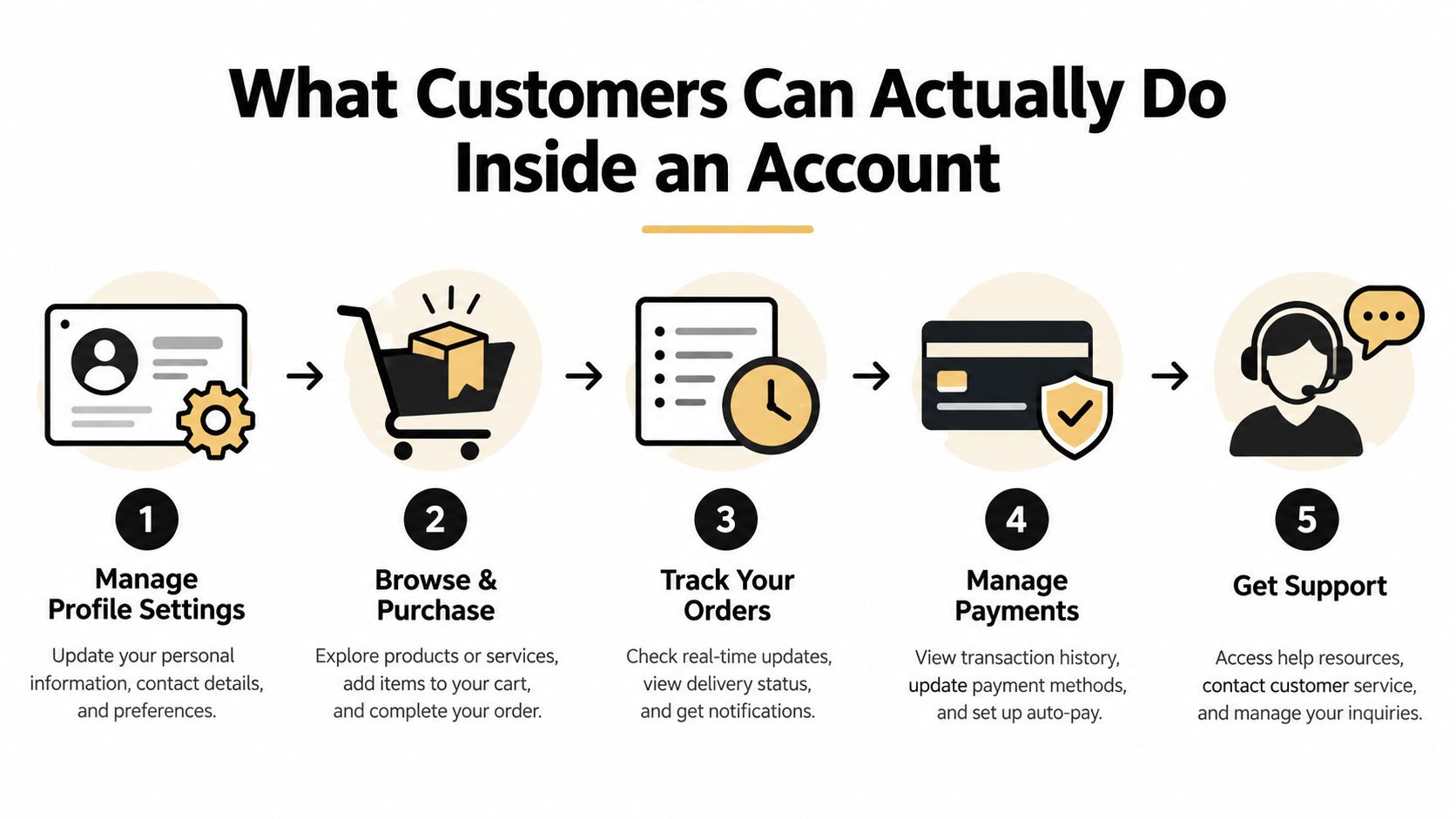
A customer notices the shipping address is wrong shortly after placing an order. Instead of opening a ticket, they enter the order surface, choose the address option, and submit the correction while the order remains eligible. The merchant's rules can route the change for approval, hold fulfillment while it's pending, and write the approved update back to the original order.
That flow is different from displaying an order history. It turns the account into an operating interface.
Editing before fulfillment
A shopper may change a quantity, swap a variant, remove an item, or add a product to the same order. For example, someone who ordered a medium can request a large before fulfillment closes. The account should show only the controls the merchant has enabled, rather than promising unrestricted changes.
An edit window can depend on order status, product eligibility, destination, or order value. If the change affects payment, the system can request an additional charge or prepare a refund according to the merchant's rules.
Saving a cancellation
A customer who selects “cancel order” may be asked why they're cancelling. If the issue is timing or price, the store can present an appropriate save option, such as store credit or a shipping-delay alternative. Full cancellation remains available when saving the order isn't appropriate.
This is cancel deflection, but it should feel like a useful choice rather than an obstacle. The account captures intent, presents a relevant alternative, and preserves a clear fallback.
Adding value after checkout
The Order status page can also present a relevant add-on before fulfillment closes. A buyer who purchased a camera might see a compatible case, or someone ordering a skincare product might see a matching accessory. A one-click offer can add the item to the existing order instead of forcing a new checkout.
Customers may also use the same account to retrieve a wishlist, reorder a familiar product, initiate a return, or download an invoice. These actions shorten the distance between a need and a resolution. A merchant exploring this model can review customer self-service portal patterns.
The account should adapt to the order. A paid, unfulfilled physical order can expose different actions from a delivered digital order or a final-sale item.
Eligibility checks keep the experience safe. The same account surface may allow an address edit for one order, hide that control after fulfillment for another, and block changes to excluded products entirely.
Benefits for Merchants and Shoppers
A well-designed customer account improves operations because each capability addresses a specific source of friction. Address editing can prevent avoidable delivery problems. Order tracking can answer a status question without a support handoff. Return initiation can give the customer a clear next step while preserving the merchant's policy controls.
The gains are cumulative because the account remains connected to the customer's history. A shopper who can review an earlier order, reuse profile details, and find a reorder path doesn't have to rebuild the relationship at every checkout.
| Account Capability | Merchant Benefit | Shopper Benefit |
|---|---|---|
| Order status visibility | Fewer routine status requests and clearer fulfillment communication | Faster access to shipment information |
| Self-serve edits | Cleaner order data before fulfillment and fewer manual corrections | Control over addresses, quantities, or variants when eligible |
| Cancellation alternatives | A chance to retain an order without blocking legitimate cancellations | More options when timing or product fit changes |
| Returns and invoice access | More structured post-purchase workflows | A direct path to documentation and returns |
| Reorder and relevant offers | More opportunities for repeat purchases and same-order additions | Convenient replenishment and useful recommendations |
| Passwordless access | Less account-related support friction | No password to remember or reset |
Shopify describes customer accounts as places where buyers can manage orders, edit profile information, and access self-service returns or reordering (Shopify's customer account overview). That combination matters because it joins customer control with merchant governance.
For support teams, deflection isn't the absence of a ticket. It means the customer completed a task successfully without asking an agent to locate the order, confirm eligibility, change data, or explain the next step. Merchants should therefore evaluate whether the account resolves the complete task, not whether a button exists.
For shoppers, the value is practical: speed, visibility, control, and less password friction. For merchants, the account is one of the few surfaces where transaction data and post-purchase experience can be managed together. That connection helps the store protect fulfillment accuracy while creating structured opportunities for retention.
Setting Up and Governing Your Customer Account
Treat the first week as a governance project, not a theme adjustment. The account becomes dependable only when its access rules, order rules, financial rules, and analytics agree with the way the operation fulfills orders.
Configure the surfaces
Start by deciding whether the new Shopify customer account area should replace the legacy password-based experience. Confirm the account entry points, the Order status page URL, and the links customers receive in order notifications. Then test the journey as a customer who has an account session and as someone using a time-limited order link.
Next, map each action to an owner. Support may own customer questions, operations may own fulfillment holds, and finance may approve refunds above an internal threshold. A customer should see one coherent flow even when several teams govern it behind the scenes.
Set action rules
Write the rules before enabling edits:
- Fulfillment state: Allow changes only while an order is unfulfilled or before a defined operational cutoff.
- Approval path: Route high-value changes, unusual destinations, or refund requests for review.
- Product exclusions: Block final-sale, digital, subscription, or preorder products where the policy requires it.
- Capability controls: Decide separately whether customers can change quantities, swap variants, edit addresses, add items, or remove items.
- Fulfillment holds: Pause shipment processing while an active edit is being reviewed or settled.
These controls prevent the account from becoming an unmanaged back door into the order system.
Measure the workflow
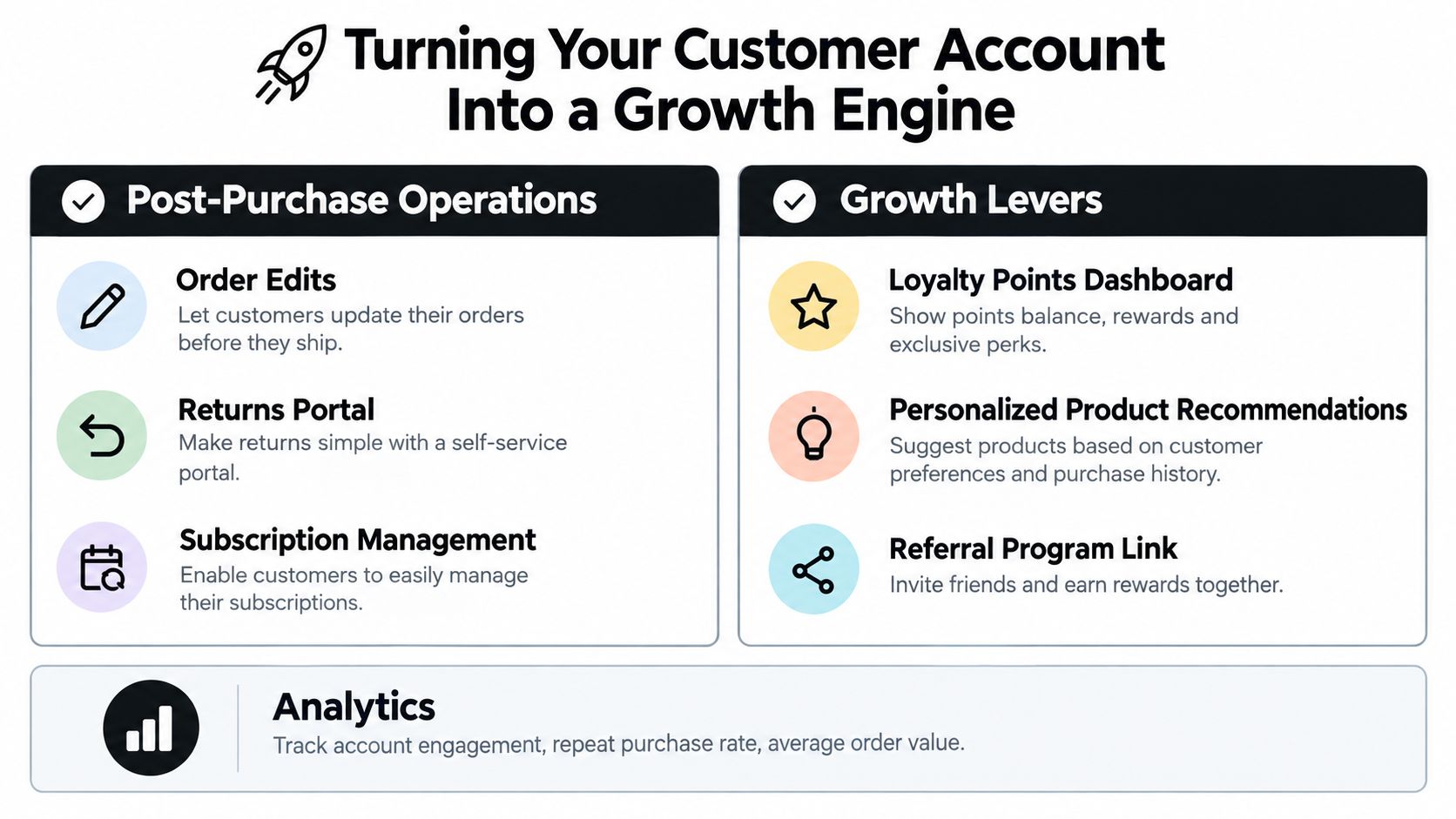
Track operational measures that match the enabled features. Useful examples include the share of eligible requests completed without support, the time required to approve an edit, accepted add-on offers, saved cancellations, and the number of orders placed on hold during an edit.
Don't label modeled ticket avoidance as a confirmed saving. Keep observed activity separate from estimates, document the calculation method, and review the first reporting period with support, fulfillment, finance, and merchandising together.
Governance test: Every visible action should have a clear eligibility rule, an owner, an audit trail, and a fallback path.
Run test orders across physical, digital, final-sale, delivered, and unfulfilled scenarios. A static account page displays information. A governed account surface safely changes what happens next.
Turning Your Customer Account Into a Growth Engine
The customer account becomes a growth engine when the merchant connects service recovery, fulfillment control, and revenue opportunities in the same post-purchase journey. It isn't a decorative profile page. It's a controlled portal where the customer can solve a problem, continue an order, or return to buy again.
A focused implementation can start this week:
- Enable the new customer account experience and confirm the Order status page entry points.
- Add an order-edit and post-purchase workflow tool such as Mayra Apps, or evaluate a comparable Shopify app.
- Define edit, cancellation, return, and offer windows around actual fulfillment service levels.
- Create eligibility and exclusion rules before exposing controls to customers.
- Track support deflection, saved orders, accepted additions, approval time, and repeat purchase behavior.
- Review the first month of account activity with the teams responsible for support, fulfillment, finance, and retention.
Mayra's Shopify customer account app is one productized example of this approach. It supports self-serve order edits, cancellation deflection with store-credit offers, and one-click upsells within Shopify customer accounts and the Order status page, while merchant-defined rules govern permissions and eligibility.
Loyalty can extend the same relationship beyond the original order. If your store uses points, BonusQR's points program for retailers provides a useful reference for connecting account visibility with repeat-purchase incentives.
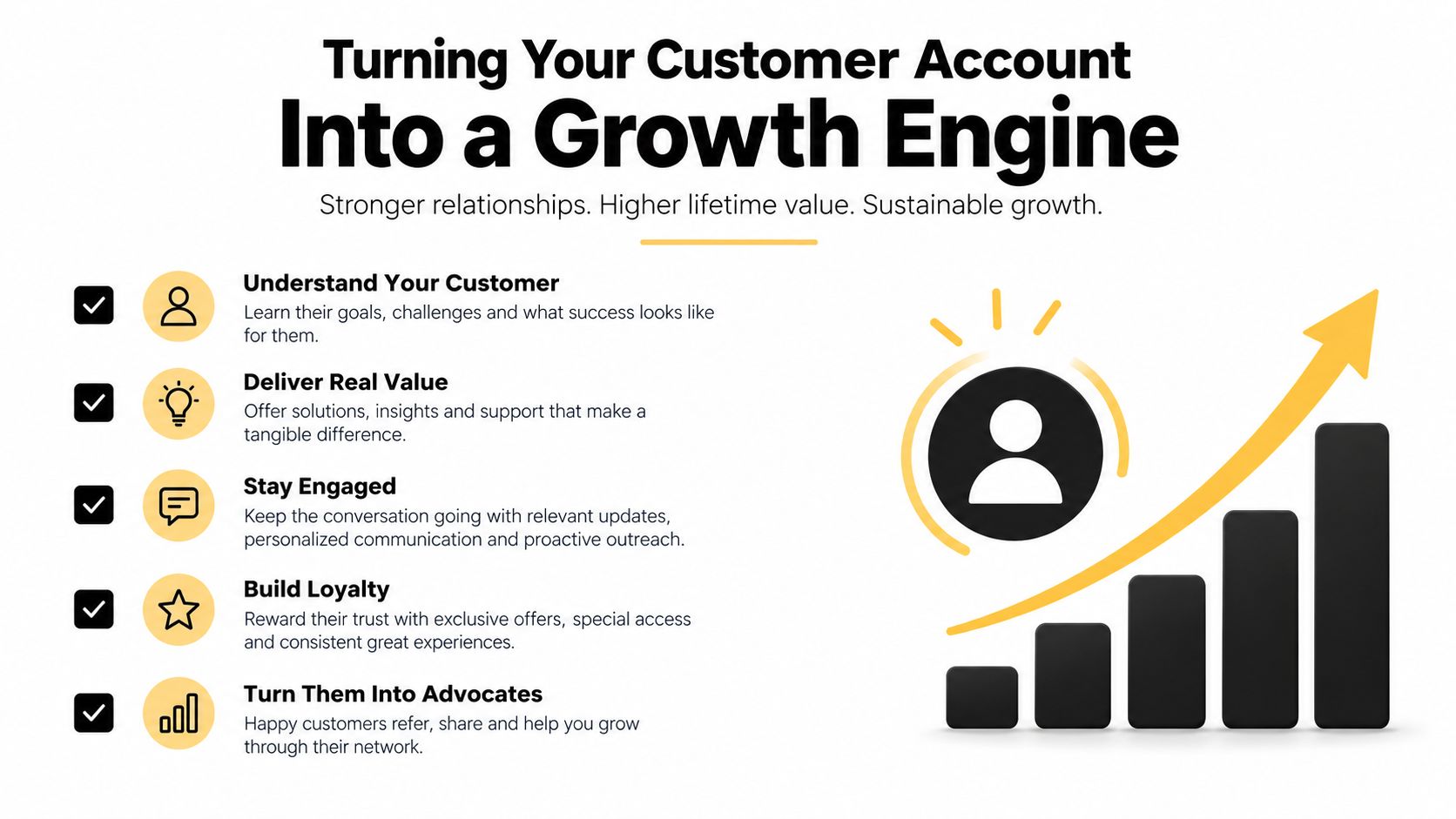
The strongest account experience makes the next action obvious and the rules understandable. Customers get control without waiting for support, while merchants retain authority over changes, refunds, fulfillment, and offers.
Mayra Apps gives Shopify merchants a way to manage self-serve order edits, cancellation save offers, and one-click post-purchase upsells inside customer accounts and the Order status page. Visit Mayra Apps to see how you can turn your customer account into a governed operations portal that reduces avoidable support work and creates more opportunities after checkout.