
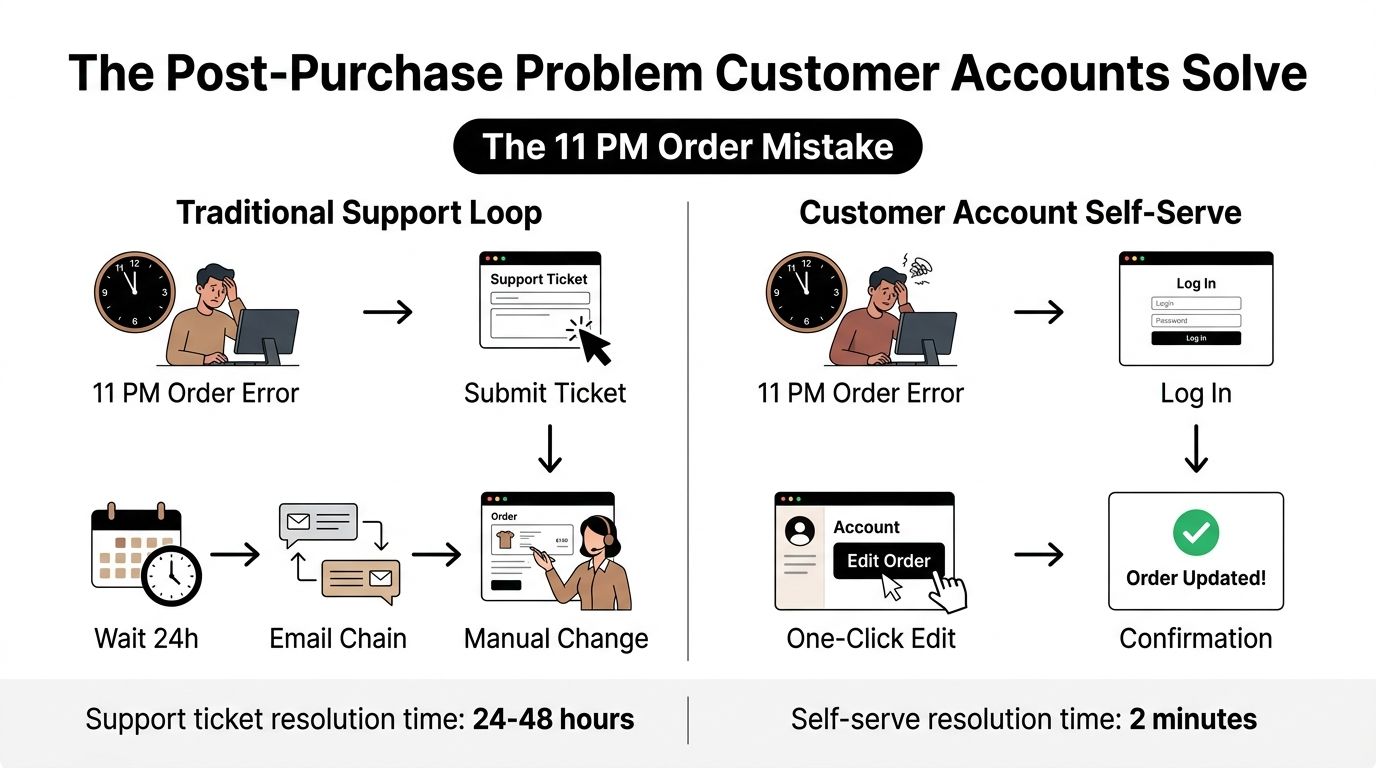
At 11 PM, a customer notices they ordered the wrong size. The order confirmation is already in their inbox, the warehouse may process it overnight, and the customer doesn't know whether to email support, wait for a reply, or place a second order. For the merchant, that small mistake can become a support conversation, a manual admin task, a return, and a disappointed buyer.
That's the operational problem Shopify customer accounts can solve. The useful question isn't whether customers can log in. It's whether they can manage the purchase after checkout, using a controlled self-serve experience that gives them clarity without bypassing merchant rules. Shopify now positions customer accounts as a central post-purchase hub for order tracking, subscription edits, returns initiation, and “Buy again” actions, as described on its customer accounts overview.
Table of Contents
- The Post-Purchase Problem Customer Accounts Solve
- Understanding Shopify Customer Account Evolution
- Core Self-Serve Capabilities and Business Impact
- Native Features Versus App-Extended Functionality
- Implementation Controls and Merchant Configuration
- Connecting Accounts to Retention Strategy
- Actionable Recommendations for Your Store
The Post-Purchase Problem Customer Accounts Solve
A traditional post-purchase workflow creates delay at exactly the moment the customer wants certainty. The buyer emails support, an agent responds later, and the agent checks whether the order can still be changed. If fulfillment has already started, the original request may no longer be possible, so the conversation shifts to cancellation, return instructions, replacement shipping, or a refund.
The customer experiences friction. The support team spends time investigating a request that could have been resolved through a controlled account action. The warehouse may receive an avoidable exception, while finance and returns teams inherit the consequences. Those costs vary by product, carrier, policy, and fulfillment setup, so they should be measured from your own operation rather than copied from a generic benchmark.
The account changes the workflow
A modern flow is shorter. The customer opens the order from an authenticated account experience, checks its current status, and uses an available action while the order remains eligible. The merchant still controls the rules, but the customer doesn't need to translate a simple request into a support ticket.
Shopify's account hub supports several post-purchase actions, including order tracking, subscription edits, returns initiation, and Buy again. That breadth matters because it turns the account from a login screen into an operational layer for the customer lifecycle. It also gives customers one known destination after checkout, rather than forcing them to search through confirmation emails and policy pages.
Operational rule: Self-service works only when the available action matches the order's real state. A customer shouldn't be offered an edit after fulfillment has made that edit unsafe.
Where third-party apps fit
Native Shopify capabilities establish the account and order context. Third-party apps can extend that context with workflows such as variant changes, quantity adjustments, address updates, additions, removals, cancellation deflection, and relevant offers. The important distinction is governance. A useful extension writes changes back to the original order, respects fulfillment constraints, and gives the merchant control over eligibility and approvals.
That combination is more practical than treating customer accounts as a standalone marketing page. The account becomes the place where support deflection, fulfillment protection, returns handling, and retention activity meet. Merchants should evaluate it as part of the post-purchase operating model, not as a cosmetic upgrade to the storefront header.
Understanding Shopify Customer Account Evolution
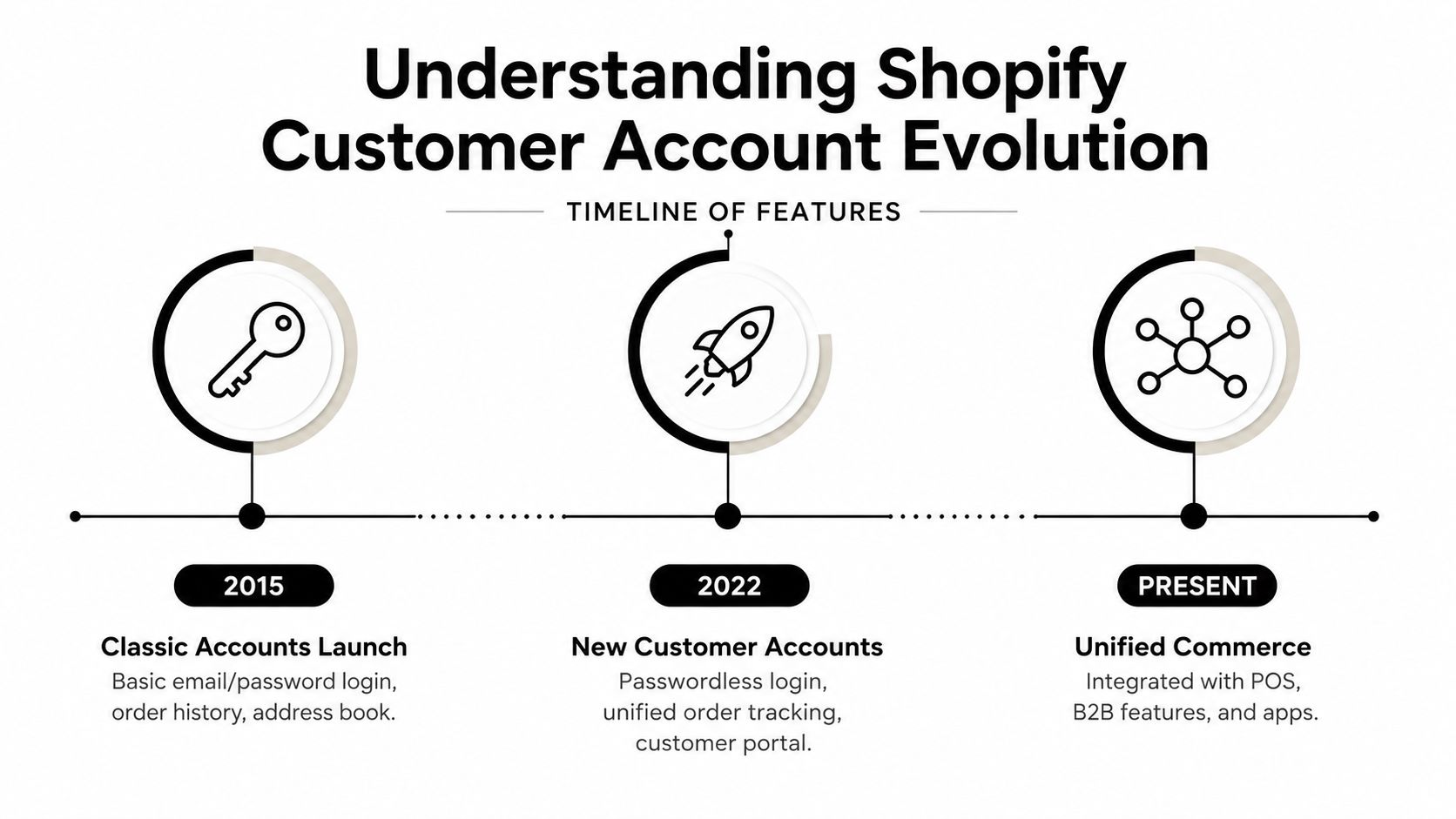
Shopify's account experience has moved from a relatively static customer area toward a platform-managed commerce hub. Classic customer accounts centered on authentication, order history, and customer details. The newer model gives Shopify more control over the account experience while creating structured extension points for apps.
Shopify announced “New customer accounts” on January 31, 2023, establishing a clear rollout milestone before the later naming change. On December 9, 2024, Shopify renamed “New customer accounts” to “Customer accounts” across Shopify-owned surfaces, while “Classic customer accounts” became “legacy customer accounts,” as recorded in the Shopify changelog. The terminology clarified the platform's direction, but merchants still need to check their own store settings and integrations rather than assume every store has migrated automatically.
What changed for the customer
The modern account experience reduces dependence on traditional password management. Customers authenticate through Shopify's managed flow, then access account pages and order information without relying on a theme-built account template for every interaction. That can simplify login operations, but it also means merchants have less direct control over the underlying authentication interface.
The practical benefit is consistency. Customers can move from an order notification into a pre-authenticated order view, then authenticate again when they attempt a broader account action. Shopify's developer documentation describes this transition in its customer accounts architecture guide. A post-purchase experience therefore needs to account for both states, single-order access and broader logged-in access.
What changed for developers
The major operational shift is extensibility. Shopify provides account surfaces where approved app extensions can place customer-facing functionality, allowing apps to work with the account and order context instead of forcing every merchant to rebuild account pages in the theme.
That creates a better foundation for post-purchase workflows, but it doesn't remove implementation work. Developers must understand authentication boundaries, extension placement, permissions, order state, and fallback behavior. A loyalty block, subscription control, or order-edit action should appear where the customer expects it, use the correct order context, and fail safely when the order is no longer eligible.
Merchant teams should also audit links in themes, emails, customer-service macros, and tracking messages. An account migration can be technically correct while customers still reach outdated entry points. Test the complete path from storefront account link to order notification, account page, and return destination before changing live settings.
Core Self-Serve Capabilities and Business Impact
Native Shopify customer accounts cover the basic actions customers expect after checkout. Shopify describes the account experience as a central place for post-purchase management, while its customer reporting includes new versus returning customers, one-time customers, and customer cohort analysis. That pairing is useful operationally. The account handles the customer's immediate task, while the reporting layer helps merchants understand whether account behavior connects with broader lifecycle performance.
Native actions that reduce avoidable work
Order tracking should be the first priority. Customers can see order information without asking support to repeat what the carrier or fulfillment system already exposes. The result isn't automatically a specific reduction in tickets, because ticket volume depends on delivery reliability, notification quality, and product category. It does create a clear self-serve route for “where is my order” questions.
Returns initiation moves the first step from an email conversation into a structured flow. The merchant can still define policy and approval requirements, while the customer provides the information needed to begin the request. That improves consistency, especially when support agents previously gathered the same details manually.
Subscription edits matter for replenishment businesses. Giving customers a visible account action can prevent avoidable cancellations caused by timing, quantity, or delivery preferences. The account is more useful when the customer can adjust an active relationship rather than merely view past orders.
Buy again supports repeat purchasing without requiring customers to reconstruct a previous basket. It works best when the original items remain relevant and available, but merchants should still review how discontinued, seasonal, or substituted products are presented.
| Capability | Primary use case | Business impact | Native limitation |
|---|---|---|---|
| Order tracking | Customer checks fulfillment and delivery progress | Deflects status questions and improves visibility | It doesn't resolve every carrier or delivery exception |
| Returns initiation | Customer starts a return request | Standardizes intake and reduces manual collection of details | Policy complexity may still require review |
| Subscription edits | Customer changes an ongoing purchase | Gives subscribers control before they cancel | Advanced subscription rules may require the subscription platform |
| Buy again | Customer repeats a previous purchase | Shortens the path to replenishment | Product availability and substitutions can interrupt the flow |
| Customer history | Merchant reviews lifecycle behavior | Supports cohort and repeat-purchase analysis | Account data alone doesn't create a retention strategy |
For a practical breakdown of the portal model and its role in support operations, see this guide to customer self-service portals.
The native boundary
Native accounts are strong at visibility, navigation, and standard post-purchase actions. They're less complete when a customer wants to change a recently placed order, add a complementary product to an existing shipment, or receive a targeted offer inside the authenticated experience. Those requirements need careful extension design, particularly when fulfillment timing and payment handling are involved.
The right evaluation question is simple: which requests can the customer safely complete without staff intervention, and which requests still need approval? Build the native account around the first group, then add extensions only where the operational value justifies additional configuration and testing.
Native Features Versus App-Extended Functionality
Native Shopify accounts provide the foundation. App extensions address the gaps that appear once a store receives regular post-purchase requests.
A customer who ordered the wrong color may need a variant swap. Another customer may want to add an item before the shipment is packed. A third may want to update an address while the order is still unfulfilled. These aren't the same workflow as tracking or returns initiation, and they shouldn't be treated as simple links to a support inbox.
Use native functionality for predictable account tasks
Native Shopify is the appropriate home for core account behavior:
- Order visibility: Customers review orders and follow fulfillment progress.
- Returns initiation: Customers begin a return request through a defined process.
- Subscription access: Customers manage supported subscription actions from the account experience.
- Purchase history: Customers and merchants can use prior orders as the basis for repeat-purchase activity.
- Account authentication: Shopify manages the sign-in and account access layer.
These functions benefit from being close to Shopify's own order and customer data. Replacing them with a separate portal can introduce duplicated navigation, extra authentication, and inconsistent order states.
Add an app where the workflow changes the order
An extension becomes valuable when it performs a controlled action on the existing order. Mayra Apps, for example, offers a Shopify app that places post-purchase editing and upsell functionality inside customer accounts and the Order status page. Its documented capabilities include changing quantities, swapping variants, updating shipping addresses, adding or removing line items, and handling cancellation flows through merchant-defined rules.
The operational safeguards matter as much as the visible buttons. Mayra's product information describes fulfillment holds during active edits, Shopify-based handling for additional charges and refunds, and eligibility controls based on order state and merchant rules. Those controls help preserve the Shopify admin as the system of record instead of creating a parallel order-management database.
| Feature | Native Shopify | App-extended option | Business impact |
|---|---|---|---|
| Order tracking | Available in the account and order flow | Can be enhanced with contextual actions | Customers see status and can act when eligible |
| Return initiation | Native request flow | Can add specialized retention or approval logic | Better separation between routine and exceptional cases |
| Variant or quantity edits | Not a general native account action | Supported by compatible post-purchase apps | Fewer manual change requests before fulfillment |
| Address changes | Basic customer information management doesn't equal order editing | An app can apply an eligible change to the order | Helps prevent avoidable delivery problems |
| Add-on purchases | Not generally an in-order account action | One-click offers can attach an item to the existing order | Creates a post-purchase merchandising opportunity |
| Subscription management | Supported actions depend on the subscription setup | Subscription apps can provide deeper controls | Keeps the account aligned with the subscription system |
For implementation considerations specific to this extension model, review the Shopify customer account app guide.
The trade-off is complexity. Every additional app adds permissions, testing, support ownership, and possible overlap with existing subscription, loyalty, returns, or order-management tools. Map the customer journey first. If Shopify already handles the task cleanly, leave it native. If the customer must contact support for a repeatable order change, assess an extension.
Implementation Controls and Merchant Configuration
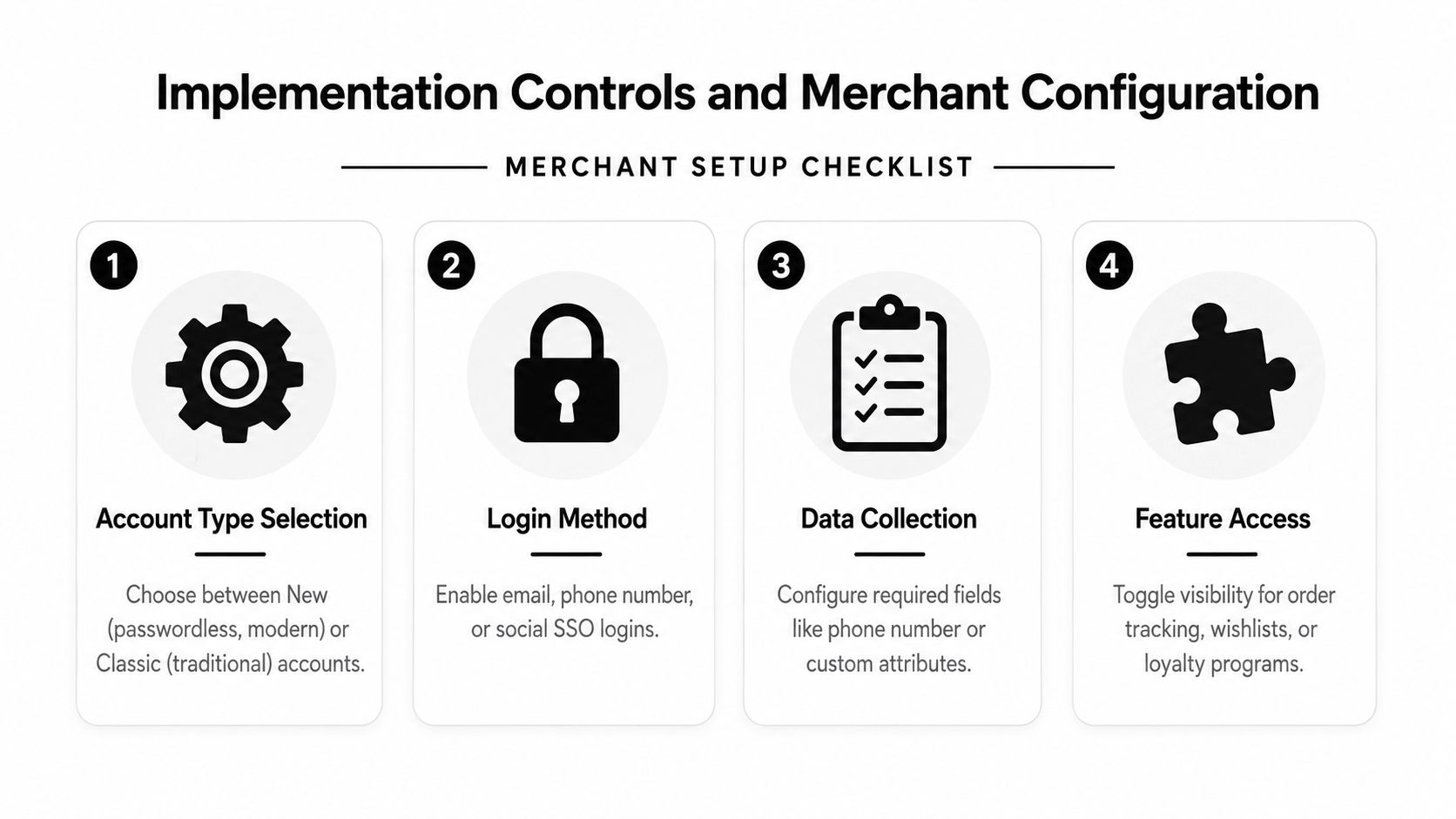
Account configuration should start with the customer journey, not the app marketplace. Decide which customers need access, which actions are safe to expose, and what should happen when an order crosses from unfulfilled to fulfilled.
Shopify's terminology now distinguishes Customer accounts from legacy customer accounts, and the platform's modern architecture is the direction merchants should evaluate first. Before changing the setting, inventory every dependency, including loyalty blocks, account links, customer-service macros, email buttons, subscription pages, and any custom authentication logic.
Configuration decisions that affect operations
Choose the account model deliberately. New customer accounts provide the current Shopify-managed experience. Legacy account dependencies can continue to affect themes and integrations, so migration should include a link and flow audit rather than a single settings change.
Keep the login path proportional to friction. A high-volume DTC store may keep account access optional and make the account link prominent after purchase. A wholesale operation may require accounts because pricing, company access, and approval workflows depend on authenticated identity.
Define action eligibility in business terms. A customer may request an edit before fulfillment, but that doesn't mean every product, destination, or order should qualify. Set rules around fulfillment state, product restrictions, order conditions, and approval requirements. If an action creates a financial change, decide whether the customer is invoiced automatically or whether staff approval is required.
Test the entire state transition
An order status page has a special access model. Shopify explains that the page can expose full order details in an authenticated flow, while the public version redacts sensitive information. Shopify also limits pre-authenticated access from order notification links to 3 weeks in the same browser session or 2 weeks across up to 5 different browser sessions, after which the customer may be directed to the public view or asked to log in, according to the Order status page documentation.
That boundary affects every post-purchase app. Test a fresh order, an order opened from an email, an order opened after the pre-authenticated window, and an order opened by a logged-in customer. Confirm that sensitive information stays protected and that broader account actions trigger the expected login step.
Shopify states that an Order status page extension always has access to the order, and that OrderStatusApi can retrieve identifiers such as the order ID, name, and confirmation number. Developers therefore don't need to build unnecessary order lookup logic for that surface, but they do need a clear fallback when the customer moves from one-order access into account-wide actions.
Connecting Accounts to Retention Strategy
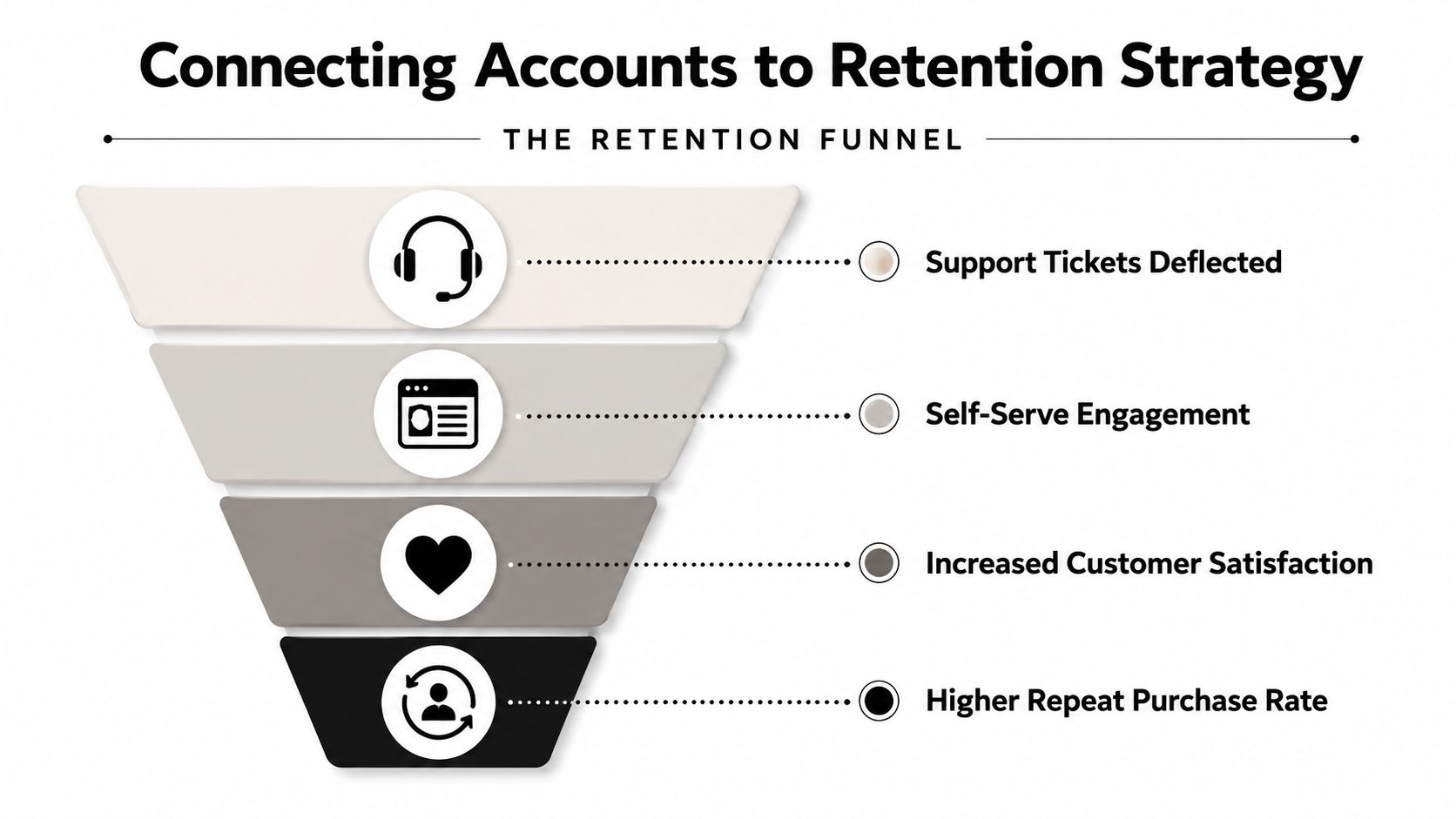
A customer account can deflect support and create a useful retention touchpoint at the same time. The distinction depends on what the customer sees after authentication. A page that only repeats the order number is a reference screen. A page that helps the customer track, adjust, repeat, and discover relevant products is part of the retention system.
The account contains context that anonymous storefront visitors don't provide as directly. The customer has an order, a purchase history, and a current post-purchase need. Merchants can use that context to present a reorder route, relevant subscription action, loyalty status, or an offer that fits the existing purchase rather than interrupting the customer with a generic promotion.
Build the data loop carefully
Shopify's customer reporting includes new versus returning customers, one-time customers, and cohort analysis. Those reports can help teams compare account behavior with broader customer lifecycle patterns, but they don't prove that account access alone caused a change. Track the experience as an operational program with a defined baseline and a clear launch date.
Useful measures include:
- Support deflection: Count eligible post-purchase requests that customers complete without agent involvement.
- Repeat behavior: Compare reorder activity by customer state and product type.
- Order value: Monitor whether post-purchase additions change realized order value, while separating organic repeat purchases from account-based actions.
- Fulfillment exceptions: Review address corrections, shipment holds, reships, and returns associated with self-serve changes.
- Customer experience: Watch complaints about authentication, failed edits, confusing eligibility, and unexpected charges.
Measurement principle: Treat an account action as a workflow event, not just a page view. The useful question is whether the customer completed a task safely and whether the business avoided unnecessary work.
Personalized offers require restraint. A customer trying to fix a shipping address shouldn't have to dismiss several promotions before finding the edit control. Put the operational task first, then use relevant merchandising in a secondary position. Retention improves when the account earns trust, not when every screen becomes an upsell surface.
For broader planning, use a structured Shopify customer retention framework that connects account activity with repeat purchasing, support quality, and lifecycle ownership.
Actionable Recommendations for Your Store
Start with the store's current failure points. Review recent support conversations and classify them by request type, such as tracking, address changes, variant changes, returns, cancellations, subscription adjustments, and add-on requests. The highest-volume request isn't always the best first project. Choose the action that is frequent, low-risk, and safe to complete before fulfillment.
Early-stage operations
For a smaller operation, native Customer accounts are usually enough to establish the basics. Make order tracking easy to find, expose returns initiation clearly, and ensure customers can reach their purchase history without searching through old emails.
Don't force registration just to create a better-looking account metric. First confirm that the account experience solves a real customer task. Track support contacts by reason, completion of account actions, return initiation, and repeat-purchase behavior from the point at which the experience goes live.
Growth-stage operations
As order volume and support complexity increase, review the requests that still require staff intervention. If customers regularly ask to change variants, quantities, addresses, or line items before fulfillment, an app extension can provide the missing workflow.
Configure the extension conservatively. Start with a narrow edit window and clear eligibility rules, then test payment differences, refunds, fulfillment holds, notifications, and admin visibility. Measure ticket deflection, repeat purchase frequency, average order value, edit failure rate, and fulfillment exceptions rather than relying on installation or portal-visit counts.
Larger and more complex operations
A mature operation should treat the account as a coordinated channel across support, fulfillment, retention, loyalty, and subscriptions. Assign ownership for account content, action rules, authentication issues, and reporting. Review whether different apps are showing duplicate order controls or conflicting messages.
Use segmentation without creating confusing experiences. A replenishment customer may need reorder prompts, while a wholesale buyer may need account approval and company-specific access. Both need reliable order visibility and a clear route to support when self-service isn't appropriate.
Finish with a practical audit. Open a recent order as a guest, through an order notification, and while logged in. List every action the customer wants but can't complete. Then implement the single highest-impact improvement that is safe for your fulfillment process, and measure the result before adding another layer.
Mayra Apps extends Shopify customer accounts and the Order status page with self-serve post-purchase order edits, cancellation deflection, and one-click upsells governed by merchant rules. Visit Mayra Apps to assess whether those workflows fit your store's support and fulfillment operation.