
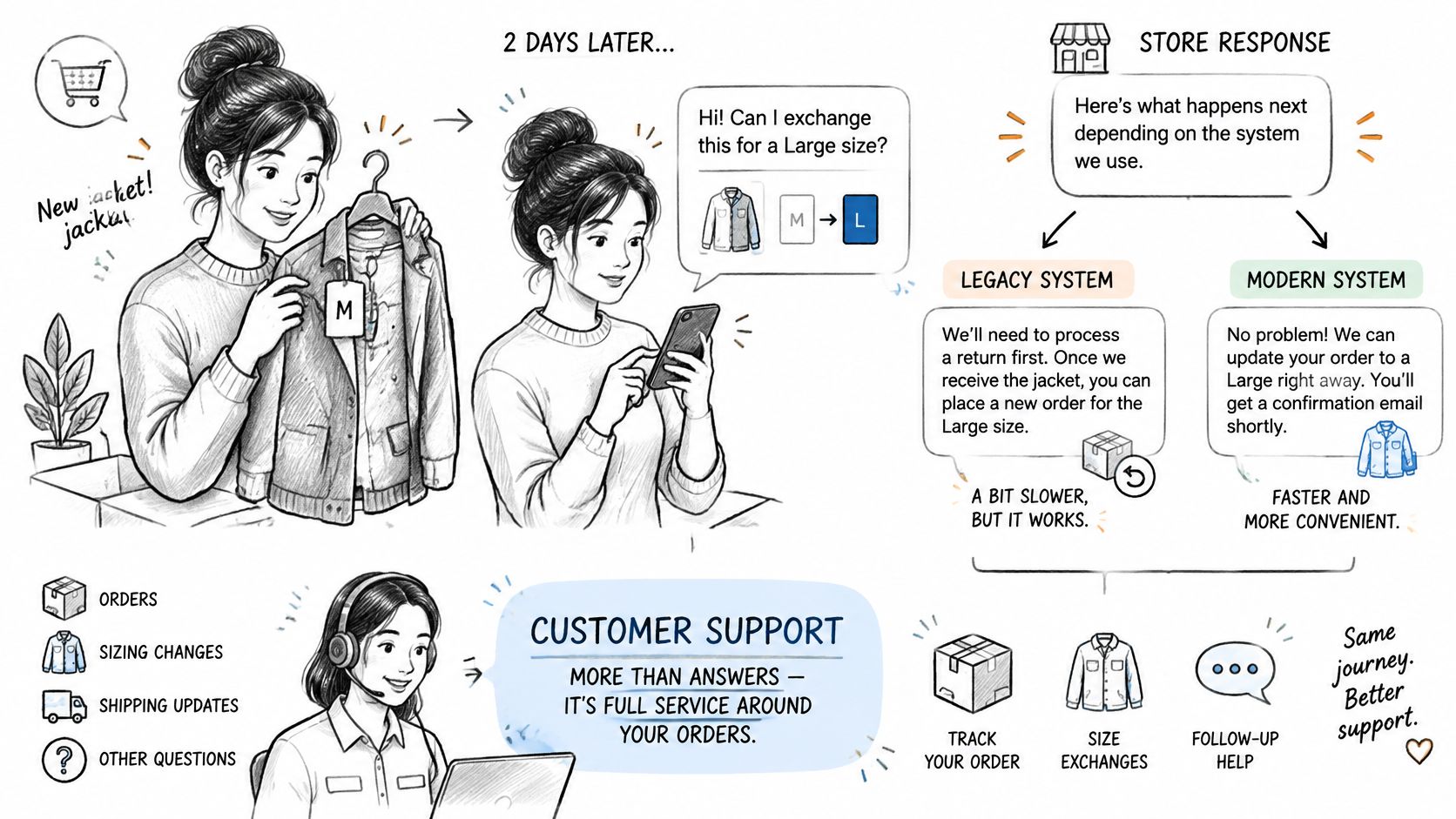
A shopper orders a medium jacket from your store, then needs a large a couple of days later. Their message lands just as the warehouse starts picking. Whether you can help now depends less on how quickly an agent types and more on whether your order, payment, and fulfillment systems agree that a change is still safe.
That's the practical challenge of ecommerce customer support: give customers control where the rules are clear, and put a person in charge where the consequences need judgment.
Table of Contents
- What Ecommerce Customer Support Covers Beyond Replies
- The Request Types That Fill Support Queues
- Support Channels and What Each One Does Best
- Operating Practices That Keep Support Running
- Self-Service Tools That Cut Routine Requests
- Measuring Support Performance Without Overstating Results
- Misconceptions About Automation and Fast Replies
- Confirm Your Support Rules Before Changing Them
What Ecommerce Customer Support Covers Beyond Replies
Ecommerce customer support covers the interactions that help buyers complete and keep a purchase: product questions, order status, corrections, delivery problems, returns, and refunds. Although customers also need help before checkout, the operational work begins once you've accepted payment and made a promise about what you'll deliver.
Think of support as your information counter and returns desk combined. Customers arrive before buying, while an order is in progress, and after delivery. At each moment, your team must do more than produce a reassuring reply.
The work behind the answer
Support has distinct jobs:
- Answer questions. Explain sizing, dispatch status, return eligibility, or why a refund hasn't appeared.
- Fix records. Correct the address, change the variant, reconcile an extra payment, or authorize a return.
- Prevent another contact. Send confirmation, expose the current status, and explain what happens next.
For the jacket buyer, an agent might correctly explain the exchange policy without changing the order. That's an answer, but it isn't a resolution. A useful support process connects the explanation to an authorized action.
The workload isn't marginal: inriver's compiled ecommerce analysis reports a projected U.S. online-sales return rate of 19.3% in 2025, compared with 8.1% in 2019. Returns create recurring work around authorization, shipping instructions, inspection, refunds, and policy explanations.
Those figures describe return activity, not your store's ticket volume. Your product mix and policies determine which requests reach your team.
Start by listing the request types in your recent queue. Separate questions from record corrections and repeat contacts, so you can see whether customers primarily need information, permission, or an action your current process makes difficult.
The Request Types That Fill Support Queues
Common request types and how they are resolved
| Request type | Typical example | Usual resolution | Needs staff? |
|---|---|---|---|
| Address correction | Wrong apartment number before dispatch | Customer edits the address while the order is eligible | After dispatch or when validation fails |
| Quantity or variant change | Medium ordered instead of large | Customer edits the order before fulfillment | When stock or eligibility prevents the change |
| Item addition | Customer wants a matching accessory | Catalogue item added by rule or manual approval | Yes, when outside the catalogue |
| Cancellation | Ordered the wrong product | Full cancellation and refund, or optional store-credit offer | For refunds above the merchant's approval threshold |
| Delivery status | Customer asks where the order is | Tracking link or proactive status update | For stalled, missing, or contradictory tracking |
| Return or exchange | Wrong fit after delivery | Return policy and refund workflow | Yes, for inspection or exceptions |
| Refund question | Refund not visible on the card | Check refund status on the original order | Yes, when investigation is needed |
The important distinction is what must change, not which inbox received the request. Before fulfillment, a correction can stay inside the order workflow. After dispatch, the same request may involve a carrier, return shipment, inspection, and financial adjustment.
Say the jacket customer requests a large the morning after ordering. If stock is available and picking hasn't started, you can replace the variant before anything leaves. Once the medium arrives at their home, you're managing an exchange rather than an edit.
Fixes and exceptions need different authority
A fix applies an existing rule to a correctable record, such as adding a missing apartment number. An exception requires judgment beyond the normal policy, such as approving an out-of-window refund after a delivery failure.
Don't make an agent seek managerial permission for every routine fix. Equally, don't let an automation invent an exception because the customer sounds persuasive.
Practical rule: Tag the customer's requested action separately from the reason it couldn't be completed.
Use tags such as address correction, variant change, cancellation, delivery status, return, and refund status. Add a separate failure reason, such as fulfillment started or payment unsuccessful. For delivery inquiries, a clear order tracking page should show the latest known event and an escalation route, not just a carrier link.
Support Channels and What Each One Does Best
Customers choose channels according to urgency, convenience, and the stakes involved. Treat the expectations below as operating choices to publish and staff, not universal promises every merchant must make.
Support channels compared by fit and expectation
| Channel | Best for | Speed expectation | Main risk |
|---|---|---|---|
| Detailed order issues with attachments | Publish a next-day reply target | Too slow for urgent pre-dispatch changes | |
| Live chat | Urgent questions before dispatch | Minutes when staffed | Expensive coverage outside peak hours |
| Self-service portal | Eligible address, quantity, and cancellation changes | Immediate eligibility decision | Limited to the store's configured rules |
| Chatbot | Order status and policy questions | Immediate initial response | Poor exception handling or handoff |
| Phone | Complex or high-value disputes | Live answer when available, queue otherwise | Staffing cost and incomplete written records |
| Social media | Public complaints | Publish monitored hours and response targets | Public visibility and privacy risks |
In a 2026 study of U.K. consumers, ZigZag and Retail Economics found that 95% expected an update within 24 hours when delivery, returns, or refunds went wrong, while almost one quarter expected acknowledgment within an hour. An acknowledgment therefore has a useful job, but it must distinguish receipt from resolution.
A message saying you've received an address correction shouldn't imply that the shipping label has changed. Tell the customer whether the request is pending, completed, or no longer possible.
Make channel fit operational
Every channel needs access to the same order state and eligibility decision. Otherwise, a customer can email about a wrong address while a chatbot rejects edits and an agent promises to investigate without seeing the dispatch cutoff.
For public channels, Sift AI's guide to SLAs and KPIs for social care is a useful resource when defining response ownership and escalation. Keep order details out of public replies and move verification into a private channel.
Shoppers should contact the store they ordered from first. The merchant controls order data, and we assist merchants with valid requests rather than independently deciding what a shopper's order should become.
Write down these channel decisions:
- Urgent changes: Which route reaches someone who can act before dispatch?
- Disputes: Who owns the case across messages and attachments?
- Order visibility: Where can customers check the authoritative status without asking again?
Operating Practices That Keep Support Running
A support lead needs a routine that works during a busy dispatch period, not just a policy document. Put these practices into the helpdesk and the daily handover.
Separate acknowledgment from resolution. Set channel-specific targets and automate receipt messages for delivery, return, and refund problems. Include the case reference, expected next update, and urgent-change route.
Send exception updates proactively. When a delivery slips, tell the customer what's known, what you're checking, and when they'll hear from you again. Don't substitute an apology for a next action.
Record the state at contact. Tag the request type and whether fulfillment had started when the customer asked. That lets you distinguish a slow response from a request that arrived too late.
Maintain one policy source. Tie macros, help-center articles, and chatbot answers to approved policy text. Assign an owner to update them when cancellation, refund, or eligibility rules change.
Name the escalation owner. Specify who approves refunds above your internal threshold and who covers their absence. A role description for a dedicated customer support agent from Virtustant can help define frontline responsibilities, but approval authority still needs to be explicit.
Staff around dispatch risk. Match live coverage to warehouse cutoffs, not just website traffic. An unanswered correction before picking can create more work than a nonurgent product question.
Review exceptions regularly. Look for repeated manual overrides, contradictory answers, and cases bounced between support and fulfillment. Turn repeatable decisions into approved rules.
Fix the cause before adding capacity
Hiring helps when there's more legitimate work than your team can handle. It won't repair a confirmation page that hides tracking or a policy that agents interpret differently.
Use this operational checklist for reducing Shopify support tickets to prioritize preventable contacts. Keep a named owner and a clear completion condition for each fix.
Self-Service Tools That Cut Routine Requests
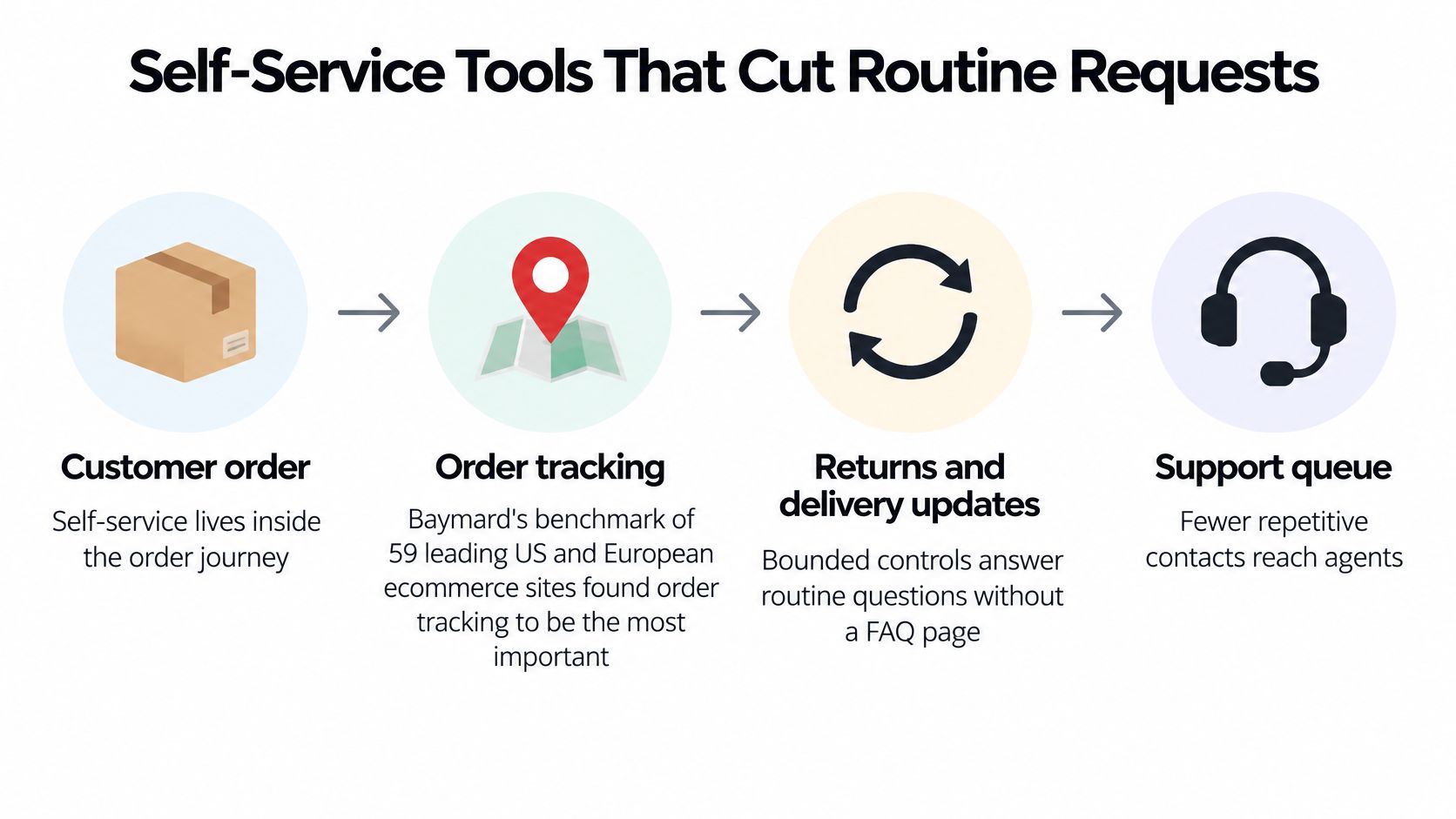
Self-service should be a bounded control inside the order journey, not just an FAQ search box. Baymard's account and self-service program, which benchmarked 59 leading U.S. and European ecommerce sites, identifies order tracking as the most important self-service capability.
Put status, editing eligibility, cancellation deadlines, and receipts together in the authenticated order view.
Build a complete change transaction
For a jacket size swap, the customer should see whether the order is editable before selecting the replacement. Show stock availability, the price difference, tax, any extra payment or refund, and the revised total before confirmation.
Hold fulfillment while the edit runs, then issue a receipt after the change succeeds. Use explicit states such as placed, edit pending, edited, fulfillment started, and fulfilled. Repeated clicks or browser retries must not create duplicate additions or charges.
Our Mayra ‑ Order Edit & Cancel Shopify app provides customer-managed order changes inside the customer account and order status page. Every customer change writes back to the original order, keeping Shopify admin as the source of truth.
State the boundaries before submission
- Closed orders: Fulfilled, cancelled, or archived orders cannot be edited by customers.
- Restricted eligibility: Merchants can block product tags, collections, customer tags, and shipping countries.
- Human decisions: Route damaged goods, disputes, and out-of-policy refunds to a person.
A well-designed customer self-service portal explains why an action is unavailable and offers the appropriate next step.
If you're adding conversational assistance, DBotMaker's ecommerce chatbot rankings with pricing can support a shortlist. Evaluate whether a tool merely explains the process or can execute an authorized action safely.
Measuring Support Performance Without Overstating Results
Self-service funnel stages and what each one measures
| Funnel stage | Question it answers | Example metric |
|---|---|---|
| Eligible requests | How many orders could take this action? | Share of unfulfilled orders inside the window |
| Workflow starts | How many customers began the change? | Starts divided by eligible requests |
| Successful completions | How many customers finished the change? | Completions divided by starts |
| Prevented agent contacts | How many contacts likely never reached staff? | Completed eligible workflows matched to baseline contact rate |
| Exceptions requiring intervention | How many completed changes still needed staff? | Exceptions divided by completions |
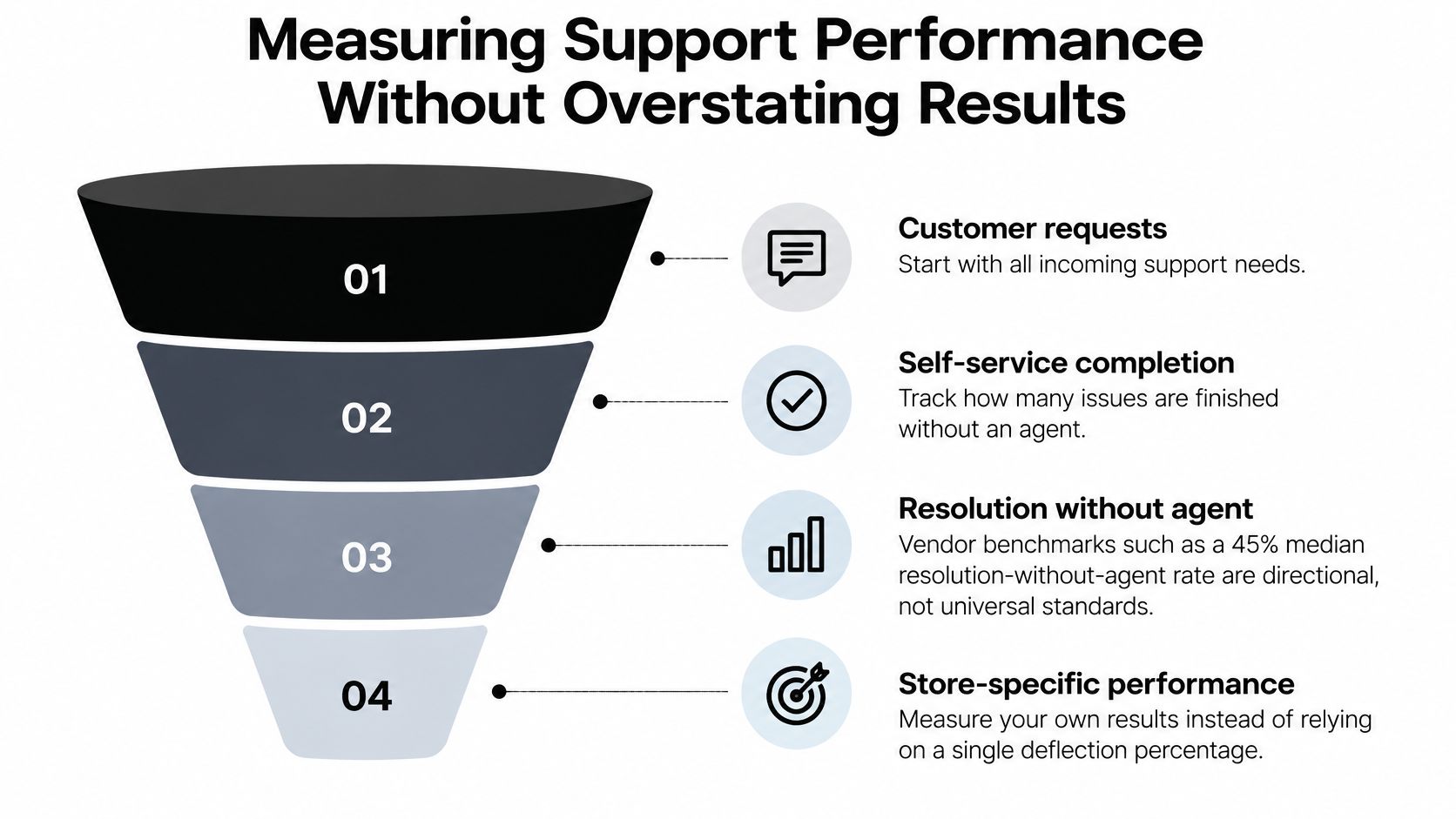
A single deflection percentage hides too much. Gorgias's vendor-published customer-support benchmarks report a 45% median resolution-without-agent rate for AI-touched tickets, but that's directional context, not a universal standard or a forecast for your store.
Read the drop-offs before claiming savings
A high start rate with poor completion suggests customers want the action but can't finish it. Inspect unclear rules, payment failures, unavailable stock, and fulfillment-state changes during the workflow.
Strong completion with frequent warehouse exceptions points to a different problem: the customer-facing transaction succeeds while the operational process doesn't. Tighten the editing cutoff or repair synchronization before encouraging more usage.
Segment results by request type and time remaining before fulfillment. Combining simple address corrections with cancellations and additional payments makes the average difficult to act on.
Capture immutable timestamps, eligibility reason codes, inventory and fulfillment snapshots, payment outcomes, and later agent reopenings. Keep failed and abandoned workflows visible rather than excluding them from the dashboard.
Completed self-service actions are observed events. Avoided support contacts are estimates unless you can establish what customers would otherwise have done.
For example, a test might produce many completed address corrections but only a modest decline in address-related messages. Some customers would never have contacted support; others might contact you afterward for reassurance.
Estimate avoided tickets only from completed eligible workflows matched to a defined baseline contact rate. Report actual inbound-contact reduction separately, normalized for order volume and a comparable period. Include exception-handling work in the cost assessment, because a shorter inbox isn't a saving if warehouse rework absorbs the difference.
Misconceptions About Automation and Fast Replies
Faster replies always win. A quick response can still leave the customer waiting for someone else to act. For a routine correction, a transparent control window can be more useful than an immediate chat response followed by manual processing.
That doesn't mean every action should be instant. An additional charge, unusual destination change, or expensive refund can justify verification and approval. The right objective is a dependable outcome, not the shortest first-response timer.
Automation still needs human authority
Automation replaces staff. In Mintel's 2025 U.S. Evolutions in Online Customer Service report, 69% of U.S. adults said human support remained necessary alongside artificial intelligence in customer service. Build a handoff that transfers the order reference, attempted action, failure reason, and conversation context.
Customers shouldn't have to repeat their situation because the bot has reached its limit. Agents also need authority to resolve the case, not merely another script.
An approved request means the work is finished. Say an automated address change succeeds in the storefront, but warehouse staff have already printed the old label. If nobody reconciles those states, the customer discovers the failure when the parcel goes to the wrong place.
The same problem applies to item additions that aren't paid for, refunds that haven't completed, and taxes calculated against outdated shipping details. A country-specific policy may also require a different resolution path.
Before confirming: Show the customer what changes, what they'll pay or receive, and what happens if the action fails.
Treat store credit as an optional financial choice, not a hidden obstacle to cancellation. Disclose bonuses, expiry, eligibility, and offer limits before acceptance, with a clear cancellation fallback.
Automate routine, reversible actions within explicit rules. Route expensive, disputed, or irreversible decisions to people, and don't describe an operation as completed until the relevant systems confirm it.
Confirm Your Support Rules Before Changing Them
Write the rules down before adding another tool. If the team cannot explain who may change an order and when, automation makes inconsistent decisions faster.
- Count the queue. Group recent requests using the request-type table, keeping repeat contacts attached to the original issue so the same problem is not counted twice.
- Assign authority. Mark each category as eligible for self-service, requiring staff action, or needing a policy decision. Reversible, low-value changes are safe for customers; expensive, disputed, or irreversible ones go to people.
- Define eligibility. Set the editing window, permitted actions, and restricted products or destinations. Block specific product tags, collections, customer tags, and shipping countries where self-serve editing creates risk, and treat fulfilled, cancelled, or archived orders as closed to customer edits.
- Document financial outcomes. Specify cancellation refunds, optional store-credit terms, and any approval requirements. Auto-approve small changes and route refunds above a set threshold to the team, so money movement keeps a human checkpoint where it counts.
- Establish measurement. Track the funnel, observed contacts, estimated avoided tickets, and operational exceptions separately.
Make configuration accountable
The merchant configures editing in Mayra > Settings after installing from Shopify: turning editing on, setting the edit window, choosing allowed customer actions, and setting refund handling. The merchant remains responsible for those choices and the results they produce.
For configuration support, email support@mayraapps.com; merchants typically receive a reply within one business day. Include the store's myshopify.com domain, a description of the issue, and an order number where the request relates to a specific order.
Schedule a monthly review of exceptions and shorten the window wherever conflicts cluster. A rule that cannot be stated clearly is not ready to automate.
Give customers a safe way to correct their purchase before your team has to intervene. Mayra ‑ Order Edit & Cancel lets Shopify customers change quantities, swap variants, update shipping addresses, and add or remove items without a support ticket, within rules you control. Visit mayraapps.com to review those controls against your dispatch process and cancellation policy.