
A customer spots the wrong apartment number after checkout. Their order hasn't shipped, but the warehouse may already be preparing it. You need to confirm the correction without promising something your fulfillment team can't deliver.
A useful address change email template does more than announce a new address. It identifies the order, defines what changed, gives a workable deadline, and offers a safe way to challenge an unauthorized update. The wording matters, but the order record and dispatch timing matter just as much.
Table of Contents
- Ready-to-Adapt Address Change Email Template
- What Each Field Must Say Before You Send
- How to Send the Email Before Fulfillment Starts
- Versions for Customers, Banks and Personal Contacts
- Security Checks That Keep the Email From Looking Like Phishing
- Set Up Self-Service Address Changes Before Dispatch
Ready-to-Adapt Address Change Email Template
Subject: Address change request for order #[order number]
Hi [customer first name],
We received your request to update the shipping address on order #[number], placed on [date].
Effective date: [date, time and time zone]
Previous address: [full address including unit]
New address:
Address line 1: [street address]
Address line 2: [apartment, unit or delivery detail]
City or locality: [city or locality]
Region: [state, province or region]
Postal code: [postal code]
Country: [country]Affected: [shipping on this order, future orders, saved account address]
If this is correct, you need to do nothing. If anything is wrong, reply by [deadline] or contact us at [support email].
Thanks, [store name]
Use this version after the address has been accepted and applied, not while an agent is still checking whether the warehouse can stop the parcel. If the change is pending, replace the opening with a statement that you're reviewing the request and haven't confirmed it yet.
The subject describes the customer's request; the body must describe its actual status. Don't let a polite acknowledgment become an accidental shipping promise.
A worked example before dispatch
Say a customer moves from Unit 4 to Unit 12 in the same building on Harbor Street, two days before scheduled dispatch. In this hypothetical example, the merchant has already applied the correction, and the next warehouse cut-off is the final opportunity to report an error.
Subject: Address change request for order #4826
Hi Jordan,
We received your request to update the shipping address on order #4826, placed on Monday.
Effective date: Tuesday, 9:00 a.m. Pacific Time
Previous address: 180 Harbor Street, Unit 4, Seattle, WA 98101, United States
New address:
Address line 1: 180 Harbor Street
Address line 2: Unit 12
City: Seattle
Region: WA
Postal code: 98101
Country: United StatesAffected: Shipping on this order only. Your saved account address hasn't changed.
If this is correct, you need to do nothing. If anything is wrong, reply before the warehouse cut-off on Thursday at 10:00 a.m. Pacific Time.
Thanks, Harbor Home
The important distinction isn't the apartment number alone. The message confirms that the correction applies to this shipment, not every future purchase, and gives the customer a deadline tied to warehouse activity.
Before sending, apply these adaptation rules:
- Replace every bracket: Unfilled placeholders make an operational message look unfinished and unreliable.
- Delete irrelevant lines: Don't imply that subscriptions or saved addresses changed when they didn't.
- Never write “soon”: Use the actual cut-off, including the time zone, rather than an urgency word the customer has to interpret.
What Each Field Must Say Before You Send
Read the email in the same order the recipient will: subject, order identity, timing, addresses, scope, and action. Each field should answer a different question rather than repeat the opening sentence.
The USPS change-of-address guidance identifies address components such as house number, street name, directional, apartment or suite, city, state, and ZIP Code. That's a useful completeness check for U.S. deliveries, not a universal layout for every country.
Required fields and what each must contain
| Field | What to write | Why it matters |
|---|---|---|
| Subject line | Order number plus Address change request | Makes the thread easy to find in a busy inbox |
| Order or account number | Exact order number, with the account email if the customer has several orders | Lets support match the request to one record |
| Effective date and time | Date, time and time zone of the change | Shows whether the edit lands before dispatch |
| Previous address | Full old address including unit number in the authorized correction record | Confirms what was replaced and prevents mixed deliveries |
| New address | Labelled lines: line 1, line 2, city, region, postal code, country | Accommodates country formats and is easy to copy |
| Affected records | Relevant orders, subscriptions, invoices, shared inboxes | Stops duplicate or missed records |
| Action required | Either no action needed or a reply deadline | Tells the recipient what to do without guessing |
| Support contact | Email, phone or help page written out in the body | Gives a route if the change wasn't requested |
Keep the address usable outside your inbox
Use country-appropriate labels and ordering. A UK postcode shouldn't be forced into a field labelled ZIP Code, and a province shouldn't disappear because your template only accepts a U.S. state abbreviation. Leave room for locality and delivery-point details when the destination requires them.
Keep the address as selectable text, not a screenshot. Provide a plain-text alternative, and don't rely on green highlighting alone to distinguish the replacement address.
Operational check: A customer should be able to copy the new address without copying your explanation, formatting instructions, or internal notes.
Separate the effective time from the response deadline. An update can take effect immediately while the customer still has a limited opportunity to report a mistake.
For a broader business move, explain whether the old address remains usable and whether forwarding has been arranged. List the records recipients must update instead of assuming that changing a contact card also changes invoices or subscriptions.
Keep order identifiers consistent with your order confirmation email. The customer shouldn't have to reconcile different references to establish which purchase you mean.
How to Send the Email Before Fulfillment Starts
The warehouse state sets the deadline. An urgent subject line can't make an address editable after a carrier has collected the parcel, and an unfulfilled status alone doesn't prove that nobody has printed a label.
Use this process to connect the message to the actual shipment workflow.
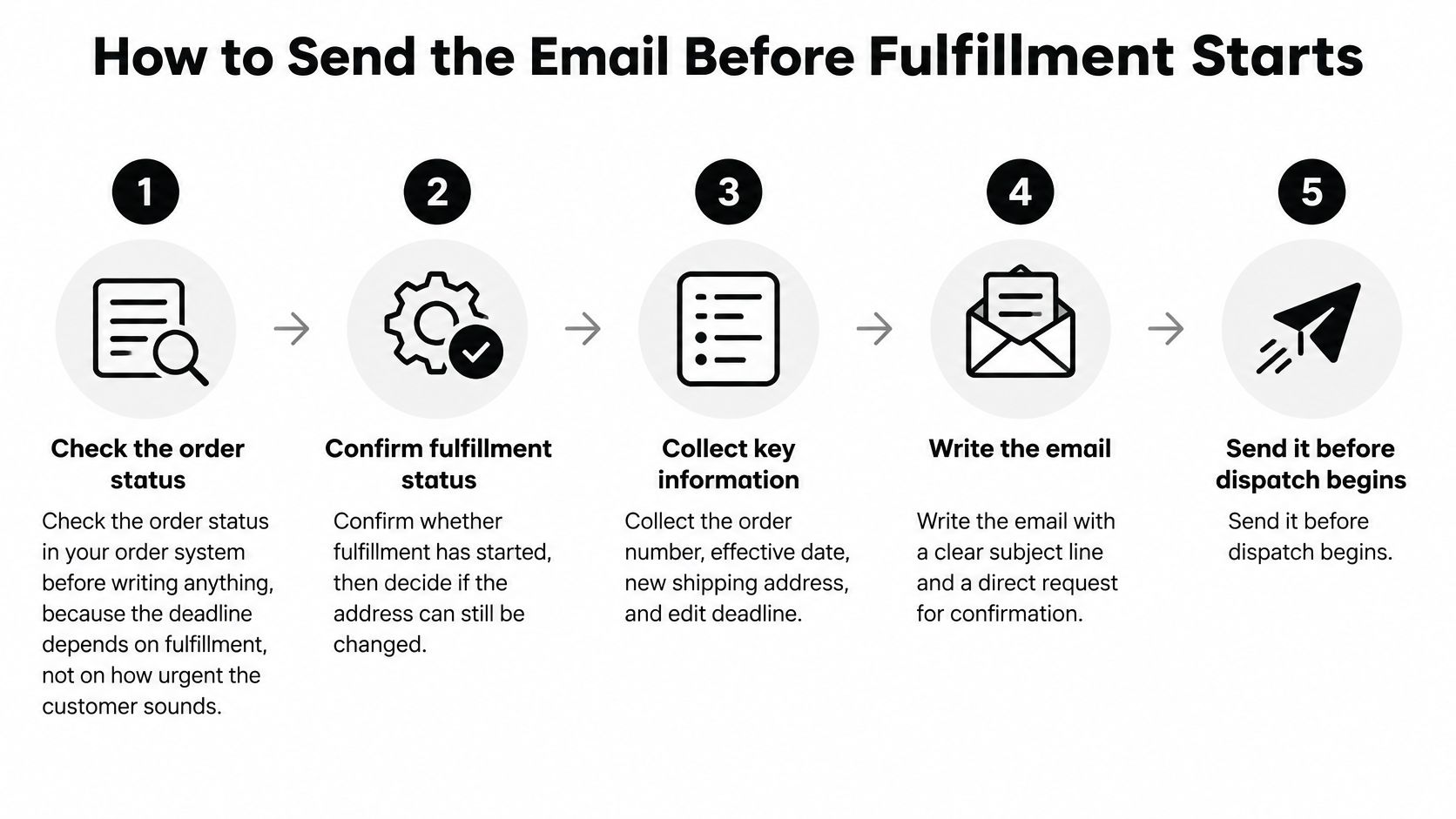
Follow the order through to confirmation
Check the order status before writing. Open the order in Shopify and check fulfillment, label creation, and any warehouse handoff. If processing has started, establish whether operations can stop it before promising a correction; the common slip is treating the customer's request time as proof that the edit is still possible.
Validate before confirming. Check the shipping address for missing units, destination-country format, and postal-code consistency, then validate the notification email's syntax and domain. Don't send a successful-change message and only afterward discover that the delivery address is incomplete.
Choose the recipient version. A shipping correction needs shipment-specific language, while an account-email change needs an identity-recovery path. Resolve ambiguous requests first, especially when someone writes only that they need to change their address.
Use the transactional sending stream. Send from an authenticated domain and keep the message separate from promotional campaigns so marketing scheduling doesn't hold up an operational notice. Suppress known hard-bounced destinations and route failures to an agent instead of repeatedly retrying an unusable address.
Record the message against the order. Save the message ID, send timestamp, requested correction, and agent or workflow responsible. Without that record, another agent may repeat the change, contradict the confirmation, or miss a warehouse escalation.
Monitor the first hour. Use 98–99% delivery as an operational target, investigate hard-bounce rates above 0.5% and soft-bounce rates above 1.5%, and investigate delays of 30 seconds or more for queueing, throttling, or infrastructure issues, following Knock's transactional email performance guidance. Don't treat opens as proof of completion, because privacy protections can distort them; track delivery failures, time to customer action, and unresolved requests instead.
Close the loop in the order system
If your current platform can send a message but can't coordinate order edits with fulfillment, review that limitation before adding more automation. TopToolAdvisor lets you compare ecommerce software options; use operational criteria such as editable order states, audit trails, and fulfillment controls rather than choosing on email design alone.
A delivered email proves that a message reached a destination. It doesn't prove that the warehouse received the corrected address.
Before closing the ticket, obtain the customer's reply when confirmation is required, or verify that the order contains the accepted address before cut-off. If a label already exists, check whether it must be replaced too.
Versions for Customers, Banks and Personal Contacts
For a customer with a live order, start by telling them to contact the store they ordered from first. The merchant controls order data; we assist merchants with valid requests rather than bypassing their authority over an order.
Different recipients need different information. A shipping team needs an actionable order reference, while a bank needs its approved verification process, and a friend usually needs only the new contact details.
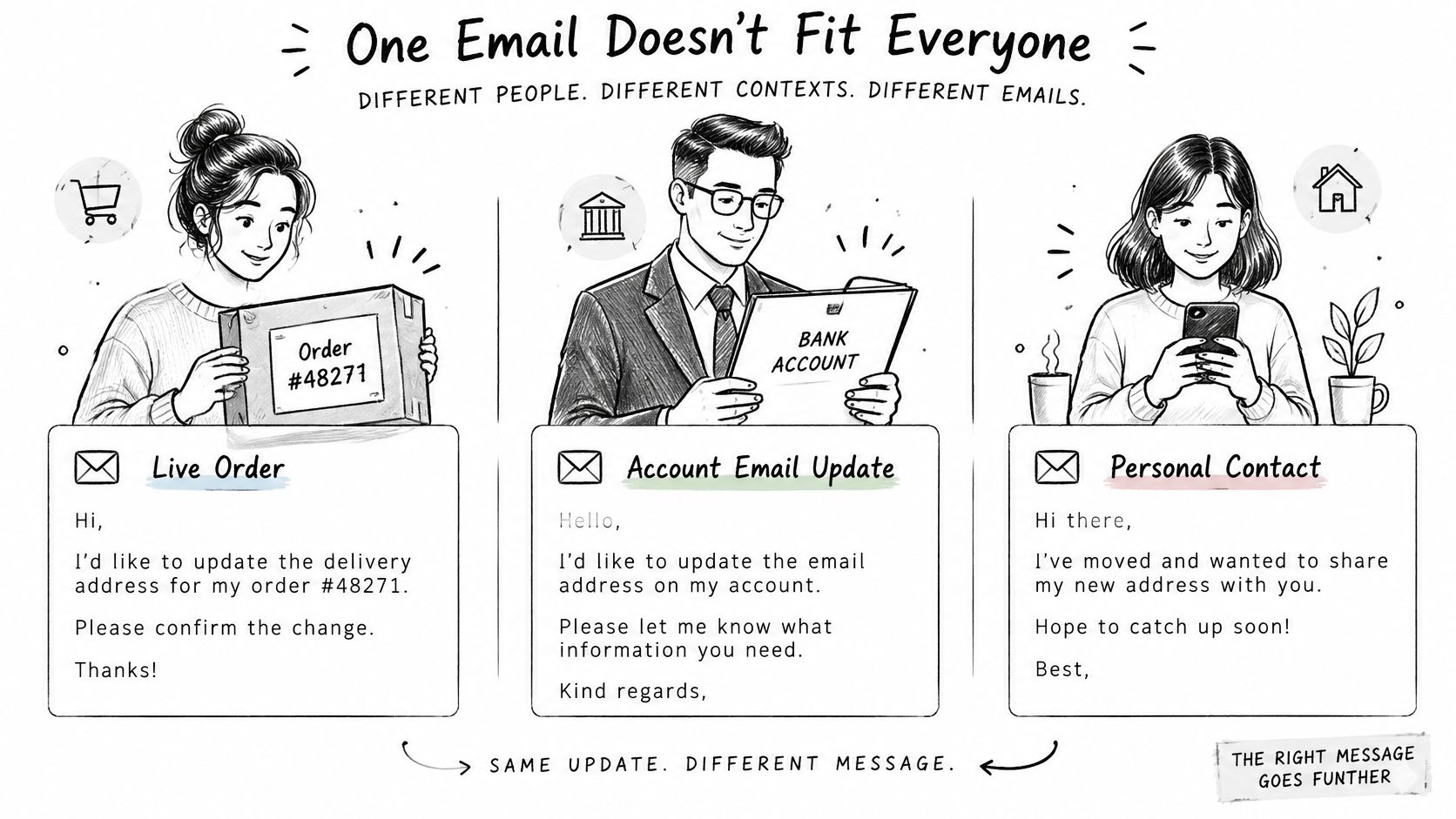
What each recipient version includes
| Recipient | Include | Leave out |
|---|---|---|
| Customer with a live order | Order number, effective date, new shipping address, edit deadline | Account-wide details and internal notes |
| Customer changing account email | Old and new email, time of change, recovery link to a known page | Passwords, codes and payment details |
| Bank or financial institution | Account holder name, old and new billing address, request to update statements, verification steps | Full card or account numbers |
| Personal contact | Your new address, effective date, request to update their records | Order or account details |
| Employer or payroll team | Effective date, payroll address, request to confirm records | Home addresses of other staff |
Match the verification to the risk
Financial changes deserve more caution than a personal announcement. USPS identity-theft guidance warns that thieves may change addresses directly with banks, vendors, or financial institutions to divert statements, and also warns about fraudulent change-of-address sites and phishing.
For a bank, use email to ask for the approved update process, not to replace it. Complete verification through the institution's known website, app, or established phone number.
For an account-email change, distinguish the login identity from the shipping destination. For an employer, ask payroll to confirm the address in its records rather than assuming that a manager forwarding your note completes the update.
Personal contacts need less ceremony. State the new address, when to use it, and whether the previous address should be removed.
Keep commercial messages separate
Purchase confirmations can support merchandising. Presidio's guidance on how to turn purchase confirmations into upsell opportunities belongs in that commercial workflow, not in an address-security alert.
For store versions, add this footer only if it matches your support policy:
Safety note: We'll never ask you to email a password, card number, or identity document. If this request looks suspicious, contact us using the support details on our website or your original order receipt.
Other senders should adapt the footer to their actual verification process rather than copy a store promise they can't enforce.
Security Checks That Keep the Email From Looking Like Phishing
An unexpected address-change email that asks the recipient to sign in immediately can look like an account takeover attempt. Fix that uncertainty first: identify the event, explain whether action is necessary, and offer a contact route the customer can verify independently.
NIST's digital identity guidance recommends notifying registered notification addresses about relevant account events and providing clear instructions and contact information for disputed events. Apply that principle to account-email changes without confusing them with shipping corrections.
Make the authorized and unauthorized paths explicit
Send the notice immediately after the committed change, with the account identifier and timestamp. State no action is needed if you authorized this change, then give equal prominence to if you didn't make this change.
For identity changes, notify both old and new email addresses where policy permits. Use a signed, single-use recovery link with a short expiry, never embedded credentials, and provide an independent support route alongside it.
Use TLS-protected transmission and log delivery, bounce, click, and recovery outcomes. MailAdept's email authentication guide is a useful implementation reference for establishing a trustworthy sending identity.
Remove the details that create avoidable risk
- Only notifying the new email: Include the previous verified notification destination where permitted, so an intruder can't redirect every alert without detection.
- Exposing the full old address: Keep complete replacement details in the authorized correction workflow; use masked details, such as city and postal code, in broader security notices.
- Adding promotions: Remove discounts and product recommendations from the alert.
- Reusing recovery URLs: Make each recovery token single-use and invalidate it after completion or expiry.
- Confirming an unchecked address: Perform shipping-address verification in Shopify before issuing a successful correction notice.
A recovery link should open a protected recovery process, not expose account data just because someone possesses the email. If the message would be unsafe to forward to a stranger, remove the sensitive detail before sending it.
Set Up Self-Service Address Changes Before Dispatch
For customers still waiting on a shipment, self-service editing is the better default when your fulfillment controls support it. An email thread adds handoffs between the shopper, support, and warehouse; a controlled edit lets the shopper correct the destination directly.
Enable it only after confirming that the fulfillment hold matches your dispatch process, the edit window closes before warehouse cut-off, and the permitted actions are clear. A countdown isn't enough if warehouse staff can begin processing while the customer is editing.
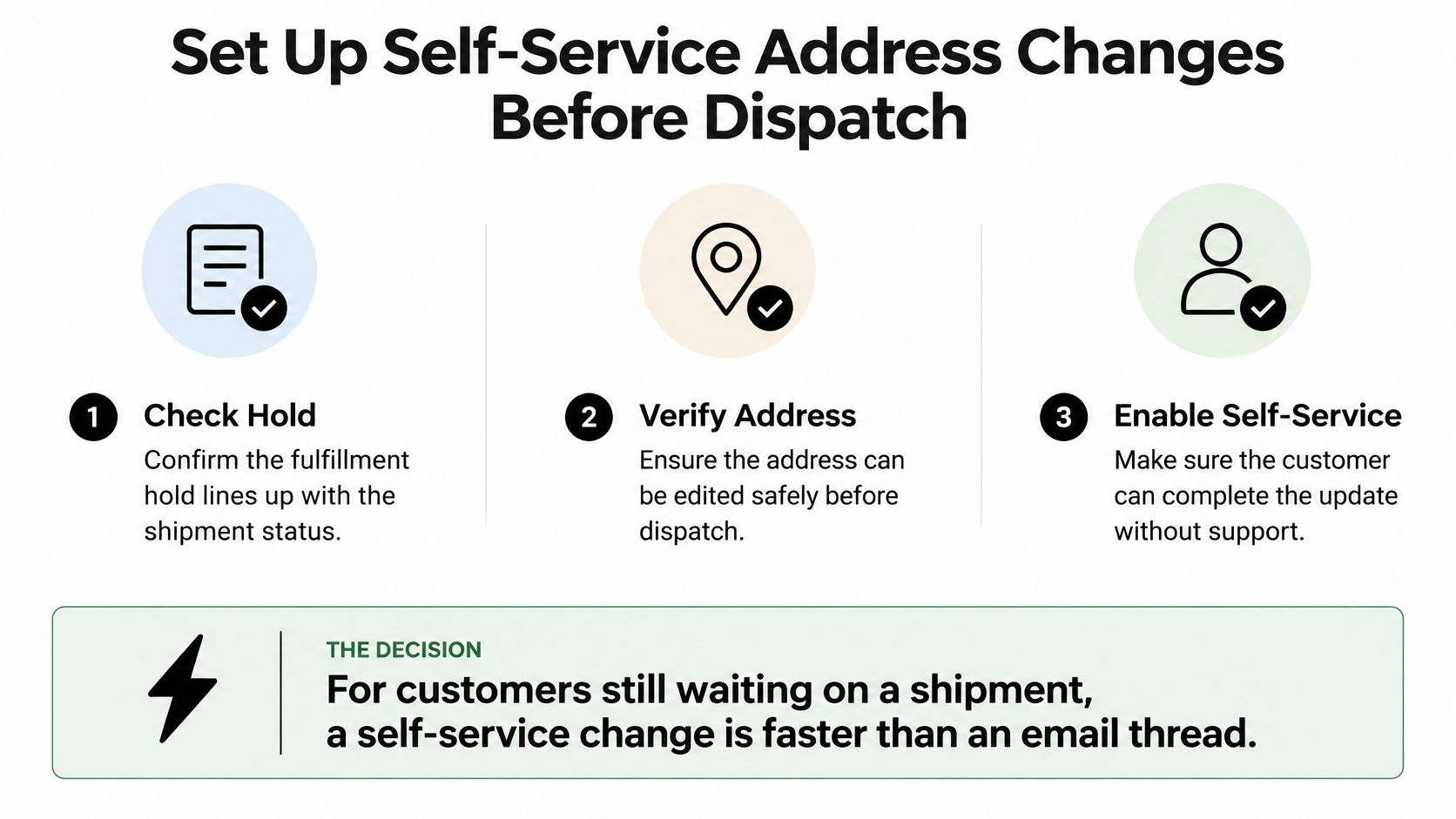
Configure the guardrails before enabling edits
Our app runs inside Shopify's new customer accounts and order status page, letting customers change their shipping address before fulfillment without opening a support ticket. Every customer change updates the original Shopify order, so Shopify admin remains the source of truth.
Edit and refund notifications use Shopify's native customer emails; no third-party email service is required. Keep access through a familiar customer self-service portal so customers don't have to locate a separate support form to correct a checkout mistake.
Use this launch checklist:
- Confirm eligibility: Make sure the order is unfulfilled and isn't already being processed outside the editable workflow.
- Close the window before dispatch: Allow time for warehouse systems and staff to use the final address.
- Keep the email fallback: Requests arriving after the edit window need manual review, not an automatic promise.
- Review the order timeline weekly: Look for changes that weren't handled, failed handoffs, and requests that still reached support.
Start with the app's installation and settings rather than rewriting every support macro first. Turn on editing in Mayra > Settings, choose the window and allowed customer actions, and add the block to the order status page and customer account.
Test the complete flow on a test order before going live. Confirm the edited destination in Shopify, inspect the customer notification, and verify what the warehouse receives.
Mayra ‑ Order Edit & Cancel lets customers correct shipping addresses before fulfillment under rules you control, with changes saved to the original Shopify order. Install the app, configure your edit window in Settings, and test an address correction before enabling it for customers.