
You just finished checkout. The tab is closed, the card is charged, and the first thing you do is open your inbox. You are not hunting for a discount. You want proof the order exists, that the size is right, and that the address is the one you meant.
That same message is what a customer rereads two hours later when they realise they ordered the wrong size. If it only says thank you and shows a product grid, they have nowhere to go except support. An order confirmation email can be the first step in handling that exception, not only a receipt.
Table of Contents
- Why Customers Read This Email Before Anything Else
- The Essential Elements Every Confirmation Needs
- Status Messages for Changes and Cancellations
- A Confirmation Email Before and After a Customer Edit
- When Payment, Stock or Delivery Goes Wrong
- Misconceptions That Make Confirmation Emails Fail
- Test Your Confirmation Emails Before Going Live
Why Customers Read This Email Before Anything Else
Say a shopper named Alex finishes a jacket order, closes the browser, and within a minute searches their inbox for the store name. They open the message, scan the total, and open it again later to check the address. That second look is common, and it is why this email gets more attention than almost anything else a store sends.
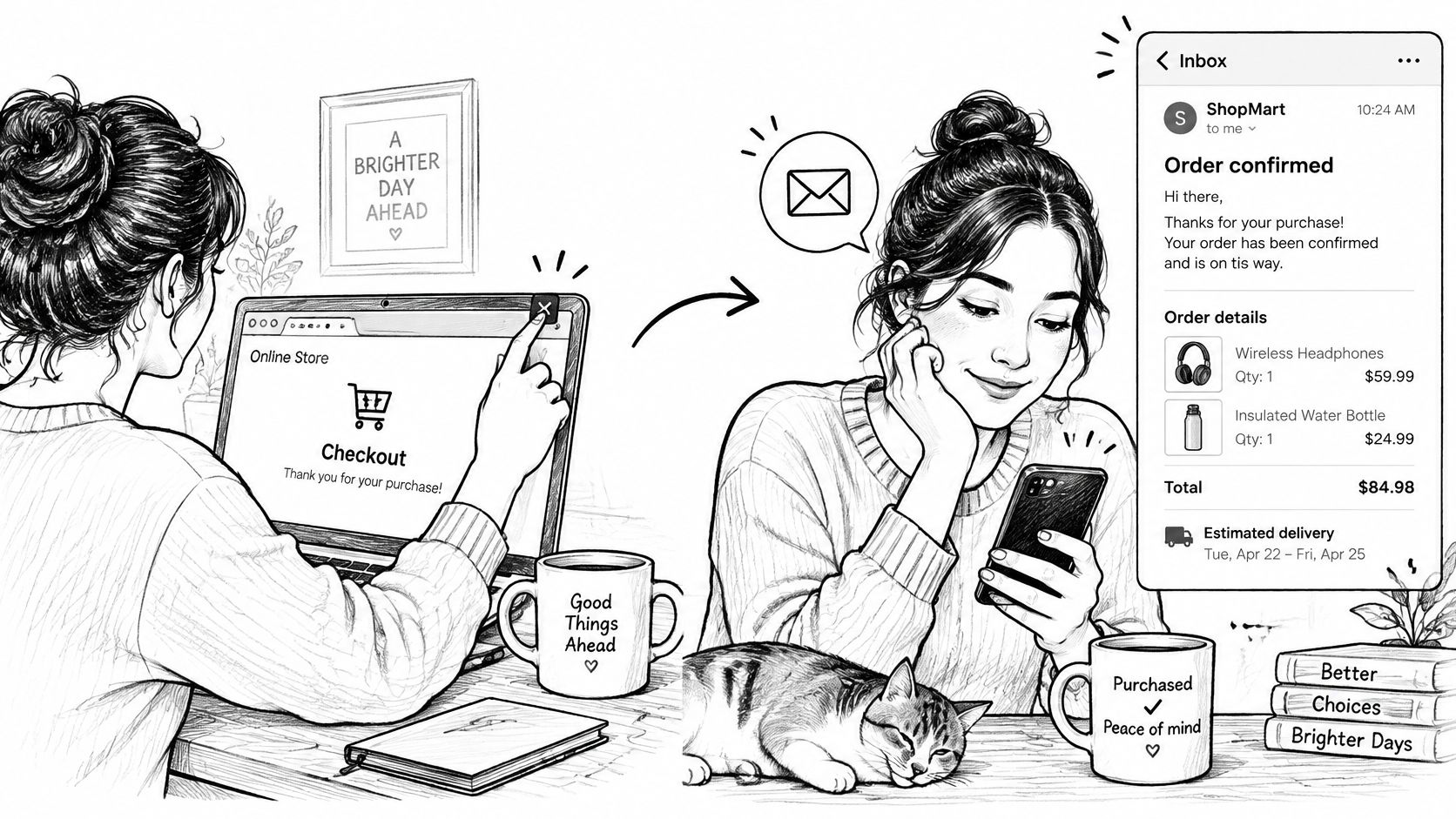
A 2016 analysis of 24.5 million digital receipts found an average open rate of 65.0%, a click rate of 10.4%, and a conversion rate of 1.4%. The same analysis looked at 12.1 million follow-up emails and recorded 40.5% opens. Treat 65.0% as a historical benchmark, not a rate you should expect this month. Results move with market, device, sender reputation, and whether the design includes tracking or promotions.
An earlier 2015 report on more than 100,000 email receipts recorded a 114.30% open rate for order confirmations versus 14.40% for bulk mail. An open rate above 100% means people opened the same message more than once, not that every recipient opened it.
The confirmation is a receipt, a reference card, and often the first place a customer looks when something needs changing. Practical next steps in that first message, the kind that build customer loyalty with Otter A/B after the sale, matter more than a second sales pitch. Keep the elements, the change-and-cancel language, and a short pre-send test in mind as you read on.
The Essential Elements Every Confirmation Needs
An order confirmation email is the store's written record that a purchase was accepted. It has to work as a receipt and a reference card at once, like a boarding pass that also shows your seat and any gate change.
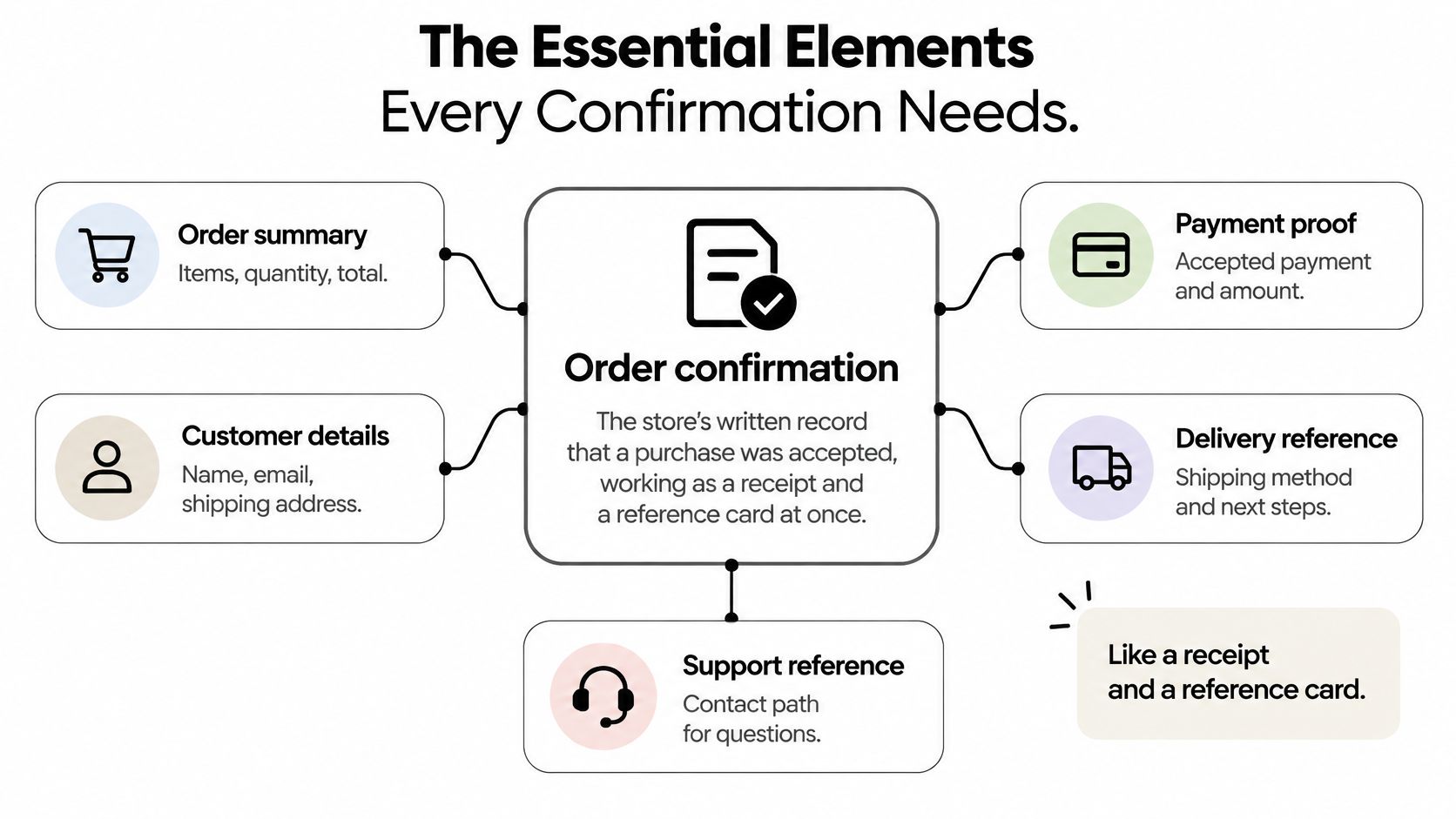
Baymard's checkout research treats later use cases as part of the job. People come back to resolve order problems, start returns, and look up warranty details. The email should keep a stable order identifier, itemized products and quantities, paid totals, delivery details, and a lasting path to the order-status page. Shoppers also wait for the email or search their inbox for it, so the on-page success state should repeat the core summary instead of relying on delivery alone.
What each line is for
| Element | What to include | Why it matters |
|---|---|---|
| Order number | Stable identifier used in every later conversation | Support, returns and warranty lookups |
| Line items | Product, variant, quantity and unit price | Catches a wrong size or colour immediately |
| Totals breakdown | Subtotal, tax, shipping, discounts and paid total | Prevents payment disputes |
| Delivery details | Shipping address, method and estimated date | Lets customers spot address errors early |
| Fulfillment status | Confirmed, held, dispatched or delayed | Sets expectations before customers ask |
| Payment status | Paid, pending or partly paid | Avoids confusion about charges |
| Status page link | Deep link to the live order | Gives customers one place for updates |
| Support path | Contact route and expected reply time | Turns a problem into a message, not a dispute |
A missing order number forces support to hunt by name and date. A line that says "jacket" without size hides a medium-versus-large mistake until the parcel is packed. A single "total paid" line, with tax and shipping folded in, is how payment disputes start.
Practical rule: The email must show the current order, not the checkout snapshot. Edits change lines, tax, and fulfillment after the first send.
If the updated receipt names the revised lines, the price or tax difference, the fulfillment state, and any refund or extra payment, the customer and the agent share one source of truth. Address fixes, variant swaps, cancellations, and added items stop being two different stories.
Status Messages for Changes and Cancellations
One generic thank-you fails the moment a customer edits or cancels. They are not asking whether you received the original order. They are asking whether the change happened.
Baymard observed that 28% of tested users went from the order-status page straight to their inbox to check for a cancellation confirmation. When cancellation can't finish immediately, send an immediate "cancellation requested" message. Spell out possible outcomes, when you'll decide, and how to reach support. Then send a second email that says the request was accepted or rejected.
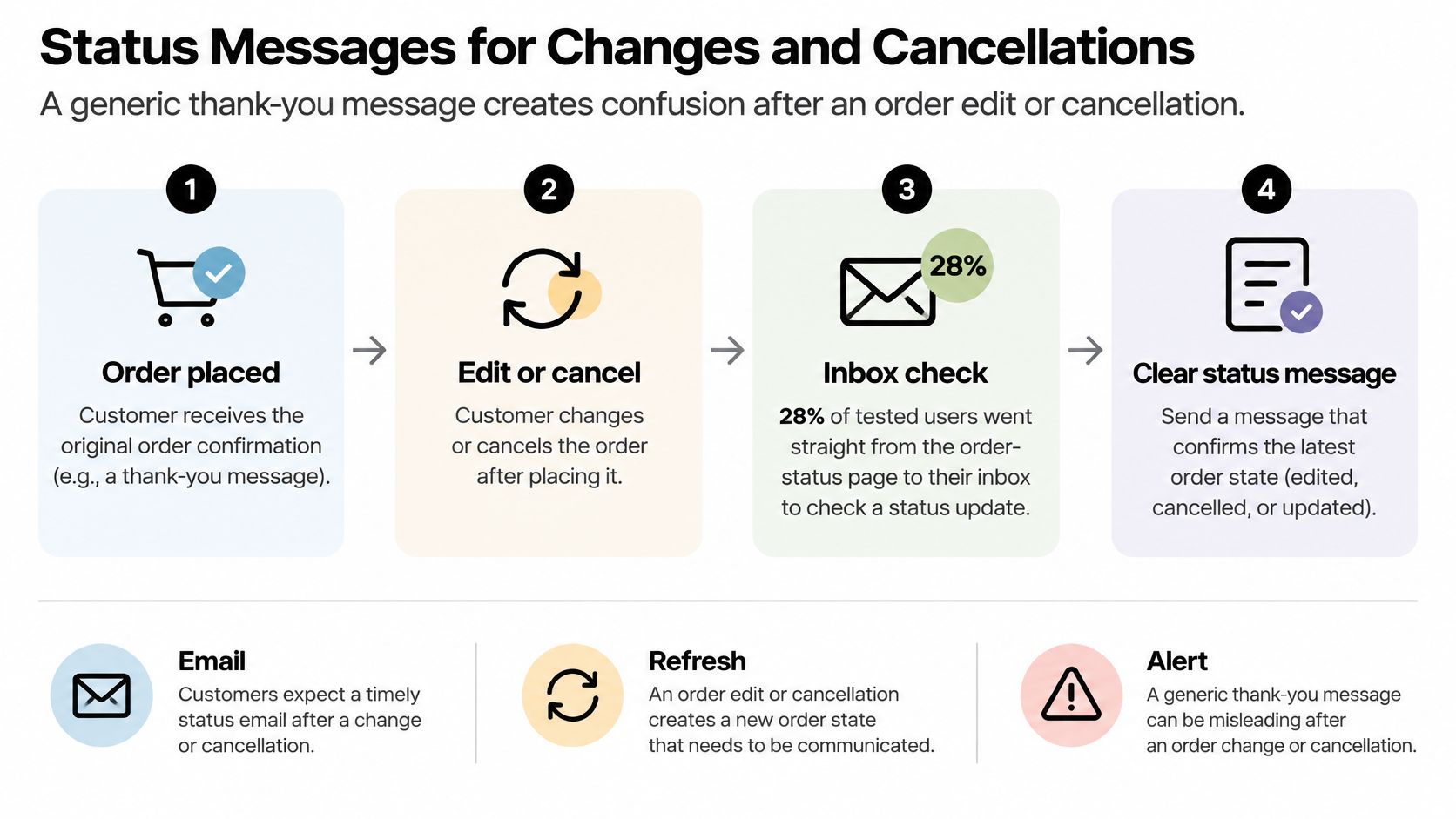
Fulfillment is held while a customer is editing an eligible order, so the order can't ship mid-change. The email should say that in plain words. Otherwise the customer thinks the parcel is already on a truck while the warehouse is paused.
Match the email to the event
| Event | Email to send | Must state |
|---|---|---|
| Order placed | Order confirmation | Order number, items, total and next update |
| Change accepted with extra charge | Updated receipt with payment request | Price difference, invoice status and new total |
| Change accepted with refund | Updated receipt with refund notice | Refund amount, method and timing |
| Cancellation requested | Immediate "cancellation requested" message | Possible outcomes, decision timing and support path |
| Cancellation accepted or rejected | Second, final message | Refund or store-credit details, or the reason for rejection |
Walk a cancellation in order. The first email says the request is in, lists what might happen, and gives a decision window. It does not say the money is back. The second email either confirms the refund or store credit, with amount and timing, or explains the rejection, such as the order already leaving the building. A clear window for that second reply works the same way as setting response expectations for SaaS customers. People tolerate a wait when they know the wait.
Every one of these messages needs the same minimum set.
- Event timestamp: An unchanging time for this specific message, not the original checkout time.
- Order ID and lines: Which order, and which items the change touches.
- Fulfillment and money: Current status, plus the financial action, whether that is a charge, a refund, or none yet.
- Deep link: One path back to the live order page.
An acknowledgement is not a completed refund. If warehouse and payment systems are still working, the subject line and the first sentence must say "requested," not "cancelled" or "refunded."
Stores that let customers cancel themselves should point that path from the status message, including a guide on how to cancel an order on Shopify before the warehouse starts.
A Confirmation Email Before and After a Customer Edit
Dana orders a medium jacket. The confirmation lists the medium, the total, and nothing else useful. Two hours later she needs a large. With no self-service path she writes to support, waits for a reply, and hopes the order isn't already packed.
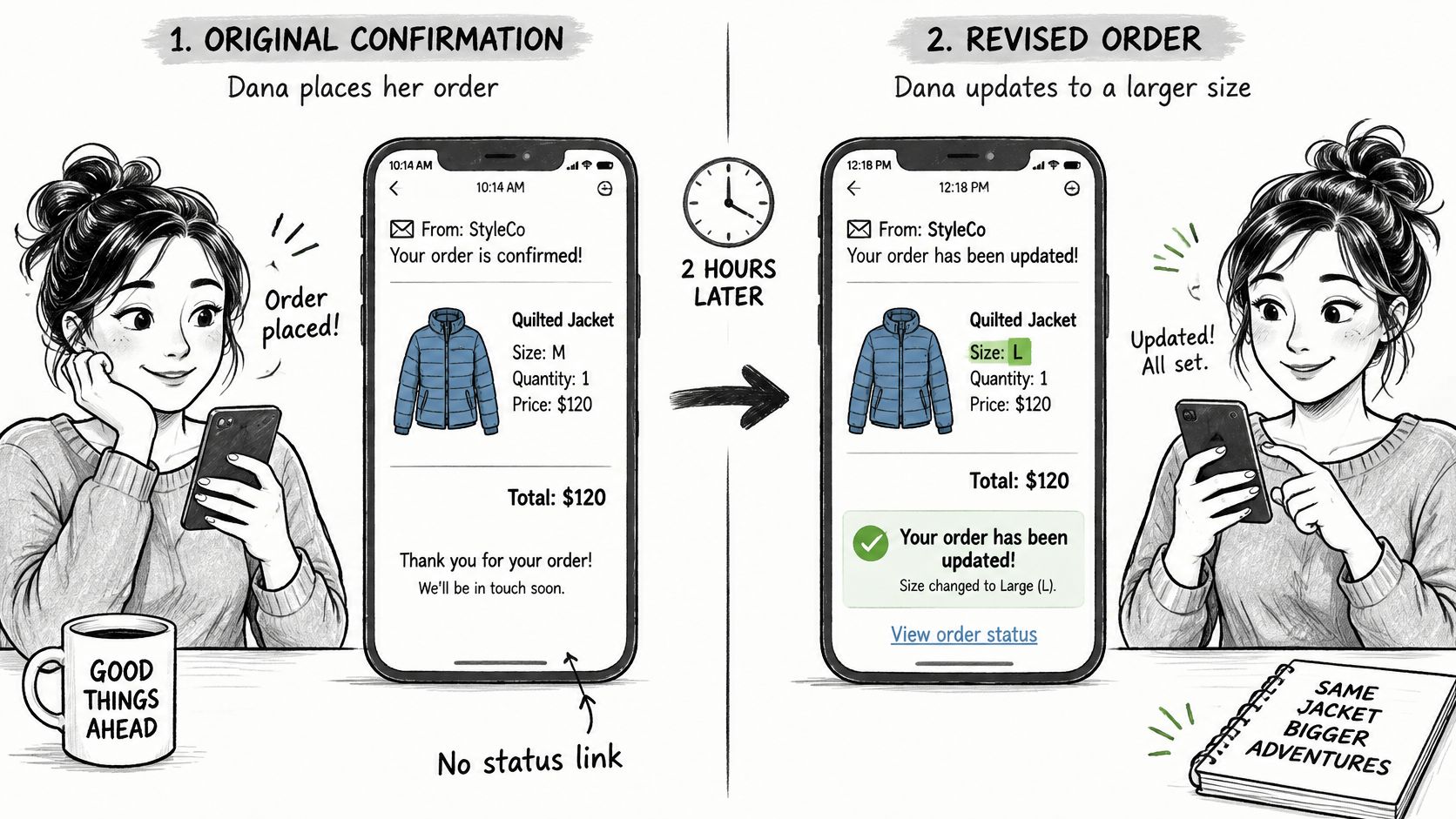
Replay it with a better confirmation. The email carries an edit link and a visible window with a countdown. Dana opens it, switches to large, and sees the price difference before she confirms. If the new total is higher, the email states the difference and says the edit completes once she pays it. The updated receipt then replaces the original in her inbox. It shows the large, the new total, and the fulfillment state.
The same email says fulfillment stays on hold until she finishes, so the jacket can't leave mid-change. She doesn't have to guess whether support "got her email."
What the store gains is quieter than a conversion spike.
- Fewer tickets: The size swap never becomes a support thread.
- One record: Support sees the same revised order Dana sees.
- A customer who knows the outcome: She can point at the latest receipt, not the first one.
Compare four things in your own emails before you call them done: the edit link, the window length, the price-difference line, and an updated receipt that supersedes the first. If customers can't find that path, a walkthrough of how to edit a Shopify order before it ships is the gap to close.
When Payment, Stock or Delivery Goes Wrong
Edits are not the only exception a confirmation has to prepare for. A recent post-purchase study found that 86% of consumers had at least one delivery issue in the previous year, 74% had a late delivery, and 46% wanted merchants to acknowledge and explain problems before customers had to ask.
Use one exception block with four fields: status, reason, next step, and deadline. Show the block only when something is wrong. A clean order stays a clean receipt.
Four situations and the words they need
Payment pending. Status says placed, not paid. The reason is that capture hasn't finished. The next step is a check on a named date. The deadline is that date. Do not write "payment received."
Item unavailable. Name the affected line, not "an item in your order." Offer a replacement or a refund, and give a decision deadline. Silence after that deadline should have a default you already stated, such as a refund of that line.
Fulfillment delayed. Put the new estimated date and the reason in the same sentence, and send it before the customer writes in. "Running a day late because of a carrier hold, new date Thursday" beats a vague "your order is delayed."
Wrong address or variant. If the window is still open, show the edit link and the time left. If the order has already been dispatched, drop the edit link and give the support route plus the reply time you keep. Point them at the live order tracking page for what happens next, instead of pasting a new story into every thread.
The block is a form, not a paragraph of apology. Same four fields, every exception, so support and the customer read the same shape of answer.
Misconceptions That Make Confirmation Emails Fail
"If people open it, the email works." An open records that the message was picked up. Like a letter lifted from the doormat, pickup is no proof of reading. A customer can open the confirmation twice and still not know whether their cancellation was accepted. Judge the email by two results instead: the next step is obvious on a first read, and "where is my refund?" tickets drop.
"It's a receipt, so it's a fine place for promotions." A confirmation works like a departure board: routine on a normal day, and its real value shows when the gate changes. The moment a customer spots something to fix, they reopen this email, and the order, its current status, and the path for a correction need to sit at the top. A promotion that survives that layout goes below those facts.
"Email alone is enough." Stord's 2025 mystery-shopping research found that 56% of consumers preferred order updates and tracking by SMS, while only 12% of brands met that preference. The same research found that 58% wanted estimated delivery dates, yet only 1% of brands provided them. Keep email as the durable record the customer can search later. Route urgent changes and delivery exceptions to a faster channel, and let consent pick which one: a channel only reaches people who agreed to it.
"One template fits every state." A paid order, a pending payment, a requested cancellation, and a rejected cancellation are different documents with different next steps. Swap only the subject line and the body stops carrying meaning. The customer reads "thank you," assumes nothing changed, and misses the sentence asking them to pay an outstanding balance.
Benchmarks shift by market and design. The measure that holds is whether customers stop writing in to ask what their order is doing.
Test Your Confirmation Emails Before Going Live
Run one small test order through every state before these emails reach real customers. Check the inbox, not only the admin preview.
- Place the order and open the confirmation. Tick order number, line items, totals, delivery details, payment status, status link, and support route against the admin record.
- Edit the test order. The updated receipt should supersede the first, show the price difference, and state the fulfillment state.
- Cancel it. The "cancellation requested" message should arrive before any refund message, and it should name possible outcomes and decision timing.
- Trigger a held fulfillment. The status line should say held in plain words, not a warehouse code.
- Trigger the refund. The final message states amount, method, and timing. No earlier message calls the refund complete.
- Open each email on a phone. The next step should be obvious without reading the rest.
Before you trust the send, test email deliverability so the confirmation isn't sitting in spam while the customer refreshes a promotions tab. On Shopify, Mayra ‑ Order Edit & Cancel can add an edit link to the order confirmation with a generated snippet, which is what puts the self-service path in that first email. You add the block under Settings, then Checkout, then Customize, then Order status, then Add block. Run this test on one live confirmation today, on a phone, before the next real order lands.
Mayra ‑ Order Edit & Cancel lets Shopify customers change quantity, variant, or address, cancel, or add a product before fulfillment, under rules you set, and it can place that edit path on the order confirmation itself. The updated receipt and the held fulfillment stay tied to the original order, so support and the warehouse see one record. See how it fits your post-purchase emails at Mayra ‑ Order Edit & Cancel.