
A customer changes their email address after placing an order. The profile now shows the new inbox, but the shipping app still has the old one, the password reset goes to an abandoned mailbox, and the fulfillment team can't tell whether the customer approved the change. By the time support sees the ticket, the parcel may already be packed.
That isn't a copywriting problem. It's an operational migration problem involving customer records, authentication, billing, delivery alerts, and fulfillment timing. A reliable change email address notice must tell people what changed, verify who requested it, and give connected systems enough time to catch up.
Table of Contents
- Why a Change Email Address Notice Matters for Your Store
- What a Complete Change Email Address Notice Should Include
- Configuring Notice Templates and Account Update Rules in Shopify
- Securing the Email Change and Preventing Account Takeover
- Preventing Fulfillment and Billing Issues After an Email Update
- Your Change Email Address Notice Checklist and Next Steps
Why a Change Email Address Notice Matters for Your Store
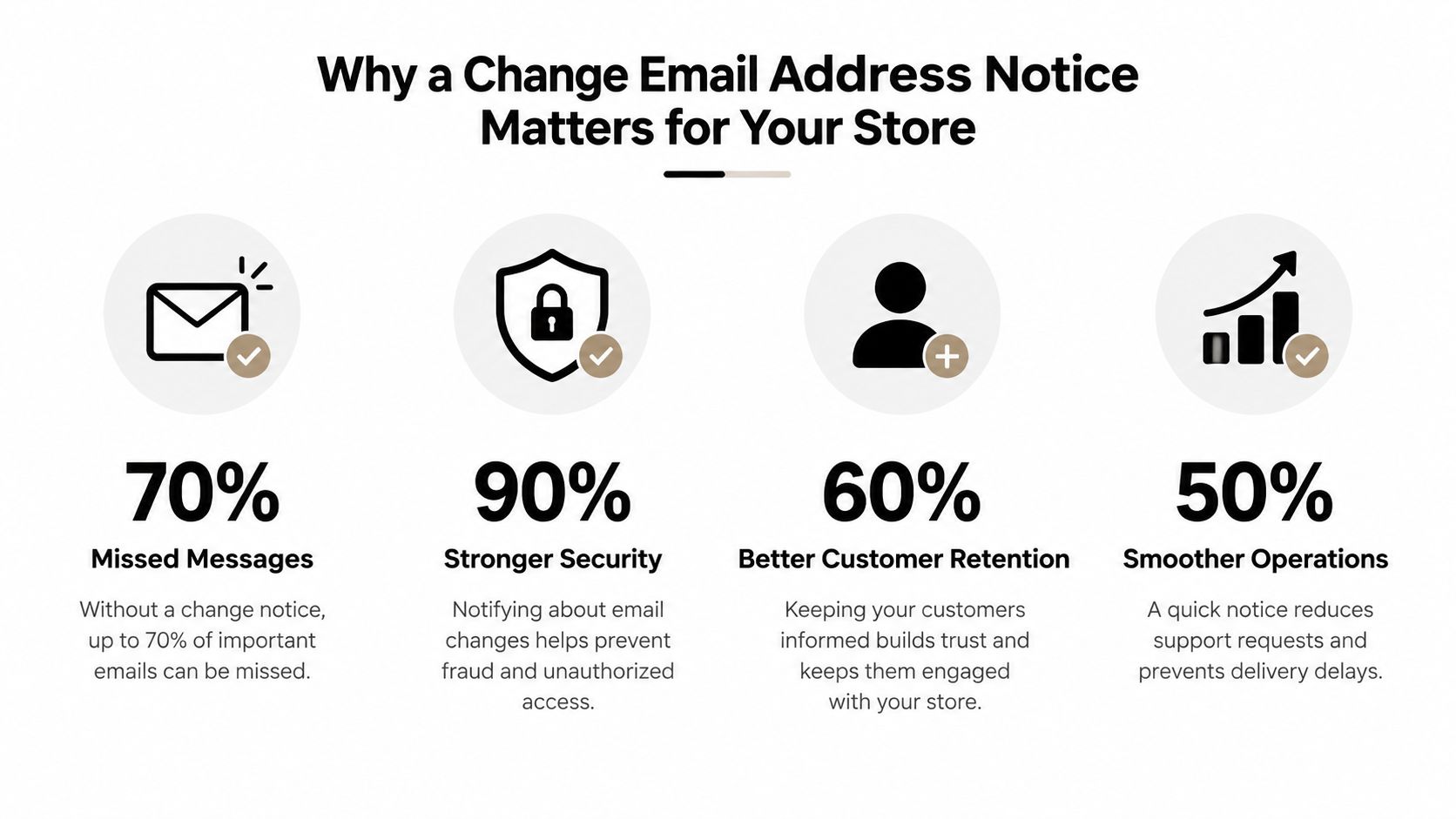
Email turnover breaks customer contact even when the customer still wants to hear from your store. A 2002 NFO WorldGroup study reported that 31% of email addresses changed each year, and more than half of people who changed addresses lost touch with websites because they didn't notify them. The average person who changed an address notified only six sites despite being registered with more than twelve, as reported by Destination CRM's coverage of the study.
For a Shopify merchant, the consequences appear in ordinary workflows. A customer misses a payment message, can't receive a password reset, doesn't see a shipment alert, or assumes an order hasn't shipped because the notification went to the old inbox. Support then has to reconstruct the record across Shopify, fulfillment tools, help desk profiles, subscriptions, and marketing systems.
Treat the change as a controlled workflow
The owner shouldn't be marketing alone. Operations defines when an order can be edited, support handles exceptions and identity questions, and marketing or CRM manages sender continuity and list hygiene. Fulfillment needs visibility when an address change affects an order that hasn't shipped.
A useful change email address notice flow has three control points:
- Notification: Tell the customer or recipient what changed and which address is now active.
- Verification: Confirm the old and new inboxes before replacing the registered address.
- Propagation: Push the approved change to Shopify, fulfillment, billing, support, and other systems.
The postal system offers a useful historical comparison. A white paper on address updating stated that more than 44 million Americans, or 17% of the population, file a USPS change of address each year, while 2.3 million U.S. businesses do the same, according to the address updating white paper. Digital addresses change differently, but the operational lesson is similar. Small, routine changes create ongoing data-loss risk unless a business captures and distributes them reliably.
What a Complete Change Email Address Notice Should Include
A complete notice does more than announce a new inbox. It gives the recipient enough context to recognize the change, act on it, and avoid sending important messages to the wrong place.
Start with a subject line that identifies the action without sounding like a campaign. Examples include “Please update our email address in your records” or “Confirm your new email address for order updates.” Avoid vague subjects such as “Important update,” which make a legitimate operational message look like bulk mail.
Build the message around the recipient's next action
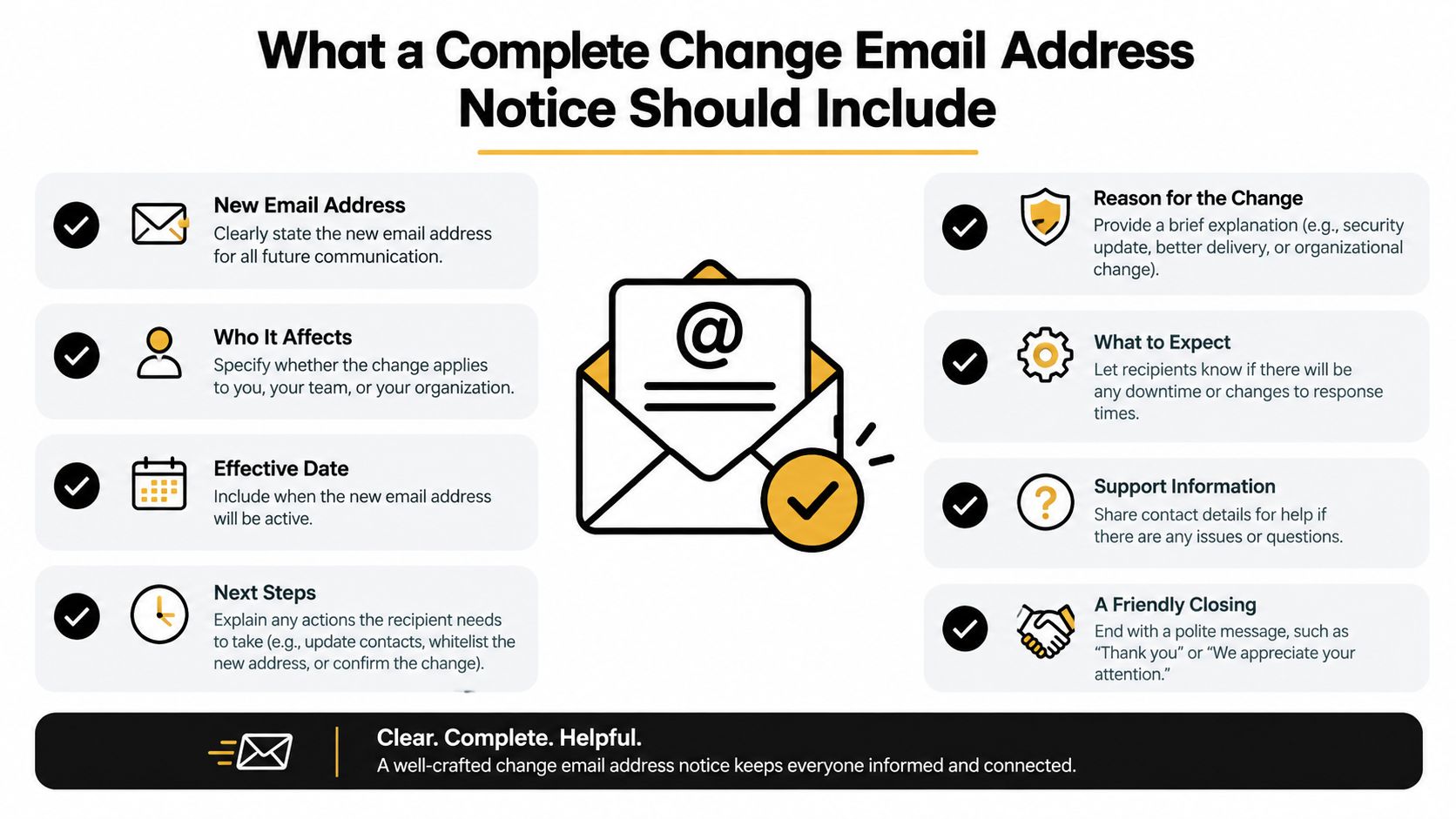
The notice should include:
- The old address: This helps recipients recognize the sender and update the correct contact record.
- The new address: Display it plainly, including the domain and the mailbox that should receive future messages.
- The reason for the change: Keep it direct, such as a team change, domain migration, or customer-requested account update.
- The effective date: State when the new address becomes the operational address. If the transition is staged, explain which messages may still come from the old inbox.
- Verification instructions: Tell the recipient whether they need to click a confirmation link, enter a code, or approve the change inside a secure account.
- Contact and filter guidance: Ask recipients to update contacts, safe-sender settings, forwarding rules, and automated workflows.
- A support route: Provide a clear way to report an unauthorized change or delivery problem.
- Secondary recipient handling: Use BCC for unrelated recipients and send separate notices when different groups need different instructions.
Send the announcement from the recognized old address when possible. Guidance from Campaign Monitor on announcing changed company details recommends using the established identity, showing both addresses, and maintaining transition support because an unfamiliar sender can prompt spam complaints or reduce future deliverability.
For customer accounts, the notice should match the account experience. A customer self-service portal can give customers a secure place to review their saved email and confirm changes instead of asking them to reply with sensitive information.
Match the notice to the type of change
A customer-initiated change needs stronger identity checks and an alert to the old address. A merchant-initiated domain change needs advance communication, a clear effective date, and instructions for updating contacts and filters. A legal or contractual notice may also need a defined rule for when the old address stops being valid.
Don't treat a single broadcast as the whole transition. Use the notice to establish the change, then let account prompts, support macros, and system confirmations reinforce the same record.
Configuring Notice Templates and Account Update Rules in Shopify
A notice template is only useful if the underlying rule determines who can change an address, when the change takes effect, and which records receive the update. Start with the Shopify customer account as the visible control point, then map every connected system that consumes that customer email.
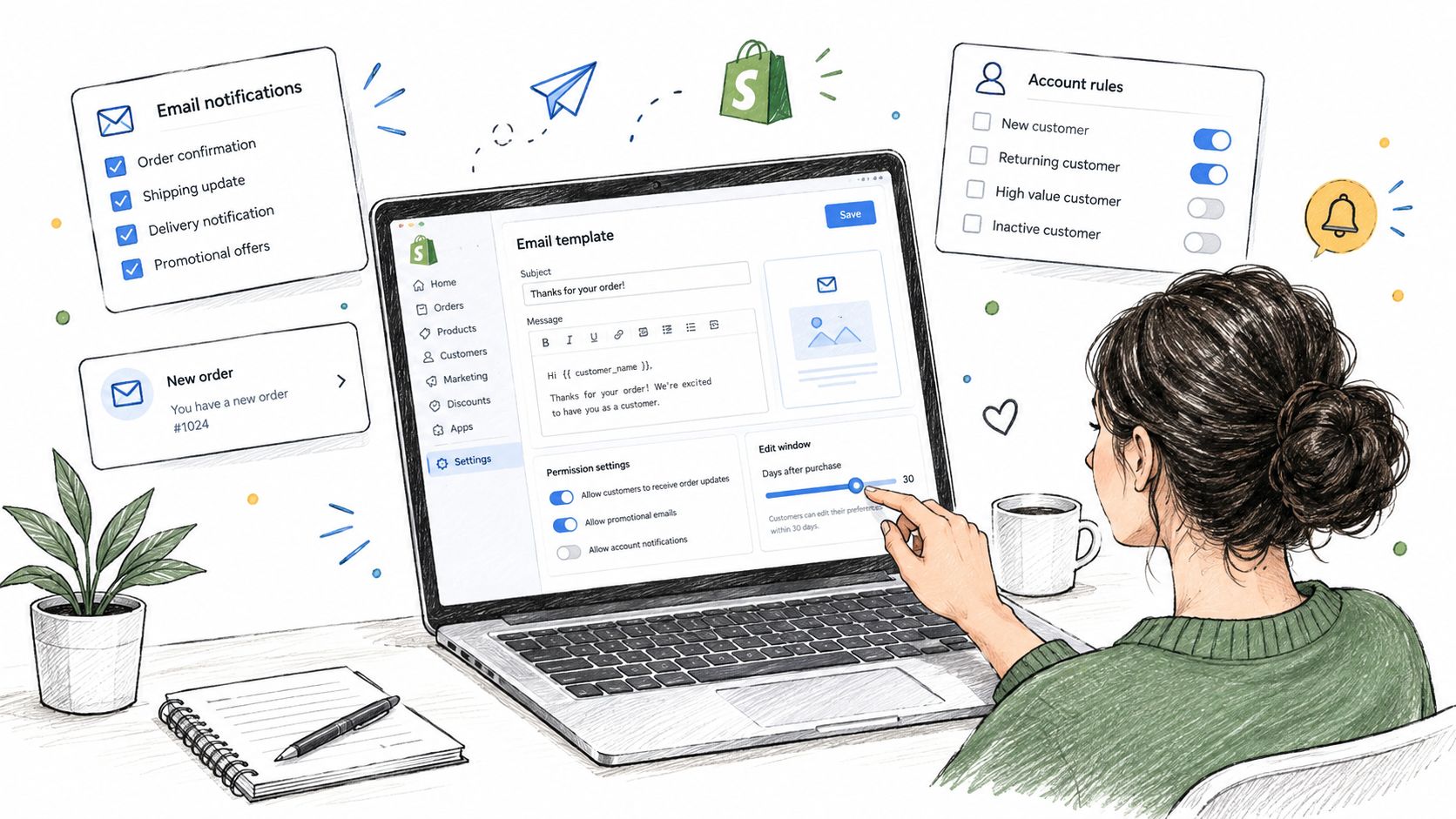
Use a plain-language template with separate variants for account changes, business mailbox changes, and order-related updates. Each version should identify the old and new address, explain the verification step, and tell the customer whether open orders are temporarily held.
Define permissions before enabling self-service
Your rules should answer practical questions rather than merely expose an edit field.
- Who may edit: Allow authenticated customers to change their own address, while routing unusual or high-risk requests to support.
- What requires approval: Consider review when the email change appears alongside a shipping, payment, or ownership change.
- When editing closes: Restrict changes after fulfillment reaches a state where an update could create a delivery mismatch.
- What the customer can see: Show the current address, pending address, verification status, and any affected order.
- What gets logged: Record the request, verification result, previous address, new address, and the staff action taken on exceptions.
Keep Shopify admin as the system of record. An integration should write the approved change back to the original customer or order record instead of maintaining a disconnected copy that support must reconcile later.
For stores using Shopify's new customer accounts, the Shopify customer accounts guide is useful when deciding where customers should manage profile details and order actions. The account page should make the next step obvious, especially on mobile, where customers often open a delivery or payment message directly from an email notification.
Connect the account rule to fulfillment state
An email edit that affects an unfulfilled order should trigger a controlled operational response. Pause fulfillment while the edit is active, verify the new address, then release the order only after the approved value has propagated to the fulfillment workflow.
Mayra Apps is one option for merchants that need customer-facing order edits inside customer accounts and the Order status page. Its merchant-controlled settings include edit windows, capability controls, approval rules, eligibility exclusions, automatic settlement for extra charges, refund handling, and fulfillment holds. That approach fits stores that want account changes and order changes governed by the same operational rules rather than handled through ad hoc support replies.
The important design choice is not the template alone. It is the connection between permission, verification, system write-back, and fulfillment release.
Securing the Email Change and Preventing Account Takeover
An email address controls password resets, login alerts, billing messages, and other recovery paths. Replacing it immediately after a form submission creates an avoidable takeover route if someone has access to the active session but not the legitimate customer's inbox.
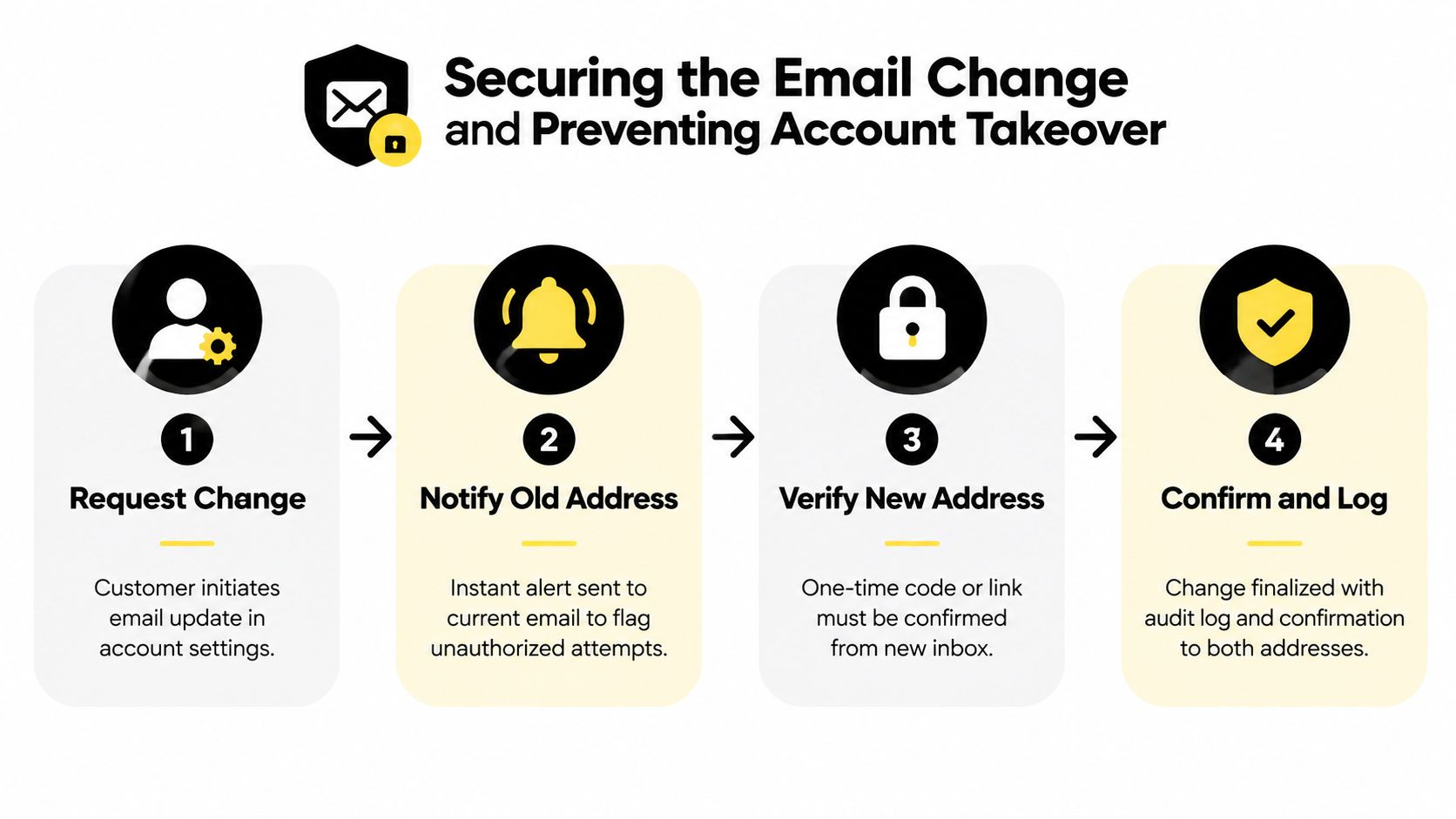
OWASP recommends a two-step confirmation process that alerts the old address and requires explicit verification before the registered email changes, as described in its guidance on changing a registered email address for an account. The sequence matters because it gives the current mailbox an opportunity to flag an unauthorized request while requiring control of the new mailbox before the account record is replaced.
Use a pending state instead of an instant replacement
A secure flow should behave like this:
- Request: The authenticated customer submits the new address.
- Alert: The current address receives an immediate notification with instructions for reporting an unauthorized request.
- Verify: The new address receives a one-time link or code.
- Finalize: The system replaces the registered address only after verification and records the event.
Don't send the new address confirmation to the new inbox alone. If the old inbox receives no alert, an attacker can change the recovery destination without warning. Send a final confirmation to both addresses when the change is complete, subject to the account's privacy and security design.
Security rule: A submitted address is not an approved address. Treat it as pending until the customer proves control of the new inbox.
Plan for abandoned inboxes and formal notices
The old address may be inaccessible, abandoned, or controlled by a former employee. That doesn't mean the workflow should bypass verification. Use a secure account portal, stronger identity checks, or manual support review for exceptions, and limit staff permissions so a support agent can't casually redirect account recovery.
For contractual workflows, define an effective-date rule and keep the old inbox monitored during the transition. A common safeguard is a 10-day update period, during which notices sent to the prior address remain valid if they were sent before the period expires, as outlined in notice clause guidance from ContractKen. The exact rule should match your agreement and legal advice, but the operational principle is consistent: record the old address, the request date, the verification date, and the point at which the new address becomes effective.
Teams reviewing account changes can also use these CleanMyList account security tips as a practical reminder to keep profile ownership and recovery details current.
Preventing Fulfillment and Billing Issues After an Email Update
The most damaging cutover is the one that changes the customer record while leaving downstream systems untouched. Order confirmations, shipping alerts, invoices, subscription notices, support profiles, and warehouse exports may each use a different copy of the address.
Use a phased rollout for merchant-initiated changes. Guidance from Campaign Monitor recommends notifying high-priority contacts 2–4 weeks before the switch, broader contacts 1–2 weeks before, and keeping forwarding and an auto-reply on the old inbox for 3–12 months after the change. The same guidance recommends watching bounces and delivery errors during the first month, which gives the operations team a defined period for finding broken workflows.
Prioritize by fulfillment risk
| System or Recipient | Update Priority | Timing Window |
|---|---|---|
| Open orders and fulfillment notifications | Highest | Before the next fulfillment release |
| Billing, invoices, and payment alerts | Highest | Before the next billing event |
| Customer account and password recovery | Highest | During verified account change |
| Shipping carriers and delivery-alert tools | High | Before label creation or dispatch |
| Support and CRM records | High | During the same propagation cycle |
| Marketing subscriptions and saved segments | Medium | After transactional delivery is confirmed |
| General contacts and low-risk directories | Medium | During the staged announcement |
| Historical exports and reporting archives | Lower | After active records are synchronized |
If an order is already moving through fulfillment, don't promise that an email update will change the delivery destination. Email and shipping address are separate fields with separate controls. For order-address changes, follow a dedicated shipping address update workflow and confirm whether the order is still eligible before making a promise to the customer.
Hold, propagate, then release
An active edit should place the affected order in a visible hold state. The team can then verify the new email, update connected applications, confirm billing and notification routing, and release fulfillment only when the records agree.
Secondary recipients need explicit treatment. Send individual operational messages when recipients must update different systems, use BCC for unrelated external contacts, and suppress duplicate sends when a customer appears in several lists. A hard cutover without forwarding or monitoring is what turns a routine address change into missed invoices, failed alerts, and avoidable support work.
Your Change Email Address Notice Checklist and Next Steps
A strong workflow leaves evidence that the change was requested, verified, propagated, and acknowledged. Don't judge success only by whether the announcement was sent. Check whether customers received account and delivery messages afterward, whether support saw fewer “I didn't get my email” tickets, and whether fulfillment released orders against the correct record.
Use this compact operating checklist:
- Confirm ownership: Alert the old address and verify the new one before replacement.
- Set the effective date: Define when the new address becomes authoritative.
- Activate the right template: Use a clear subject, both addresses, reason, instructions, and support route.
- Map dependencies: Include Shopify, fulfillment, billing, CRM, support, subscriptions, and delivery-alert tools.
- Stage the rollout: Contact high-risk recipients first, then broader groups.
- Keep transition support active: Maintain forwarding and an auto-reply on the old inbox.
- Hold affected orders: Prevent fulfillment while an address or related order edit is pending.
- Monitor delivery: Review bounces, failed alerts, duplicate notices, and customer replies during the transition.
- Close the record: Log the final address, verification result, effective time, and staff intervention.
The practical standard is simple. A change email address notice should protect contactability without weakening account security, and it should protect fulfillment without making support manually reconcile every system.
Audit one live customer change this week. Trace the request from account settings through Shopify, notifications, billing, fulfillment, and recovery, then fix the first point where the old address can survive unnoticed.
Mayra Apps gives Shopify merchants controlled post-purchase editing through customer accounts and the Order status page, with configurable edit windows, approvals, eligibility rules, automatic settlement, and fulfillment holds. Visit Mayra Apps to review how those controls can support a verified email and order-change workflow without sending every request to support.