
A single “How satisfied are you?” after checkout treats the whole order as one feeling. It can't tell you whether the buyer trusted the order, fixed an address, received a late parcel, or fought a refund. A useful post purchase survey is tied to one event, and it keeps the original purchase separate from what happened after a recovery.
Table of Contents
- When to Send Each Post-Purchase Survey
- How Long a Post-Purchase Survey Should Be
- Why Event Questions Beat a Satisfaction Score
- Questions to Ask at Each Moment
- Calculating Response Rate Without Fooling Yourself
- Turning Survey Results Into Operational Fixes
- Launch One Survey This Week
When to Send Each Post-Purchase Survey
A post-purchase survey is a short set of questions fired by one event in the buyer's path, not a general request sent to everyone who paid. Checkout, an edit, delivery, and a refund are different stations. Asking about all of them at once mixes memories that don't belong together.
| Moment | What It Measures | Best Channel | Questions |
|---|---|---|---|
| Checkout complete | Confidence and order accuracy | Order confirmation or order status page | 1 to 2 |
| Order edit or cancellation | Whether the change solved the need and felt easy | Order status page right after confirmation | 2 to 3 |
| Delivery | Delivery promise, fulfillment and product condition | Email or message a few days after delivery | 3 to 5 |
| Return or refund | Effort, clarity and outcome | Email once the refund is issued | 3 to 4 |
Ask while the event is still fresh
The rule behind that table is timing. People answer more, and they remember more accurately, when the prompt arrives while the event is still in front of them. SurveyMonkey's 2025 platform benchmarks put the average response for customer-feedback surveys at 31.81%, with consumer-goods surveys at 27.33%, and they show that requests sent immediately after a transaction generally beat delayed ones because the experience is still fresh. Those rates are directional. Audience, channel, incentives, and who you show the survey to all move the number.
Think of the survey as a checkpoint at one station, not a review of the whole trip. A confirmation-page question can catch doubt about the order itself. A message days later is the wrong place for that doubt, and the right place for whether the box matched the promise. Later messages still have a job. Use them for product use and delivery, not for replaying checkout.
You don't need all four moments on day one. Start with the moment that creates the most support contacts. If address fixes dominate the inbox, the edit confirmation is the first survey. If late parcels dominate, start at delivery. A short map of how messages fit the journey after checkout sits in this guide to post-purchase marketing.
Practical rule: Pick one moment. Write its trigger, channel, and question count on one sheet. Confirm the survey appears only for customers who actually went through that event.
How Long a Post-Purchase Survey Should Be
Shorter surveys get finished. Length is the design choice that decides whether you get a sample or a handful of very patient people.
| Survey Length | Median Response Rate | Practical Use |
|---|---|---|
| One question | About 10% | Single rating, with no room for cause |
| Two to three questions | About 16% | Rating plus one conditional reason field |
| Seven or more questions | Under 7% | Too long for in-flow placement |
| On-site and in-app surveys, all lengths | Just under 10% | Median completion time of 42 seconds |
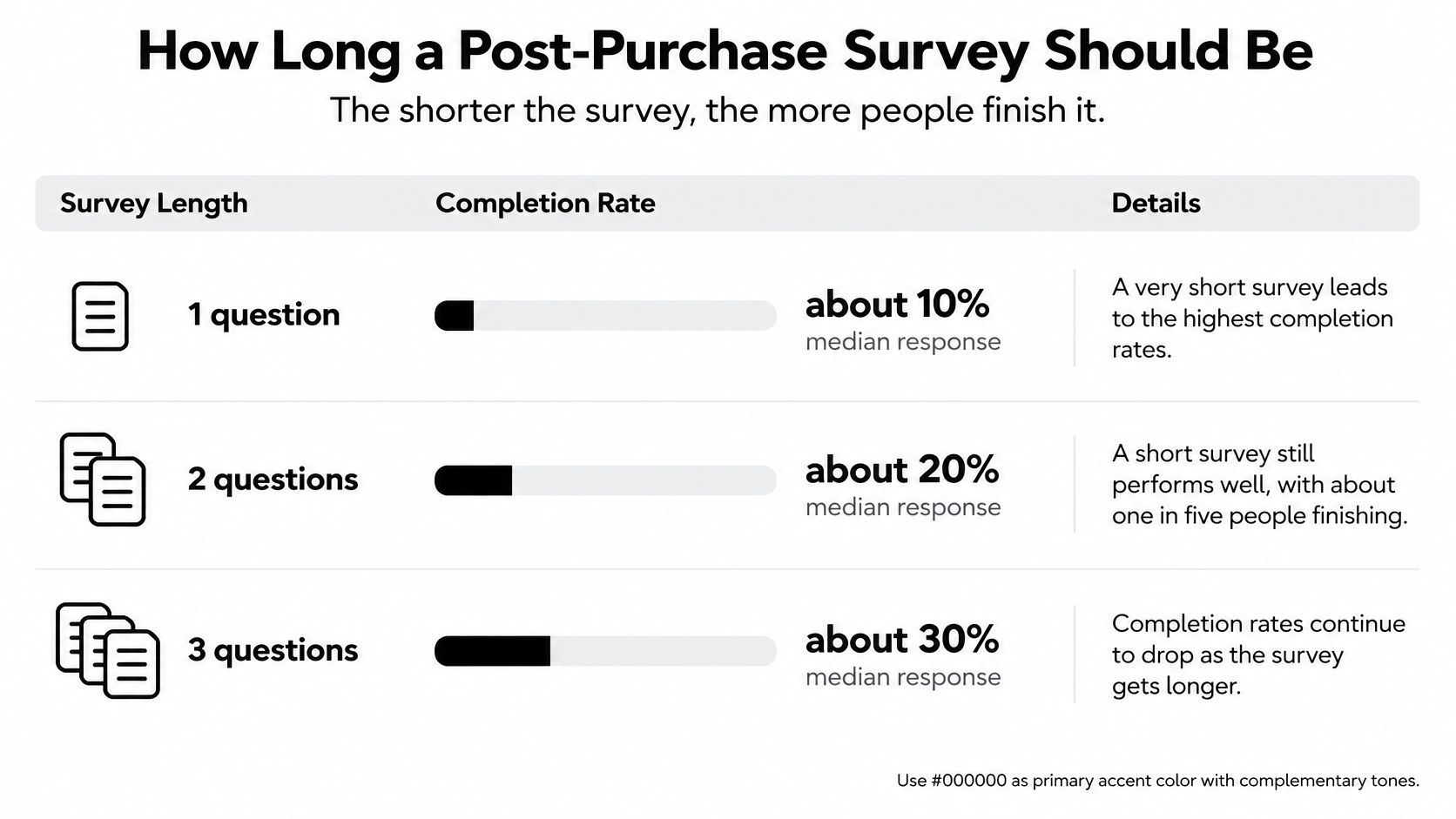
A benchmark of 4,332 surveys from 460 companies, summarized by Testfeed, found that two- to three-question microsurveys reached a median response of about 16%, against about 10% for a single question and under 7% once a survey hit seven or more questions. On-site and in-app surveys overall sat just under 10%, with a median completion time of 42 seconds.
A rating plus one reason
One rating gives you a percentage and no cause. The workable shape is one rating or category, then one reason field that appears only when the answer needs it. Show that field for “edited,” “cancelled,” “added products,” or “fulfillment issue.” Hide it when the answer is already clear. People who had a smooth checkout shouldn't type an essay.
Where you place it changes who is in the denominator. An in-flow survey on the order status page, right after an edit is confirmed, measures customers who met that screen. An email survey measures the smaller group who opened the message and chose to answer. Compare those two populations separately. A higher email score can mean the annoyed people never opened it.
Before you publish, count the questions. Delete any item that won't change a decision this month. Keep the follow-up for low ratings and failed changes only. Two or three questions on the status page will usually beat a seven-question email that almost nobody finishes.
Why Event Questions Beat a Satisfaction Score
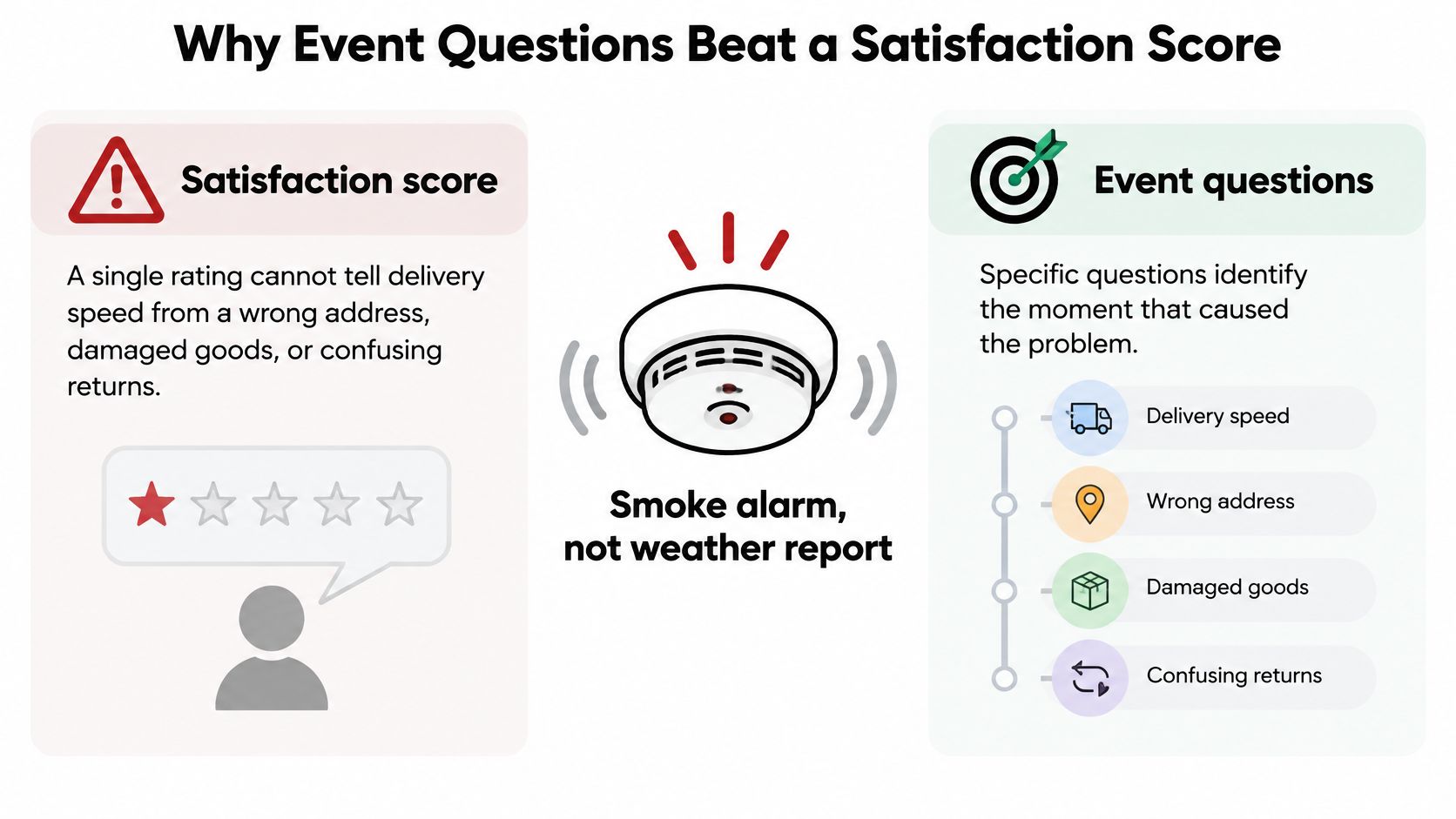
“How satisfied are you with your order?” sounds complete. It isn't. That sentence can't separate slow delivery from a wrong address, a damaged item, a confusing return, or a buyer who couldn't change the order.
A satisfaction score is a smoke alarm. It tells you there is smoke. It doesn't tell you which room is burning.
DHL's early 2025 survey of 24,000 online shoppers across 24 markets found that 81% would abandon a purchase if their preferred delivery option were unavailable, and 79% would abandon if the returns option failed to meet expectations. Delivery choice and returns are purchase-killers on their own. A blended score after the fact will bury both inside “the order.”
Two scores, not one
Keep two measures, and don't average them.
Original purchase satisfaction is how the buyer felt about the order they placed: accuracy, confidence, and whether the promise was clear.
Satisfaction after an intervention is how they felt once something changed. An address fix, a quantity edit, a store-credit offer, or a cancellation alternative can succeed even when the first version of the order was wrong.
A customer who changes a size or a shipping address is often completing a recovery, not filing a complaint. If you score that person on the original purchase, a successful self-service fix looks like dissatisfaction. If you only score the recovery, you miss the mistake that forced the edit.
Branch from what happened. Don't ask someone to rate a return they never started. Use order data you already hold, such as the delivery promise, fulfillment status, edit attempts, and support contacts, to choose the question. Someone with no edit attempt should never see “How easy was the change?”
A generic score tells you the alarm went off. An event question tells you which station failed.
Replace the general satisfaction question with one event question for the moment you chose first. You can add a second score later, after you can tell purchase from recovery.
Questions to Ask at Each Moment
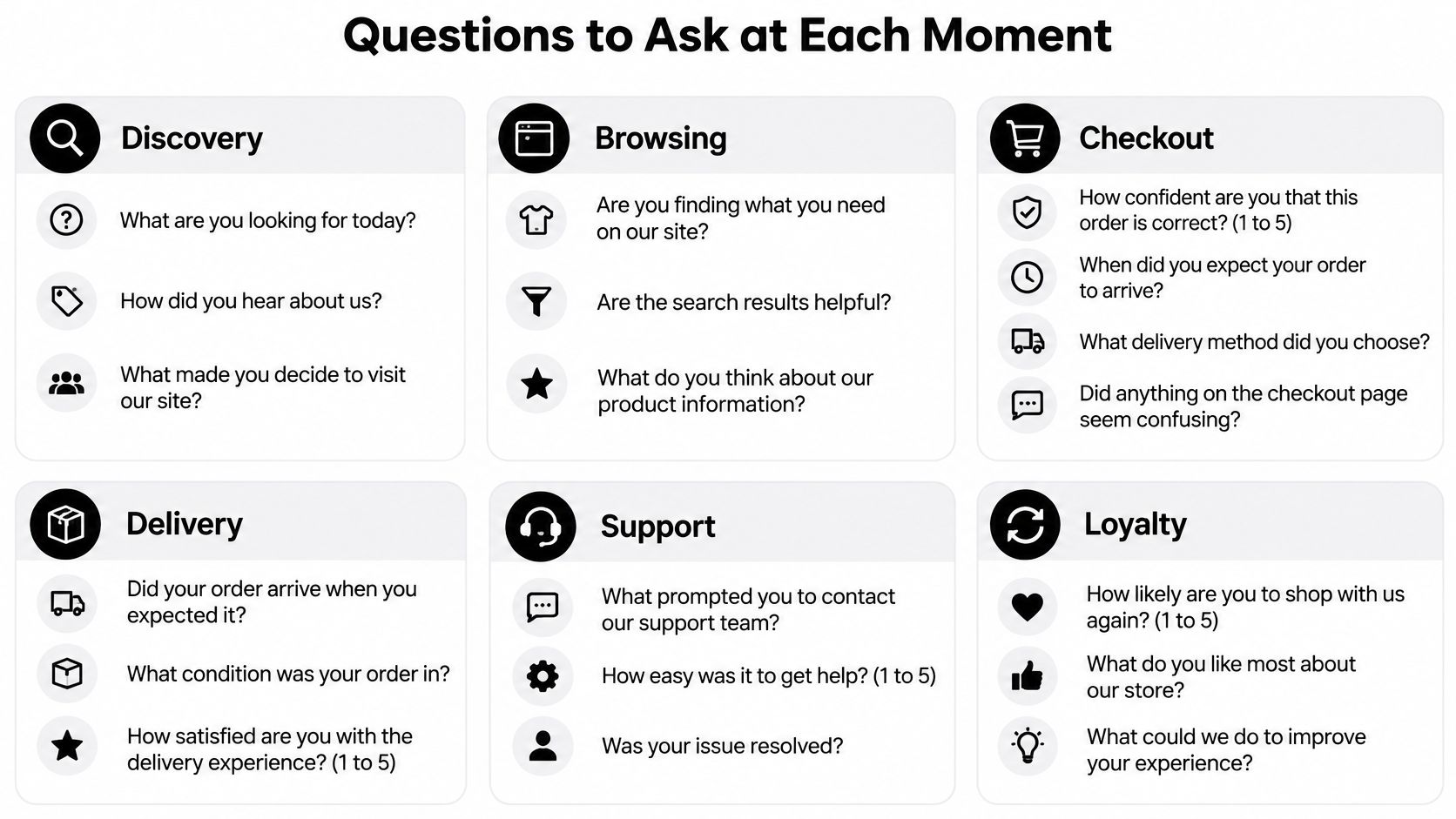
Write the questions for one moment only, and stop at five. Neutral wording matters. “Was our fast checkout easy?” pushes the score up. “How easy was the change?” doesn't.
Checkout
- How confident are you that this order is correct? (1 to 5)
- When did you expect this order to arrive? (date)
- Was anything unclear before you paid? (yes or no, then a text box)
The date question records the expectation before any delay exists. Without it, a later “late” answer has nothing to compare against.
Edit or cancellation
- Did the change do what you needed? (yes, partly, no)
- How easy was the change to make? (1 to 5)
- If partly or no, what would have made it work? (open text)
“Partly” is the useful middle. A buyer who swapped a size but couldn't update the address isn't a simple yes or no.
Delivery
- Did the order arrive when you expected? (early, on time, late)
- Was the item in the condition described? (yes, damaged, not as described)
- Did you need to contact us? (yes or no)
“Not as described” belongs to the product page. “Damaged” belongs to packing or the carrier. One “unhappy” button hides that split.
Return or refund
- How clear were the return steps? (1 to 5)
- Did the refund arrive when you expected? (yes or no, plus timing)
- How likely are you to order again? (0 to 10, optional)
The repurchase question is optional because a refund survey is already long enough. Use it when retention is the decision you need, not as a default closer.
The branch rule
Ask the follow-up only when the answer signals a problem. A “yes, it arrived on time and matched the description” should end the survey. A “late,” “damaged,” “partly,” or “no” opens one reason field.
Every answer choice should match an action someone on the team can take. If nobody will change copy, policy, or a fulfillment step because of an option, drop the option. The same idea applies to the wider post-purchase ecommerce flow: each question earns its place by pointing at a fix, not by filling a template.
Calculating Response Rate Without Fooling Yourself
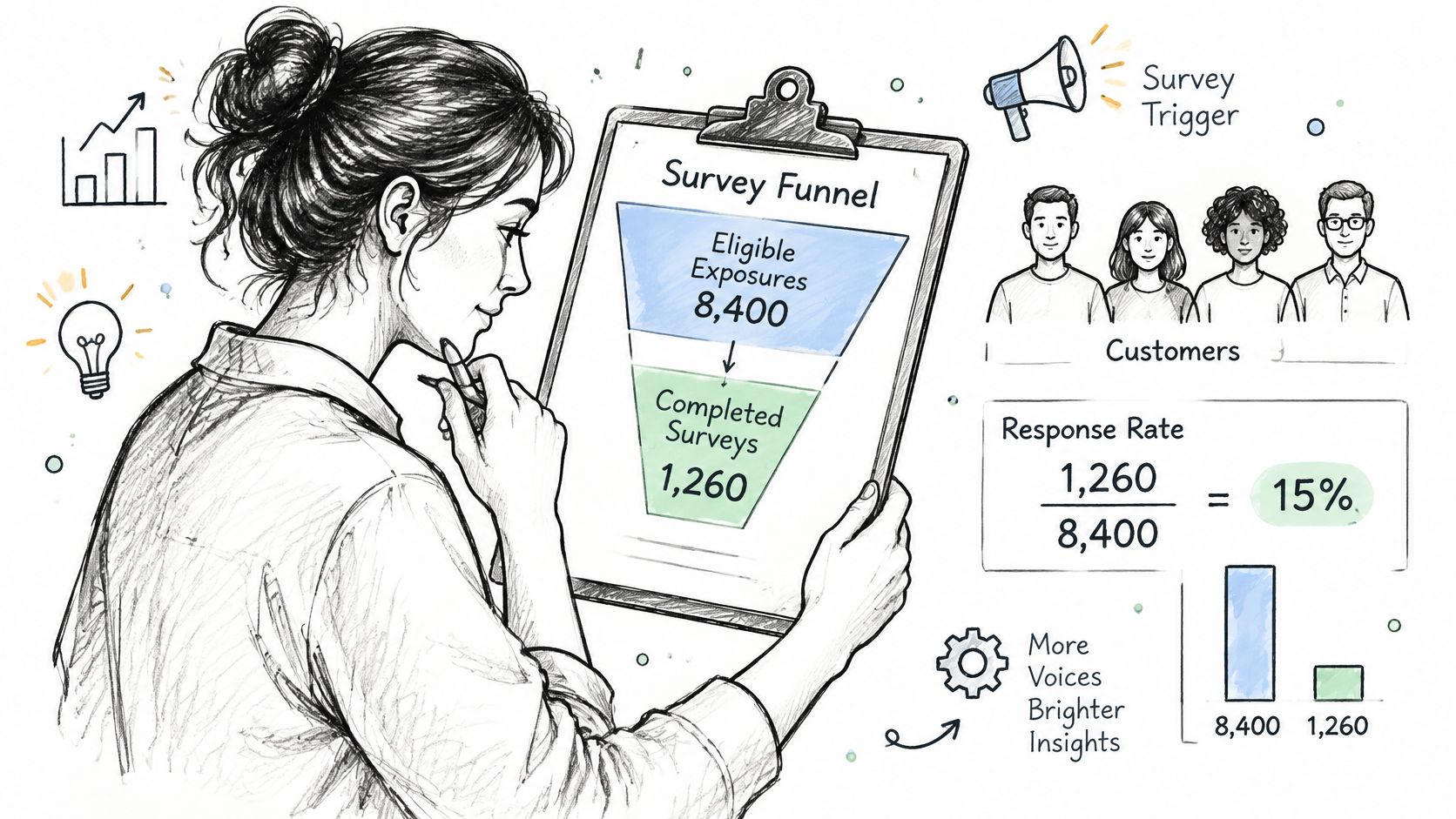
Response rate is completed surveys divided by eligible exposures. An exposure is a customer who saw the trigger, such as the order status page after an edit. Total orders is the wrong bottom number. It makes a well-placed survey look weak, because most orders never saw it.
TruRating's summary of satisfaction-survey benchmarks puts large-scale ecommerce email surveys near a 3.24% average response, while mobile surveys show a median near 18.69%. In-product or post-transaction placement can do substantially better than a delayed email, because the prompt has fewer steps and the edit or cancellation is still on the customer's mind. A rate is still not a representative sample. Compare channels on their own exposures.
Count it in eight steps
- Count eligible exposures for one moment, such as customers who reached the order status page after an edit.
- Count completed surveys from those exposures only.
- Divide completions by exposures, and report each moment on its own line.
- Put the segment count and a rough confidence interval beside the rate, so a dozen answers aren't read as a trend.
- Check who didn't answer by order value, country, device, cancellation outcome, and fulfillment state. Customers with a problem are more motivated to reply.
- Link each response to an operational event: an address correction, a saved cancellation, a refund, store credit accepted, or a product added. That link is an association, not a cause.
- Test timing or wording one variable at a time, and hold the eligibility rules still.
- Judge the test by support contacts, edit completion, cancellation retention, and fulfillment exceptions, not by the response rate alone.
Say 400 people hit the post-edit status page and 64 finish a two-question survey. The rate is 16% of exposures, not 16% of every order that week. If most of those 64 had a failed address change, the average ease score describes the people who struggled.
A rate without the nonresponse check will flatter the loudest buyers. Read the funnel next to what those buyers could already do on the post-purchase customer experience, including self-service edits, so a low score isn't blamed on the survey when the action itself was blocked.
Turning Survey Results Into Operational Fixes
Don't ask how delivery felt until the promise was visible. A low score after a late order often names the missed date, not a weak product. A high score can mean the recovery worked, even if the first attempt failed.
A 2025 mystery-shopping study from Stord found that only 34% of orders were delivered as promised, while 58% of consumers wanted estimated delivery dates and only 1% of brands provided them. If the date was never shown, “Were you satisfied with delivery?” mostly measures a blank promise.
Capture three facts before any rating.
- Expected date: When did you think this order would arrive?
- Actual experience: What happened, in the customer's words or in a short category?
- Proactive notice: Did the store tell them about a delay or a change before they had to ask?
Then record whether they could fix it without contacting support. That last point splits voluntary edits from forced tickets.
| Survey Signal | Likely Cause | Operational Fix |
|---|---|---|
| Low score after a late order | Missed delivery promise, not the product | Show estimated delivery dates and send proactive delay notices |
| High score after an address or quantity fix | Recovery worked | Keep self-service edits and track them as recovery satisfaction |
| Customers contact support after a survey says the change was unavailable | Self-service rules too narrow | Widen permitted changes or the edit window |
| Low response from customers who cancelled | Survey shown too late or too long | Move one question into the cancellation step |
| Repeated wrong-size or not-as-described answers | Product page information gap | Improve sizing and product detail content |
Who owns the fix
A high recovery score is a success. Track it apart from the original purchase score, or a month of clean address fixes will look like a month of unhappy buyers.
The second group in that table is the one teams misread. A buyer who edited quantity on their own is using the tool. A buyer who wrote to support because the edit wasn't offered is telling you the rules are too narrow. Customer-managed edits can remove friction, or they can dump the hard cases back on the buyer. The survey should show which one you built.
Give each signal an owner. Support reviews contact-driven answers. Operations owns the delivery promise and fulfillment holds. Merchandising owns sizing and product-detail gaps.
Once a week, pull the top three signals, assign one fix to one owner, and check next month whether the same signal came back. A signal that returns means the fix didn't land, not that customers “like to complain.”
Launch One Survey This Week
Launch the survey on the moment that produces the most support contacts, not the moment that is easiest to embed.
- Pull the last 90 days of tickets and label the moment behind most of them.
- Take two or three questions from the set for that moment.
- Set the trigger and channel for that moment, and cap the survey at three questions.
- Run it for 30 days and divide completions by eligible exposures.
- Read the answers against the signal table and assign one fix to one owner.
Our reports cover the store's own activity, including orders edited, revenue recovered, orders saved, and an estimate of tickets avoided. Put that activity next to the survey, so a rise in saved orders isn't mistaken for a rise in happiness, and a drop in tickets isn't mistaken for silence.
The merchant owns the settings. Edit windows, allowed actions, refund handling, and store-credit offers decide what the survey can even show. If the window closes before most buyers open the status page, “the change was unavailable” is a settings result, not a mood. Record those settings with the launch date so the 30-day read has a baseline.
If a question about setup comes up while you wire the trigger, email support@mayraapps.com. Merchants typically get a reply within 1 business day.
Book the review date before the survey goes live. A 30-day run should end in one decision: keep the question, change the rule, or both. For the form itself, a shortlist of tools for gathering customer feedback from KeenVerdict is a practical place to compare survey software once you know the moment and the question count.
Mayra ‑ Order Edit & Cancel lets Shopify customers change an order, take a cancellation alternative, or add a product before fulfillment, under rules you set. Those self-service moments are exactly where a short diagnostic survey can separate a successful recovery from a problem that still needs a fix. Visit Mayra ‑ Order Edit & Cancel to put order edits on the order status page and measure what customers do next.