
You placed the order an hour ago. The confirmation is still open, and the size is wrong. Medium, not large. The warehouse hasn't touched the carton, but the shopper doesn't know that. They want the fix without a support thread, and your team wants the parcel to leave with the right SKU.
That gap is what order modification is for. The request is only half the decision. The other half is where the order sits: not picked, mid-pick, packed, or already with the carrier. A change that looks simple on the order status page can still collide with a picker who has the original line in hand.
Timing beats intent. A shopper who notices the mistake in good faith can still create a mispick if the edit lands after the first scan. What follows covers what a change is, which types stay safe before fulfillment, how status locks the window, how to process an edit without breaking payment or stock, and what to do when the request arrives too late.
Table of Contents
- What Order Modification Means for Shoppers and Merchants
- Order Modification Types and When Each One Works
- Fulfillment Status Decides Which Edits Are Allowed
- How to Process an Edit From Request to Release
- Cancellation, Store Credit and Refund Decisions
- Edge Cases, Late Changes and Delivery Conflicts
- Set Your Edit Rules Before the Next Order Ships
What Order Modification Means for Shoppers and Merchants
Say a shopper checks out a hoodie, then an hour later realizes they ordered a small. They don't want an email chain. They want the size swapped on the order they already paid for, before anyone packs it.
Order modification is any change made to a placed order before it ships. That covers a quantity change, a variant swap, a shipping-address correction, an added or removed item, or a full cancellation.
A restaurant ticket works the same way. The server can amend the order at the table until the kitchen starts cooking. After the pan is on, the honest choice is to send the dish back, not to pretend the ticket was always the new one. A sealed carton is the plated dish.
The two parties don't share the same job.
- The customer asks for the change and confirms the new price before anything is committed.
- The merchant decides what is permitted, how a price difference is collected or refunded, and who pays for a mistake.
Returns sit on the other side of delivery. A return starts after the parcel arrives and follows its own inspection, restock, and refund path. An edit happens while the goods are still yours to allocate. Mixing the two creates the wrong expectation. The shopper thinks "change my order" means "send it back," and your books treat a pre-ship correction like reverse logistics.
Three questions decide whether the hoodie swap is safe. Which change is being asked for. Which fulfillment state the order is in. How you process the edit so inventory, payment, and shipping stay in agreement.
Customers can change quantities, swap variants, update the shipping address, and add or remove items on their own order, with no support ticket, but only while that order is still eligible.
Order Modification Types and When Each One Works
Risk rises as you move down this list. A quantity tweak adjusts money and stock. A change after the carrier has the parcel isn't an edit of the order record at all.
| Change type | Typical example | Usually allowed before fulfillment | Extra check or step |
|---|---|---|---|
| Quantity increase or decrease | Two shirts instead of one | Yes | Price difference shown before the customer confirms |
| Variant swap | Same product in a medium instead of a large | Yes, if the new variant is in stock | Inventory check on the new SKU |
| Shipping address correction | Apartment number added | Yes, until picking starts | Destination-country and carrier rule check |
| Add an item | Matching accessory added later | Yes | Payment for the balance before the edit completes |
| Remove an item | Gift no longer needed | Yes | Refund for the removed line per merchant settings |
| Full cancellation | Ordered by mistake | Yes, before shipment | Refund or store credit based on merchant policy |
| Change after dispatch | Address change once the parcel is with the carrier | Usually no | Exception handling or carrier-side redirect, outside the order edit |
Quantity changes are the everyday case. Two shirts instead of one changes the total, and the shopper should see that difference before they confirm. Every order change shows the price difference before the customer confirms it, so a quiet total never lands on the receipt.
Variant swaps look identical from the outside and aren't. Medium instead of large is a different SKU. Stock on the new variant has to exist before you promise it. A swap with no units behind it is a cancellation wearing a friendlier name. The practical pattern for a swap of variants after purchase is the same check: available units first, then price, then confirmation.
Address corrections are the request support hears most after checkout. Adding an apartment number is usually fine until picking starts. A new destination country is not the same request. Carrier rules, duties, and shipping methods can block it even when the order is still unpicked.
Adding an item creates a balance the customer has to settle before the edit completes. Removing an item usually triggers a refund for that line, using whatever refund settings you already run. Full cancellation is the fallback, and it belongs before shipment, not after a label exists.
Read the table by what changes. If money moves, you need a payment step, either a balance or a refund. If logistics move, you need a fulfillment check, not a new charge. The last row fails both tests. Once the parcel is with the carrier, rewriting the order doesn't move the box. That request leaves the edit path and becomes an exception.
Fulfillment Status Decides Which Edits Are Allowed
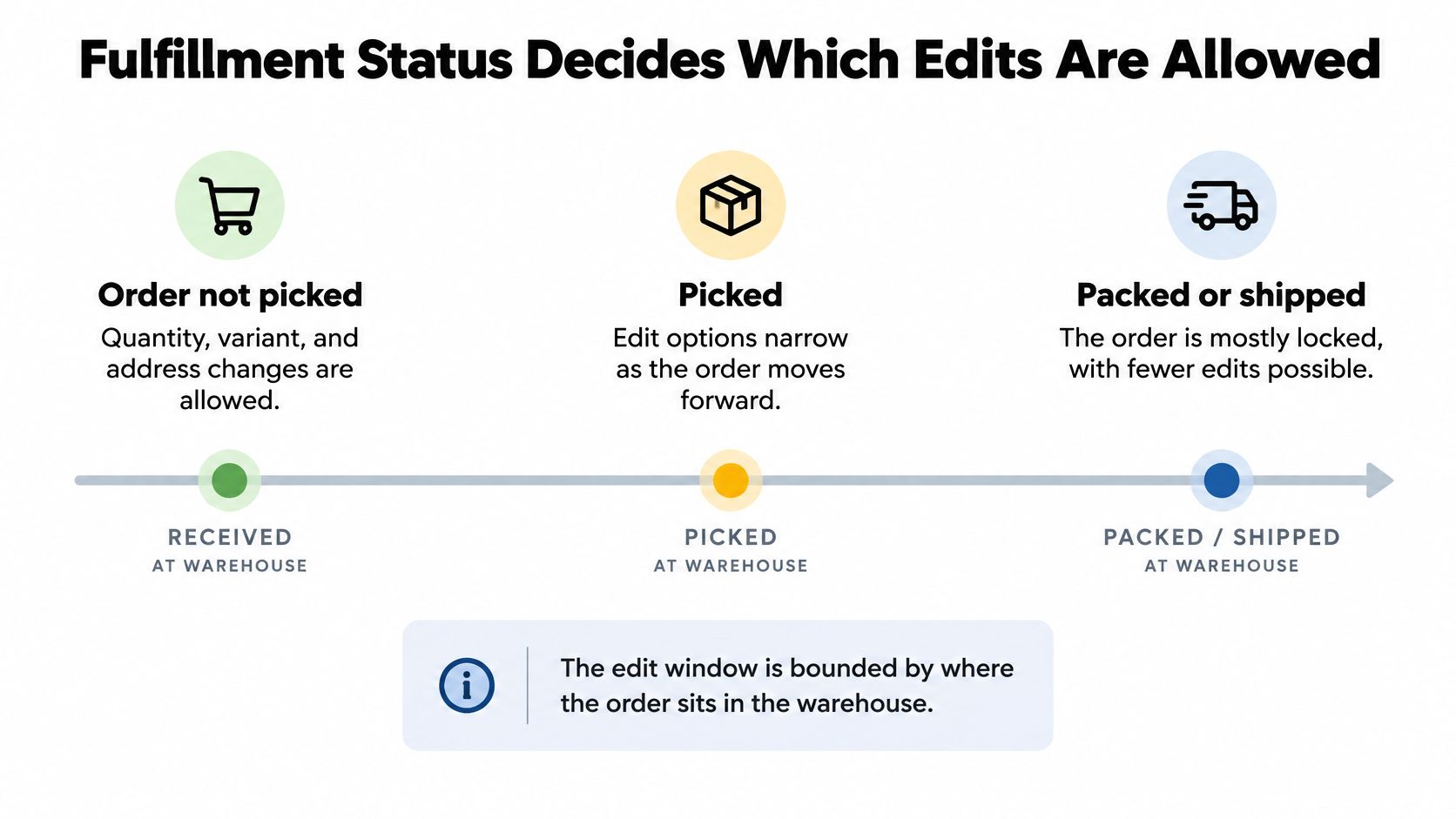
The edit window is not only a clock. It is bounded by where the order sits in the warehouse. A generous timer that stays open after the first pick invites a conflict the shopper never sees.
Before anyone picks, quantity, variant, and address changes can update allocation safely. The order is still a plan. During picking, accept a change only after you place fulfillment on hold and revalidate stock. Fulfillment is held while a customer is editing an eligible order, so the order cannot ship mid-change. After packing or carrier handoff, the customer shouldn't edit the order. Route the request to an exception path instead.
The race on the floor
Skip that hold and you get a race. The storefront records the revised order while the warehouse ships the original line. The customer receives the wrong item. Inventory, the payment, and the tracking number no longer describe the same shipment. Support then spends the afternoon reconciling three systems that each look correct on their own.
Best-in-class warehouses leave very little slack for that race. Benchmarks drawn from the 2025 WERC DC Measures report put best-in-class on-time shipments at 99.5% or higher and picking accuracy at 99.68% or higher, with total order-cycle time below six hours, as summarized by Atomix Logistics. A cycle that short means a "later this afternoon" edit can already be inside a pick wave. Eligibility has to follow status, not the customer's sense of urgency.
Practical rule: Close self-serve edits before the first pick, and require approval for anything high-value that arrives after that point.
A single order record is what keeps the hold and the storefront from diverging. Teams that are still stitching channels together can start with how retailers centralize customer orders, then attach edit rules to that same record.
What each state still allows
| Fulfillment state | Edits allowed | Required action | Merchant control |
|---|---|---|---|
| Unfulfilled, not yet picked | All change types | Update allocation and totals | Edit window still open |
| Picking started | Limited, with a hold | Place fulfillment on hold and revalidate stock | Approval for high-value or late-stage edits |
| Packed | None from the customer | Route to an exception workflow | Support team intervention |
| Handed to carrier | None from the customer | Carrier-side redirect only | Outside the order edit |
| Fulfilled, cancelled or archived | None | Refund or new order | Policy rules |
Orders that are fulfilled, cancelled, or archived cannot be edited by customers. A new purchase, or a refund on the completed order, is the remaining path.
Four measures tell you whether the rules match the floor. Edit-to-release latency shows how long a held order sits. Edits blocked after pick start shows the window doing its job. Inventory reallocation failures show promised swaps with no stock. Post-edit mispick rate shows the race you failed to stop. If blocked-after-pick stays near zero, the window is probably still open too late.
How to Process an Edit From Request to Release
Treat every accepted change as one sequence. Skip a step and the failure shows up as a wrong parcel, an unpaid balance, or a ticket that reopens the same order.
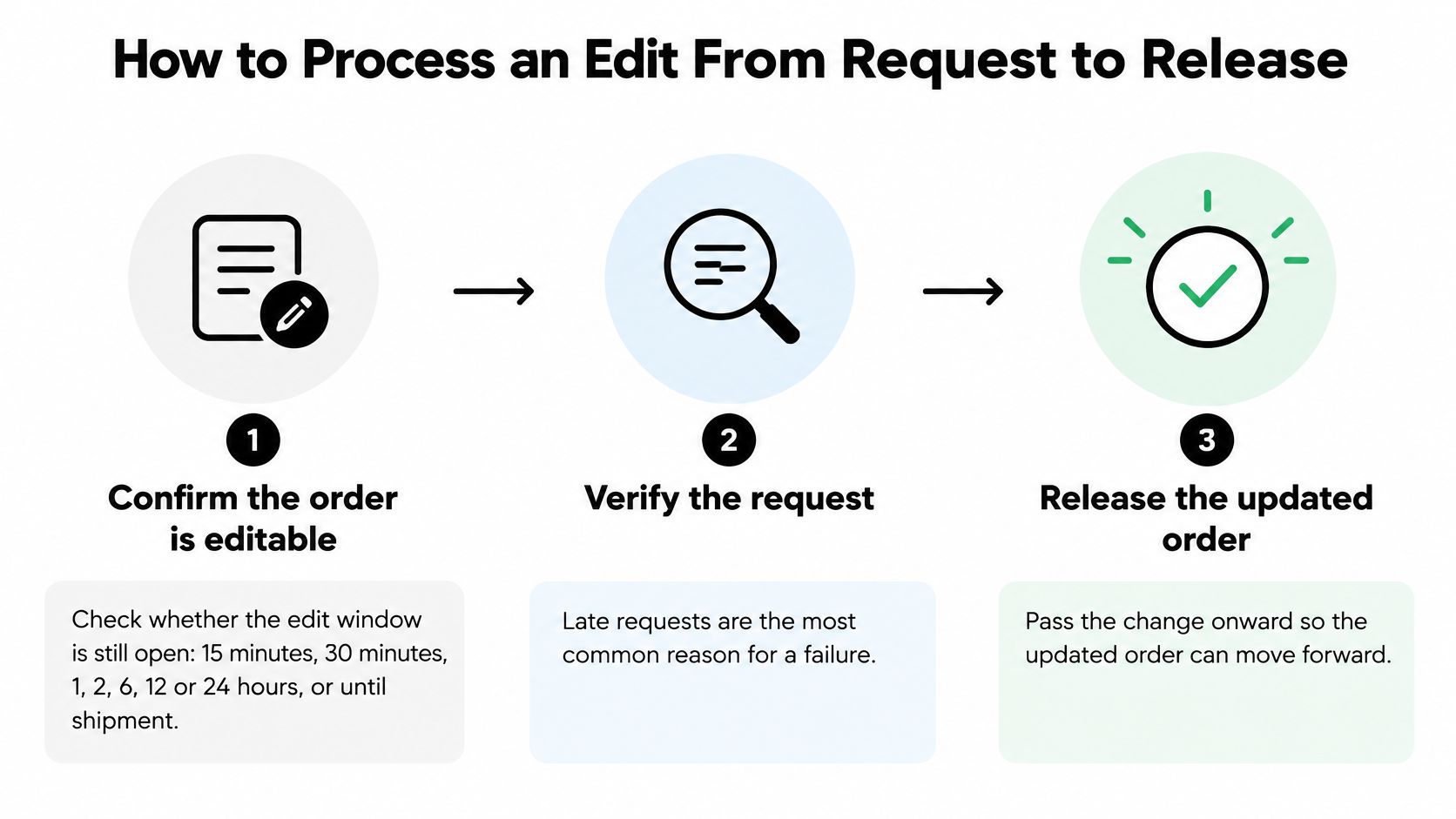
- Confirm the order is still editable. The merchant sets an edit window of 15 minutes, 30 minutes, 1, 2, 6, 12, or 24 hours, or until the order ships, because a late request is the most common reason for a conflict, and stretching the window past the first pick is the usual mistake.
- Check eligibility before you touch the lines. Order value, fulfillment status, product tags, and destination country can each block a change that the window would otherwise allow, and the mistake is approving a high-value order that your own cap already excluded.
- Validate stock on the new SKU before you promise it. A swap to an unavailable variant is a broken promise, and the mistake is telling the shopper "done" and discovering the bin is empty after they leave the page.
- Hold fulfillment for the whole edit. Releasing the order while a balance is still unpaid lets the original lines ship, and that is the mistake that creates the race.
- Recalculate taxes and totals before you ask for money. The new total decides whether you collect or refund, and the mistake is reusing the checkout tax on a different ship-to state.
- Settle the money, then commit. When an edit raises the order total, Shopify sends the customer a separate invoice to pay the balance before the edit completes. A lower total follows your refund settings. The mistake is writing the new lines while the invoice is still open.
- Write the change to the original order, then release. Every change made by a customer is written to the original order, so the Shopify admin remains the source of truth. The mistake is parking the edit in a side note that the warehouse never reads. When the release itself fails to sync, the same discipline you use for handling failed Shopify events applies. Don't mark the edit done until the order record matches what will ship.
- Confirm the outcome in writing. The customer should see the new total and delivery estimate, or a clear reason the request was blocked and sent to support. Log that reason. The mistake is a vague "we couldn't change this," which invites the same request an hour later. You can confirm the edit on release so the receipt the shopper keeps matches the order you fulfilled. After an edit, the customer sees an updated receipt reflecting their post-edit order.
Auto-approve the small, in-window changes. Route refunds above your threshold to a person. That split keeps routine size fixes off the queue without letting a large reversal leave unnoticed.
Cancellation, Store Credit and Refund Decisions
A cancellation request that arrives before pick, pack, and label creation is a different problem from the same request after the order has left the editable state. The intent is identical. The limit is fulfillment. If an order is still eligible, customers can cancel the whole order themselves. Once an order is fulfilled, cancelled, or archived, self-serve editing stops, and the decision moves from “change the order” to “reverse a process already in motion.”
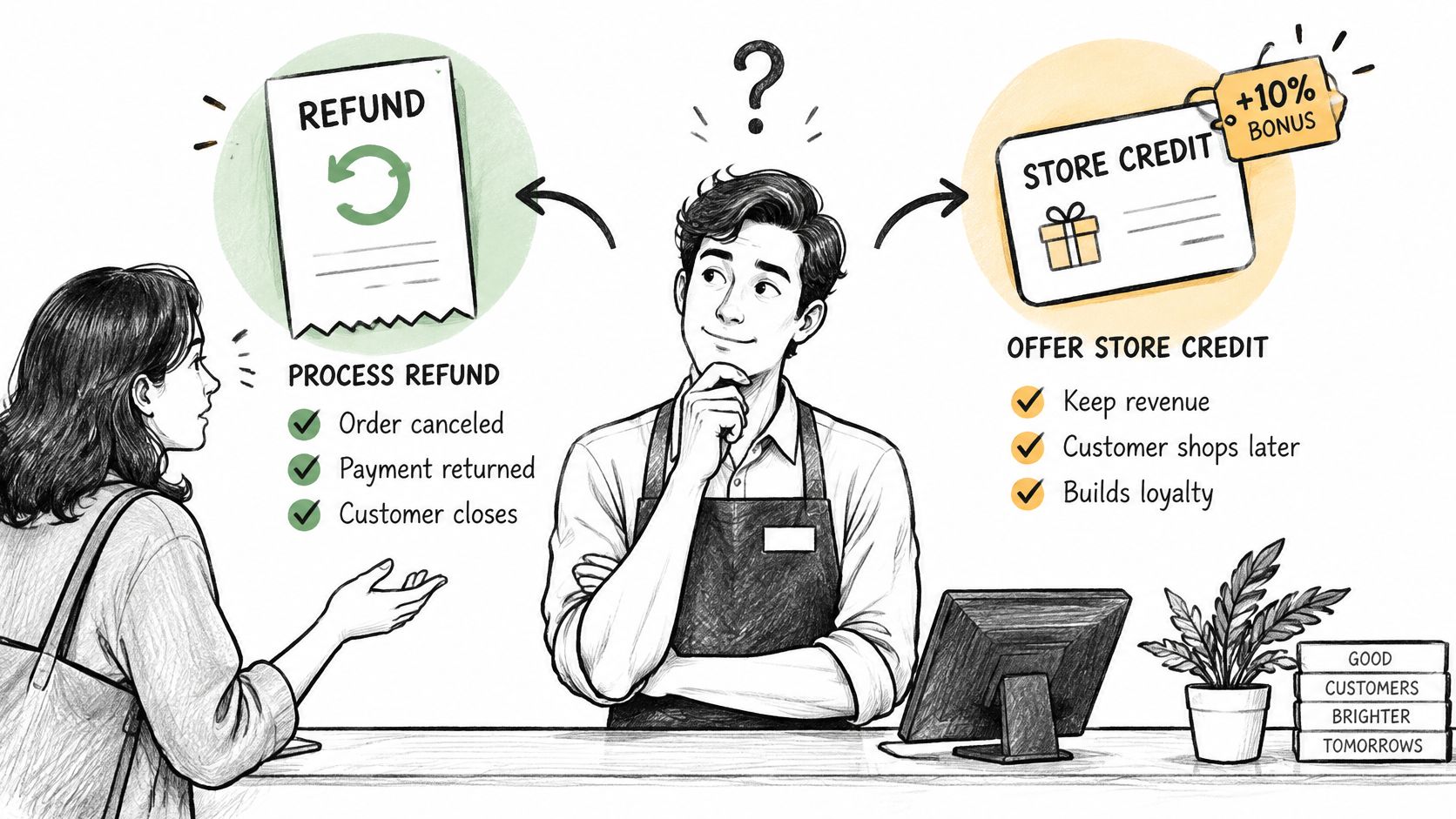
Refund volumes have been rising across retail, so a bonus that never gets redeemed, or is used later on a low-margin order, can add cost on top of an already expensive refund process. Store credit works like an IOU written inside your store: it can keep the relationship alive, but the balance sits on your books until redemption or expiry. While a customer is editing an eligible order, fulfillment should stay held so the parcel cannot ship mid-change; if they accept a store-credit offer, the order stays and is locked from further edits, which prevents the same order from being reopened all week.
Four outcomes, not one lever
| Outcome | What the customer gets | Merchant cost or risk | Reconciliation need |
|---|---|---|---|
| Immediate refund | Money back to the original payment | Lost sale and refund processing | Refund matched to the original order |
| Store credit with bonus | Credit that can be spent later | Bonus cost and deferred liability | Redemption and expiry tracking |
| Partial credit | Credit for part of the order value | Lower immediate cost, with acceptance uncertain until measured | Split entry between refund and credit |
| Exchange | Replacement item of similar value | Stock and shipping cost | Inventory and new payment matched to the order |
An immediate refund ends the sale cleanly: the order is gone, and you stop carrying the exposure. Store credit with a bonus keeps possible revenue, but it also creates a balance you must track through redemption and expiry. Partial credit lowers the immediate concession, yet its acceptance rate stays unknown until you measure it by cancellation reason and customer group. An exchange preserves a sale only when the replacement is actually in stock and any payment difference is settled against the same order.
The goal is not the highest credit acceptance. A smaller, targeted offer can beat a blanket bonus once you count redemption, margin, extra support contacts, and fraud exposure.
Treat saved cancellations and recovered revenue as separate numbers. Report redemption and expiry on their own, segment offers by reason and cohort, and record the bonus as a cost rather than a footnote. Keep the offer optional, state expiry in plain language, and make sure it fits the consumer-rights rules that apply to your store. A clear cancellation policy makes the offer read as a choice rather than a trap, especially when the cutoff depends on whether the order has reached fulfillment.
Edge Cases, Late Changes and Delivery Conflicts
A customer emails at 9:14: "Can the parcel go to my office instead?" The label printed at 9:02 and the courier collects at 10:00. Whether you can say yes has nothing to do with how polite the request is. It depends on where the order physically sits, and two different systems can answer what sounds like one question.
A merchant-side order edit rewrites the record and the shipment before pickup. A carrier-side interception changes the delivery day, the drop-off point, or the parcel route after the carrier already has the box. The first happens inside your edit window and costs you a re-check. The second is a carrier service, often with its own fee, and it never returns the warehouse to an unpicked state. Treating them as the same thing is how a store promises edits the floor cannot honor.
Shoppers increasingly expect that second kind of control. DHL's 2025 global e-commerce report identifies delivery flexibility, including changing the delivery day and the drop-off point, as a specific shopper expectation, and 81% of shoppers abandon carts when their preferred delivery option is unavailable. That expectation does not switch off at checkout. Every flexible promise needs a cutoff, and the honest anchor for that cutoff is a fulfillment state, not a guess about how much time is left.
When self-serve should stop
Four triggers should take a request out of the shopper's hands and put it in front of a person.
A different country. An address change that crosses a border needs an approval step, not a silent save. Duties, the shipping method, and the carrier rule can all fail after you have already told the shopper it worked. If the new lane isn't one you ship, cancel and let them reorder.
A large order value. Put a shipping surcharge and a human approval on late, high-value edits. The surcharge covers the re-pick or the new label. The approval stops a rushed change on an order that would hurt if it ships wrong.
A repeated correction from the same account. Treat the third address change as a fraud check. One typo is normal. A pattern of redirects is how a parcel gets walked away from the buyer who paid.
A conflict with a carrier or warehouse scan. While a customer is editing an eligible order, fulfillment stays on hold so nothing ships mid-change. Once the hold lifts and a scan says picked, packed, or in transit, self-serve is over. Intercept with the carrier when the service allows it, or cancel and reorder. Don't write a new address onto an order the scanner has already closed.
Address mistakes are common enough that the country and scan triggers will fire often. Deutsche Post Direkt's Address Study 2025 found that 13.2% of customer addresses were incorrect or outdated, based on about 120 million anonymized addresses from 200 companies, as reported by Logistik Heute. That rate is why a pre-pick correction is worth allowing, and why a post-scan correction needs a person.
Record every exception reason as structured data, not only as a free-text ticket. Stockout, late window, country block, fraud review, and carrier conflict should be fields you can count. Otherwise each late change stays a one-off, and you never see which rule is doing the blocking.
Set Your Edit Rules Before the Next Order Ships
Run a two-week pilot instead of turning every change on at once.
- Pick one change type and one window. Start with quantity or shipping address. Match the window to how fast you pick, for example two hours, or until picking starts. A window that outlasts the pick wave will fail in week one.
- Cap who qualifies. Set a maximum order value above which the order goes to an agent. Exclude destination countries and product tags you don't want edited in self-serve. You can set a maximum order value above which orders are excluded from self-serve editing.
- Choose one cancellation outcome for the pilot. Immediate refund only, or a store-credit offer with a capped budget and a fixed expiry. Don't run both bonuses at once or you won't know which one held the order.
- Force every accepted edit through the same validation. Stock check, payment settlement, and the fulfillment hold, in that order. A shortcut for "easy" address fixes is how the race starts.
- Log every blocked request, approval, and exception for two weeks. Use a reason field, not a comment thread. You need counts, not anecdotes.
- Review before you widen anything. Look at edit-to-release latency, edits blocked after pick start, reallocation failures, and the share of edits that needed an agent. Open another change type, a longer window, or a higher value cap only when those figures sit still.
Write the rules down before you pick a tool. Mayra ‑ Order Edit & Cancel is one way to apply them on a Shopify store. We let you set edit rules before any order becomes editable, turn each customer action on or off individually in Settings > Allowed customer actions, and set up editing by turning it on, choosing the edit window, and adding the block to the Order status page.
Mayra ‑ Order Edit & Cancel lets Shopify customers change quantities, swap variants, correct a shipping address, add or remove items, or cancel an eligible order before fulfillment, under the window and approval rules you set. It holds fulfillment during the edit, writes the change back to the original order, and handles the price difference with a Shopify invoice or your refund settings. If you want that control on the order status page, visit Mayra ‑ Order Edit & Cancel.